How to Build Future-Ready Zoho Creator Apps for SMBs
Will your Zoho Creator app keep up as your business grows? Discover how SMBs can build future-ready Zoho Creator apps with adaptable business rules, reliable integrations, scalable data models, stronger security, AI-assisted development, and practical lessons from real implementations.

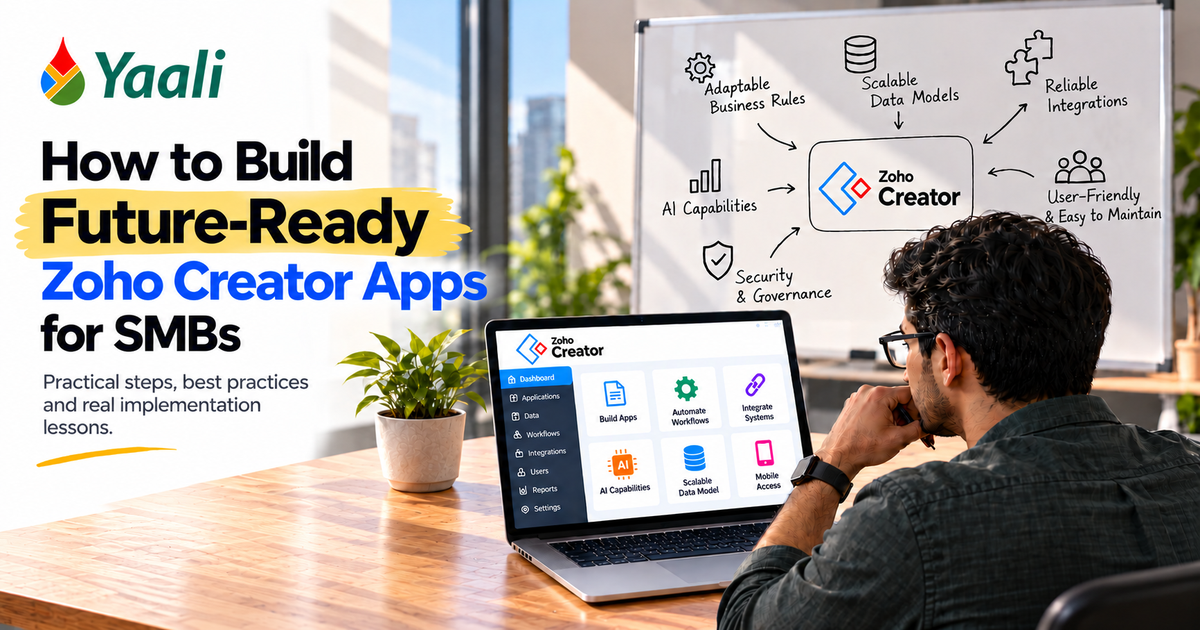
Your Zoho Creator app works perfectly. Until the business changes.
A manufacturer adds a production line. A distributor introduces a new approval process. A growing company needs to connect its app with another business system. What began as a simple workflow now requires changes across forms, scripts, integrations, and reports. A seemingly small request turns into weeks of development, testing, and troubleshooting.
The real cost of a custom business app isn't just what you pay to build it. It's what you pay every time your business outgrows it. For a fuller breakdown of the long-term expenses, read the costs of a Zoho Creator app beyond development.
This is where many SMBs get caught off guard.
They build an application to solve today's problems without considering how its data, business rules, and integrations will need to evolve. The app works, but every change becomes harder than the last. Eventually, businesses face an uncomfortable choice: keep patching the system or rebuild it.
Zoho Creator gives SMBs the flexibility to build applications around their own processes. Its wider benefits are explored in this guide to using Zoho Creator for app development. But flexibility alone doesn't guarantee long-term value. But flexibility alone doesn't guarantee long-term value. That depends on the decisions made during design and development: how business rules are structured, how data is connected, how failures are handled, and how easily another developer can maintain the application.
At YAALI Bizappln Solutions, our Zoho Creator implementations span real operational challenges, from consolidating healthcare scheduling workflows to building retail training platforms and connecting warranty claims with Zoho CRM. These projects highlight a practical lesson: an app should be designed not only to solve the problem in front of you, but also to accommodate the changes you can reasonably expect next.
So, how can SMBs build Zoho Creator apps that remain useful as their businesses grow?
Let's examine the architectural decisions, implementation practices, and real-world lessons that make the difference.
11 Critical Factors That Make a Zoho Creator App Future-Ready
Here are the key factors in building a future‑ready Zoho Creator app:
1. Design for Business Changes, Not Just Today's Requirements
Many custom applications begin with a simple request: capture information, calculate a value, send an email, or update a CRM record.
The first version works. Then the exceptions arrive.
A discount changes for one customer category. A new approval level is introduced. A product becomes available only on certain days. A customer needs an additional document before an order can proceed.
If each new requirement demands changes across multiple forms, workflows, and scripts, the application becomes increasingly difficult to maintain.
Separate business rules from the workflow wherever practical
Consider a manufacturing application that schedules production based on machine availability, working hours, weekly holidays, product restrictions, mould availability, and cycle times.
A fragile implementation might bury these conditions inside a long script. A more maintainable design separates the concepts:
- Business data: machines, products, working calendars, moulds, and production orders.
- Business rules: capacity, permitted machine-product combinations, and scheduling constraints.
- Workflow: the sequence that evaluates an order, checks availability, creates a schedule, and flags exceptions.
- User interface: the screens used to review, approve, and adjust the schedule.
This separation makes changes easier to reason about. If working hours change, the developer should not have to untangle unrelated email notifications or rebuild the production-order form.
It also creates a clearer conversation between business owners and developers. Instead of discussing only what a form should contain, they can identify which rules may change, who owns those rules, and what should happen when a rule cannot be satisfied.
Practical question: If a business rule changes next month, can your team identify where to update it without reviewing the entire application?
If the answer is no, improving changeability should be a priority. This is often a process-design challenge as much as a coding one; the hardest part of building a Zoho Creator app is not the code, but translating real business needs into maintainable rules.
Separating rules from workflow matters most when you have a solid data foundation underneath. Before building any of those forms, the relationships between business entities need to be understood clearly.
2. Model the Business Process Before Building the Forms
A form-based approach is tempting because it gets an application moving quickly. But forms are only the visible surface of the data model underneath.
When related information is poorly structured, the same customer, product, or transaction may be duplicated across several forms. That creates inconsistent records, complicated reporting, and scripts that have to compensate for weak relationships.
Before building a Creator application, identify the main business entities and how they relate.
For example, a production scheduling application may need separate records for:
- Production orders and required quantities.
- Products and their manufacturing constraints.
- Machines and their operating calendars.
- Moulds or other production resources.
- Scheduled production runs.
- Exceptions that require human intervention.
A scheduled run should reference the relevant order, product, machine, and resource records rather than relying on repeated free-text values wherever possible.
The goal is to represent the business clearly enough that its rules remain understandable as it grows, not to create the maximum number of tables. When deciding whether a low-code platform or a fully custom build is the better fit, compare the trade-offs in Zoho Creator vs. custom development.
Real implementation lesson: extend what works before rebuilding it
In a YAALI implementation for Dom Portal, a healthcare technology provider, scheduling information already existed across multiple Zoho Creator forms. The challenge was that the native calendar did not provide the required multi-view scheduling experience.
YAALI extended the existing application with a custom interface that consolidated information from four operational forms and provided four scheduling views. The solution also supported booking updates, absence handling, and working-hour calculations. Read the Dom Portal detailed case study.
The important architectural lesson is that future-ready development does not always mean replacing the existing application. Sometimes the better decision is to preserve the underlying data and workflows, then add the missing capability where it belongs.
Before rebuilding an app, ask whether the problem lies in the data model, the interface, the workflow logic, or a platform limitation. The answer determines the least disruptive solution.
A well-designed data model gives the application a reliable foundation. The next question is what runs on top of it: the Deluge logic that implements business rules, validates inputs, and connects systems must be written to remain understandable over time.
Is Your Zoho Creator App Becoming Harder to Change?
If every new requirement means reworking forms, scripts, and reports, the problem may lie in the application's underlying design. Identify what needs to change before committing to a rebuild.
3. Keep Deluge Logic Understandable and Reusable
Deluge is central to many Zoho Creator workflows. It can automate business rules, update records, connect services, and coordinate processes across applications.
The risk lies not in using Deluge extensively, but in allowing the logic to become difficult to understand, test, and change.
A single workflow that validates data, calculates values, updates multiple records, sends notifications, and calls external APIs can become difficult to troubleshoot. When the workflow fails, the developer must determine which responsibility caused the problem.
Give each piece of logic a clear responsibility
Where appropriate, separate logic into focused functions or workflow components for tasks such as:
- Validating business inputs.
- Calculating eligibility or capacity.
- Applying a specific business rule.
- Updating related records.
- Communicating with an external service.
- Recording the outcome of an operation.
Use meaningful names, consistent error handling, and comments that explain why a non-obvious decision exists. A comment that merely repeats the code adds little value.
For example, a function named check_machine_capacity communicates more than a generic name such as process_data. Clear naming becomes especially useful when another developer inherits the application.
Avoid creating a function for every trivial operation just to make the code appear modular. The objective is to make the logic easier to follow, not to scatter it across dozens of unnecessary components. For practical guidance on improving an existing app, read 12 ways AI can upgrade an existing Zoho Creator app, while keeping human review in control of business-critical changes.
Test business rules independently
A production scheduler, for example, should be tested against cases such as:
- The machine has enough capacity.
- The machine is unavailable on the requested date.
- The product cannot run on the selected machine.
- A required mould is already allocated.
- The available production time cannot satisfy the full quantity.
The expected result should be defined for each case. If the quantity cannot be scheduled, should the application reject the request, create a partial schedule, or flag the remaining quantity for manual rescheduling?
That decision belongs to the business process, not to an arbitrary coding choice.
Maintainable logic handles what happens when things go right. An equally important question is what happens when they do not. Applications that connect to external systems need to be designed around failure, not just success.
4. Design Integrations to Handle Failure, Not Just Success
An integration that works during a demonstration is not necessarily ready for everyday business operations.
External systems can be unavailable. Authentication can expire. Data can fail validation. API limits can be reached. A request may time out even when the external system has already processed it.
If the application simply displays an error and leaves the business record unchanged, staff may repeat the operation, create duplicate records, or assume that an important task has been completed.
Give important transactions a traceable lifecycle
For workflows that depend on external systems, consider tracking states such as:
Status | Meaning |
Pending | The operation is waiting to be processed. |
Processing | The application has started the operation. |
Completed | The expected outcome has been confirmed. |
Failed | The operation could not be completed. |
Needs reconciliation | The outcome is uncertain and requires verification. |
These are suggested design states, not mandatory Zoho Creator statuses.
Store relevant details such as the source record, attempt time, response or error information, and a reference to the external transaction when available. Design retry logic carefully so that repeating an operation does not unintentionally create duplicate transactions.
For example, if a Creator application sends a customer document to another system, the application should distinguish between a confirmed upload and a request whose outcome is unknown. Automatically retrying the second case without checking the external system could create duplicates.
Real implementation lesson: use middleware when the integration warrants it
YAALI's healthcare integration case involving GP Connect used Microsoft Azure middleware to manage API interactions and secure data handling, with information presented through custom Zoho Creator widgets. The published case study also describes validation, error logging, and workflows for staff to resolve discrepancies. Read the GP Connect detailed case study.
This illustrates an important principle: not every integration belongs entirely inside the Creator application.
Middleware can be appropriate when an integration involves specialized authentication, complex API exchanges, sensitive information, or a need to isolate external-system changes from the main application. It also introduces another component that must be secured, monitored, and maintained.
For a simple, well-supported integration, a direct connection may be sufficient. Choose the architecture according to the integration's actual complexity rather than adding middleware by default.
Resilient integrations protect the application from external failures. A connected app that handles those failures well can still encounter a different class of problem: volume. Design choices that work smoothly for a handful of users can behave very differently when hundreds are using the system at once.
Do Your Integrations Work Until Something Goes Wrong?
Failed API calls, duplicate records, and untracked errors can disrupt business operations. Review how your Creator app handles integration failures, retries, and reconciliation before they become bigger problems.
5. Design for Real User Volumes and Operational Constraints
An application can perform well with a small group of users and become difficult to operate when hundreds or thousands of people begin using it.
Capacity planning is not just about record counts. It also involves how frequently users access the application, how much data each operation retrieves, how many workflows run, and how often external services are called.
Review the platform limits that apply to your subscription and APIs. Test important workflows using realistic data volumes and representative user activity. Avoid fetching or processing more data than the screen or operation requires.
Real implementation lesson: scale changes design decisions
YAALI developed a Zoho Creator learning management system for MaKRS to train retail associates across a large retail network. The case study describes a platform with verified onboarding, store-number validation, sequential video training, randomized assessments, progress tracking, and controlled reward claims.
The project also addressed practical issues such as portal access configuration and certificate layout quality. YAALI reports reducing the per-user cost from ₹30 to ₹24 compared with Zoho Learn, a stated 20% saving. Read the MaKRS LMS detailed case study.
The lesson is not that every SMB should build its own LMS. It is that the anticipated number of users, the cost model, data integrity, and operational controls must influence the design from the beginning. For more practical lessons drawn from real users, read 15 lessons learned from Zoho Creator users.
For your own app, ask:
- What is the expected number of active users?
- Which workflows will run most frequently?
- What happens when a large batch of records is processed?
- Which API limits or subscription constraints affect the design?
- How will the application behave when a dependency becomes unavailable?
For a broader view of platform constraints and possible workarounds, review Zoho Creator limitations and workarounds.
Volume planning protects the application's performance under load. Security and ownership protect everything the application holds. Neither is an afterthought, and neither should wait until the application is ready to launch.
6. Treat Security and Application Ownership as Design Requirements
Security should not be left until the application is ready to launch.
A future-ready app needs to control who can view, create, edit, export, and delete information. These permissions should reflect actual job responsibilities, not simply the convenience of the developer.
For an external customer portal, one user should not be able to access another customer's records by changing a URL or manipulating a request. For internal applications, access to sensitive fields may need to differ between administrators, operational staff, managers, and auditors.
Build security around the full data lifecycle:
- Define roles and record-level access requirements.
- Validate data on the server side where appropriate.
- Restrict sensitive fields and operations.
- Review portal permissions and integration credentials.
- Log important changes and exceptions.
- Define who owns the application, integrations, and support process.
YAALI's warranty-claim implementation for tire sealant distributor PST Plus provides a relevant example. The solution included a Zoho Creator customer portal for dealers, role-based access so dealers could see their own records, linked installation and warranty information, and synchronization with Zoho CRM. Read the PST Plus detailed case study.
The broader lesson is that a portal is not merely an external form. It is a controlled entry point into business data, and its access rules must be part of the architecture.
Also document the application owner, administrator access, integration dependencies, renewal responsibilities, and recovery procedures. Include a tested backup and recovery plan, and avoid the common oversights described in Zoho Creator backup mistakes to avoid.
An application that only one developer knows how to operate carries a business continuity risk.
With the foundational architecture in place, many SMB teams are now asking whether AI-assisted development tools can accelerate the build. They can, provided the team understands what those tools do and do not replace.
Can Your Business Safely Depend on Its Creator App?
Clear permissions, documented dependencies, and maintainable workflows matter when an application handles critical business data. Identify potential weaknesses before your application becomes harder to support.
7. Use AI-Assisted Development Without Giving Up Technical Judgment
AI-assisted tools can help teams explore application structures, generate starting points, and accelerate parts of development. Zoho Creator's Zia App Builder provides AI-assisted app creation capabilities, including documented Plan and Build modes.
However, generated output should be treated as a starting point for review, not as proof that an application is production-ready. Availability and behavior depend on the tool, configuration, and workflow.
Before deploying AI-assisted changes, verify:
- Whether the data model reflects the real business process.
- Whether permissions protect the right records and fields.
- Whether calculations and business rules handle edge cases.
- Whether integrations handle timeouts, errors, and duplicate operations.
- Whether the app performs acceptably with realistic data.
- Whether generated logic is understandable and maintainable.
Avoid putting confidential customer information, credentials, or sensitive business data into prompts unless the applicable service, configuration, and organizational policies explicitly permit it.
AI can help produce code faster. It cannot independently establish that the business rule is correct, that a permission model is appropriate, or that an integration has been tested against real failure conditions.
Review the current Zoho Creator documentation for Zia App Builder Plan mode before relying on specific capabilities. For examples of where agent-based workflows may help, read what you can do with AI agents in Zoho Creator.
AI tools change what is possible to build and how quickly. They do not change the more fundamental question that applies to every SMB application: when does it make sense to extend what already exists, and when does a deeper architectural change become necessary? When deciding which tasks should use AI and which need predictable rules, compare AI with manual logic in Zoho Creator apps.
8. Know When to Refactor, Redesign, or Replace
Not every old application needs a complete rebuild. Equally, not every application can be rescued by adding another workflow.
Use the nature of the problem to guide the decision.
Refactor when the application still represents the business correctly but its logic is difficult to maintain, duplicated, or poorly organized.
Redesign when the underlying business process remains valid but the data model, permissions, or interface cannot support new requirements cleanly.
Replace when the platform or architecture cannot meet a critical requirement at a reasonable cost, even after a realistic assessment of alternatives.
Before choosing, examine the cost of the proposed change, the risk of disruption, the amount of data that must be migrated, the dependencies involved, and the support burden after launch. If a replacement is necessary, plan the transition carefully using this guide to Zoho data migration.
The Dom Portal scheduling project demonstrates why this distinction matters: the underlying operational data already existed in Creator, and the Zoho Creator developers at YAALI extended the application with a custom scheduling interface rather than treating the entire system as something that needed replacing.
The more useful question is not whether the application is old, but which part is preventing the business from moving forward.
Making the right architectural decision requires a clear view of whether the current application is still doing its job. Measurement provides that view, and it should be built into the application from the start.
Should You Fix Your Existing App or Start Again?
A complete rebuild may not be necessary. YAALI can help you assess whether the main issue lies in your data model, business logic, interface, or platform limitations.
9. Measure Whether the App Is Still Delivering Value
A future-ready application should be evaluated by its business outcomes, not simply by whether the forms and workflows function.
Choose a small set of measurements relevant to the process:
Application type | Useful measurements |
Production scheduling | Unscheduled quantities, schedule adjustments, resource utilization, and planning time |
Customer onboarding | Completion rate, time to review, missing information, and manual follow-ups |
Training platform | Course completion, assessment performance, support requests, and cost per active learner |
Warranty management | Claim processing time, missing records, duplicate claims, and manual corrections |
External integrations | Successful processing rate, failures requiring intervention, and time to resolve exceptions |
Establish a baseline before introducing a major change. Then measure the same indicators afterward, using comparable definitions and time periods. Track response times, workflow reliability, and user friction as well; these Zoho Creator app performance and user-experience tips can help turn the findings into concrete improvements.
Do not attribute every improvement to the application without considering other changes in staffing, process, demand, or policy. Where possible, retain evidence such as timestamps, error logs, workflow history, and before-and-after process measurements.
These measurements help determine whether the app needs optimization, a new feature, or a broader redesign.
Measurements identify what to improve. A structured diagnostic framework makes the prioritization explicit and easier to communicate across the team.
10. A Practical Future-Ready Creator Scorecard
Use this scorecard to assess your application's readiness for change. It is a YAALI-style diagnostic framework for prioritizing improvements, not a validated industry benchmark.
Score each dimension from 0 to 3:
Dimension | 0 points | 1 point | 2 points | 3 points |
Changeability | Rules are tangled | Changes require broad edits | Most rules are separated | Rules have clear ownership and are easy to update |
Integration resilience | Failures are invisible | Errors are visible but manual | Failures are tracked and recoverable | Retries, reconciliation, and monitoring are designed |
Data and security | Access is unclear | Basic controls exist | Roles and validation are defined | Permissions, auditing, and ownership are regularly reviewed |
Capacity readiness | No realistic testing | Basic testing only | Expected usage is assessed | Limits, peak loads, and growth scenarios are tested |
Maintainability | One person understands the app | Documentation is limited | Core logic is documented | Changes are testable and supportable by the team |
Portability and ownership | Critical dependencies are unknown | Dependencies are partly documented | Owners and key dependencies are known | Data, access, dependencies, and recovery plans are documented |
Maximum score: 18 points.
- 0 to 5: Address foundational risks before expanding the application.
- 6 to 11: Improve the weakest areas before adding major functionality.
- 12 to 15: Strengthen testing, monitoring, and change management.
- 16 to 18: Maintain the design through regular reviews and realistic testing.
These ranges are suggested prioritization bands, not predictions of reliability or business performance.
For example, a manufacturing app might score well for capacity planning but poorly for maintainability because several business rules are embedded in one long script. The next step would not necessarily be a redesign. It might be to separate the rules, document their ownership, and test the important scheduling scenarios.
The scorecard is useful only when each score leads to an actionable improvement.
The scorecard reveals where to focus. The next question is how to sequence that focus into concrete steps without waiting for a full rebuild to get started.
Will Your Zoho Creator App Keep Up as Your Business Scales?
Identify what needs to improve before changing your app requirements turns into costly rework.
Consult with our Zoho Expert See Our Zoho Expertise →11. A 90-Day Plan for Improving an Existing Zoho Creator App
You do not need to rebuild the entire application to make meaningful progress. Start with a structured review.
Days 1–30: Understand the current system
- Map the business process and identify the rules most likely to change.
- Review the data model, permissions, workflows, and integrations.
- Identify failure points, duplicated logic, and undocumented dependencies.
- Record baseline performance and operational measurements.
Days 31–60: Fix the highest-risk weaknesses
- Separate frequently changed business rules where practical.
- Improve validation and integration error handling.
- Review portal access and sensitive-data permissions.
- Add tests for important edge cases.
- Document application ownership and key dependencies.
Days 61–90: Validate and plan for growth
- Test representative data volumes and common failure scenarios.
- Review monitoring, retries, and reconciliation procedures.
- Re-measure the business outcomes identified at the start.
- Re-score the application using the Future-Ready Creator Scorecard.
- Create a prioritized roadmap for the next quarter.
The order matters. Address critical security and data-integrity problems before spending time on cosmetic improvements.
The principles above answer the how. The questions below address the decisions that come up most often when SMBs evaluate and improve their Creator applications.
Turn Your App Improvement Plan Into Action
Know what needs fixing but unsure where to begin? Prioritize the changes that matter most to security, reliability, maintainability, and future growth.
Frequently Asked Questions
Questions,answered:
What makes a Zoho Creator app future-ready?
A future-ready app has a clear data model, maintainable business logic, appropriate security, resilient integrations, tested capacity, and documented ownership. It can accommodate foreseeable business changes without requiring a complete rebuild for every new requirement.
Should SMBs avoid custom code in Zoho Creator?
No. Custom logic is often necessary to represent business-specific rules. The objective is to keep that logic understandable, reusable where appropriate, and testable rather than avoiding code altogether.
When should a Zoho Creator app use middleware?
Consider middleware when integrations involve complex authentication, specialized APIs, sensitive data handling, transformation requirements, or a need to isolate external-system dependencies. Simpler integrations may be adequately served by direct connections.
Can AI build a production-ready Zoho Creator app?
AI-assisted development can help create an initial application structure and accelerate parts of development. Production readiness still requires validation of business rules, permissions, data integrity, integrations, capacity, and error handling.
How often should a Zoho Creator app be reviewed?
Review it whenever a major business process, integration, permission model, or usage pattern changes. A periodic review, such as quarterly for business-critical applications, is also a useful starting point. The appropriate frequency depends on the application's risk and rate of change.
Conclusion
A future-ready Zoho Creator app is not the one with the most workflows, the most elaborate interface, or the newest AI feature. It is the one that continues to support the business as its processes, users, integrations, and requirements change.
For SMBs, the practical starting point is simple. Identify the business rules that change most often, understand the data those rules depend on, make integration failures visible, and ensure that someone other than the original developer can maintain the system.
If your existing Zoho Creator application is becoming difficult to change, start with an architecture and workflow review before deciding whether to refactor, redesign, or rebuild.
Before each major release, use a structured checklist such as 10 critical steps to check before deploying a Zoho Creator app.
Is Your Zoho Creator App Ready for Your Business's Next Stage of Growth?
Your business has changed. Has your application kept up?
If every new workflow takes longer to implement, integrations need constant troubleshooting, or only one developer understands how your app works, adding more features may not solve the underlying problem.
Before you invest in another patch or a complete rebuild, find out what is actually holding your application back.
At YAALI Bizappln Solutions, we help businesses build and improve Zoho Creator applications around real operational requirements. From restructuring business logic and improving integrations to extending existing applications with new capabilities, the right approach starts with understanding your current system.
Let's identify what's limiting your app today and what needs to change to support your business tomorrow.
Already planning a new application? Explore YAALI's Zoho Creator development services.
ATTENTION: Sign up through our exclusive Zoho Creator Partner Link to get personalized support and expert guidance every step of the way for your app development.
Share this Post if you found this Content Useful😊. Sharing is Caring!
📧 Join over 1000+ Business Owners, Zoho Customers, Consultants, and Zoho Partners who read our content to get the most out of Zoho for their business.
▣ Zoho + Your Business+ Our Expertise = Get Maximum Value out of your Zoho Investment.

Enter Your Email Address Below to receive the Exclusive Content that we only share with those who Subscribe to our Newsletter.


