Why Enterprises Choose Zoho Creator: 10 Strategic Reasons
Your enterprise software can do a lot, but what happens when it cannot handle the way your business actually works? Discover 10 strategic reasons enterprises choose Zoho Creator to close operational gaps, extend existing systems, and build AI-driven applications for evolving business needs.

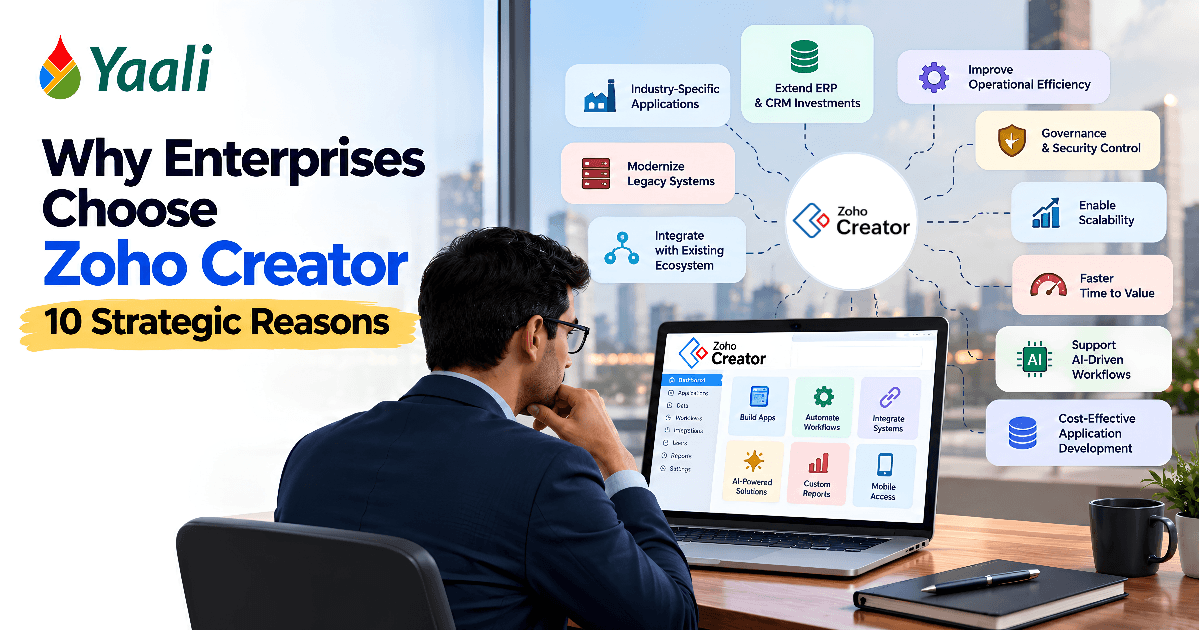
Enterprise technology decisions rarely happen in isolation. A new business requirement must fit an existing application architecture, comply with security policies, integrate with established systems, and justify its cost to the business.
For a growing enterprise, even a seemingly small requirement can become a complex IT project. A regional team needs a different approval workflow. A manufacturing unit requires a custom quality inspection application. A field service division wants mobile access to operational records. Meanwhile, the ERP, CRM, and other core systems must continue running without disruption.
Buying another enterprise application is not always the answer. Customizing an existing platform may introduce additional complexity, while building a standalone solution can increase development and maintenance responsibilities.
The real challenge is finding a practical way to close the gap between enterprise software capabilities and evolving business requirements without creating another layer of technical debt.
This is one of the reasons enterprises evaluate Zoho Creator.
Zoho Creator is a low-code application development platform that enables organizations to build custom business applications using visual development tools, workflows, reports, integrations, and Deluge scripting. It can support specialized operational applications alongside existing enterprise systems, provided the platform meets the organization's functional, architectural, security, and performance requirements.
For CTOs and IT leaders, the decision involves architecture, governance, integration, and long-term maintainability. Business owners must assess the commercial value, while operations managers need applications that solve real process problems without adding unnecessary complexity.
So, what makes Zoho Creator worth considering as part of an enterprise technology strategy?
Here are ten distinct reasons, covering the business opportunities, technical considerations, and implementation decisions that matter when evaluating the platform.
10 Strategic Reasons Enterprises Choose Zoho Creator
Here are the 10 strategic reasons why Enterprises choose Zoho Creator:
1. To Build Business Applications That Reflect Industry-Specific Requirements
Standard business software is designed to address common requirements across many organizations. That makes it useful, but it also creates limitations when a company's operations involve specialized rules or industry-specific processes.
Consider a furniture manufacturer that produces customized orders for commercial projects.
A conventional inventory system might track stock quantities and product codes. However, the manufacturer may also need to track design approvals, material selection, cutting, assembly, finishing, quality inspections, and installation readiness.
These stages have their own dependencies. Production cannot proceed until the relevant design is approved. A finishing defect might send an item back for rework. A delivery date may depend on the completion of several related components.
Trying to manage every stage through a generic inventory workflow can lead to spreadsheets, manual updates, and disconnected records.
Zoho Creator allows the manufacturer to develop an application around its production process. Employees can update job stages, record inspection results, attach supporting photographs, and flag exceptions. Managers can monitor progress and identify orders that require attention.
The same principle applies across other industries:
- Healthcare: Workforce scheduling, service coordination, and operational records.
- Manufacturing: Production inspections, maintenance requests, and process tracking.
- Logistics: Delivery exceptions, proof of delivery, and vehicle-related workflows.
- Financial services: Internal request processing and document verification workflows, subject to applicable regulatory requirements.
- Construction: Site inspections, material requests, and project-specific approvals.
The objective is to address the specific operational requirements that existing systems cannot handle adequately, not to rebuild every industry application from scratch.
For example of where this approach can make custom ERP workflows more practical, read how Zoho Creator can simplify custom ERP development.
Why enterprises choose Zoho Creator: It provides a way to develop specialized applications around their actual business processes instead of accepting every limitation of generic software.
What to evaluate: The complexity of the business rules, integration requirements, security obligations, expected workload, and the availability of specialized software that may already solve the problem.
Identifying the operational gap is only the first question. Once an organization recognizes that existing software cannot handle a particular requirement, the next decision is whether to build something entirely new or extend the systems already in place.
2. To Extend ERP and CRM Investments Without Replacing Them
Replacing established enterprise software is rarely a small decision.
A company may have invested years in configuring its ERP, migrating historical data, training employees, and integrating financial systems. Its CRM may contain years of customer interactions, sales records, and reporting structures.
Replacing these systems simply because one workflow does not fit can introduce unnecessary cost and disruption.
A better option may be to extend the existing technology environment.
Imagine a distributor using an ERP for inventory and financial transactions and a CRM for managing customer relationships.
When a customer purchases specialized equipment, the order must move through installation planning, technician assignment, site readiness checks, and customer confirmation. The existing systems manage the commercial transaction but do not provide the complete installation workflow.
The distributor could develop a custom installation coordination application in Zoho Creator.
The application could retrieve relevant order and customer information, track installation readiness, assign responsibilities, and record completion. Integration with the ERP and CRM would depend on the systems' supported APIs, connectors, permissions, and data structures.
The ERP would remain responsible for its core transactions. The CRM would continue managing customer relationships. Creator would handle the additional process.
This is an important architectural distinction.
A custom application should complement the existing systems rather than unnecessarily duplicate their responsibilities. If inventory quantities belong in the ERP, the new application should not create an independent inventory database that employees must maintain manually. This is also why it is worth comparing Zoho Creator with traditional custom development before deciding how to fill the gap.
Why enterprises choose Zoho Creator: It can address functional gaps without requiring the organization to replace systems that already perform their primary responsibilities.
What to evaluate: System ownership, integration reliability, synchronization rules, duplicate prevention, and what happens when an integration fails.
Not every system being extended is a modern platform. Some organizations carry operational workflows that depend on older applications, where the challenge is not extension but a more deliberate kind of modernization.
Your ERP and CRM Can't Handle Every Business Requirement. What's Next?
You may not need another enterprise platform. You may need a better way to handle the workflows your existing systems were never designed to manage.
YAALI helps businesses evaluate and build custom Zoho Creator applications that complement their existing systems.
3. To Modernize Legacy Applications Without Replacing Everything at Once
Legacy modernization often creates a difficult choice.
An outdated application may still support an important business process, but its interface is difficult to use, its reporting capabilities are limited, or its technology is becoming increasingly expensive to maintain.
Replacing the entire system can require substantial investment and introduce operational risk. Continuing to use it indefinitely can also create problems.
Enterprises can consider modernizing individual workflows rather than committing immediately to a complete migration.
Suppose a logistics company uses an older application to manage delivery exceptions. The system stores delivery records, but employees must manually export data to prepare reports. Field staff also struggle to submit supporting evidence from customer locations.
The company could develop a new exception-management application using Zoho Creator.
The new application might provide a mobile-friendly interface for reporting delivery discrepancies, assigning investigations, attaching photographs, and tracking resolution. Where the legacy system supports suitable interfaces, the new application could exchange relevant information with it.
This approach allows the company to improve a specific process while retaining the legacy components that continue to serve a useful purpose.
However, there is an important limitation: building a new interface around an old system does not eliminate the old system's weaknesses.
If the legacy application contains unreliable data, lacks suitable integration options, or cannot support the required transaction volume, the organization must address those issues separately.
A phased modernization strategy should therefore define what remains in the legacy system, what moves to the new application, and whether the old component will eventually be retired. Where the requirement involves server-side processing or event-driven workloads, compare Zoho Creator with Zoho Catalyst for serverless app development as part of the architecture assessment.
Why enterprises choose Zoho Creator: It can support incremental modernization, allowing businesses to improve selected workflows without automatically undertaking a complete system replacement.
What to evaluate: Legacy integration options, migration boundaries, data quality, support requirements, and the long-term plan for reducing technical dependencies.
Modern systems and modernized legacy applications share a common limitation: they are often designed for employees at a desk, not employees in the field. For organizations with frontline workers, the reach of an application matters as much as its functionality.
4. To Give Employees Purpose-Built Mobile Applications
Enterprise software often works well for employees sitting at desks but becomes less convenient when work happens in warehouses, factories, hospitals, or customer locations.
Frontline employees need interfaces designed around the tasks they perform.
A warehouse supervisor might need to verify incoming stock while standing beside a delivery vehicle. A field technician may need to record inspection results while examining equipment at a customer site. A healthcare scheduling team may need to review staff assignments and respond to absences throughout the day.
Requiring these employees to use lengthy forms or return to a desktop can introduce unnecessary delays.
Zoho Creator supports web and mobile application development, allowing organizations to build task-specific experiences for different roles.
For example, a field service company could develop an application that allows technicians to:
- View assigned service jobs.
- Access relevant customer and equipment details.
- Record inspection results.
- Document parts used during a visit.
- Attach photographs and supporting evidence.
- Submit service reports and update job status.
Managers could use a separate interface to monitor outstanding jobs, review exceptions, and identify assignments requiring attention.
The key is to design around the working environment. Employees should not have to complete twenty fields when five will do. Forms should minimize unnecessary typing, and important actions should be easy to find.
Mobile connectivity also deserves attention. If employees work in locations with unreliable internet access, the project team must verify the specific offline requirements and supported capabilities before promising uninterrupted operation.
Real-world example: How YAALI used Zoho Creator for healthcare workforce scheduling
Healthcare workforce scheduling involves more than assigning employees to appointments. Organizations must coordinate staff availability, service-user requirements, scheduled visits, absences, and changes that can affect several assignments at once.
YAALI Bizappln Solutions worked with a UK healthcare technology provider with more than 20 years of experience in healthcare platforms to address a specialized workforce scheduling requirement using Zoho Creator.
The challenge
The provider needed a scheduling solution that supported multiple scheduling views, CRU operations, manual rostering, absence handling, and visibility into total working hours.
The application also needed to accommodate changes in staff availability and their impact on scheduled visits.
For example, when a staff member became unavailable, the scheduling team needed to address affected assignments and arrange reassignment where appropriate. If the related records remained unchanged, the schedule could become inconsistent and require additional manual coordination.
The solution
YAALI developed a custom scheduling interface using HTML and CSS within Zoho Creator, connecting it to the relevant application forms and backend logic.
The solution integrated records associated with four key areas:
- Service User: Information relating to the person receiving the service.
- Staff: Information needed to manage workforce assignments and availability.
- Visit: Records of scheduled visits and related changes.
- Manual Rostering: Support for the organization's manual rostering requirements.
Custom backend scripts handled scheduling scenarios, including absence-related cancellations and staff reassignment. The application also supported multiple scheduling views and synchronized relevant updates across associated records.
This allowed the solution to address the provider's operational requirements rather than relying solely on a generic booking interface.
Why the implementation matters
The project demonstrates how a low-code platform can support a specialized operational application when its interface, data relationships, and business logic are designed around the actual workflow.
A calendar alone cannot solve a scheduling problem if staff availability, visit assignments, and related records remain inconsistent.
The application must account for the relationships between these records and respond appropriately when circumstances change.
Read the full case study about how we streamlined Healthcare scheduling and absence management using Zoho Creator.
For enterprise decision-makers, the broader lesson is to evaluate applications against the full operational process, including exceptions, rather than judging them solely by their interfaces.
Why enterprises choose Zoho Creator: It can support purpose-built applications for employees who need specialized interfaces and workflows in their daily working environments.
What to evaluate: Mobile usability, connectivity, device compatibility, user adoption, scheduling rules, and the number of steps required to complete routine tasks.
Purpose-built applications for individual teams are a strength of the low-code model. The risk is that they accumulate without structure. As organizations build more applications, IT leadership faces a separate challenge: ensuring that departmental innovation does not produce a governance problem.
5. To Maintain IT Governance While Enabling Department-Level Innovation
Low-code development gives business teams more opportunities to solve their own operational problems. However, that flexibility can create challenges when applications multiply without consistent oversight.
Imagine a large organization in which procurement builds a supplier tracker, finance develops a separate vendor verification tool, and operations creates another application to manage supplier documents.
Each application may solve a genuine problem. But the organization now has overlapping records, different permission rules, and multiple places where employees must update the same information.
Eventually, someone needs to determine which application contains the authoritative record and who is responsible for maintaining each solution.
This is where enterprise governance becomes important.
Zoho Creator can form part of a governed low-code development strategy. IT teams can establish standards for application ownership, user access, testing, deployment, documentation, and ongoing maintenance.
A practical governance model might classify applications according to their risk.
A simple internal checklist may require minimal oversight. An application handling confidential financial information or integrating with a core ERP should undergo more rigorous technical and security reviews.
Before an application enters production, the organization should establish:
- Who owns the application and approves changes.
- Which employees and external users can access it.
- How sensitive information is protected.
- How changes are tested before deployment.
- How integration failures and other incidents are handled.
How the application will be maintained if its original developer leaves.
These controls should evolve as an application becomes more important to the business. Before a production release, use a structured checklist such as these 10 critical steps to check before deploying a Zoho Creator app, covering testing, access, deployment, and operational readiness.
A small departmental tool may initially have limited consequences if it becomes unavailable. An application coordinating thousands of operational transactions needs more formal support, monitoring, and recovery procedures.
Why enterprises choose Zoho Creator: It can support a controlled approach to application development in which departments gain flexibility without abandoning enterprise IT standards.
What to evaluate: Administrative controls, environment management, audit requirements, deployment procedures, and the organization's ability to govern its application portfolio.
Governance answers who owns an application and how it is managed. A related but separate question is what the application actually does. For many enterprises, the deciding factor is whether the platform can accommodate business rules complex enough that generic workflow tools break down.
Give Business Teams More Flexibility Without Losing IT Control
Custom applications should solve departmental problems without creating new silos, inconsistent data, or unmanaged technical dependencies.
Discuss your application requirements with YAALI and identify the governance, integration, and maintenance considerations before development begins.
6. To Implement Complex Business Rules That Generic Workflows Cannot Handle
Business processes often involve more than a sequence of steps.
A purchase request may require different approvals depending on its value, department, supplier status, and funding source. A quality inspection may require additional checks when a particular defect appears. A service request may follow a different path when it involves equipment under warranty.
Generic workflows may not accommodate every combination of conditions.
Zoho Creator supports configurable workflows and Deluge scripting, allowing developers to implement suitable business rules and conditional logic.
Consider a manufacturing company with a procurement process involving several approval levels.
Low-value purchases may require approval from a department manager. Higher-value requests may require finance approval as well. Purchases from certain suppliers may need additional verification.
A custom application can route requests according to the company's defined rules, validate required information, notify responsible employees, and maintain records of the decisions made.
The first step, however, is not writing code but understanding the process. As explained in the hardest part of building a Zoho Creator app isn't code, requirements, exceptions, and data relationships need to be clear before the team commits to implementation.
The implementation team must document the rules, identify exceptions, establish which decisions require human judgment, and test the different paths.
For example, Zoho developers should test what happens when a request exceeds an approval threshold by a small amount, when a required document is missing, or when the designated approver is unavailable.
They should also consider how future policy changes will affect the application.
An automated process that cannot accommodate changes in business rules may become another legacy problem.
Why enterprises choose Zoho Creator: It allows organizations to translate suitable business rules into application logic instead of relying entirely on employees to interpret policies manually.
What to evaluate: Rule complexity, exception handling, approval accountability, testing coverage, and the effort required to maintain the logic over time.
Encoding business rules into an application ensures the process runs correctly. But correct execution alone does not reveal whether the process is performing well. For that, the application must capture the evidence that management needs to assess and improve operations over time.
7. To Make Operational Performance Measurable and Actionable
Many managers know that a business process is slow. The difficult question is why.
A purchase request might take five days to complete, but the total duration alone does not reveal whether the delay occurred during document collection, managerial approval, supplier verification, or procurement processing.
Without reliable process data, management may address the wrong problem.
A custom application can capture timestamps, statuses, responsibilities, and exceptions throughout a workflow. Zoho Creator's reporting capabilities can help organizations examine those records and identify patterns.
Consider a company that wants to improve supplier onboarding.
Before changing the process, the company measures the current onboarding time, the number of incomplete submissions, and the frequency of manual follow-ups.
It then develops an application that validates required fields, tracks documents, routes requests to the appropriate teams, and records the time spent at each stage.
After implementation, managers can compare the same indicators against the original baseline.
If document collection remains the main source of delay, the company may need to improve its supplier instructions. If requests spend most of their time awaiting approval, management may need to review approval assignments or escalation rules.
The dashboard does not make the decision for the business. It provides evidence that helps the business make a better decision. To connect operational metrics with a financial case, use a consistent framework for measuring the ROI of a Zoho implementation.
Enterprises should also distinguish between operational indicators and broader financial outcomes. A workflow application might track processing time directly, while measuring total procurement savings may require data from the ERP or accounting system.
Why enterprises choose Zoho Creator: It can help businesses capture the information needed to monitor processes, identify bottlenecks, and evaluate whether an application is improving operational performance.
What to evaluate: Data quality, baseline measurements, reporting definitions, integration requirements, and who is responsible for acting on the findings.
Measurable performance data also strengthens the business case for development investment. That matters particularly for smaller operational improvements that might otherwise struggle to justify the cost of a custom application.
Your Enterprise Systems Have Gaps. What's the Right Fix?
Find out whether a custom Zoho Creator application can address your operational challenges without replacing your existing systems.
Let's Discuss your Use Case See Our Zoho Expertise →8.To Make Smaller Development Projects Economically Viable
Enterprise technology investments often compete for limited budgets.
A major ERP implementation may receive executive attention because it has a substantial budget and a clear strategic objective. A smaller operational problem may receive less attention, even if it creates recurring costs across hundreds of transactions.
The cumulative impact can be significant.
Imagine a department that processes 400 service requests every month. Employees spend an average of eight minutes per request copying information, checking required fields, and sending status updates.
That represents approximately 53 hours of handling time each month.
Suppose a well-designed application reduces that manual effort by 40%. The theoretical time saved would be approximately 21 hours per month.
This is an illustrative calculation, not a guaranteed result. Actual savings depend on employee adoption, exceptions, implementation quality, and the work that remains necessary.
The financial case must also distinguish between time saved and cash saved. Employees spending less time on administrative work does not automatically reduce payroll costs. The released capacity must be used productively or translate into an actual reduction in expenditure.
Zoho Creator can make some custom application projects more practical because developers can use reusable platform capabilities rather than building every component from scratch.
However, low-code does not mean zero development cost.
Enterprises should account for:
- Platform licensing and user requirements.
- Application design and implementation.
- Data migration and integration.
- Testing and security reviews.
- Employee training and change management.
Ongoing support and future enhancements.
The comparison should include realistic alternatives, such as extending existing software, purchasing a specialized product, or building a conventional application. Budgeting should also account for the costs that continue after launch; read Zoho Creator app costs beyond development fees for a lifecycle-based view of subscriptions, support, integrations, and enhancements.
Why enterprises choose Zoho Creator: It can make targeted application development economically attractive when the expected business value justifies the full implementation and operating costs.
What to evaluate: Total cost of ownership, licensing assumptions, implementation effort, measurable benefits, and the cost of maintaining the application over several years.
Improving economic viability opens the door to a wider range of projects. One area receiving increasing attention is AI-assisted workflow automation, where enterprises need to incorporate new capabilities without sacrificing the governance and business logic already in place.
Don't Commit to Zoho Creator Before Testing the Business Case.
Validate your most important requirements before investing in a full implementation. Start with the workflow, integration, security, and performance requirements your application must meet.
9. To Introduce AI Into Business Workflows With Appropriate Controls
Enterprise AI initiatives often begin with an exciting demonstration and end with difficult questions about reliability, data protection, and accountability.
An AI model may summarize a document or classify a service request, but an enterprise application still needs to determine who can access the information, which business rules apply, and what happens when the result is incorrect.
Zoho Creator can serve as part of an AI-assisted workflow, depending on the available platform capabilities, integrations, and implementation design.
Consider a maintenance department that receives hundreds of technician reports. Each report contains information about the equipment, the problem encountered, the corrective action taken, and any parts replaced.
An AI service might help summarize the reports or classify recurring issues. A custom application could then route the results to the appropriate team for review.
The workflow should preserve the original report, distinguish AI-generated suggestions from verified facts, and allow employees to correct inaccurate classifications.
Sensitive information must also be handled according to the organization's security and data-processing requirements.
Not every task needs AI. If the application simply needs to determine whether a required field is missing, conventional validation is generally more predictable than asking an AI model to make that decision. For a more detailed decision framework, read when to use AI and manual logic in your Zoho Creator app.
AI is most useful when the task involves interpretation, language, or information that is difficult to handle through fixed rules alone.
Why enterprises choose Zoho Creator: It can provide an application layer for incorporating suitable AI capabilities into existing business processes while retaining workflow logic and human oversight.
What to evaluate: Supported AI capabilities, integration costs, data protection, accuracy, human review, and whether AI delivers a measurable advantage over conventional automation.
AI integrations and third-party services introduce dependencies that extend beyond the initial implementation. Enterprises exploring practical upgrades to applications already in use can review 12 ways AI can upgrade an existing Zoho Creator app and learn what AI agents can do in Zoho Creator. That brings the evaluation full circle to a question that applies to every application, whether simple or sophisticated: how will it be maintained, and who is responsible for keeping it reliable over time?
Planning to Bring AI Into Your Business Workflows?
Start with the business task, not the technology. Identify where AI could help, which decisions need human oversight, and how the solution should work with your existing systems.
10. To Build a Maintainable Application Portfolio for the Long Term
An enterprise application is not finished when the first version goes live.
Business policies change. Integrations evolve. Employees request improvements. Security requirements become stricter. A tool that begins in one department may eventually become essential to several business functions.
Enterprises must therefore evaluate how an application will be maintained throughout its lifecycle. That includes reliable recovery planning: Zoho Creator backup mistakes to avoid explains why having a backup is not the same as being prepared to restore business operations.
Zoho Creator supports iterative application development, but long-term maintainability depends on the quality of the design and the practices used to manage changes.
Consider a distributor that initially builds a supplier onboarding application for procurement. Over time, finance requests additional verification, compliance introduces document renewal checks, and regional managers need new reporting capabilities.
A maintainable application should allow developers to introduce these requirements without creating unnecessary dependencies or breaking existing workflows.
That requires clear documentation, organized scripts, defined integration contracts, testing, permission reviews, and an accountable application owner.
Enterprises should also understand platform dependencies. Applications that rely heavily on platform-specific scripting or services may require additional effort to migrate elsewhere. That is not necessarily a reason to avoid the platform, but it should be part of the architecture decision.
Before adopting Zoho Creator for a business-critical application, organizations should establish how changes will be tested, how failures will be investigated, and who will support the application if the original developer is no longer available.
Why enterprises choose Zoho Creator: It can provide a consistent environment for developing and evolving custom applications, provided the organization invests in sound design, documentation, and maintenance.
What to evaluate: Application quality, testing practices, documentation, platform limits, technical dependencies, support arrangements, and long-term ownership.
These ten reasons describe what different types of organizations gain from the platform. Translating that understanding into a concrete decision requires a more structured approach to evaluation.
How Enterprises Should Evaluate Zoho Creator Before Committing
The ten reasons above describe different situations in which Zoho Creator may deliver value. Not every organization needs all ten capabilities, and not every application belongs on a low-code platform.
A practical evaluation should begin with the business requirement rather than a product demonstration.
Evaluation area | Questions to answer |
Business requirements | What specific problem, delay, error, or cost needs to be addressed? |
Existing systems | Can the requirement be met through current software configuration or an existing integration? |
Technical suitability | Can Zoho Creator support the required logic, workload, interfaces, and data requirements? |
Security and governance | Can the organization meet its access, audit, privacy, and compliance obligations? |
Financial viability | Does the total cost compare favorably with buying, extending, or custom-building an alternative? |
Application ownership | Who will maintain the application, test changes, and resolve integration failures? |
Business outcomes | How will the organization measure whether the application actually improves the process? |
A proof of concept can help validate the most important assumptions.
Choose one meaningful workflow, document its current performance, and identify the requirements that must be met. Build a focused application, test it with actual users, and compare the results against the original baseline.
If the application succeeds, plan the production architecture, security controls, monitoring, support, and rollout before expanding its use.
If it fails to meet the requirements, that is useful information too. It is better to discover a platform limitation during a controlled evaluation than after deploying a business-critical application.
The same discipline that makes a proof of concept useful also guides the broader strategic decision: start with the business requirement, establish what success looks like, and verify the outcome against evidence. When internal expertise or delivery capacity is limited, use a clear selection process for choosing the best Zoho implementation partner.
Final Thoughts
Enterprises choose Zoho Creator for different reasons, but the strongest implementations share a common characteristic: they begin with a specific business problem and a clear understanding of the role the application must play.
For some organizations, the priority is developing industry-specific applications. Others want to extend existing ERP and CRM investments, modernize legacy workflows, or give frontline employees more suitable tools.
Business leaders must consider governance, security, integration, and maintainability. Business owners need a credible financial case. Operations managers want processes that work reliably and reduce unnecessary effort.
These objectives can align when application development starts with the business requirement rather than a list of platform features.
Zoho Creator can be a useful part of that strategy when its capabilities fit the workload and the organization has a plan for implementation, governance, and ongoing support.
Considering Zoho Creator for your enterprise?
Your Enterprise Doesn't Need More Software. It Needs Solutions to the Right Problems.
Legacy workflows slowing down operations? ERP or CRM gaps forcing teams into spreadsheets? Manual processes consuming hours your employees could spend on higher-value work?
These are the problems worth solving.
The right Zoho Creator application can help close operational gaps, connect existing systems, and bring complex business processes into a more manageable workflow. But the right solution starts with understanding your requirements, not simply choosing a platform.
At YAALI Bizappln Solutions, we help businesses evaluate their requirements and build custom Zoho Creator applications, from specialized operational tools and workflow automation to enterprise system integrations.
Tell us about one process your business needs to improve. We'll help you explore the right approach, assess whether Zoho Creator fits, and identify the key requirements to consider before development begins.
Explore YAALI's Zoho implementation services to learn how we support businesses across their Zoho ecosystem.
Frequently Asked Questions
1. Why do enterprises choose Zoho Creator?
Enterprises choose Zoho Creator to develop custom business applications, address gaps in existing software, modernize selected workflows, support frontline employees, and implement suitable business rules. Its value depends on how well the platform fits the organization's requirements.
2. Can Zoho Creator work alongside an existing ERP or CRM?
Yes. Zoho Creator can integrate with supported business systems through available connectors, APIs, and other integration methods. The implementation should establish clear data ownership, synchronization rules, permissions, and error handling.
3. Is Zoho Creator suitable for large enterprises?
Zoho Creator can support enterprise application use cases, provided the proposed solution meets the organization's requirements for performance, security, integrations, governance, and maintainability. Enterprises should validate these factors before production deployment.
4. Can Zoho Creator replace legacy applications?
It can support the modernization or replacement of selected legacy workflows. Whether it can replace an entire legacy application depends on functional requirements, data migration, integration options, workload, and the long-term architecture.
5. Does Zoho Creator require coding?
Not every application requires extensive coding. Visual development tools can handle many forms, reports, and workflows. More complex requirements may need Deluge scripting, custom interfaces, API integrations, and experienced developers.
6. How can enterprises measure the ROI of Zoho Creator?
Organizations can compare implementation and operating costs against measurable improvements such as reduced processing time, fewer errors, less manual effort, or faster service delivery. They should establish a baseline before implementation and verify results afterward.
7. Is Zoho Creator suitable for AI-powered applications?
It can be used as part of suitable AI-assisted workflows, depending on available capabilities and integrations. Enterprises should assess data protection, accuracy, oversight, cost, and the specific business value of AI functionality.
8. What should an enterprise do before implementing Zoho Creator?
Start by defining a business problem, documenting the current process, evaluating integration and security requirements, and establishing measurable success criteria. A focused proof of concept can help validate technical and commercial assumptions before a wider rollout.
That's all. Thanks for reading to the end of this blog post.
Don't leave without making a decision.🤚🏼
ATTENTION: Sign up through our exclusive Zoho Creator Partner Link to get personalized support and expert guidance every step of the way for your app development.
Share this Post if you found this Content Useful😊. Sharing is Caring!
📧 Join over 1000+ Business Owners, Zoho Customers, Consultants, and Zoho Partners who read our content to get the most out of Zoho for their business.
▣ Zoho + Your Business+ Our Expertise = Get Maximum Value out of your Zoho Investment.

Enter Your Email Address Below to receive the Exclusive Content that we only share with those who Subscribe to our Newsletter.


