Zoho Creator App Cost: 7 Expenses Beyond Development Fees
Discover the true cost of a Zoho Creator app beyond development fees. Learn how subscriptions, integrations, maintenance, data migration, training, security, and future enhancements affect your total cost of ownership, with a practical three-year budget example and cost-saving tips.

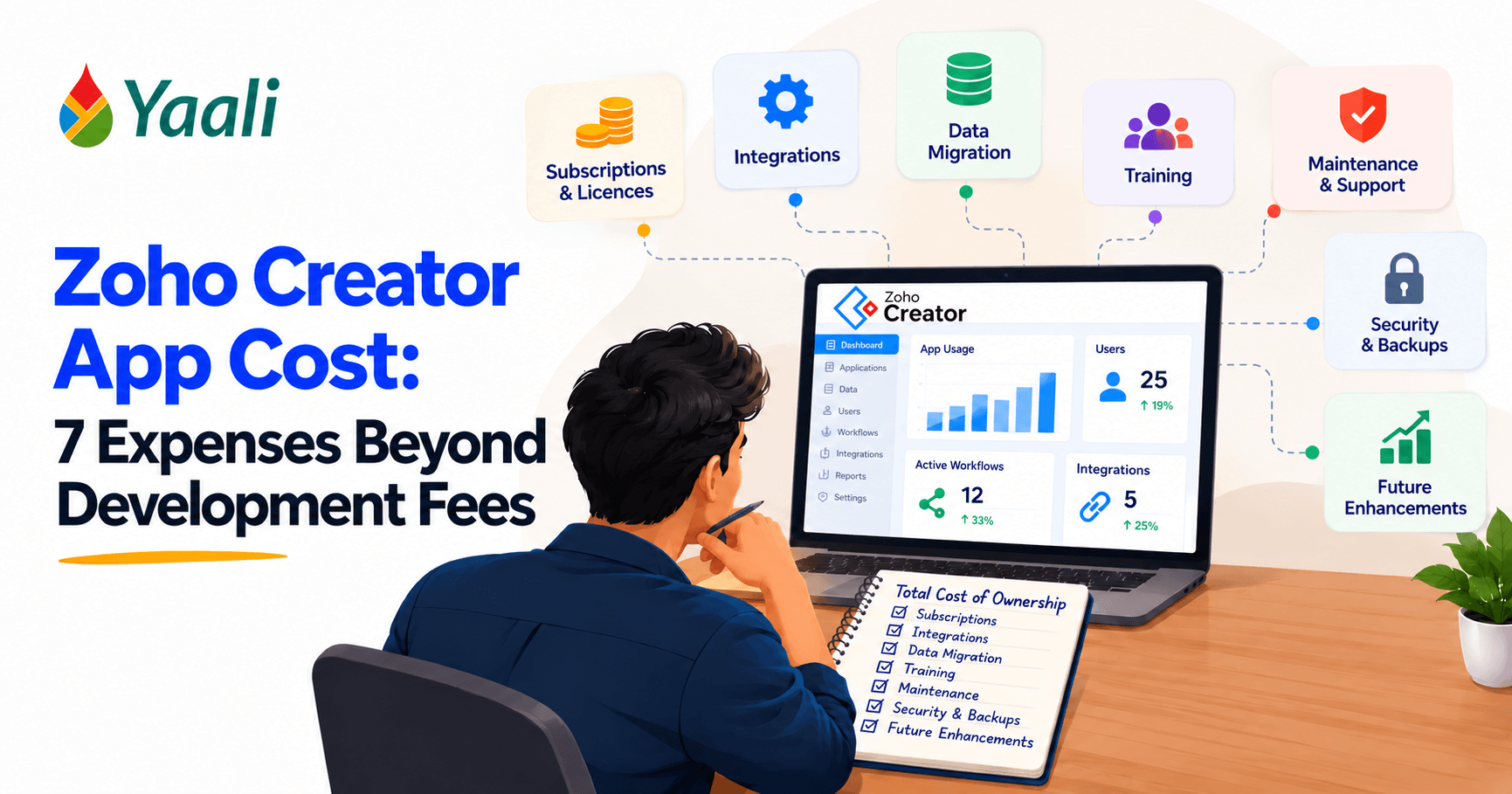
Building a business application with Zoho Creator can be a practical alternative to developing custom software from scratch. If you are weighing the trade-offs, read Zoho Creator vs. custom development comparision guide. But the development quote tells only part of the story.
Imagine investing ₹8 lakh in a business application. The app launches successfully, employees begin using it, and your team starts automating manual work. A few months later, you need additional user licenses, an integration with your accounting software, data cleanup, employee training, technical support, and changes to accommodate a new business process.
These expenses do not necessarily mean the original implementation was poorly planned. They are part of the application's total cost of ownership, and they should be considered before the project begins.
The real cost of a Zoho Creator app includes everything required to build, operate, maintain, secure, and improve it over time.
Your total investment depends on the number and type of users, workflow complexity, third-party integrations, data migration requirements, support arrangements, and future business needs.
This insightful blog post follows the life of a Zoho Creator project. It starts by defining total cost of ownership, then walks through seven cost categories in the order you are likely to meet them: building and launching the app, keeping it running safely, and growing it over time.
From there, it shows how project complexity changes the budget, builds an illustrative three-year cost model, and examines a real YAALI case study. The final sections turn the analysis into action, with ways to control spending, a budgeting worksheet, and questions for comparing Zoho Creator Partners and how to evaluate their proposals.
Let's get into the details right away.
What Is the Total Cost of Ownership of a Zoho Creator App?
Total cost of ownership (TCO) is the complete cost of using an application over a defined period, rather than just the amount paid to build it.
For a Zoho Creator application, TCO may include:
- Initial application design and development
- Zoho Creator subscriptions and applicable user licenses
- Data migration and integration setup
- Testing, deployment, and employee training
- Recurring maintenance and technical support
- Security measures, backup planning, and recovery testing
- Internal staff time spent administering the application
- Future enhancements and changes to business processes
- Other applicable third-party or operational expenses
A useful starting formula is:
Total cost of ownership = Initial implementation costs + Operating costs + Internal administration costs + Planned enhancements + Other applicable expenses
For example, an application that costs ₹6 lakh to build but requires substantial annual maintenance and recurring integration expenses may cost more over three years than a slightly more expensive application designed for easier maintenance.
It is also useful to distinguish cash expenses from internal staff effort. A subscription invoice or implementation fee is a direct cash expense. Time spent by your employees testing workflows, checking records, coordinating support, or administering users is an internal cost even if it does not appear on the implementation partner's invoice.
The goal is not simply to choose the lowest development quote. It is to understand what your business will pay, in cash and staff effort, to keep the application useful and reliable.
That definition raises a practical question: Businesses planning a new application should also understand the hardest part of building a Zoho Creator app isn't code, because decisions about business logic, integrations, and exception handling can affect long-term maintenance costs, and the next section takes them one at a time.
Are you already planning a Zoho Creator project?
Do not wait for surprise invoices to find out what it really costs. Talk to our expert before you approve a budget and start with a plan that accounts for the full lifecycle.
Seven Hidden Costs of a Zoho Creator App Beyond Development
The seven costs below are grouped by stage. The first four arise as you build and launch the app. The next two keep it secure and dependable once people rely on it. The last covers the changes your business will inevitably request as it grows.
1. Zoho Creator Subscriptions and User Licences
The most visible recurring expense, and therefore the best place to start, is the subscription required to run your application.
Zoho Creator offers different plans with different capabilities and usage limits. The right plan depends on the functionality your application needs, the users who will access it, and the way your organization intends to deploy it.
Review the current options on the official Zoho Creator pricing page.
Why Zoho Creator subscription costs need careful planning
Your subscription budget may change as your business grows. Consider these questions:
- How many employees need access at launch?
- Will managers, external users, or business partners require access?
- Do different user categories require different levels of access?
- Does your application need features available only on a particular plan?
- Will user numbers increase during the next one to three years?
- Are any relevant entitlements already included in another Zoho subscription your organization uses?
Do not assume that every type of user has the same licensing requirements. Portal users, internal users, and other access arrangements may have different rules depending on the product plan and deployment model. Confirm the current terms with Zoho before finalizing your budget.
How to estimate Zoho Creator subscription expenses
Identify your expected user count and the applicable subscription requirements, then calculate the recurring cost over your intended budgeting period.
Annual subscription estimate = Applicable recurring charges for the required users and services
Treat this as a planning exercise, not a fixed quotation. Check regional pricing, billing frequency, taxes, and any relevant Zoho One entitlements before committing to a number.
Cost-saving tip: Avoid buying licenses without understanding who needs access and what type of access each user requires. At the same time, do not underestimate licensing requirements simply to make the initial proposal look cheaper.
A subscription pays for the platform itself, but a business application rarely runs on the platform alone. The moment your app needs to talk to other systems, a second category of cost appears.
2. Integration Costs and API Usage
Most business applications do not operate in isolation. A Zoho Creator app may need to exchange information with Zoho CRM, Zoho Books, an ecommerce platform, a payment gateway, an accounting system, or an external API.
For example, an order management application may need to update inventory, create an invoice, and send order information to a shipping provider. Each connection requires planning, configuration, testing, and ongoing monitoring.
What affects integration costs?
The main factors include:
- The number of systems involved
- Whether a suitable native integration already exists
- The quality and availability of API documentation
- Authentication and permission requirements
- Data mapping and transformation rules
- Error handling, retries, and duplicate prevention
- Changes made by third-party platforms
- The volume and frequency of data exchanged
A straightforward integration between compatible systems may be relatively simple. A complex integration involving custom business rules, multiple systems, and exception handling may require significantly more effort.
Understand API limits before estimating costs
Zoho Creator has API usage limits that vary by plan and usage category. Its official API limits documentation explains applicable limits and how certain integration tasks consume API usage.
An API limit is not automatically an additional fee. However, an application that exceeds its available capacity may need optimization, a plan change, or additional API capacity where supported.
Ask your implementation partner to estimate expected API usage based on actual workflows rather than assuming every integration will operate within the default limits.
Cost-saving tip: Map integration requirements before development starts. Reuse suitable native integrations, avoid unnecessary API calls, and include monitoring and error handling in the original scope.
Integrations move data between live systems. Before that can happen, though, the new application needs its starting data, and getting it there is often harder than it looks.
3. Data Migration, Cleaning, and Validation
Moving existing business data into a new application can be more complicated than expected.
Your organization may have information stored in spreadsheets, legacy applications, CRM systems, accounting software, or multiple databases. Some records may be incomplete, duplicated, inconsistent, or stored in formats that do not match the new application.
The data must be prepared before it can be imported reliably.
What can make data migration expensive?
Common challenges include:
- Duplicate customer or product records
- Missing mandatory fields
- Inconsistent date, currency, and address formats
- Incorrect relationships between records
- Different naming conventions across systems
- Historical data that needs to be retained
- Files and attachments that require separate handling
- Business rules that must be preserved during migration
Importing a customer spreadsheet may be straightforward. Migrating years of transaction history while preserving customer relationships, approval records, and reporting accuracy requires considerably more preparation.
How to estimate migration costs
Ask your implementation partner to assess the data sources, record volumes, field mappings, cleanup requirements, and validation process. This is also a useful time to review a structured Zoho data migration approach.
The migration plan should define what will be transferred, what will be excluded, how errors will be handled, and how the business will verify the results.
Cost-saving tip: Clean and standardize data before migration wherever possible. Agree on a representative sample import and validation process before moving the complete dataset.
Even perfectly migrated data delivers little value if the people using it do not trust or understand the new system. That makes training the next cost to plan for.
4. Employee Training and Application Adoption
An application can be technically sound and still deliver disappointing results if employees do not use it correctly.
Training is particularly important when a Zoho Creator app replaces spreadsheets, manual approvals, email-based requests, or established legacy processes.
What training costs should you consider?
Your budget may need to cover:
- Initial user training sessions
- Administrator and manager training
- User guides and process documentation
- Training videos or recorded demonstrations
- Follow-up sessions after launch
- Support for new employees
- Training when workflows change
The required effort depends on the application. A simple request form may need little training, while a multi-stage operational system with role-based access, approvals, dashboards, and integrations may need structured sessions.
Why adoption affects the overall return
If employees continue maintaining parallel spreadsheets or bypass the application's workflows, the business may not achieve the efficiency improvements it expected.
Training should explain not just which buttons to click, but how the application fits into each employee's daily work.
Cost-saving tip: Design the application around real user workflows. Include representative users in testing, create short task-specific guides, and identify internal champions who can support colleagues after launch.
Once trained employees start entering real transactions, the application becomes a store of valuable business records. Protecting those records is the next cost to consider, and it belongs in the plan from the start.
5. Backups, Security, Testing, and Recovery Planning
A business application may contain customer details, transaction records, operational data, employee information, and other valuable business records. Protecting that information should be part of the original project plan.
Security and recovery requirements vary according to data sensitivity, the business impact of downtime, and the organization's compliance obligations.
Expenses to evaluate
Depending on your requirements, consider:
- Role-based access and permission reviews
- Authentication and account security
- Testing of forms, workflows, and integrations
- Regression testing after changes
- Data backup configuration
- Backup retention and off-platform copies
- Recovery procedures and restoration testing
- Documentation and incident response planning
Some security and backup capabilities may already be available within your Zoho subscription. Other activities, such as configuring a recovery process, testing it, or meeting additional organizational requirements, may require implementation or ongoing service effort.
Do not assume that backups cover every requirement.
Zoho Creator provides application backup functionality, but the details matter. Review common Zoho Creator backup mistakes to avoid before finalizing your recovery plan.
For example, backup options differ in what they include. Review whether application files and other required components are covered, how long backups are retained, and whether a separate copy is needed. Check the current product documentation for the exact limitations that apply to your plan and backup method.
A backup strategy should also define who can restore an application, how recovery will be tested, and how quickly the business needs to resume operations.Before launch, use a Zoho Creator deployment checklist to check readiness across testing, access, and operational handover.
Cost-saving tip: Define access controls, backup requirements, and recovery expectations during the design phase. It is generally easier to plan these controls from the beginning than to retrofit them after an incident.
Security and recovery are not one-time setup tasks. Permissions drift, integrations break, and backups need periodic testing, which brings us to the cost of keeping the application healthy after launch.
Worried About Hidden Zoho Creator Costs?
Get a clearer picture of your app's total cost of ownership before development begins.
Get a Cost Estimate See Our Zoho Expertise →6. Ongoing Maintenance and Technical Support
Launching the application is not the end of the project. Business processes, connected systems, and user requirements will change over time.
Maintenance helps keep the application working as expected. Technical support helps diagnose problems, correct errors, and respond when something stops working.
What does ongoing maintenance include?
Depending on your agreement, maintenance may cover:
- Fixing defects discovered after launch
- Reviewing failed workflows and scheduled tasks
- Monitoring integration failures
- Correcting data or configuration issues
- Making small changes to forms, reports, and permissions
- Testing changes before they reach production
- Supporting users and troubleshooting access problems
- Reviewing performance as records and usage increase
Not every support contract includes all these activities. Some agreements cover only defect correction, while others include a defined number of support hours or minor enhancements.
Why a maintenance agreement matters
Without clear support arrangements, every request can become a separate discussion about cost, priority, and responsibility.
Before signing a development proposal, ask:
- Is there a post-launch warranty period?
- Which defects are covered without extra charges?
- What is the response time for critical issues?
- Are minor changes included?
- How are support hours billed?
- Who handles problems caused by third-party services?
Cost-saving tip: Agree on a realistic maintenance scope and service expectations before launch. Preventive reviews and clear documentation can reduce the time needed to diagnose future problems.
Be realistic about platform constraints, too: this overview of Zoho Creator limitations and workarounds can help teams identify requirements that may need a different approach.
Maintenance keeps today's application working. But a successful application also prompts new requests, and those requests form the seventh and final cost category.
7. Future Enhancements and Business Growth
Your business application will probably need changes after launch.
A sales team may request a new dashboard. An operations manager may need another approval step. A finance team may require additional reports. A new business system may need to connect to the application.
These requests can be reasonable signs that the application is being used. They can also create unplanned expenses when the original scope does not account for future changes.
What drives enhancement costs?
Typical examples include:
- New forms and reports
- Additional workflow automation
- New approval rules
- Changes to roles and permissions
- New integrations
- Expanded reporting and analytics
- Changes to accommodate new business units
- Performance improvements as data volumes increase
Not all changes are equally expensive. Adding a simple field may require minimal effort, while redesigning a core workflow that affects multiple integrations can involve substantial development and testing.
For user-facing changes, UI and UX customization tips for Zoho Creator apps can help teams plan improvements without treating design as an afterthought.
Plan for change without overbuilding
You do not need to build every possible feature on day one. In many cases, a phased rollout is more practical.
Start with the workflows that solve the most important business problems. Track improvements and gaps after launch, then prioritize enhancements based on business value.
Cost-saving tip: Include a realistic enhancement allowance in your annual budget. Separate essential fixes from optional features and ask for an impact assessment before approving changes to core workflows.
Worried your Zoho Creator development quote misses some of these seven costs?
A proposal that ignores them is not cheaper; it is simply incomplete.
Ask YAALI to review your scope and show you exactly where hidden expenses could appear before you commit.
How Zoho Creator App Costs Change by Project Type
All seven categories apply to some degree in every project, but they do not carry equal weight. The same platform can support very different business applications, and a simple internal form should not be expected to have the same budget profile as a multi-department operational system.
Lean application
A lean application may automate one clearly defined process, such as an internal request form, a basic asset register, or a simple approval workflow.
Its budget may focus on initial configuration, a small number of users, limited data migration, and straightforward training.
Growing business application
A growing business application may connect multiple departments, introduce approval hierarchies, integrate with other systems, and provide operational reports.
Planning needs to account for more detailed testing, data relationships, integration reliability, user adoption, and ongoing support.
Complex business application
A complex application may coordinate several business functions, connect multiple external platforms, support sophisticated business rules, and process large amounts of operational data.
These projects require more detailed requirements analysis, architecture decisions, security planning, integration testing, and a structured maintenance strategy.
These categories are planning guides, not fixed price bands. The cost depends on actual requirements rather than the label attached to the project.
Once you have a sense of which type your project resembles, you can start converting these categories into numbers.
How to Calculate the Total Cost of a Zoho Creator App
A useful estimate separates one-time implementation expenses, recurring operating costs, and internal staff effort. This makes proposals easier to compare and clarifies the financial commitment beyond launch.
An Illustrative Three-Year Cost Estimate of Zoho Creator App
Let us return to the ₹8 lakh application from the introduction and see how its development fee fits into a fuller budget. The following example shows how a business might organize its costs.
Important: These figures are hypothetical planning assumptions, not official Zoho prices, market averages, or a YAALI quotation.
One-time implementation costs
One-time cost | Estimate (INR) |
Application development | ₹8,00,000 |
Data migration | ₹1,20,000 |
Employee training | ₹50,000 |
Deployment and testing | ₹80,000 |
Total initial cost | ₹10,50,000 |
Notice that the development fee, the figure most businesses focus on, accounts for roughly three quarters of the initial cost. The recurring expenses below then continue year after year.
Recurring annual costs
Recurring annual cost | Estimate (INR/year) |
Platform subscription allowance | ₹1,80,000 |
Integration and third-party services | ₹36,000 |
Maintenance and support | ₹72,000 |
Backup and security activities | ₹18,000 |
Planned enhancements | ₹24,000 |
Total annual operating cost | ₹3,30,000 |
Combining the two tables gives the three-year estimate:
Calculation | Amount |
Initial implementation | ₹10,50,000 |
Operating costs for 3 years (₹3,30,000 × 3) | ₹9,90,000 |
Illustrative three-year TCO | ₹20,40,000 |
In this illustration, the ₹8 lakh development fee ends up as well under half of the three-year total.
The example assumes annual operating costs remain constant. In practice, subscription requirements, user numbers, integrations, and enhancement needs may change. The subscription figure is only a placeholder. Replace it with a current, region-specific estimate based on the actual user count, plan, billing terms, taxes, and any relevant entitlements.
Account for internal staff time separately
The table above captures cash costs only. Direct project costs do not reflect all the effort required to operate an application. Employees may spend time testing updates, validating reports, managing access, coordinating with a vendor, or investigating data issues.
Estimate this internal cost using a simple formula: Annual internal administration cost = Estimated staff hours per month × 12 × Loaded hourly staff cost
Keep internal staff costs separate from direct cash expenses in your budget. This gives management two useful views: the cash required to operate the app and the total internal resources it consumes.
Compare three planning scenarios
Even a careful estimate rests on assumptions that may not hold. Instead of relying on one estimate, prepare three scenarios:
- Lean: Core workflows, limited integrations, a small user group, and essential support.
- Expected: The likely user count, planned integrations, normal support needs, and realistic enhancements.
- Growth: Additional users, more integrations, higher data volumes, expanded support, and new functionality.
For each scenario, state the assumptions that change. This makes it easier to see which decisions drive the budget and where additional investment may become necessary.
A model like this shows how the pieces add up. A real project shows how the assumptions behind them play out in practice.
Real-World Example: What YAALI's MaKRS LMS Project Shows
YAALI Bizappln Solutions published a case study about a retail training learning management system built with Zoho Creator for MaKRS. The project included features such as onboarding, store-number validation, video-based training, assessments, and certificates.
The case study reports a per-user cost comparison of ₹30 versus ₹24 against Zoho Learn for that specific project. The reported comparison is project-specific and should not be treated as a universal Zoho Creator price, a guaranteed savings, or a full comparison of the total cost of ownership.
The useful lesson is that the right platform decision depends on the business requirements, user experience, workflow design, and cost model for the particular organization.
Teams considering AI-powered enhancements can also assess 12 ways AI can upgrade an existing Zoho Creator app, while budgeting separately for the design, validation, and ongoing maintenance those features may require. A fair comparison should consider the features needed, licensing assumptions, implementation effort, administration, maintenance, and expected changes over time.
Read the MaKRS retail training LMS case study for the project's context. For your own estimate, use your actual requirements and confirm all pricing assumptions before making a decision.
Understanding where costs come from is what makes it possible to manage them. The next section collects the most effective ways to do that.
How to Reduce Zoho Creator App Costs Without Compromising Quality
Controlling costs does not mean choosing the cheapest quote or removing necessary safeguards. It means making deliberate decisions about scope, architecture, and ongoing operations. Many of these practices appear as cost-saving tips earlier in this guide, and they are consolidated here as a single checklist.
- Prioritize the most valuable workflows. Start with processes that create the most manual work, delays, or errors. Deliver the core functionality first and add lower-priority features in later phases.
- Define requirements before development. Unclear requirements often lead to rework. Document user roles, approval rules, reports, exceptions, and integration needs before development begins.
- Reuse suitable platform capabilities. Evaluate built-in Zoho Creator features and existing integrations before committing to custom functionality. Custom code may be appropriate, but it should solve a defined requirement.
- Clean data before migration. Resolving duplicates and inconsistent records early can reduce migration effort and improve reporting accuracy after launch.
- Test with real users. Involve representative employees in user acceptance testing. Finding confusing workflows before deployment can reduce support requests and costly changes later.
- Establish a maintenance plan. Agree on support responsibilities, documentation, monitoring, and change management. This helps your team respond to issues without repeatedly starting from scratch.
- Review usage and expenses regularly. As the application evolves, reassess user access, integration performance, support needs, internal effort, and enhancement priorities. A periodic review helps identify waste before it becomes a recurring expense.
Most of these savings are decided before development begins, which is why preparation matters so much. The worksheet below helps you gather the right information first.
A Zoho Creator App Cost Estimation Worksheet
Use this checklist to gather the information an implementation partner needs. Add your answers before requesting a proposal.
- Business requirements: Which processes must the app support?
- Users and access: How many people need access, and what type of access does each group require?
- Existing data: What must be imported, cleaned, validated, or retained?
- Integrations: Which systems need to exchange data with the app?
- Automation: Which workflows, approvals, and notifications are essential?
- Reporting: Which dashboards and reports are required at launch?
- Training: Which employees and administrators need training?
- Support: What response times and maintenance coverage do you expect?
- Security and recovery: Which access controls, backups, and recovery procedures are required?
- Internal administration: Who will manage users, validate data, test changes, and coordinate support?
- Future enhancements: Which changes are likely over the next three years?
Use these answers to request a breakdown of initial costs, recurring costs, internal responsibilities, optional services, exclusions, and assumptions. This helps you compare proposals on a like-for-like basis.
Once proposals start arriving, you will need a consistent way to evaluate them.
How to Compare Zoho Creator Proposals
The lowest quote may not represent the lowest total cost. A proposal can appear inexpensive because it excludes migration, testing, documentation, support, or integration error handling.
Use these questions to compare providers consistently.
- What is included in the development fee? Request a breakdown of discovery, design, development, testing, deployment, and documentation.
- Which recurring costs should we budget for? Clarify subscriptions, third-party services, support, and other applicable expenses.
- How will you estimate integration effort and API usage? Ask how the design handles limits, failures, retries, and monitoring.
- What data migration work is included? Confirm whether cleanup, validation, test imports, and reconciliation are covered.
- What happens after launch? Clarify warranty terms, support coverage, response times, and the cost of changes.
- How will security and recovery be handled? Discuss permissions, backup coverage, restoration procedures, and testing responsibilities.
- How will the application accommodate future growth? Ask how additional users, workflows, integrations, and reports could affect future costs.
- What assumptions and exclusions affect the price? Identify dependencies, third-party fees, record limits, and work that would trigger a change request.
- What documentation and handover will we receive? Confirm that your team can understand, maintain, and support the application after deployment.
- How will changes be estimated and approved? Agree on how the provider will scope, price, prioritize, and test future requests.
Ask each provider to use the same scope and assumptions. The answers should make it clear which expenses are fixed, which depend on usage, and which could arise as your requirements change.
If questions remain after working through the worksheet and the comparison list, the answers below address the ones businesses ask most often.
Frequently Asked Questions About Zoho Creator App Costs
How much does it cost to build a Zoho Creator app?
There is no single price that applies to every Zoho Creator application. The cost depends on workflow complexity, user roles, integrations, migration needs, testing, and the implementation partner's scope. Request an estimate based on documented requirements rather than relying on a generic price range.
Is Zoho Creator subscription pricing separate from development costs?
Generally, subscription and implementation costs are different budget items. Your exact arrangement depends on the plan, billing terms, any relevant bundled entitlements, and the services included in your project. Verify current pricing and licensing with Zoho.
What ongoing costs should I expect after launch?
Potential ongoing costs include subscriptions, maintenance, third-party services, integration monitoring, support, staff administration, and enhancements. Not every application needs the same level of ongoing effort.
Do integrations increase Zoho Creator costs?
They can. Integrations may require configuration, custom development, testing, monitoring, and maintenance when connected systems change. API usage limits also need to be considered, although reaching an API limit does not automatically mean a separate fee applies.
Is data migration included in the development quote?
Not always. Some proposals include a defined migration scope, while others charge separately for data cleanup, mapping, test imports, reconciliation, and attachments. Confirm the scope in writing before work begins.
How can I estimate the total cost of ownership?
List one-time implementation expenses, recurring operating costs, planned enhancements, other applicable expenses, and internal staff effort. Forecast these over a consistent period, such as three years, and document the assumptions behind each estimate.
How can I reduce the cost of a Zoho Creator application?
Prioritize essential workflows, define requirements early, clean data before migration, reuse suitable platform features, test with real users, and agree on support arrangements. Avoid cutting necessary security, testing, or recovery planning just to reduce the initial quote.
Should I choose the lowest implementation quote?
Not without checking what it includes. Compare proposals using the same requirements, deliverables, assumptions, support expectations, and exclusions. A slightly higher initial quote may provide better long-term value if it reduces rework or recurring operational effort.
Conclusion: Budget for the Application's Entire Lifecycle
The cost of a Zoho Creator application is not determined by development alone. Subscriptions, integrations, data migration, training, security, maintenance, internal staff effort, and future improvements all contribute to the amount your business will spend over time.
The most reliable way to budget for a Zoho Creator project is to estimate its total cost of ownership over at least three years. Document the workflows the application must support, identify the users who need access, list the systems it must connect to, assess the data that needs to be migrated, and define the support your team will require after launch.
Ask your Zoho Implementation Partner to separate one-time implementation expenses from recurring cash costs and internal staff effort. Request clear assumptions for licenses, third-party services, support hours, backup arrangements, and future enhancements. This makes proposals easier to compare and reduces the risk of unexpected expenses after deployment.
It is equally important to avoid paying for complexity your business does not need. A well-scoped application, a sensible integration strategy, and a phased implementation can help control costs without sacrificing reliability or usability.
At YAALI Bizappln Solutions, we help businesses plan, build, and customize Zoho Creator applications around their operational requirements. If you are evaluating a new Zoho Creator application or looking to improve an existing one, our team can help you assess the scope, identify potential cost drivers, and plan an implementation that fits your business needs.
Get a Clear Picture of Your Zoho Creator App Costs Before You Invest
A development quote is only the beginning. The right planning can help you avoid unexpected expenses, reduce costly rework, and build an application that delivers long-term business value.
Planning a Zoho Creator project?
Let YAALI help you assess your requirements, identify potential cost drivers, and plan an implementation that fits your business needs and budget.
Thanks for reading to the end. Hope this blog post gives you some useful insights that you won't find anywhere on the internet.
ATTENTION: Sign up through our exclusive Zoho Creator Partner Link to get personalized support and expert guidance every step of the way for your app development.
Share this Post if you found this Content Useful😊. Sharing is Caring!
📧 Join over 1000+ Business Owners, Zoho Customers, Consultants, and Zoho Partners who read our content to get the most out of Zoho for their business.
▣ Zoho + Your Business+ Our Expertise = Get Maximum Value out of your Zoho Investment.

Enter Your Email Address Below to receive the Exclusive Content that we only share with those who Subscribe to our Newsletter.


