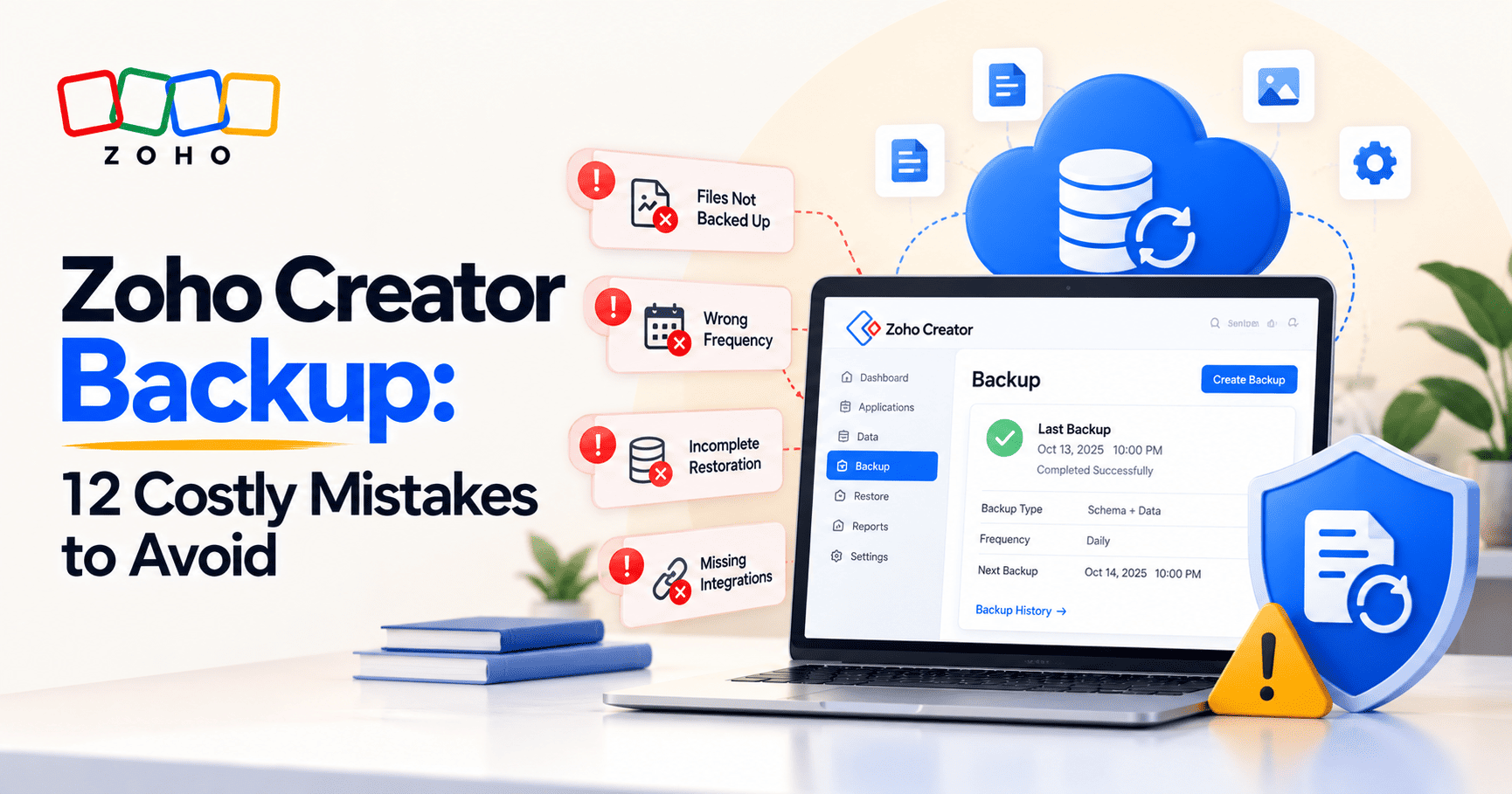
Zoho Creator Backup: 12 Costly Mistakes to Avoid
A successful Zoho Creator backup doesn’t guarantee a successful recovery. Discover 12 common backup mistakes that could put your business data at risk, learn what scheduled backups miss, and use a practical five-test assessment to spot recovery gaps before they disrupt operations.

Your Zoho Creator application is working as expected. Employees are processing orders, managers are approving requests, and customers are submitting information.
Then something goes wrong.
An employee deletes important records. A deployment breaks an approval workflow. You check the backup history and find a recent backup with a successful status.
Problem solved? Not necessarily.
Your backup may exclude uploaded files. The restored application may not have its previous sharing arrangements. Published components may be unavailable, and integrations may need to be checked before business operations can resume.
A successful backup does not prove that your business can recover everything it needs.
Zoho Creator provides application backup and restoration capabilities on paid plans. What you can recover depends on the backup configuration and the platform's documented limitations.These restrictions are worth reviewing alongside other Zoho Creator limitations and practical workarounds before you rely on a Creator app for a critical business process.
This guide covers 12 common backup mistakes, a practical five-test framework to assess your recovery readiness, a worked example applying that framework, and an audit checklist you can use immediately.
Without any further ado,let's dive into the details right away.
The 12 Most Common Zoho Creator Backup Mistakes
Most backup problems fall into a predictable pattern: the configuration appears correct, the backup log shows success, and nobody tests what happens next.
The 12 mistakes below map out where that pattern breaks down, organized into four areas: what your backup actually covers, how retention and testing create hidden gaps, how dependencies and changes introduce new risks, and how governance failures make everything harder when it matters most.
Part 1: What Your Backup Actually Covers
The first set of mistakes share a common cause: assuming that a backup contains more than it does. Before any incident occurs, it pays to know exactly what your current configuration protects and what it leaves out.
1. Assuming Every Part of Your Application Is Backed Up
The fact: Zoho Creator supports Schema Only, Schema + Data, and Schema + Data + Files backups. The option that includes files is available when the frequency is set to Now. Scheduled backups exclude uploaded files.
Example
A customer service application stores contact details and complaint photographs. The administrator schedules a Schema + Data backup.
After accidental data loss, the team may recover the customer records but discover that the uploaded photographs are not included.
What to do
- Confirm the backup configuration for each critical application.
- Identify the records, components, and files needed to resume operations.
- Document what is excluded from the selected backup type.
- Establish a suitable protection method for excluded content.
Expert recommendation: Start with the business process, not the backup settings. Identify what employees need to resume work and verify how each item is protected.
2. Choosing a Backup Frequency Without Defining Acceptable Data Loss
The fact: Zoho Creator supports immediate, daily, weekly, and monthly backup frequencies. Incremental backups are available for eligible daily or weekly Schema + Data schedules when enabled for the account.
The appropriate frequency depends on how often your data changes and how much recent data the business can afford to lose.
Example
A distributor backs up its order-processing application every night. At 4 PM, an incorrect bulk update changes hundreds of order statuses.
Restoring the previous night's backup could remove legitimate updates made that morning. Manually correcting the records may also take considerable time.
What to do
Define two recovery targets before setting a backup schedule:
- Recovery Point Objective (RPO): How much recent data the business can afford to lose.
- Recovery Time Objective (RTO): How long the business can tolerate the application or process being unavailable.
For example, a company might set internal targets of losing no more than two hours of updates and restoring critical operations within four hours. These are business targets, not guarantees of platform performance.
Incremental backups provide additional recovery points, but an individual incremental version contains only records created or modified since the last successful full backup. It does not contain all application data on its own.
Expert recommendation: Define your recovery targets before choosing a schedule. Then verify that the available backup configuration supports them.
3. Backing Up Data but Overlooking Application Structure
The distinction: Recovering records alone does not necessarily recreate a working application.
Creator applications depend on forms, fields, reports, workflows, validation rules, and other configuration components. A data export may preserve records while leaving the underlying application logic unprotected.
Example
A procurement team exports purchase-order records but does not maintain an appropriate application backup.
After a configuration problem, the exported records remain useful, but the team still needs to recover the application logic that routes approvals, validates amounts, and calculates totals.
What to do
- Select a backup configuration that covers the required application structure and data.
- Document critical workflows and validation rules.
- Maintain records of important configuration decisions.
- Treat data exports as an additional recovery resource, not a complete substitute for an application backup.
Expert recommendation: Verify both the information you can recover and the process required to use it.
4. Forgetting That Scheduled Backups Exclude Uploaded Files
The fact: Zoho Creator's documented limitations state that scheduled backups exclude files in image, file upload, audio, video, and signature fields. File backup is supported with the Now frequency.
Example
A maintenance company records equipment inspections in Creator. Technicians attach photographs of damaged components and signed customer approvals.
After restoration from a scheduled backup, the inspection records may be present while the supporting files remain unavailable.
What to do
- Identify forms that contain uploaded files.
- Determine which attachments are essential for operations, customer service, or compliance.
- Review how those files are protected.
- Evaluate immediate backups that include files, where appropriate.
- Check applicable size limits before relying on the method.
Expert recommendation: Treat uploaded files as a separate recovery requirement. A record containing a file reference does not prove that the underlying file is recoverable.
Knowing what your backup contains is the first step. The next four mistakes address what happens after a backup runs: how long it lasts, whether it has actually been tested, and whether anyone could find and use it under pressure.
Are the uploaded files in your Creator apps actually protected?
Most scheduled backups exclude them silently. YAALI can audit your current configuration, identify which files fall outside your backup scope, and set up a protection approach that fits how your business operates.
How Confident Are You in Your Zoho Creator Backup and Recovery?
We help businesses assess backup coverage, run controlled restoration exercises, and close recovery gaps before they disrupt operations.
Contact Us Today→ See Our Zoho Expertise →Part 2: Retention, Storage, and Testing Gaps
A backup that runs successfully every night can still leave your business exposed if the retention window is too short, the restoration process has never been tested, or nobody can locate the right copy during an incident.
5. Treating a Successful Backup Log as Proof of Recovery Readiness
The fact: Zoho Creator provides backup logs showing the status and details of backup operations. A successful backup status does not demonstrate that a complete restoration has been tested.
Example
A finance team restores its application after a configuration problem. The restored application is available, but it has not automatically been shared with the users who could access the original application.
The backup succeeded. The administrator still needs to configure sharing before employees can resume work.
What to do
- Review backup logs and investigate failures.
- Conduct controlled restoration exercises.
- Verify important records and application components.
- Test access and critical workflows after restoration.
- Document the outcome and any gaps discovered.
Expert recommendation:A backup log provides evidence about the backup operation. A restoration exercise provides evidence about recovery readiness.You can also use a broader Zoho audit checklist to review configuration, data quality, access, and process gaps across your Zoho setup.
6. Ignoring Backup Retention and Expiry
The fact: Zoho Creator backups have retention periods and are automatically deleted when those periods end. You can download a backup if you need to retain it beyond the configured period.
Example
A company discovers a pricing calculation error several weeks after a change. It wants to compare the application with a backup from before the change, but that recovery point has expired.
What to do
- Review retention settings against operational requirements.
- Identify how long older recovery points may be needed.
- Download copies when longer retention is required.
- Store retained copies securely.
- Maintain a record of their location and availability.
Expert recommendation: Retention should reflect how long you may need to investigate or recover from a problem, not just how much storage you want to use.
7. Keeping Downloaded Backups Without a Retrieval Process
A separately retained backup is useful only if authorized people can locate it and understand when to use it.
Example
An administrator downloads several backups but does not use a consistent naming convention or record their contents. During an incident, the team cannot quickly identify the copy corresponding to the last known working state.
What to do
- Use consistent file names and record backup dates.
- Restrict access to sensitive copies.
- Assign responsibility for managing retained backups.
- Document retention and storage arrangements.
- Test whether the team can locate and access the intended copy.
Expert recommendation: A backup strategy must cover retrieval and use, not just storage.
The first seven mistakes are largely about configuration and process. The next three introduce a different category of risk: changes that happen after a backup runs, and the assumptions teams make about what the system will do on its own.
Part 3: Dependencies and Change Management
Even a well-configured backup strategy can fail when the application changes significantly or when teams assume that external systems will recover themselves. These three mistakes show where that assumption breaks down.
8. Assuming Integrations Will Work After Restoration
The fact: Zoho Creator documents that data handling in integration fields is not supported by its backup and restore functionality. External integrations should also be checked during recovery.
Example
An ecommerce business uses Creator to manage order exceptions and exchange information with an inventory system.
After restoration, employees resume processing orders before validating synchronization. The team then discovers inconsistencies that require manual reconciliation.
What to do
For every critical integration, document:
- The external service and its business purpose.
- Authentication requirements and the responsible owner.
- The direction of data exchange.
- The steps needed to validate synchronization.
- The process for resolving inconsistencies.
After restoration, test relevant data flows and reconcile important records before resuming normal processing.
Expert recommendation: Test the business outcome of an integration, not just whether a connection appears available.
9. Skipping a Backup Before Major Application Changes
Significant changes to workflows, calculations, and integrations can introduce risks even when carefully planned.
Before deploying a change, use this checklist of critical steps before deploying a Zoho Creator app to review readiness, testing, and release requirements.
Example
A distributor updates its Creator application to support a new pricing policy. After deployment, some order totals are incorrect.
A suitable pre-change recovery point and clear change records would make the investigation easier and faster.
What to do
Before a significant change:
- Identify the available recovery options.
- Create an appropriate backup where required.
- Document the intended changes.
- Test in an appropriate non-production environment.
- Define a recovery plan.
- Verify critical business processes after deployment.
For applications using Creator environments, only the Production environment can be backed up through this feature. Development and Staging environments are not backed up through it.
Expert recommendation: Combine backup readiness with documented changes, test results, and a recovery procedure.
10. Confusing Backups with Version Control and Change Records
Backups provide recovery points. Change-management records help explain what changed, why it changed, and what needs to be checked if something goes wrong. These two tools serve different purposes and neither replaces the other.
Example
A development team updates several workflows. An approval process then behaves differently, but the team has no clear record of the changes made.
It must investigate the cause before deciding whether restoration is appropriate.
What to do
Maintain release records covering:
- The purpose of the change.
- The components affected.
- Test results and approvals.
- The deployment date.
- The recovery plan.
Expert recommendation: A backup can help return an application to an earlier state. Change records help determine whether that is the right decision.
The final two mistakes are less about technical configuration and more about the organizational side of recovery: who has access after restoration, and who is responsible for making it work.
Part 4: Access, Users, and Governance
Even a technically successful restoration can leave a business unable to operate if the wrong people have access, customer-facing components are missing, or nobody has been designated to own the process.
11. Overlooking Access, Published Components, and Portal Users
The fact: Zoho Creator documents several restoration limitations:
- A restored application is not automatically shared with users who had access to the original application.
- Previously published components are not available in the restored application.
- Portal users are not included in application backups, although they can be exported separately.
- Two applications cannot share the same application link, so URL requirements must be managed carefully during recovery.
Example
A company uses Creator to manage customer service requests through a published component.
After restoration, the records are present, but the team still needs to address the published component and configure the required access arrangements.
What to do
Document:
- Which employees and groups require access.
- Portal-user administration and separate export requirements.
- Published components and the steps needed to make them available again.
- Application URL requirements.
- Tests for the complete customer and employee experience.
Expert recommendation: Define recovery completion in business terms. The application must support the people and processes that depend on it.
12. Having No Recovery Owner or Documented Procedure
Even a technically sound backup strategy can be difficult to use when nobody knows who should initiate recovery or validate the result.
Example
A critical application stops processing requests. The usual administrator is unavailable, and no one knows who can authorize restoration or which backup should be used.
The team loses time deciding what to do and assessing the potential loss of recent updates.
What to do
Document:
- Who can authorize and initiate recovery.
- Where to review backup history and logs.
- How to select a recovery point.
- How to validate records and application behavior.
- How to address access and published components.
- How to test integrations.
- Who confirms that the business process can resume.
Expert recommendation: Recovery should not depend on one person's memory. A documented procedure reduces uncertainty when time matters.
Working through these 12 mistakes reveals a consistent gap between backup configuration and actual recovery readiness.
The following framework gives you a structured way to assess that gap before an incident forces you to find it under pressure.
The YAALI Five-Test Recovery Assessment
Checking backup settings is a useful starting point, but it does not establish whether an application can be recovered for business use.
YAALI recommends assessing five areas. This is a recommended assessment framework, not a built-in Zoho Creator feature or an official Zoho methodology.
Test | Key question | Evidence to collect |
1. Structure | Can you recover the components needed for the business process? | Backup configuration, component inventory, restoration results |
2. Data | Can you recover the required records to an acceptable point in time? | Recovery point, record checks, data-validation results |
3. Files | Can you recover essential uploaded documents and media? | File inventory, protection method, recovery checks |
4. Dependencies | Can the application interact correctly with external systems? | Integration inventory, assigned owners, test results |
5. Business process | Can employees and customers complete essential tasks? | User-journey tests, access checks, recovery-time measurements |
Rate each area as Pass, Needs Attention, or Not Tested. Record the evidence, corrective action, responsible owner, and target completion date.
An area that has not been tested should not be marked as a pass.
Ready to run the Five-Test Assessment on your Creator applications?
YAALI can lead the assessment, document the findings for each application, and build a prioritized remediation plan so your team knows exactly what to fix and in what order.
Applying the five tests to a real scenario shows what the assessment produces in practice.
Worked Example: A Sample Recovery Assessment
Picture this scenario: Consider a distributor that uses Zoho Creator to manage orders, warehouse exceptions, and delivery documents.
The administrator confirms that a recent scheduled backup completed successfully. The company then assesses whether it could restore the application for business use.
These findings are illustrative, not actual YAALI customer results.
Finding | Business risk | Recommended action | Priority |
Scheduled backups do not include uploaded delivery documents. | Delivery evidence may not be recoverable from the scheduled backup. | Establish and test a suitable protection method for uploaded files. | High |
The restored application requires sharing to be configured again. | Employees may be unable to access the recovered application. | Document required users and permissions; test access after restoration. | High |
The inventory integration has not been tested after restoration. | Order and stock information may become inconsistent. | Test synchronization and reconcile important records before resuming operations. | High |
Restoration time has never been measured. | The company cannot tell whether its recovery target is realistic. | Conduct a controlled exercise and record the time taken. | Medium |
The assessment produces specific actions instead of a general statement that backups are working.
That is the purpose of a recovery assessment: identify what is protected, reveal what remains untested, and assign work to close the gaps.
The checklist below translates the same logic into a repeatable review for any business-critical application.
Zoho Creator Backup Audit Checklist
Use this checklist for each business-critical application.
- Confirm that backup is available for your plan and that the appropriate administrator can manage it.
- Verify the selected backup configuration and schedule.
- Review backup logs and investigate failures.
- Check retention and expiry settings.
- Identify uploaded files excluded from scheduled backups.
- Define RPO and RTO targets.
- Document critical integrations and dependencies.
- Record important application components and business rules.
- Document sharing, portal-user, and published-component requirements.
- Assign recovery responsibilities.
- Conduct a controlled restoration exercise.
- Test critical business processes after restoration.
- Record gaps, priorities, owners, and completion dates.
This checklist is a recommended operational practice. Completing it does not guarantee recovery, but it provides a repeatable method for assessing readiness.
Prefer not to run this audit alone?
YAALI's team can complete the checklist for your critical Creator applications, identify the gaps, and put a practical remediation plan in place so you are not left working through it item by item on your own.
Frequently Asked Questions About Zoho Creator Backup
Does Zoho Creator automatically back up my application?
Zoho Creator supports application backups on paid plans, including scheduled backups. Administrators must select an appropriate configuration and understand its limitations. Scheduled backups exclude uploaded files.
Do scheduled Zoho Creator backups include uploaded files?
No. Scheduled backups exclude files in image, file upload, audio, video, and signature fields. File backup is supported with the Now frequency.
Can I restore zoho creator application and immediately resume business operations?
Not necessarily. The restored application is not automatically shared with its previous users, previously published components are unavailable, and integrations and critical business processes need to be tested before operations resume.
Are incremental backups complete application backups?
An individual incremental version does not contain all application data. It contains records created or modified since the last successful full backup. Follow Zoho Creator's documented process when restoring a full backup with its available incremental versions.
Can I back up Development and Staging environments?
For zoho creator applications with environments enabled, the backup feature supports Production only. Development and Staging environments are not covered.
Are portal users included in application backups?
No. Portal users are excluded from application backups, although they can be exported separately.
Is exporting data enough to protect my zoho application?
Not for every recovery scenario. Data exports can provide an additional recovery resource, but they do not necessarily recreate the full application structure, workflows, permissions, integrations, and other operational requirements.
How often should I back up a Zoho Creator application?
The right frequency depends on how often data changes, how much data the business can afford to lose, how long it can tolerate downtime, and which recovery options are available. Define your recovery targets and test whether your strategy supports them.
Final Thoughts
A successful backup is important, but it does not establish that every part of your application is protected or that your business can resume operations after restoration.
Understand what each backup contains, identify the limitations that affect your application, and test the process required to restore normal operations.
For critical Zoho Creator applications, assess the structure, data, files, integrations, access arrangements, and business processes your team depends on.
YAALI Bizappln Solutions can help your team assess Zoho Creator backup coverage, identify recovery gaps, and prepare a prioritized remediation plan.
The path is straightforward: understand what is protected, identify what remains at risk, and determine which actions your team should take next.
Not sure what your Zoho Creator backup actually covers?
A successful backup status does not mean your business can recover what it needs. YAALI can review your backup configuration, identify what is missing, and help you close the gaps before they become a real problem.
Get a Free Data Backup Assessment → Consult with our Zoho Expert
ATTENTION: Sign up through our exclusive Zoho Creator Partner Link to get personalized support and expert guidance every step of the way for your app development.
Share this Post if you found this Content Useful😊. Sharing is Caring!
📧 Join over 1000+ Business Owners, Zoho Customers, Consultants, and Zoho Partners who read our content to get the most out of Zoho for their business.
▣ Zoho + Your Business+ Our Expertise = Get Maximum Value out of your Zoho Investment.

Enter Your Email Address Below to receive the Exclusive Content that we only share with those who Subscribe to our Newsletter.


