The Hardest Part of Building a Zoho Creator App Isn't Code
Building a Zoho Creator app is about more than just writing Deluge code. Discover why business logic, data design, exception handling, integrations, and testing determine whether an app succeeds beyond the demo, and learn what to get right before app development begins.

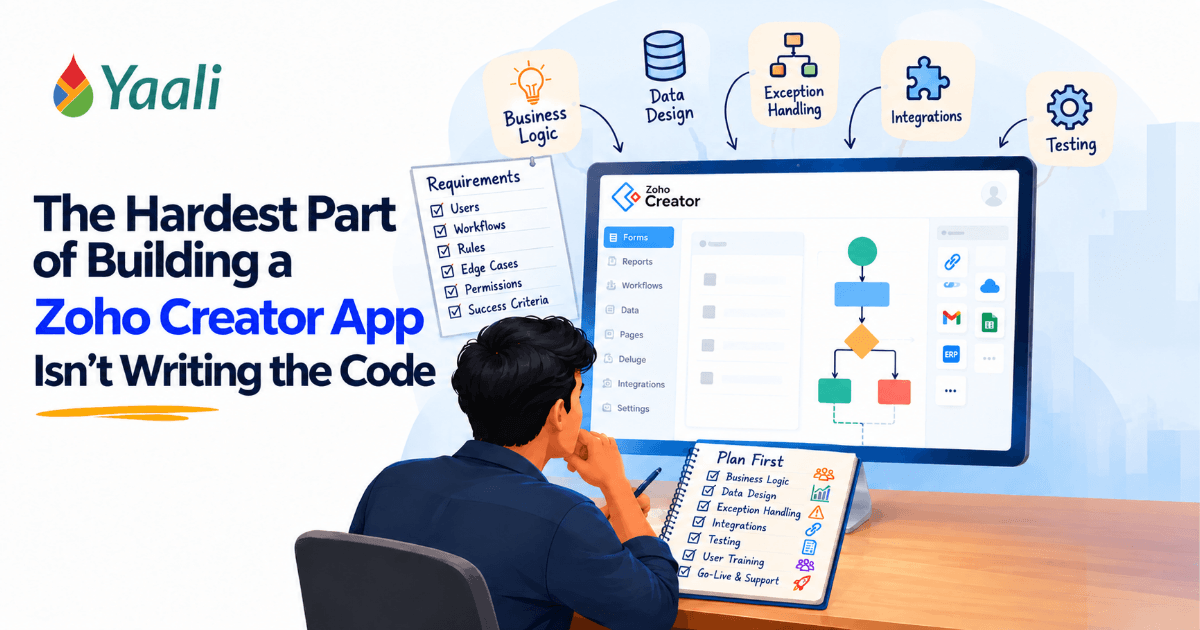
A Zoho Creator app can work perfectly in a demonstration and still fail the moment a business starts depending on it.
The form saves the record. The workflow sends the notification. The report displays the expected numbers. The developer demonstrates the application, and everyone agrees it looks ready.
Then an employee submits a duplicate request. An approval arrives after the underlying information has changed. A third-party API times out. A customer claims a warranty, but nobody can confidently connect that claim to the original installation record.
Suddenly, the problem is not writing another Deluge script. It is figuring out what the application should have done when reality stopped following the expected path.
The hardest part of building a Zoho Creator app is not making the software perform an action. It is deciding which action should happen, under what conditions, for whom, and what should happen when something goes wrong.
That distinction separates an application that merely works from one a business can confidently rely on.
Zoho Creator provides tools for forms, reports, workflows, data relationships, scripting, and integrations. But those tools cannot independently determine how your company handles exceptions, assigns responsibility, protects information, or defines a completed transaction. Those decisions must come from a clear understanding of the business.
If you are still deciding whether Creator is the right platform for a particular requirement, review these Zoho Creator limitations and workarounds before committing to an architecture.
Here is what that means in practice, including lessons from YAALI Bizappln Solutions' published Zoho Creator implementation work.
The Real Work of Zoho Creator App Development: Beyond Deluge
Building a successful Zoho Creator app involves much more than writing Deluge scripts. From understanding business requirements and designing the right data structure to handling exceptions, managing permissions, and testing workflows, every decision affects how well the app performs in real-world situations.
Let’s explore the key challenges Zoho Creator developers must address to build reliable, scalable, and business-ready Zoho Creator applications.
1. Why Does Business Logic Matter More Than the Number of Deluge Scripts?
Business logic is where most applications get into trouble before a single line of code is written. Start here, before anything else.
Imagine asking a developer to build an employee expense approval app.
The requirement sounds simple: employees submit expenses, managers approve them, and approved expenses move to finance.
A developer can create the form, configure notifications, and write the necessary Deluge scripts. But the application is not fully specified until somebody answers a few uncomfortable questions.
What happens when a manager rejects an expense? Can an employee edit it after approval? What if the manager changes departments? Who can approve an expense above a particular amount? Can finance process an expense without supporting documents? What happens if the payment system rejects the transaction?
Each answer changes the application's behavior.
If these decisions remain unresolved, developers must make assumptions. An assumption can become embedded in a workflow, a validation rule, or a data relationship. Correcting it later may affect several connected components.
This is why requirements gathering should focus on decisions, not merely screens.
Before development starts, identify:
- Triggers: What starts the process?
- Rules: What determines the next action?
- Ownership: Who is responsible at each stage?
- Exceptions: What happens when the normal process cannot continue?
- Permissions: Who can perform each action?
- Outcomes: What evidence establishes that the process is complete?
A useful question to ask is: If an employee encounters an unusual situation tomorrow, will the application guide them through it, or will they need to call someone for help?
That question often reveals more about the quality of a proposed application than a demonstration of its interface.
Related Content: For additional practical lessons from real-world usage, read 15 lessons learned from Zoho Creator users.
Once the business logic is clear, the next challenge is mapping the exceptions. A process that looks simple in a diagram can generate a surprisingly many edge cases when real employees start using it.
Turn Your Business Requirements Into a Reliable Zoho Creator App
Unclear requirements today can lead to costly rework tomorrow. Our Zoho Creator specialists help you map business rules, approval flows, exceptions, and user permissions before development begins.
2. Why Must You Design Exceptions Before Automating a Workflow?
Most business processes look straightforward when described as a sequence of steps.
A warranty claim, for example, might follow this path:
Claim submitted → Claim verified → Claim approved → Claim processed.
But what happens if the claim refers to an installation that cannot be found? What if the vehicle identification number is incorrect? What if the same customer submits the claim twice? What if a dealership employee should not have access to another dealership's records?
These are not rare technical curiosities. They are operational situations that determine whether the application can be trusted.
Design the States and Transitions
For each process, define its possible states and the rules for moving between them.
A warranty claim might have business-defined stages such as:
- Submitted
- Awaiting Verification
- Under Review
- Approved
- Rejected
- Processed
These are illustrative statuses, not predefined Zoho Creator defaults.
The design should also define which users can move a record between stages, what information must be present, and whether an action requires additional validation.
Zoho Creator's Blueprint feature can support structured processes through configurable stages, transitions, criteria, ownership, and transition actions. The developer still has to define the business rules. Blueprint does not automatically infer how the company wants to approve, reject, or process a claim. See the official Blueprint documentation from Zoho.
A practical rule: do not automate a decision until the business can explain how that decision should be made. Otherwise, automation simply makes an unclear process run faster.
The PST Plus project, described in the next section, shows what this design work looks like when applied to a real business problem.
Need Help Building a Zoho Creator App?
Get our Zoho Expert help to turn your business requirements into a reliable, scalable application.
Let's Talk See Our Zoho Expertise →3. What Can a Real Zoho Creator Project Teach Us About Application Design?
A published YAALI case study involving PST Plus, an automobile product service company, illustrates why the difficult work extends beyond forms and scripts.
Before the solution, the company's warranty process relied on Zoho Forms, which created challenges around authentication, record visibility, linking installation records to warranty claims, and manual VIN entry.
The published case study describes a custom Zoho Creator Customer Portal and connected functionality designed to address these operational problems. The implementation included dealership access, linked installation and warranty records, Zoho CRM modules, digital agreements through Zoho Sign, VIN extraction using OCR, VIN decoding through an external API, and email notifications. Read the PST Plus case study.
The significance is not simply that the project used several Zoho products.
It is that the solution had to preserve the relationships between different business activities.
An installation record is needed to connect to the correct dealership and vehicle. A warranty claim needed to relate to the appropriate installation. Users needed access to the records relevant to their roles. VIN information needed to be captured and checked rather than blindly accepted. Notifications are needed to communicate what happened next.
Consider the design decisions behind that workflow:
Record Relationships
If a warranty claim is stored independently of the original installation, staff may have to search manually for the matching record. That creates extra work and introduces opportunities for mismatches.
Linking the relevant records gives the application a defined relationship to work with. Zoho Creator supports form relationships through lookup fields and subforms, among other capabilities. The appropriate structure depends on the business rules and the relationship between the records.
Identity and Access
A dealership portal must do more than let a user sign in. The application must also apply the appropriate access rules to the information that the user can see and manage.
Authentication answers who the user is. Authorization determines what that user is allowed to do. They are related, but they are not interchangeable.
Data Validation
VIN entry is another useful example. A value that looks plausible is not necessarily correct. OCR can help extract information from an image, and an external API can provide vehicle details, but the implementation still needs to handle extraction errors, invalid values, and unsuccessful API responses.
The lesson is bigger than warranty management: a dependable application maintains the relationships, rules, and checks that make the information useful.
The case study demonstrates why business analysis and application architecture matter. It does not mean every project needs OCR, multiple integrations, or a customer portal. Those features should be selected only when the business requirement justifies them.
The PST Plus example also points to something that shows up in almost every Creator project: how you model data determines how much of everything else becomes possible. That is what the next section covers.
4. How Does Data Modeling Prevent Expensive Rework?
Data modeling is the work of deciding how business information should be stored and connected.
It may not be the most visible part of development, but it affects reporting, validation, automation, and future changes.
Suppose a company creates a maintenance app with one large form containing customer details, property information, technician assignments, work logs, parts used, and billing information.
That design might appear efficient at first. But what happens when a customer has several properties and hundreds of requests? What happens when a job requires multiple technicians? What happens when a customer changes their contact information?
Duplicating the same information across many records can create inconsistencies. Reports may become harder to maintain, and updates can require more effort than necessary.
A more considered design might use related forms for:
- Customers
- Properties
- Service requests
- Technician assignments
- Work logs
- Parts used
- Invoices
The exact structure depends on the application. Separating every data element into its own form is not automatically good design. The model should reflect the real relationships and reporting requirements.
Before building, ask:
- Which record is the authoritative source for each piece of information?
- Can one record have multiple related records?
- What should happen when information changes?
- Which relationships must be maintained?
- How will duplicate records be identified?
- Which fields are required at different stages of the process?
These questions are especially important when the application connects with Zoho CRM, accounting software, inventory systems, or other external services.
A weak data model creates friction throughout the application. A well-considered model gives workflows and reports a consistent foundation to build on.
With that foundation in place, code becomes the tool for implementing decisions that have already been made, rather than a place where those decisions get made by default.
5. Is Writing Deluge Code the Easy Part?
Not necessarily. Complex Deluge scripting can require substantial technical work. But even a technically sophisticated script cannot compensate for a poorly defined business rule.
Consider a form that must reject an expense amount of zero or less.
A validation script can implement that requirement:
if(input.Amount <= 0)
{
alert "Enter an amount greater than zero.";
cancel submit;
}
This is an illustrative Zoho Creator Deluge example. It assumes that Amount is the correct field link name and that the script is configured in a compatible form-validation workflow.
The code is short. AI tools can assist with parts of development, but they do not remove the need for requirements analysis, architecture, validation, and accountability. Read why AI will not replace Zoho developers for more on the role of developer judgment.
-Does the rule apply to every expense category?
-Are refunds or accounting adjustments allowed to use negative values?
-Should imported records be checked? Can an external integration create records through a different path?
-Should the application display a field-level message or a general warning?
These details determine whether the implementation correctly enforces the intended rule. Not every decision needs AI: Compare AI vs manual logic in a Zoho Creator app to think through which tasks benefit from flexible AI assistance and which require predictable, rule-based behavior.
Write the Rule Before Writing the Script
For every important validation or automation, document:
- The condition that triggers the logic.
- The records and fields affected.
- The expected result.
- The exceptions that are allowed.
- The response when an operation fails.
- The ways the behavior will be tested.
This is not bureaucracy for its own sake. It reduces ambiguity and helps developers implement logic that matches the actual business process.
The same principle carries directly into integrations, where the gap between a successful connection and a reliable business outcome can be just as wide.
Struggling With Complex Deluge Logic or Existing Workflows?
A script that runs successfully isn't enough if it doesn't enforce the right business rules. Our Zoho Creator developer helps businesses troubleshoot and optimize Deluge scripts and workflows to make their Zoho Creator applications behave as intended.
6. Why Can a Successful Integration Still Create Business Risks?
An integration may successfully connect two applications without guaranteeing that the overall transaction is reliable.
Suppose a Creator app sends an approved invoice to an external accounting system. The request times out. The receiving system may have processed the invoice even though the Creator app never received confirmation.
If the app retries blindly, it could create a duplicate. If it does not retry, the invoice could remain missing from the accounting system.
This is a classic distributed-system problem: the sender may not know whether the receiver completed the operation.
Plan for the Uncertain Outcome
Depending on the API and the receiving system's capabilities, a reliable implementation may need:
- A unique business reference for the transaction.
- A record of each integration attempt.
- Separate statuses for pending, successful, and failed operations.
- Error details that support investigation.
- Controlled retries rather than unlimited repeated requests.
- Reconciliation between the source and receiving systems.
- A duplicate-prevention mechanism supported by the receiving system, where available.
A unique identifier helps correlate records, but it does not automatically prevent duplicates. That depends on how repeated requests are handled by the receiving system and how the integration is implemented.
The same issue can arise when synchronizing inventory, sending payment instructions, creating CRM records, or triggering external notifications.
An integration should be designed around both the successful path and the recovery path.
Ask not only, "Can the application send this data?"
but also, "How will we know what happened if we never receive a clear answer?"
Integrations handle how data moves between systems. The next question is who can see and act on that data once it arrives.
Need to Connect Zoho Creator With Other Business Systems?
An integration should do more than transfer data. It should handle failed requests, prevent duplicate operations where possible, and keep connected records consistent.
YAALI helps businesses integrate Zoho Creator with Zoho CRM, accounting platforms, third-party APIs, and other business systems.
7. How Do You Protect Data Without Blocking Employees From Doing Their Jobs?
Permissions are often treated as configuration details to finish near the end of development. That is risky.
A technician may need to see assigned jobs and record work performed, but not view every customer's financial information. A dealership may need to submit warranty claims and see its own records without accessing another dealership's data. A supervisor may need approval rights that ordinary users do not have.
These requirements should influence the design from the beginning.
Create an access matrix that defines who can:
- View records.
- Create new records.
- Edit existing records.
- Approve or reject requests.
- Access sensitive fields.
- Export or report on information.
- Perform administrative actions.
Then test those rules through realistic user roles.
Do not assume that hiding a button is sufficient protection. The application's broader record, field, and action permissions must be configured appropriately. A workflow transition restriction does not automatically replace the need to configure record-level access.
The objective is intentional access: users can complete their work without being exposed to information or actions they should not control.
Permissions can be defined carefully during design, but they only prove themselves under testing. That brings us to the stage where the accumulated decisions across all previous sections get verified against reality.
8. What Should You Test Before Releasing a Zoho Creator App?
Testing a form in isolation is not the same as testing the business process.
A form might save correctly, a notification might arrive, and a report might display the expected data. But the complete workflow could still break when an approval is reversed or an external integration fails.
A practical test plan should include:
Scenario | What to verify |
Normal process | The record reaches the intended outcome |
Missing information | Required fields and rules are enforced |
Rejected request | The rejection path works, and the reason is captured where required |
Changed information | Updates do not leave related records inconsistent |
Unauthorized action | Users cannot perform restricted operations |
Failed integration | The error is visible, and the recovery process is defined |
Repeated submission | Duplicate risks are handled appropriately |
Reporting | Metrics agree with the underlying records |
Mobile use | Essential tasks work in the intended user environment |
Include the people who will use the app in testing. They often recognize exceptions that were overlooked during requirements discussions. Ask them to test on the devices and in the environments they actually use, and consult these Zoho Creator app performance and user experience tips when reviewing usability and responsiveness.
Also test changes that affect connected forms, permissions, workflows, and integrations. A small modification can have consequences elsewhere in the application. Include a recovery plan in that process: the guide to Zoho Creator backup mistakes to avoid explains why a successful backup status alone does not prove that the application can be restored for business use.
A demonstration proves that one scenario can work. A thoughtful test plan checks whether the application can handle the situations the business depends on. Before release, use the 10 critical steps to check before deploying a Zoho Creator app as a complementary deployment review.
Testing confirms that the application works correctly. The question after that is whether it actually improves the business, and measuring that requires a different approach.
Is Your Zoho Creator App Ready for Production?
A successful demo does not guarantee a reliable application. Before deployment, make sure your workflows, permissions, integrations, and exception handling have been tested against real business scenarios.
Our team can help identify potential issues and strengthen your application before they disrupt daily operations.
9. How Can You Measure Whether the App Is Actually Improving the Business?
A project is not successful simply because it has been deployed or contains many automated workflows.
Measure the outcomes that motivated the project.
For a warranty application, possible measures include the time required to locate the original installation, the percentage of claims with complete supporting information, and the number of claims requiring manual correction.
For an approval application, useful measures might include average approval time, the number of requests waiting for action, and the frequency of incomplete submissions.
For a maintenance app, the business might track time to assignment, repeat visits, and the percentage of jobs completed within the agreed service target.
Define each metric consistently. If one report measures completion from submission and another measures it from assignment, their numbers will not be directly comparable.
Where possible, establish a baseline before deployment and compare it with results after the application has been adopted. Account for changes in staffing, workload, and operating conditions when interpreting the figures.
Avoid promising a percentage improvement before the business has measured it. A credible case study should distinguish measured results from expected benefits.
The objective is to determine whether the application reduces avoidable work, improves information quality, increases visibility, or supports better decisions.
Knowing what to measure is one thing. Finding an Zoho Creator Partner who understands these outcomes from the start is another, and the next section explains what to look for.
Is Your Zoho Creator App Delivering the Results You Expected?
We help businesses identify process bottlenecks and improve existing Zoho Creator applications to deliver the results they expected.
10. What Should You Ask Before Hiring a Zoho Creator Developer?
A zoho developer's ability to build forms and write scripts matters, but it is not the only factor to evaluate.
Ask potential implementation partners how they approach the business process before development begins.
Useful questions include:
- How do you identify exceptions and approval rules?
- How do you design relationships between forms?
- How do you test access permissions for different user roles?
- What happens when an integration fails or times out?
- How do you test changes that affect existing workflows?
- How will we measure whether the application improves operations?
- Who will maintain the application when our requirements change?
Ask to see examples of relevant work and understand what the examples actually demonstrate. A published case study can show the problem, the solution, and the technical decisions made. Quantified claims should be supported by evidence, not assumptions.
YAALI's published Zoho Creator case studies include projects involving warranty processing and retail training. They illustrate how application requirements can extend into record relationships, validation, user access, and connected services.
No single project proves that a particular design will fit every business. The value is in understanding the reasoning behind the implementation and how that reasoning applies to your requirements.
Looking for a Zoho Creator Development Partner?
Choose a Zoho Creator Partner who understands your business processes, not just your technical specifications. YAALI Bizappln Solutions helps businesses build, customize, integrate, and improve Zoho Creator applications around their operational needs.
Final Thoughts: Build for the Exceptions, Not Just the Demonstration
Zoho Creator makes it possible to develop business applications using forms, reports, workflows, Deluge scripting, and integrations. But the platform's capabilities are only part of the equation.
A dependable app needs a clear data model, explicit business rules, carefully configured permissions, a plan for integration failures, and testing that reflects real operational conditions.
The most useful question is not how quickly a developer can produce a working demo. It is whether the application can handle the situations employees will encounter after the demo is over.
That is where good requirements analysis, sound technical judgment, and business process knowledge make the difference.
For business owners, the takeaway is straightforward: evaluate a Zoho Creator app by how reliably it supports the business process, not by how many features it contains.
Planning a Zoho Creator App? Build It Right From the Start.
A working demo is easy to showcase. Building an application your business can depend on requires thoughtful data modeling, clearly defined business rules, reliable integrations, and thorough testing.
Whether you're building a new Zoho Creator application, fixing problems in an existing one, automating complex workflows, or connecting multiple business systems, we can help you turn your requirements/idea into a solution.
Don't let unclear requirements become expensive development problems.
Contact YAALI to Discuss Your Zoho Creator Project Talk to our Zoho Experts
Thanks for reading to the end of the content.Hope this blog post gives you some valuable insights about Zoho Creator.
ATTENTION: Sign up through our exclusive Zoho Creator Partner Link to get personalized support and expert guidance every step of the way for your app development.
Share this Post if you found this Content Useful😊. Sharing is Caring!
📧 Join over 1000+ Business Owners, Zoho Customers, Consultants, and Zoho Partners who read our content to get the most out of Zoho for their business.
▣ Zoho + Your Business+ Our Expertise = Get Maximum Value out of your Zoho Investment.

Enter Your Email Address Below to receive the Exclusive Content that we only share with those who Subscribe to our Newsletter.


