Zoho Data Migration: What Businesses Should Expect
Most Zoho data migrations do not fail because of Zoho. They fail because businesses discover mid-project that their existing data was never as clean or consistent as they thought. The businesses that migrate successfully treat it as a data audit first and a technical move second.

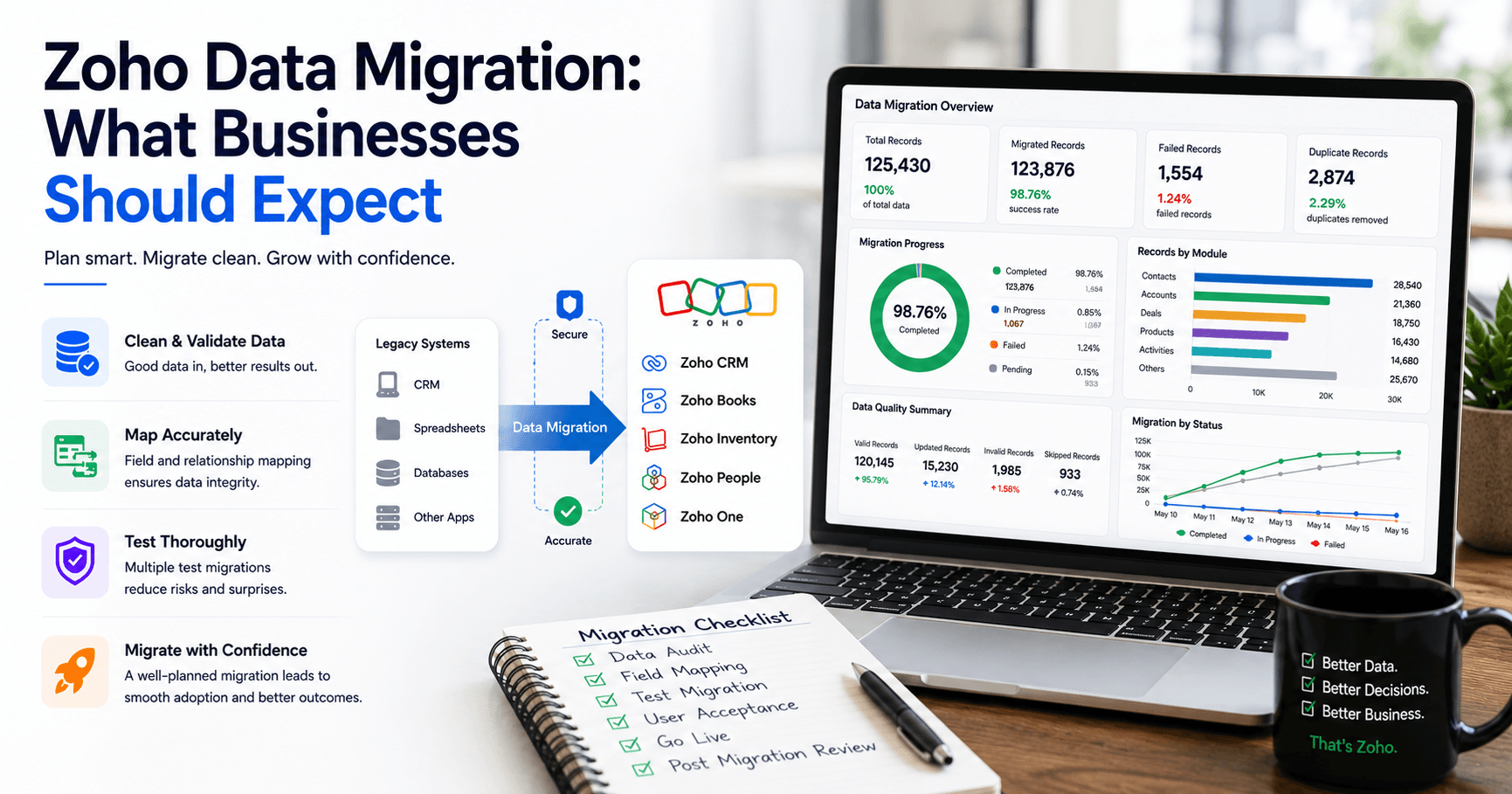
Moving data is straightforward. Moving business-critical data without disrupting operations is a different kind of project.
"Data migration" is one of those exercises that appears simple on paper and grows considerably more complex once execution begins. Many organizations decide to migrate to Zoho after outgrowing legacy systems, struggling with disconnected applications, or looking for a cost-effective platform that can unify sales, finance, operations, customer support, and reporting.
At first glance, the migration process sounds manageable. Export data from the old system, import it into Zoho, and continue business as usual.
The reality tends to look different.
Migration projects frequently uncover years of duplicate records, inconsistent formats, missing relationships, obsolete information, and undocumented processes. The migration itself is rarely the biggest challenge. The challenge is ensuring the data remains accurate, usable, and reliable after it reaches Zoho.
This comprehensive guide reveals exactly what businesses should expect during a Zoho data migration project, including the process, timelines, challenges, costs, risks, best practices, and practical recommendations for ensuring a smooth transition.
Let’s explore the finer, more detailed aspects.
What Is Zoho Data Migration?
Zoho data migration is the process of transferring business information from existing systems into Zoho applications while preserving data integrity, relationships, and usability.
Organizations typically migrate from spreadsheets, legacy software, custom-built applications, Salesforce, HubSpot, Microsoft Dynamics, QuickBooks, SAP, Oracle, or other business platforms into Zoho CRM, Zoho Books, Zoho Creator, Zoho Inventory, Zoho People, or Zoho One.
The objective is not simply moving records. The goal is to ensure users can continue business operations with accurate, organized, and actionable information inside the new Zoho environment.
Common data migrated into Zoho includes:
- Customers
- Leads
- Contacts
- Vendors
- Products
- Inventory records
- Financial transactions
- Employee records
- Support tickets
- Project data
- Custom application data
- Historical activity logs
When businesses move to Zoho, they're not just shifting data. They're restructuring it. The way your old CRM stored a customer record almost certainly differs from how Zoho CRM expects to receive it.
Fields do not always line up. Custom objects in your old platform may not have a direct equivalent in Zoho. Relationships between records, such as a contact linked to a deal linked to a quote, need to be preserved correctly or the entire chain of customer history falls apart.
You can expect to encounter three kinds of migration approaches in a Zoho data migration project.
The first is a one-time migration, where you move all historical data from an old system to Zoho on a specific cutover date.
Whether you're migrating from spreadsheets, legacy applications, or another CRM platform, our structured and foolproof plan for Zoho CRM migration process reduces the risk of data loss, duplicate records, and broken relationships.
The second is a phased migration, where data moves in stages, department by department or module by module.
The third is a parallel run, where both systems stay active during a transition period, and data syncs between them until the team is confident Zoho is ready to take over completely.
Each approach has trade-offs. One-time migrations are clean but risky if the preparation isn't thorough. Phased migrations reduce risk but extend the transition period, which means two systems running simultaneously and staff toggling between both. Parallel runs offer the most safety net but also the most overhead.
Understanding which approach fits your business is the first decision you need to make. And it's one that tends to get skipped in the excitement of signing up for Zoho.
Why Businesses Migrate to Zoho
The reason a business is migrating usually shapes how it should approach the migration itself.
Some businesses come from Salesforce,Hubspot,Pipedrive and other CRM & ERP Platforms. They are paying for a platform that is more powerful than they need, carrying a price tag that does not match the value they are actually getting. Zoho CRM offers a comparable feature set for a fraction of the cost, and for a company running a lean sales team, that is a compelling argument.
Others are moving off older, on-premise systems. Legacy software that the team has patched and maintained for a decade. These migrations tend to be the most complex because the source data is often the messiest: fields built by someone who left the company five years ago, records nobody has touched in three years but cannot be deleted because "legal might need them."
A third group comes from fragmented stacks. They are running their CRM in one tool, accounting in another, inventory in a third, and marketing in a fourth. They are copying data between applications manually and losing hours every week to tasks that should happen automatically. For these businesses, Zoho One is the destination, and the migration is less about one-to-one data transfer and more about consolidating an entire operational model into a single platform.
In every case, the migration carries weight beyond the technical. The data being moved represents years of customer relationships, business processes, and institutional knowledge. Getting it wrong does not just create a technical problem. It erodes trust in the new system before the team has even started using it.
If your organization is specifically migrating from Salesforce, it's important to evaluate custom objects, workflows, Apex automations, and integrations before migration begins. Learn more about our Salesforce to Zoho CRM Migration services, where we help businesses transition with minimal disruption and maximum data integrity.
Types of Zoho Migrations Businesses Actually Run
Here are the types of migration available for Zoho:
CRM-to-Zoho migration
This is the most common request. A business currently runs Salesforce, HubSpot, Pipedrive, or a similar platform and wants to move to Zoho CRM or Zoho One. The complexity here usually comes from custom objects and workflow automations that do not have a one-to-one equivalent in Zoho, which means some rebuilding, not just data transfer.
See how we've successfully migrated a large-scale data from Salesforce to Zoho CRM migration project, including complex data structures and enterprise datasets.
Spreadsheet-to-Zoho migration
Smaller businesses often run their entire operation out of Google Sheets or Excel before adopting a CRM for the first time. This migration is usually faster since there is no legacy automation to replicate, but it carries its own risk: spreadsheets rarely enforce consistent formatting, so the cleansing stage takes longer than expected.
Zoho-to-Zoho migration.
This happens more often than people assume, typically during a company merger, a change in Zoho edition, or a decision to consolidate multiple Zoho organizations into one. It sounds simple because both sides run on the same platform, but merging two active Zoho orgs with overlapping contacts and different customization histories is its own specialized project.
Legacy system-to-Zoho migration.
Some businesses are moving off software that has not been updated in years, an on-premise database, an old ERP module, or a homegrown tool built by someone who left the company long ago. These migrations tend to take longer because the source data often lacks clear documentation, and the original logic behind certain fields or workflows has to be reconstructed through interviews with long-tenured staff rather than pulled from any manual.
Knowing which category your business falls into helps you ask sharper questions when evaluating a Zoho implementation partner since each type carries a different risk profile and timeline.
What are the methods to migrate your data to Zoho?
Zoho supports several transfer methods depending on your source system, your budget, and how much of the technical work you want handled for you.
Here are the common and real-time methods to migrate your data from your existing platform to Zoho:
Assisted migration through Zoho's own team
For larger or more sensitive datasets, Zoho offers a paid migration service where their specialists handle the transfer directly. This option works well for businesses that want Zoho's own engineers accountable for the outcome, though it typically costs more and moves on Zoho's schedule.
Native data migration wizards
Zoho CRM and other Zoho applications include built-in wizards for popular source platforms like Salesforce, HubSpot, and older Zoho editions. These wizards walk through field mapping on screen and work well when the data structure is fairly standard, without extensive customization.
CSV and XLS imports
For smaller datasets or businesses moving off spreadsheets entirely, a straightforward file import remains the simplest method. It requires careful formatting beforehand since Zoho expects specific column structures and date formats, but it gives your team direct visibility into exactly what is being uploaded.
Deluge scripts and custom APIs
Complex relationships between records, high data volumes, or transfers involving a system Zoho does not natively support all require custom scripting through Zoho's Deluge language or direct API calls. This approach takes longer to build but handles edge cases the other methods cannot. This is where an experienced migration partner earns their fee.
The appropriate approach should be based on the data's complexity, not on which method is the simplest for the Zoho Partner to implement. Be cautious of anyone who proposes the same method regardless of what you are migrating from.
Not sure which migration approach fits your situation?
YAALI has handled migrations from Salesforce, HubSpot, legacy ERPs, and custom spreadsheet setups for over 100+ clients.
What Challenges Should Businesses Expect During Zoho Data Migration?
Data quality challenges are the most common obstacle during Zoho migrations, and they almost always surprise businesses that assumed their data was in reasonable shape.
Duplicate records
Most CRMs accumulate duplicates over time. A prospect gets entered by two different reps. A customer appears once under their personal email and once under their work email. A contact gets created both as a lead and as an account. By the time a migration project begins, it is common for five to fifteen percent of all contact records to have at least one duplicate. Migrating those duplicates into Zoho does not solve the problem. It copies it into a new system where it will affect reporting, automations, and user experience from day one.
Deduplication before migration is not optional. It is the difference between launching with a clean foundation and spending the next six months untangling records.
Missing and incomplete information
Older systems frequently contain records that were never fully populated. A contact with no email address. A deal with no close date. An account with no industry classification. These gaps tend to have accumulated gradually over years, as reps created records in a hurry, as data import processes skipped non-mandatory fields, or as business priorities shifted and old records were never updated.
Migrating incomplete data without addressing the gaps carries those gaps into Zoho, where they break automations that depend on those fields and undermine any reporting that references them.
Complex record relationships
Business data is relational. A contact belongs to an account. A deal belongs to a contact. A quote ties to a deal and to specific products. An invoice links to a customer and a payment record. These relationships need to survive the migration intact, or the chain of history that makes the data useful collapses.
A contact that arrives in Zoho disconnected from their account and deal history is effectively a new record with no context, and the team is left rebuilding relationships manually after go-live.
Custom fields and non-standard workflows
Every organization adapts their CRM or ERP over time. Custom fields get added to capture information the standard data model did not anticipate. Approval processes get built around specific field values. Reports reference calculated fields that do not exist in the source data in any exportable form. When those customizations meet a standard migration wizard, the wizard skips them.
A Zoho data migration expert who has not mapped those custom elements in advance leaves gaps that surface only after the team has started working in the new system.
Integration dependencies
A system that talks to a payment gateway, an e-commerce platform, an accounting tool, or a marketing automation system does not just hold data. It receives and sends it continuously. Migrating the data without addressing those connections means the new Zoho environment starts in an incomplete state. Leads stop flowing in from the website. Orders stop syncing from the store. Invoices stop updating from the payment processor. Every integration that existed in the old environment needs to be explicitly rebuilt or replaced in Zoho before go-live and not discovered to be missing afterward.
Common Challenges Businesses Face During Zoho Data Migration
Beyond the major categories above, several specific issues surface consistently in migrations and tend to catch businesses off guard.
Notes and activity history in your CRM or helpdesk system represent the institutional memory of a client relationship: the context behind why a deal stalled, the note from a call two years ago that explains a customer's unusual billing arrangement. This kind of data rarely maps cleanly into any destination system because it was written by humans for humans, not structured for transfer. Check early whether your source system exports notes and activity in a format that can be imported into Zoho's equivalent fields, and whether that history needs to live as native records or can be preserved as attachments.
Tags and segments are almost always lost in migrations unless explicitly planned for. If your sales team uses tags to segment contacts by industry vertical, buying stage, or regional territory, those tags need to map to a native Zoho field that supports the same kind of filtering. If they get left behind, the team rebuilds the segmentation manually after go-live.
File attachments deserve an explicit conversation early. Migrating 10,000 contacts is fast. Migrating 10,000 contacts with 7 attachments each is a storage and bandwidth exercise that can extend the migration window significantly. Build attachment migration into the timeline if your team relies on documents stored at the record level, and consider whether all historical attachments are worth moving or just those from active records.
Data volume limits. Zoho's standard CSV import tool in Zoho CRM handles up to 5,000 records per import. With 80,000 contacts, that is 16 separate imports, each needing to be queued, processed, and validated. Businesses with large datasets need to use Zoho's API or migrate through a tool that batches records automatically. This is a known constraint and a manageable one, but only if it is planned for.
Skipping user training. A correctly migrated dataset still fails if the sales team does not know how to find what they need inside Zoho's interface. Training should run in parallel with migration, not after.
No rollback plan. Even well-planned migrations occasionally hit unexpected issues. Keeping the old system accessible in read-only mode for a defined period gives teams a safety net without slowing down adoption of the new one.
Data quality problems are easier to fix before the migration than after.
YAALI's migration process includes a full data audit before anything moves. Get a data readiness assessment and discover what your records actually look like before you start.
What data should you leave behind during migrating your data to Zoho?
One of the most underrated decisions in a migration project is choosing what not to move.
The instinct to migrate everything is understandable. It feels safer. Deleting or archiving data before a migration carries a psychological weight that keeping it does not. But migrating unnecessary data creates real costs: longer migration timelines, larger Zoho storage bills, cluttered search results, misleading reporting, and more records for users to sift through when they are looking for something actionable.
Stale leads with no recent activity. If a lead has not been contacted in three or four years and there is no strategic reason to reach out, it does not belong in the new CRM. It belongs in an archive or a spreadsheet kept separately for compliance purposes.
Duplicate campaign imports. Many CRMs accumulate the same contact multiple times as a result of separate campaign uploads over the years. These duplicates should be resolved before migration rather than carried into Zoho as a deduplication problem to solve later.
Test and demo records. Every long-running CRM accumulates records created during training sessions, demos, or internal testing. These records carry no business value, and their presence in Zoho will skew reporting and create confusion.
Historical email threads and activity logs beyond a practical look-back period. The last 24 months of customer activity are almost always worth preserving. Activity from five years ago may be relevant for compliance but is rarely needed operationally. Consider archiving very old activity logs separately rather than importing them into the live system.
Outdated product or pricing records. If your product catalogue has changed significantly, importing old product records with outdated pricing can create errors in quote and order creation. Build a clean product list in Zoho rather than migrating a legacy one that needs significant correction after import.
The decision about what to migrate should involve a department lead for each data type, not just the IT team. A sales manager knows which historical leads are worth keeping. A finance lead knows which old transaction records have compliance implications. Get those inputs before the data audit, not after.
The Zoho Data Migration Process: A Step-by-Step Breakdown
Every successful Zoho migration follows roughly the same sequence. Skipping any step is where the problems start.
Step 1: Discovery and Data Audit
Every migration should start with an honest inventory, not an assumption. Before any data moves, someone needs to map out every system currently holding business-critical information: the CRM, the accounting tool, shared spreadsheets, email inboxes, even the WhatsApp Business account the sales team has been using informally.
The audit identifies every data source, the volume of records in each, and the condition of that data. Duplicate contacts, outdated deal stages, inconsistent naming conventions, and orphaned records (leads with no owner, deals with no close date) all surface here. This stage often reveals just how fragmented a business's data really is, even when leadership assumed everything lived in one place.
A thorough audit prevents surprises later. Nobody wants to discover a critical dataset three weeks into a project that was supposed to be finished.
Step 2: Data Cleaning
Data cleaning is unglamorous task, and it is also where most of the real work happens. Removing duplicates, standardizing formats (phone numbers, date formats, currency), and deciding which of five conflicting job titles for the same contact is the correct one takes time. Skipping it guarantees a cluttered CRM from day one.
Deduplication: Two contact records for the same person, created by two different sales reps six months apart, need to merge into one clean record with a complete interaction history.
Field standardization: A "Country" field with entries like "USA," "U.S.A," "United States," and "us" needs to collapse into a single consistent value, or every future report on regional performance will be wrong.
Archiving stale records: Not every lead from four years ago belongs in the new system. Some businesses choose to archive old records separately rather than importing them into active pipelines, keeping the new CRM focused on current, actionable data.
Clean data before migration, not after. Cleaning inside Zoho after go-live means working around live users, active automations, and real-time reporting, which turns a straightforward task into a disruptive one.
Step 3: Field Mapping
Every source system organizes data differently. A legacy CRM might store "Lead Source" as a free-text field, while Zoho CRM expects it as a dropdown with predefined values. Mapping decides how each field in the old system translates into a field in Zoho, and where gaps need new custom fields entirely.
This stage also decides module structure. A business moving from spreadsheets into Zoho CRM needs someone to decide how "Company," "Contact," and "Deal" should relate to each other inside Zoho's data model, since spreadsheets rarely enforce that kind of relational structure on their own.
Field mapping is where technical migration work meets business judgment. A migration partner can move data mechanically, but decisions about what a "Qualified Lead" means going forward, or how deal stages should align with the actual sales process, belong to the business.
Step 4: Test Migration
No experienced Zoho partner moves an entire dataset in one pass. A test migration, usually run on a sample set of records, surfaces mapping errors, formatting issues, and missing fields while the stakes are still low.
A test migration also gives the internal team a preview of what the new system will look like, which makes training conversations far more concrete than describing features in the abstract.
Common issues that surface at this stage include broken date formats, currency mismatches between regions, lost formatting in long text fields, and attachments that fail to carry over cleanly. Catching these in a test batch of 200 records costs far less than catching them after 50,000 records have already moved.
Step 5: Full Migration
Once the test batch validates the mapping and cleaning logic, the full migration runs. This stage typically happens outside business hours or over a weekend to minimize disruption. Depending on data volume, it can take anywhere from a few hours to a few days.
Businesses with active automations, ongoing email sequences, or live customer support tickets need a clear cutover plan. Some Zoho partners run source and destination systems in parallel briefly, ensuring nothing falls through the gap between old system shutdown and new system activation.
A carefully sequenced cutover means sales reps and support agents lose zero productive time, and customers never notice the transition happened at all.
Step 6: Validation and Reconciliation
Migration is not complete when the data lands in Zoho. It is complete when someone confirms the numbers match. Record counts get compared between old and new systems. Sample records get manually checked against source data. Reports that used to run in the old CRM get rebuilt in Zoho Analytics and their output gets compared against historical figures.
Spot-checking: A migration partner pulls a random sample of records, typically five to ten percent, and checks every field against the source system.
Automation testing: Any workflow rules, blueprints, or assignment rules that depend on migrated data need testing to confirm they trigger correctly with real records in place.
User acceptance testing: The people who will use Zoho daily, not just the IT team overseeing the project, should log in and confirm their world looks right: their deals, their contacts, their history.
Step 7: Post-Migration Support
The first few weeks after go-live reveal issues that no amount of pre-launch testing catches, because real users interact with the system in ways test scripts never anticipate. A sales rep notices a missing attachment on a three-year-old deal. A finance team member spots an invoice total that rounds differently than expected.
Plan for a support window immediately after migration where a partner remains available to fix these edge cases quickly rather than treating go-live as the end of the engagement.
A successful migration doesn't end after importing data. Our Zoho CRM Data Migration services include post-migration validation, reconciliation, and user support to ensure business continuity.
Ready to map out your data migration process?
YAALI builds your data migration plan before a single record moves.
To get a clear picture of the steps, timeline, and what to expect at each stage.
How Long Does Zoho Data Migration Take?
This is the question every business asks first, and the one that is hardest to answer honestly. The truthful answer is: longer than most businesses expect.
Most Zoho data migration projects take anywhere from a few days to several months depending on complexity. The largest delays typically result from data cleanup rather than the technical migration work itself. That is why a realistic timeline starts with a sample of the source data, not an abstract description of the project.
Migration Factor | Impact on Timeline |
Data Volume | High |
Data Quality | High |
Number of Applications | High |
Customizations Required | High |
Integration Dependencies | High |
User Acceptance Testing | Medium |
Training Requirements | Medium |
Typical Timelines
Project Type | Estimated Duration |
Small Business (single app, clean data) | 1 to 3 weeks |
Mid-Sized Company (multiple modules, some customization) | 3 to 8 weeks |
Enterprise Migration (multi-system, complex integrations) | 2 to 6 months |
Typical Zoho Partner who quotes a precise timeline before seeing the source data is guessing. A real Zoho Partner ask for a sample data export in the first conversation because what they find there tells them more about project complexity than any intake form.
What Does Zoho Data Migration Cost?
Cost ranges vary widely depending on complexity, but understanding the components helps businesses budget more accurately.
Internal staff time
Internal staff time is the cost most businesses underestimate. A migration project requires a project owner, department leads for data validation, and an IT contact for credentials and access. For a mid-sized business, the internal time investment across the project typically runs between 40 and 100 hours spread over the migration period. That time has a real cost, whether it is budgeted or not.
Zoho Partner fees for doing Data Migration
Partner fees typically cover discovery and audit, data mapping, cleaning support, migration execution, testing, validation, and post-go-live stabilization. For a straightforward CRM migration, expect partner fees in the range of a few thousand dollars. For a multi-system, multi-module enterprise migration with custom development, the engagement cost grows accordingly. The complexity of your source data, the number of systems involved, and the volume of custom fields are the primary cost drivers.
DIY migration costs
DIY migration costs are real even when no money changes hands. An internal team that attempts a migration without experience typically takes two to three times longer than a partner would, encounters problems they are not equipped to diagnose quickly, and sometimes creates data integrity issues that cost more to fix than the original migration would have cost to do correctly. The risk is not just the hours. It is business disruption during a failed or partial migration.
Remediation after a failed migration
Remediation after a failed migration is the most expensive scenario. Fixing data that has already moved incorrectly means working around live users, active automations, and real-time business activity. The disruption cost and partner remediation fees consistently exceed what a properly scoped migration would have cost upfront.
Bear in mind, the cost of getting the migration right is a one-time expense. The cost of getting it wrong tends to compound for months.
Want a realistic cost estimate for your migration?
YAALI scopes migrations based on your actual data, not generic assumptions.Request a migration scoping call, and we will give you a clear picture of what the project involves before you commit.
Should You Handle Zoho Migration Yourself or Work With a Partner?
The DIY route is tempting. Zoho's documentation is thorough, the import tools are accessible through the admin interface, and there is no shortage of tutorials walking through the basics. For small teams with simple data and a single Zoho product, a self-managed migration is achievable.
The problem is that most businesses underestimate their own data complexity. What looks like a straightforward CRM migration often turns out to involve custom fields, workflow rules, related records, and file attachments that the basic import wizard does not handle well.
When something goes wrong midway through a migration, the cost of fixing it internally, in hours spent and business disruption, frequently exceeds what a partner would have charged upfront.
A Certified Zoho Partner brings more than technical skills. They bring experience with migration patterns, common failure points, and the specific quirks of Zoho's import tools. A partner who has migrated 50 businesses from Salesforce to Zoho CRM has already encountered and solved most of the problems you will face. That kind of real-time experience and knowledge is worth paying for.
The right moment to bring in a Zoho partner is before the project starts, not after the first migration attempt goes sideways. At that point, the partner is cleaning up someone else's errors rather than preventing them, and that is a harder, slower, and more expensive exercise.
If you choose to manage the migration yourself, at minimum, get an experienced Zoho expert to review your field mapping and test your migration plan before running the full import. A few hours of expert review can prevent days of remediation work.
If you're working with a Zoho implementation partner for your migration, five questions tell you a lot about their experience with this kind of project:
1.Do they ask to see a sample of your source data before scoping the migration? A partner who quotes a timeline without looking at the data is guessing. A partner who asks for a sample export early and comes back with specific observations about what they found is working from experience.
2.Do they mention data cleanup as a separate work-stream? Experienced partners know that cleanup does not fit inside the migration estimate. It lives next to it. If the scope treats migration as a single line item with no cleanup budget, someone is underestimating something.
3.Do they recommend a test migration, or assume you will go straight to live? Skipping the test run is a cost-saving measure that tends to be far more expensive than the test itself when something goes wrong on the day of cutover.
4.Do they explain what will not be migrated and why? A good partner has considered what data is worth moving and what is not. Silence on that question usually means they have not thought about it.
5.Do they have a post-go-live stabilization plan? The answer should be yes, and it should include a specific support window, not a vague promise to be available if something comes up.
Security and Compliance Considerations During Migration
Data in transit between systems is a common blind spot in migration planning.
Access control during the transition window
Both the old system and Zoho are active, someone needs to own the question of who can edit records where. Running both systems live for an extended period without a clear rule invites conflicting updates that are hard to untangle later.
Data residency and regulatory requirements
Businesses handling financial, healthcare, or personal data governed by regulations like GDPR need to confirm that the migration process, including any temporary storage or file transfer steps, keeps data within required jurisdictions and access controls throughout.
Field-level permissions
Zoho's role and profile system is granular, which is a strength, but it means permissions need to be configured deliberately rather than left at default. A migration that moves data correctly but leaves permissions wide open creates a different kind of risk entirely.
Audit trails for regulated industries
Businesses in finance, legal, or healthcare often need to demonstrate that historical records were not altered during migration. Keeping a documented mapping of source records to destination records, along with timestamps for when each batch moved, protects the business if that history is ever questioned.
None of this needs to slow a migration down significantly, but it does need to be planned rather than handled reactively after something goes wrong.
What to Do After your Data is Migrated Into Zoho?
Completing the migration marks the start of the adoption phase, and the steps taken right after cutover significantly influence how smoothly the team transitions to Zoho.
Run a full validation audit
Within the first 48 hours after migration, have your team cross-check records from the old system against their Zoho counterparts. Pick 20 or 30 records at random across different modules and verify that all fields, attachments, related records, and historical activities migrated correctly. This is the last chance to catch systematic errors before they become embedded in the new workflow.
Set up duplicate management rules
Post-migration is the right time to configure Zoho's duplicate detection settings. Set up matching rules based on email address, phone number, or company name depending on your data. This prevents duplicate records from building up again as the team starts creating new entries.
Train your team before they start using the system
Even a half-day training session covering how to navigate the new data structure, how to create and update records, and where to find information that used to live in the old system makes a notable difference in adoption speed.
Archive or decommission the old system on a schedule
Set a clear decommission date and communicate it to the whole team. The longer the old system stays available, the longer people will default to using it instead of building new habits in Zoho. Give it a deadline and stick to it.
Review your workflows and automations
Any automated workflows, email sequences, or approval processes that existed in the old system need to be recreated in Zoho. The migration moves data, not logic. After the data is in place, audit every process the team relied on in the previous system and rebuild it in Zoho using workflow.
Monitor data quality for the first 90 days
The first three months after a migration are when data quality problems surface: duplicate records that slipped through, fields the team is populating inconsistently, mandatory fields people are bypassing with dummy values. Set up a regular data quality review cadence for this period and fix problems as they emerge rather than letting them accumulate.
YAALI offers post-migration audits to identify and resolve problems before they affect operations.
Best Practices for a Successful Zoho Data Migration
Start with business goals, not technical ones.
The question is not "how do we move this data?" It is "what do we need to be able to do in Zoho once the data is there?" That framing changes which data gets prioritized, what level of cleaning is worth doing, and how you measure success after go-live.
Get sign-off on the field mapping before any data moves.
Field mapping decisions, once executed at scale, are expensive to reverse. Have the relevant department leads review and approve the mapping document before the test migration runs, not after they see something unexpected in the output.
Set a realistic data freeze window.
When possible, stop new entries or significant edits to the source system in the 24 to 48 hours before the full migration runs. Changes made to source records after the mapping has been locked can create discrepancies between what was mapped and what actually moved.
Test every automation before declaring go-live successful.
Migrated data is only part of the picture. Workflow rules, assignment rules, approval processes, and blueprint stages all need to fire correctly on real migrated records before the team relies on them. A workflow that does not trigger because a migrated field has an unexpected value creates invisible gaps in your business process.
Keep the migration documentation.
The field mapping document, the data audit findings, the test migration results, and the validation checklist all have value beyond the project. They become the reference point when someone asks in six months why a particular field works the way it does, or when you need to add a new Zoho module and want to understand the data structure that already exists.
Build adoption into the project plan.
Adoption does not happen automatically after go-live. Users need to see that their data is there, that it looks right, and that the system makes their work easier. Plan at least one structured walkthrough with each team using Zoho, focused on the tasks they will perform most often, within the first week after cutover.
Expert Insights on Zoho Data Migration
Based on industry migration patterns, organizations often underestimate the importance of data governance during migration projects.
The most successful Zoho implementations treat migration as a business transformation initiative rather than an IT activity.
Businesses that invest time in:
- Data quality
- User adoption
- Process redesign
- Validation
typically realize faster returns from their Zoho investment.
Organizations that rush migration without preparation frequently spend additional time correcting issues after go-live.
Why Choose YAALI for Zoho Data Migration
At YAALI Bizappln Solutions, our team includes former Zoho professionals who understand the platform from the inside, not just as implementation consultants but as people who helped build the systems businesses now migrate into.
Our approach to migration starts with the same discipline outlined above: full audit, documented mapping, thorough cleansing, sandbox testing, and validation before anything touches production.
We treat your historical data with the same care we would want if it were our own business records on the line.
Ready to move your data into Zoho without any data loss?
Book a consultation with YAALI to get a clear migration plan before you commit to a timeline.
What Is the Future of Zoho Data Migration?
Zoho Data Migration is increasingly becoming an intelligent transformation process rather than a simple transfer activity.
Emerging trends include:
- AI-assisted data cleansing
- Automated field mapping
- Data quality scoring
- Intelligent duplicate detection
- Migration analytics
- Automated validation processes
These capabilities will reduce project risk and improve migration accuracy over time.
Key Takeaways
- Zoho data migration is more than importing records from one system to another.
- Data quality issues are the most common cause of migration delays.
- Field mapping and relationship mapping determine migration accuracy.
- Multiple test migrations reduce the risk of production failures.
- Customizations often require special migration planning.
- Historical data may need restructuring before import.
- User acceptance testing is critical before go-live.
- Post-migration validation is as important as the migration itself.
- Businesses should plan for both technical and operational impacts.
- Working with experienced Zoho implementation specialists can significantly reduce migration risks.
Conclusion
Zoho data migration is a strategic process that enables businesses to consolidate systems, improve data quality, and create a stronger foundation for growth. Organizations should expect data assessment, cleansing, mapping, testing, validation, and ongoing optimization throughout the migration journey.
The most successful projects focus on preparation, user adoption, and business outcomes rather than simply transferring records from one system to another.
Businesses that approach migration methodically can reduce risks, improve operational efficiency, and maximize the value of their Zoho investment.
Need Help with Zoho Data Migration?
Migrating from spreadsheets, Salesforce, HubSpot, legacy ERP systems, or any other platform to Zoho?
A well-planned migration can help you avoid data loss, eliminate duplicates, preserve critical relationships, and ensure a smooth transition for your team.
Whether you're migrating to Zoho CRM, Zoho One, Zoho Books, Zoho Inventory, or a custom Zoho Creator application, Hire our Zoho Development Team who can help you migrate confidently and build a future-ready Zoho ecosystem.
Contact us today to discuss your Zoho data migration requirements and get a migration assessment tailored to your business.
Frequently Asked Questions
1. How much does Zoho data migration cost?
Cost depends on complexity. A straightforward CRM migration typically runs a few thousand dollars in partner fees, while multi-system enterprise migrations with custom development cost more. Internal staff time, usually 40 to 100 hours for a mid-sized business, adds a real but often underestimated cost on top of partner fees.
2. Is it safe to migrate regulated or sensitive data into Zoho?
Yes.It can be, if security is planned upfront rather than handled reactively. Businesses with financial, healthcare, or personal data governed by regulations like GDPR need to confirm data residency, access control during the transition window, field-level permissions, and audit trails before migration begins.
3. Will migrating to Zoho cause downtime or disrupt daily operations?
A well-planned migration minimizes disruption. Full migrations typically run outside business hours or over a weekend, and businesses with active automations or live support tickets need a clear cutover plan, sometimes running both systems in parallel briefly, so teams do not lose productive time.
4. Can we migrate to Zoho ourselves without hiring a partner?
Small teams with simple data and a single Zoho product can often manage a self-led migration. Most businesses underestimate their own complexity, though, and custom fields, workflow rules, and attachments frequently trip up basic import tools. At minimum, having an experienced Zoho expert review field mapping before the full import catches costly errors early.
5. What factors determine how long a Zoho migration will take?
Data volume, data quality, the number of applications involved, required customizations, and integration dependencies have the biggest impact on timeline. Small, clean, single-app migrations can finish in one to three weeks, while enterprise migrations with multiple systems and complex integrations can take two to six months.
6. How do we know if a Zoho migration was successful?
Success is confirmed through validation, not assumption. This includes comparing record counts between old and new systems, spot-checking a sample of records field by field, testing that workflows and automations trigger correctly, and having actual users confirm their data looks right within the first 48 hours after go-live
7. What happens to duplicate records during a Zoho migration?
Duplicates should be resolved before migration rather than carried into Zoho since migrating them only moves the problem into a new system. After go-live, setting up Zoho's duplicate detection rules based on email, phone number, or company name prevents new duplicates from accumulating.
Share this Post if you found this Content Useful😊. Sharing is Caring!
📧 Join over 1000+ Business Owners, Zoho Customers, Consultants, and Zoho Partners who read our content to get the most out of Zoho for their business.
▣ Zoho + Your Business+ Our Expertise = Get Maximum Value out of your Zoho Investment.

Enter Your Email Address Below to receive the Exclusive Content that we only share with those who Subscribe to our Newsletter.


