Zoho CRM logo
Zoho Desk logo

Zoho CRM Integration with QuickBooks Online

Sync Your Invoices,Customers, Products Data Seamlessly between Zoho CRM and QuickBooks

Zoho CRM QuickBooks Online Integration

Our extension provides seamless data synchronization between Zoho CRM and QuickBooks Online using bi-directional sync, thereby eliminating the need to manually transfer data from one system to another, saving time and resources.

With our QuickBooks Online for Zoho CRM extension, you can easily view customer information alongside key accounting information (financial data) from Zoho CRM itself, enabling your sales team to access customer data quickly and make informed decisions.

By using our QuickBooks extension, you can continue to use QuickBooks for accounting, and at the same time view customer details, create and view invoices, products, and receive payment information directly from Zoho CRM, ensuring that the sales and finance teams have access to the same data.

Ready to try the QuickBooks extension in your Zoho CRM account?

Bi-directionally sync between Zoho CRM and QuickBooks

Zoho CRM

Zoho CRM is a leading Cloud based Sales CRM, developed to manage sales, marketing, contacts, customer support and other business functions, all in a single system. Zoho CRM is one of the most customizable and best accounting CRM for business.

QuickBooks

QuickBooks is a Cloud-based accounting software developed to manage sales, expenses and keep track of day-to-day business transaction, all in one place. Yaali QuickBooks Connector helps to integrate Zoho CRM with QuickBooks Desktop & Online effortlessly within a few steps.

Key Features of QuickBooks Online for Zoho CRM Extension

Zoho CRM Integration with QuickBooks

See how Zoho CRM and QuickBooks Online Integration Works

Zoho CRM and QuickBooks field mapping configuration

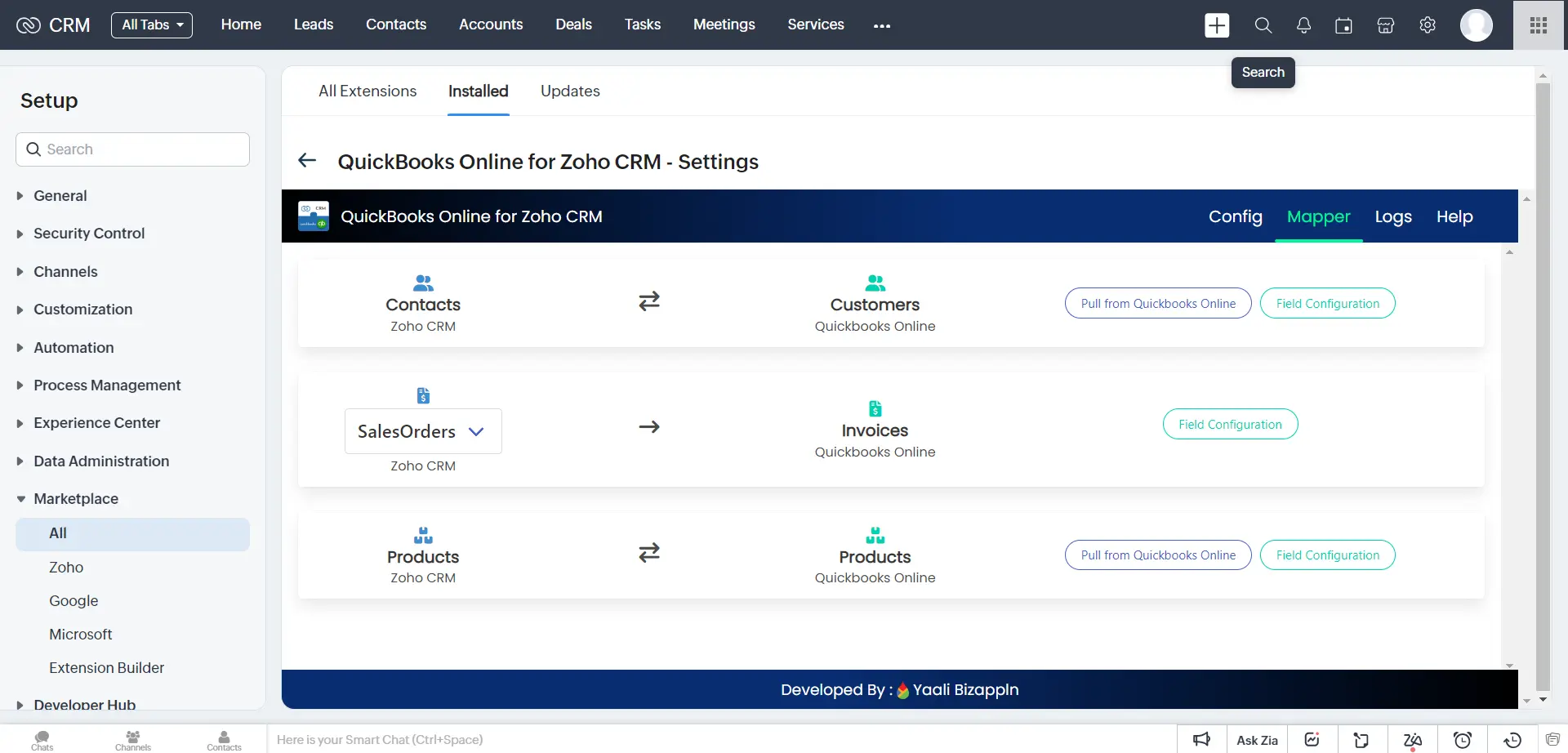
Field Mappings between Zoho CRM and QuickBooks Online

The field mappings for Contacts, Products, SalesOrders and Invoices are set to default values in the Field Configuration.

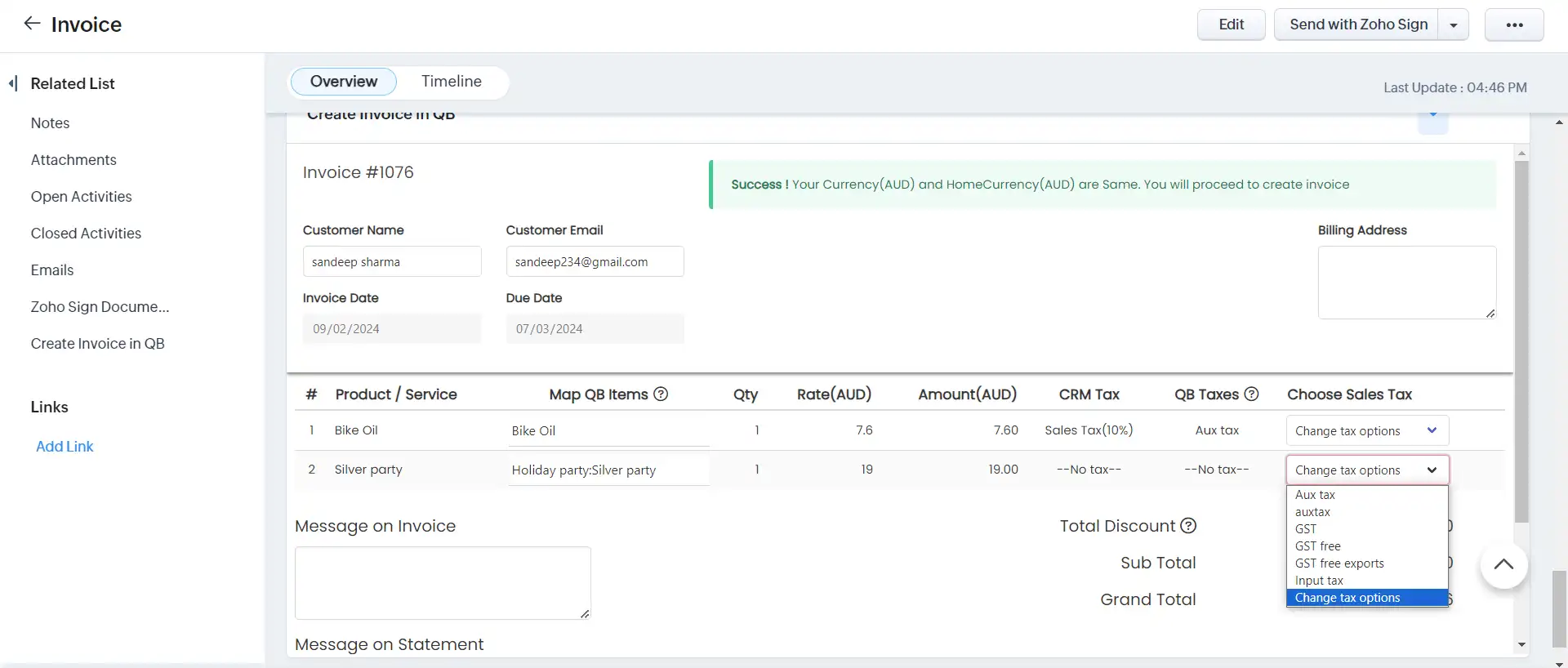
Note : You can able to map custom fields in the field mappings page for the Contacts,Products, and Invoices modules. We have now provided Tax mapping for Zoho CRM and QuickBooks Online for UK,Australia,and Canada regions.
(US region-based tax automatically calculated on QuickBooks side)
.

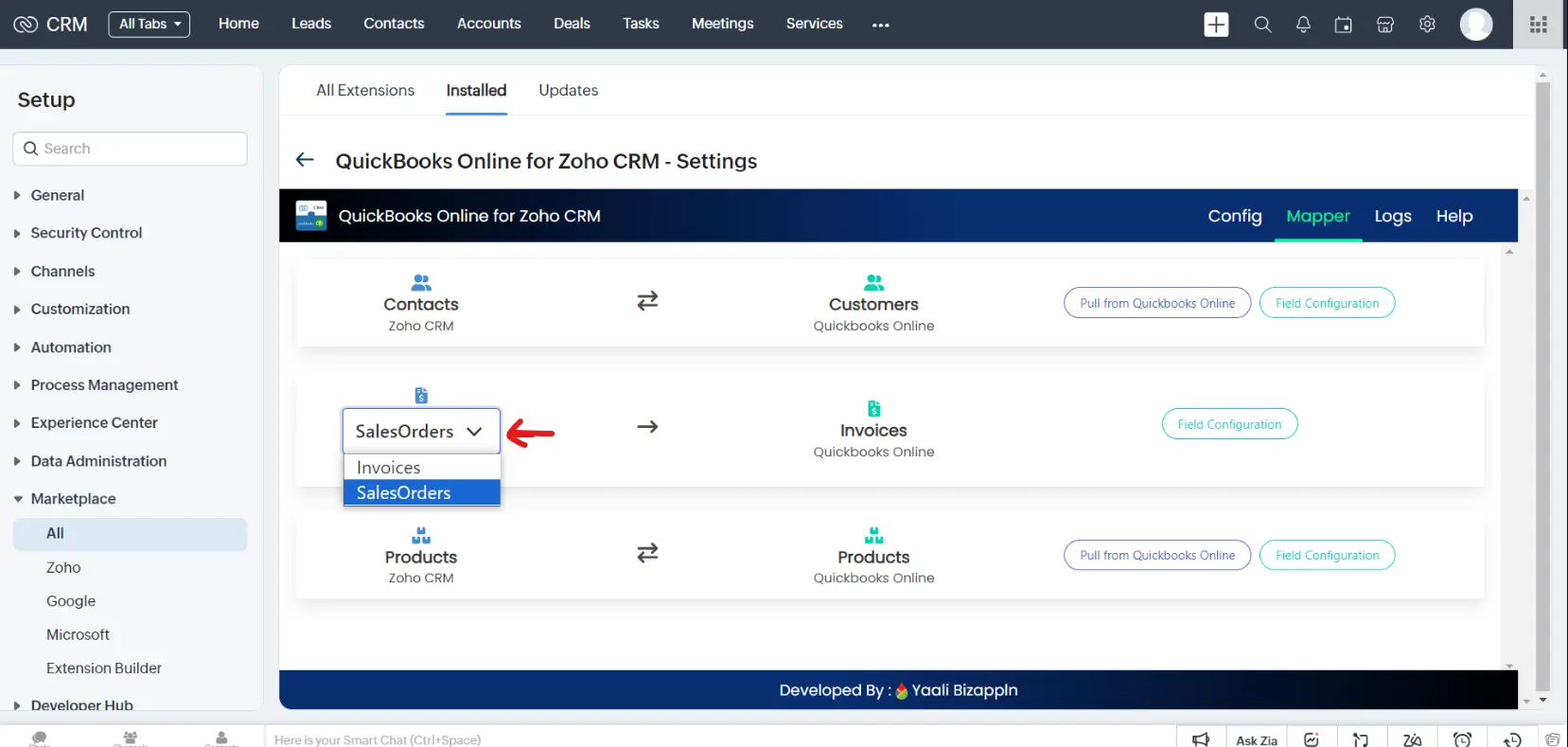
Create an Invoice in QuickBooks Online from SalesOrders or Invoices Module

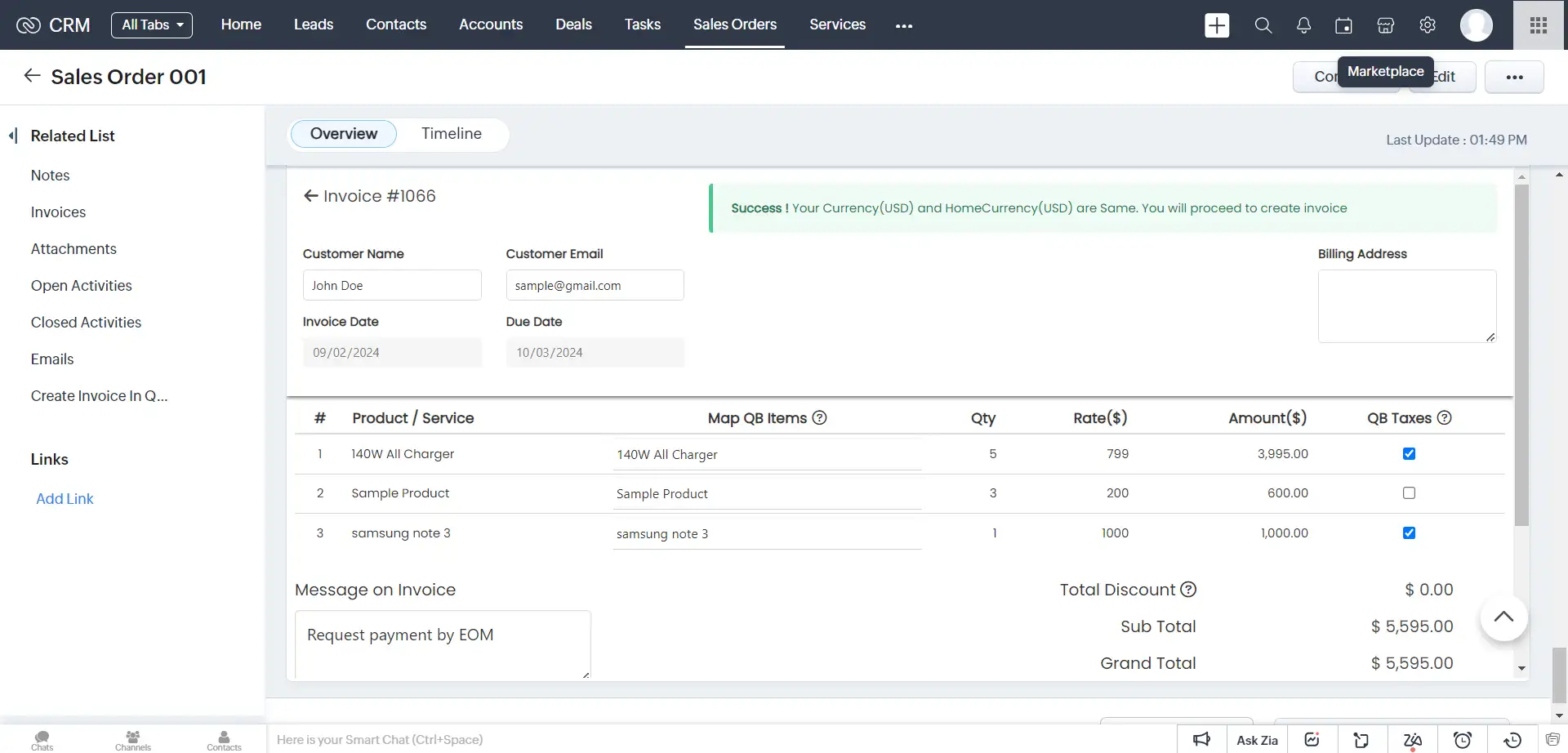
If Invoice Config is set to Invoices, you can create an Invoice in QuickBooks Online from the Zoho CRM Invoices Module. It is impossible to create invoices from the Zoho CRM SalesOrders module.By Default, Zoho CRM SalesOrders Module gets Configured for Invoice Creation.

Create Invoice in QuickBooks from Zoho CRM's Salesorders or Invoices Module.
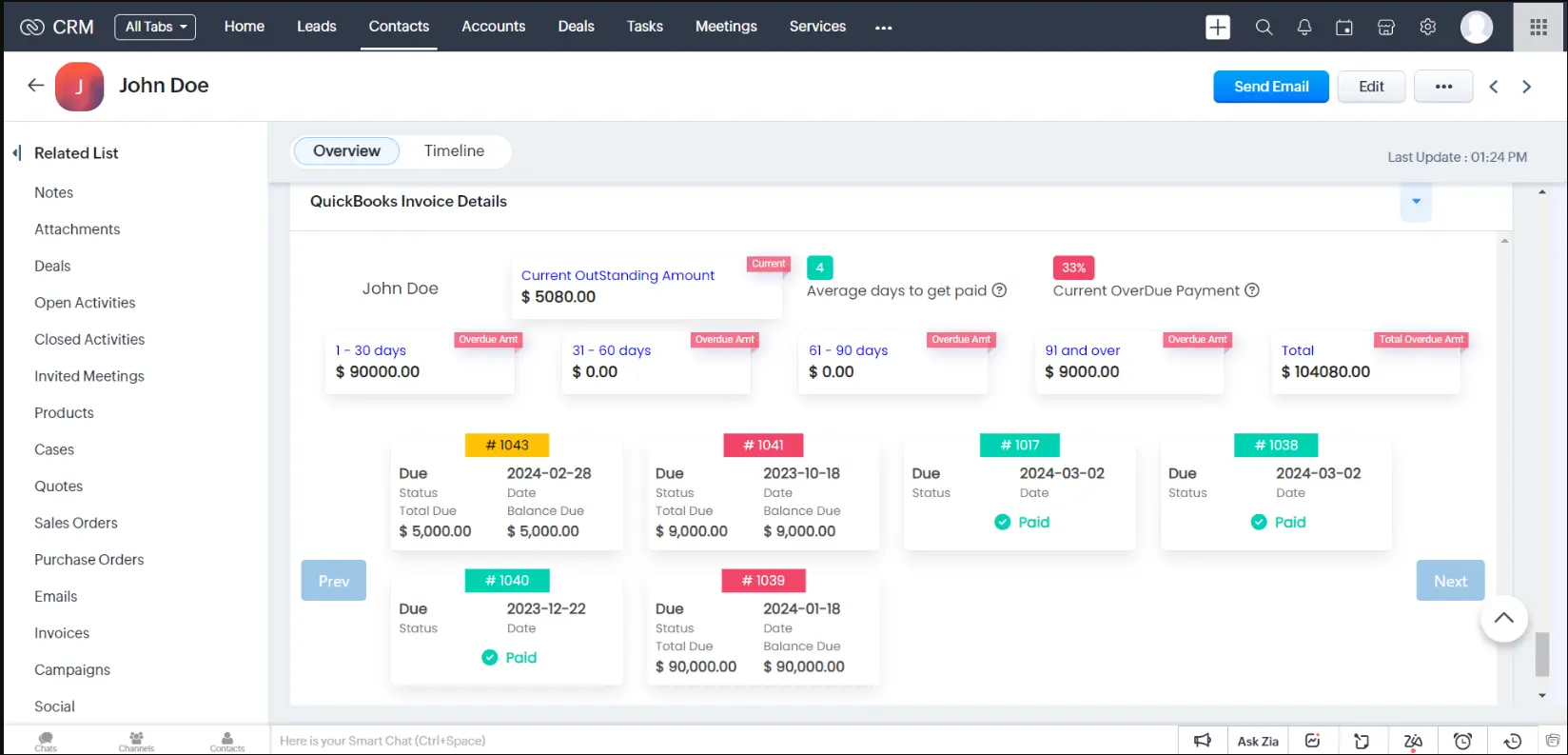
Detailed Invoice view of QuickBooks Customer within Zoho CRM

Detailed View of QuickBooks Invoices from Zoho CRM

Invoice details from QuickBooks (average days to pay, percentage of overdue payments, Customer receivables, and invoice details like Invoice number, Invoice Status, Total amount, Due date Balance due, and amount received for partially paid invoices) can be viewed from Zoho CRM Contacts Module

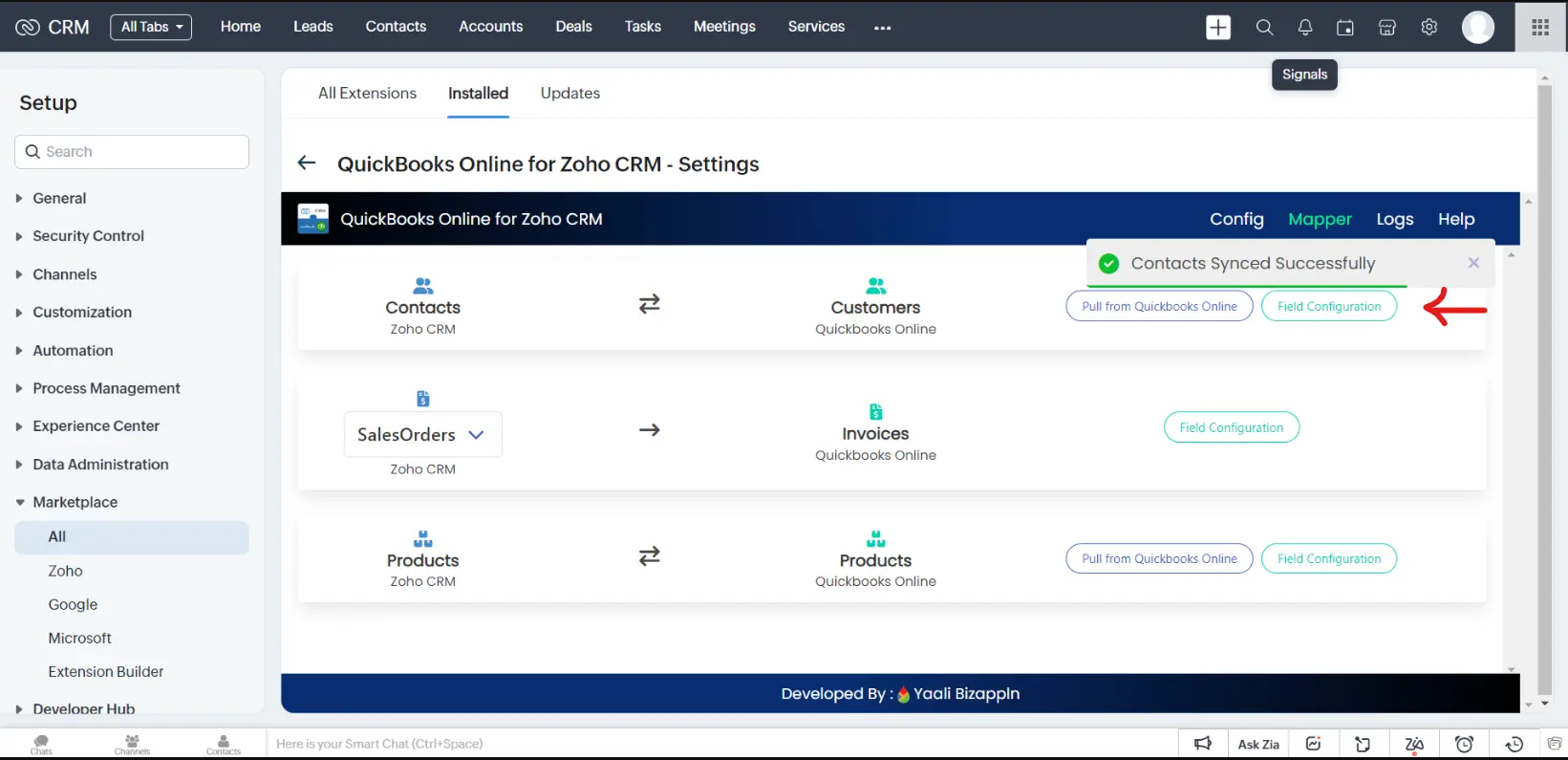
Sync Contacts between Zoho CRM and QuickBooks Online

By using our extension, you can seamlessly synchronize contacts between Zoho CRM and QuickBooks Online. This ensures that customer data is consistently maintained and updated across both systems.

Note : If you want to manually sync the contacts from QuickBooks to Zoho, click the "Pull From QuickBooks Online" button from our extension configuration page to sync Customers from QuickBooks to Zoho CRM, otherwise our extension will sync every 2 hours.To avoid data duplication, it will sync only the contacts records from the last modified sync time to now.

Create Customers in QuickBooks from Zoho CRM
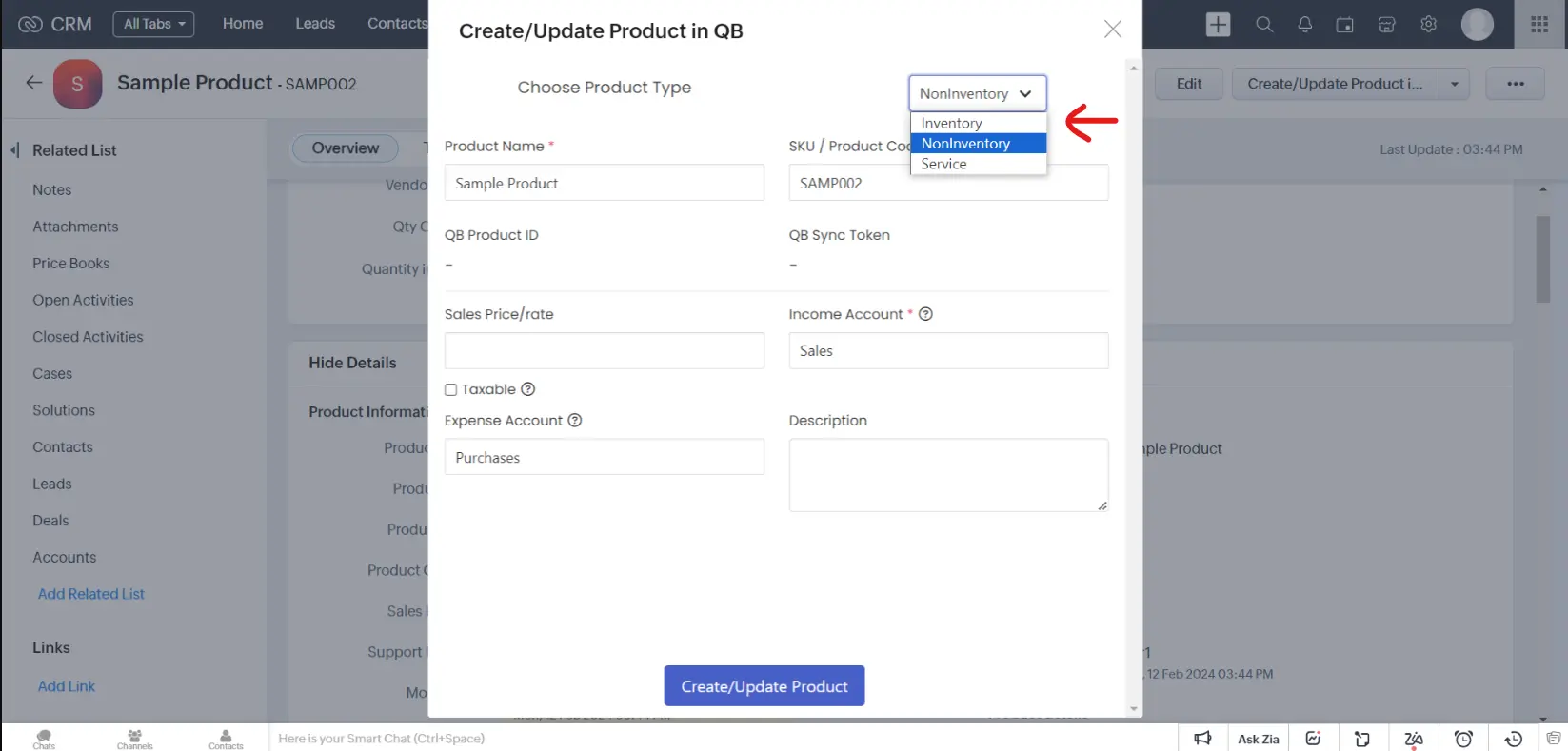
Create Products in QuickBooks from Zoho CRM

Sync Products between Zoho CRM and QuickBooks Online

Our extension can create and sync products available in QuickBooks Online (Inventory items, Non-inventory items,and Service Items) with Zoho CRM Products Module.

Note : If you want to manually sync the Products from QuickBooks to Zoho, click the "Pull From QuickBooks Online" button from our extension configuration page to sync Products from QuickBooks to Zoho CRM, otherwise our extension will sync every 2 hours..To avoid data duplication, it will sync only the product records from the last modified sync time to now.

MultiCurrency Support

With our extension, you can handle transactions in different currencies seamlessly between Zoho CRM and QuickBooks Online. This eliminates the need to convert currencies manually and simplifies currency conversion,saving you time and effort. If your Home Currency in Zoho CRM is different from QuickBooks, then you have to manually select the country code and enter the exchange rate value.

Note : Once Multicurrency is on, you can no longer turn it off

Supports region-based VAT

Different regions have distinct tax regulations, and it's essential for online businesses to calculate accurately, collect, and remit sales tax based on these regulations. This can become complex when selling to customers in various locations, but with our QuickBooks Online for Zoho CRM extension, computing region-based VAT can be simplified

Note : Our extension Supports taxation for the following regions: the US, Canada, UK, and Australia.Other than the US Region, you can map Zoho CRM taxes and QuickBooks Online sales taxes in the Mapper Tab.

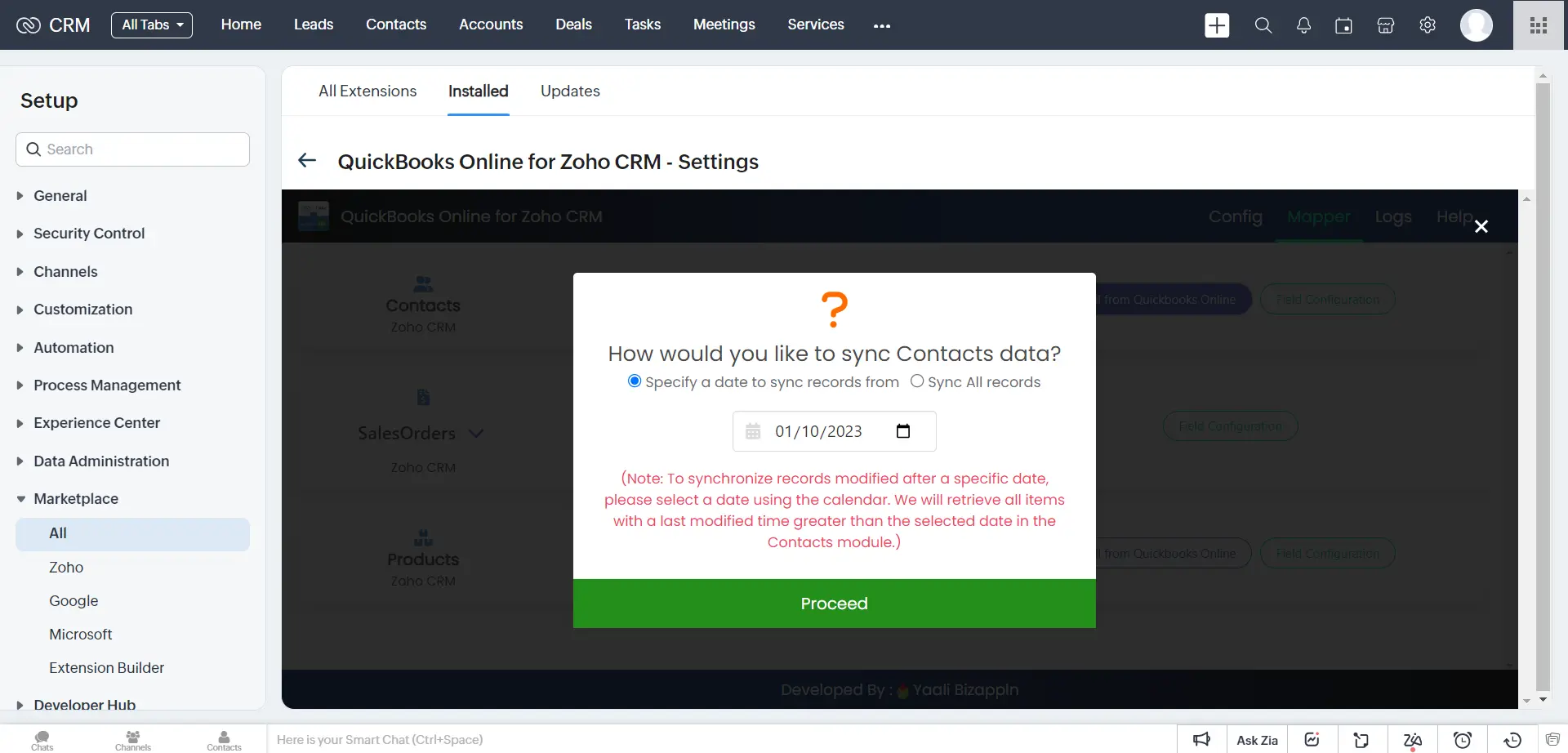
Historical Sync

The historical sync feature is now supported in our QuickBooks Online for Zoho CRM extension. This allows you to synchronize data between the two platforms for a specific period in the past. This is useful if you've been using Zoho CRM and QuickBooks separately for some time and now want to consolidate your data for a complete picture.

Note : In this version, historical sync is only available for the Contacts and Products Module. For the Invoices modules, we plan to add historical sync in the next version. In addition, we will provide you with the option to handle duplicate records if they occur during synchronization.

Error logs Module in QuickBooks extension

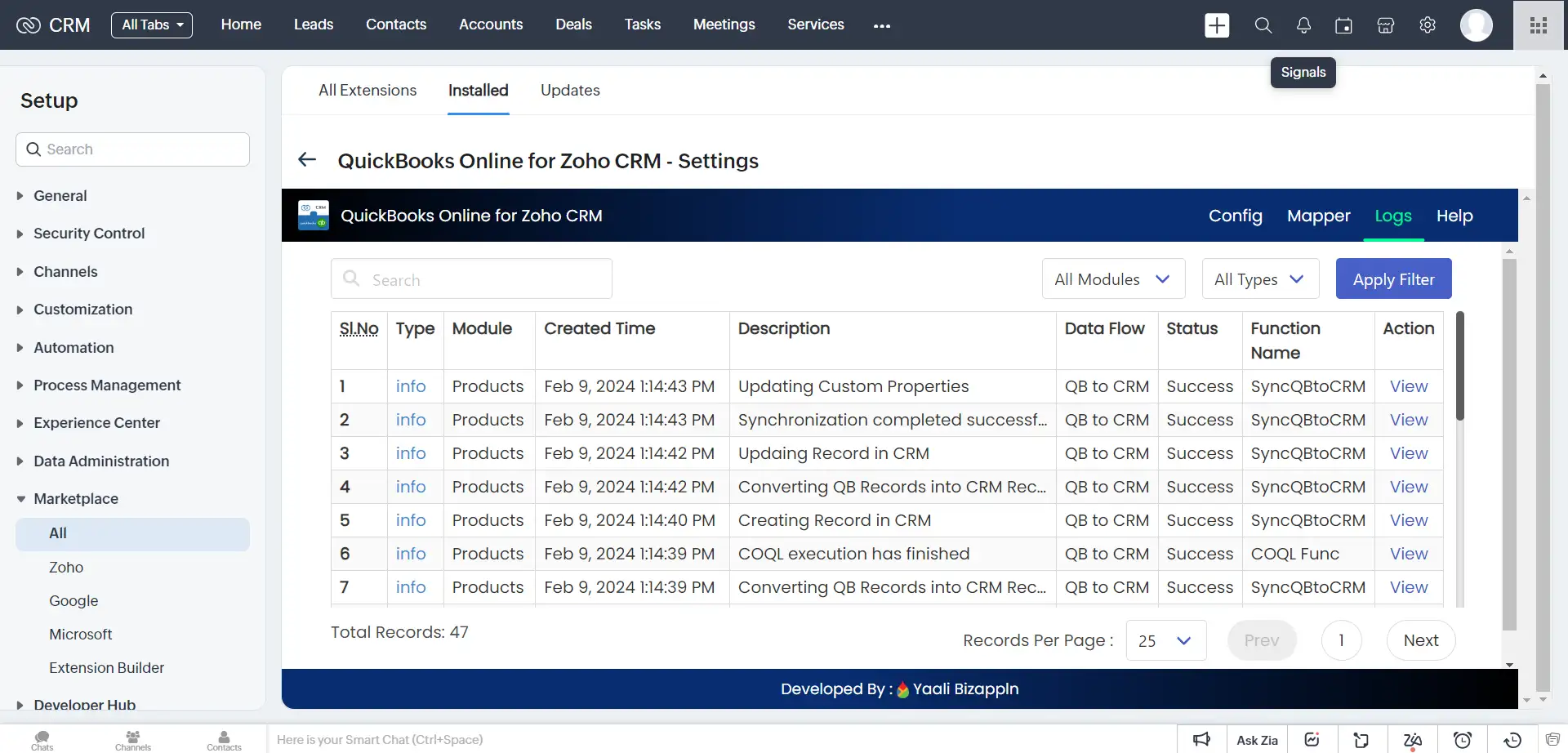
Error Logs Module

In rare instances, our extension may encounter difficulties when syncing data to your QuickBooks Online account with Zoho CRM. To help you identify the cause and which records failed to sync, we have created this module to view the sync error logs along with the Timestamp. If you face any issues, you can check the particular record to rectify the issue or you can Contact us to fix the errors.

Note : In the future version, we will give you the option to re-sync failed records from this module.

Integrating Zoho CRM with QuickBooks Online has never been this easy!

Steps to Set up Zoho CRM with QuickBooks.

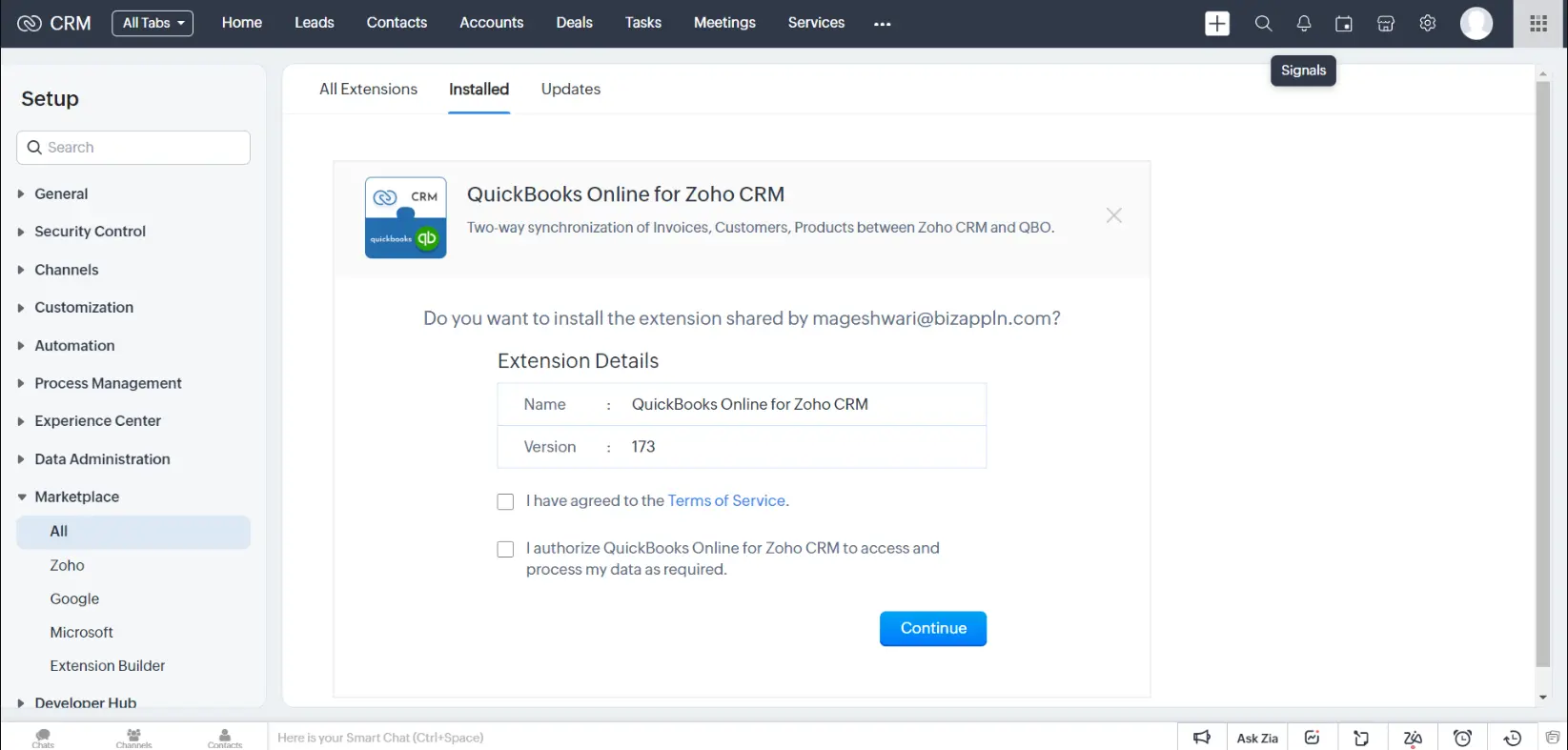
Install the QuickBooks extension from the Zoho Marketplace

Log into your Zoho CRM and Click Settings > Marketplace > All > Search for QuickBooks Online for Zoho CRM and then install it

QuickBooks Extension Installation page

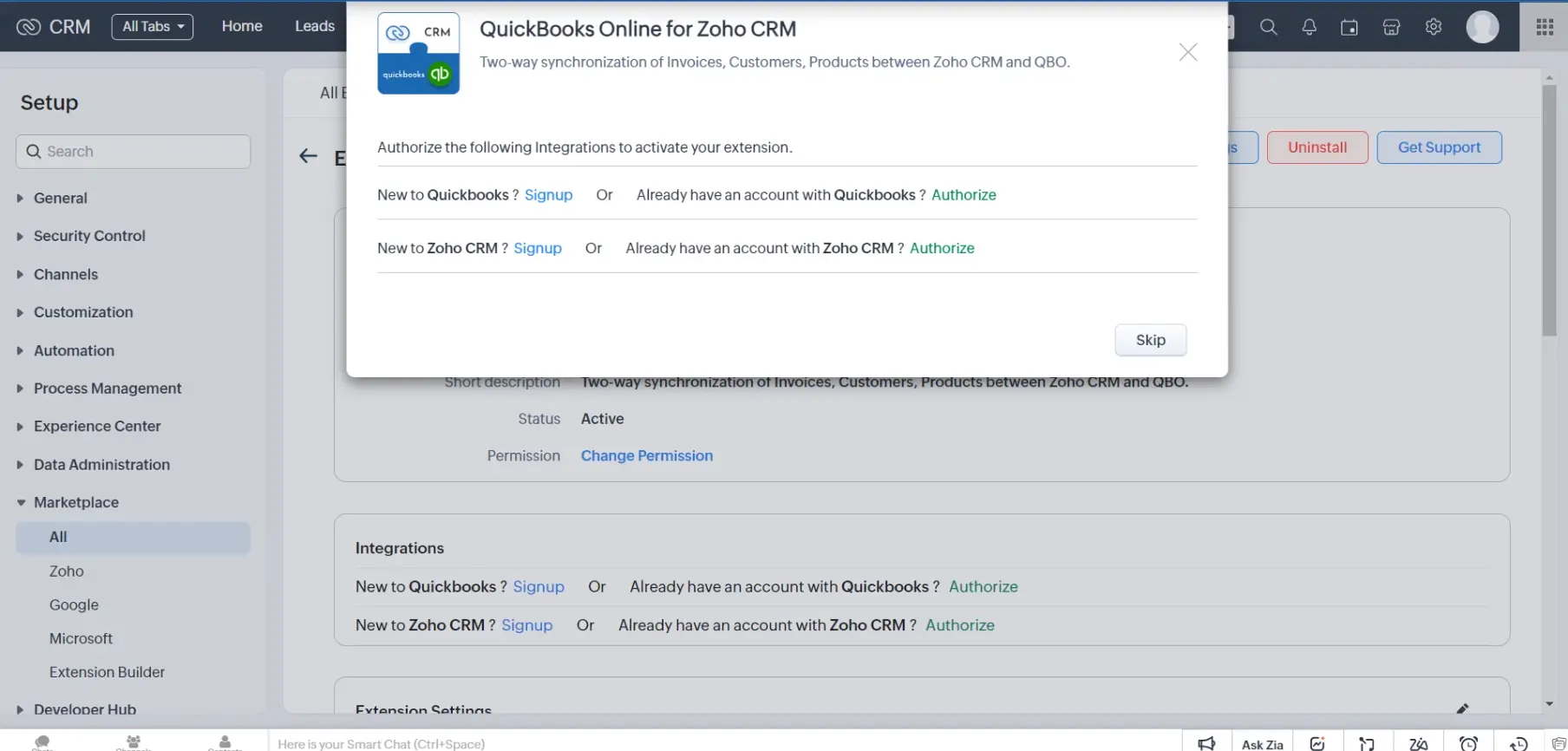
Authorize your QuickBooks account and Zoho CRM Account

You can skip this step and authorize it later from Settings > Setup > Marketplace > All In the Extension details page,click Authorize.

QuickBooks authorization Page

Connect QuickBooks Online with Zoho CRM

Enter your QuickBooks account credentials and click Sign In. The popup will be closed if you successfully signed in

QuickBooks Sign In page

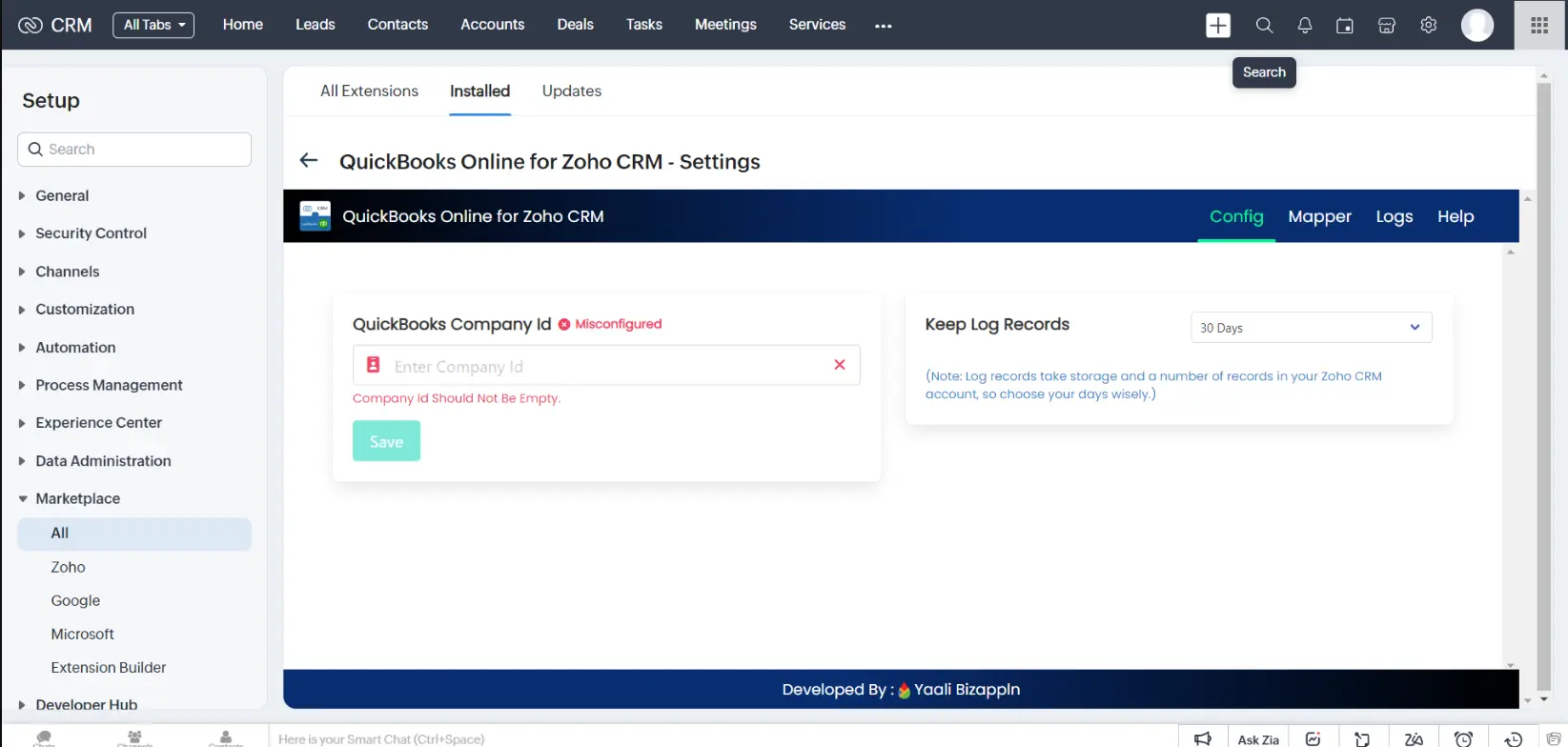
Extension Configuration Page

Upon successful installation, you will be redirected to the extension Detail Page to configure the extension.

QuickBooks extension configuration settings

Zoho CRM integration with QuickBooks HelpDoc

Need help in setting up the Zoho QuickBooks Integration.Check out this help documentation.

QuickBooks Integrations

We have integrated QuickBooks with other third-party applications.Besides that,we also offer QuickBooks data migration services, ensuring that all historical data will be properly migrated to QuickBooks Platform without any distruption to your existing accounting data.

What would you like to integrate with QuickBooks? or Migrate data from QuickBooks to Zoho Books?

Dynamic CRM

Salesforce CRM

Zoho CRM

Tally

Hubspot CRM

Amazon

Shopify

Many More...

Get a personalized demo of Quickbooks Online extension with Zoho CRM?

Our Zoho A respective person from our Zoho Extension Development Team will reach out to you for a 1:1 demo to clarify your doubts and answer any questions you have.


Would you like us to customize this extension according to your business needs?


Our Zoho developer utilizes Zoho Sigma (Extension Development Platform) to build extensions that your business requires.

zoho app development icon+ zoho app development icon Install