How to Build an AI Sales Assistant in Zoho CRM Using Zia Agent Studio
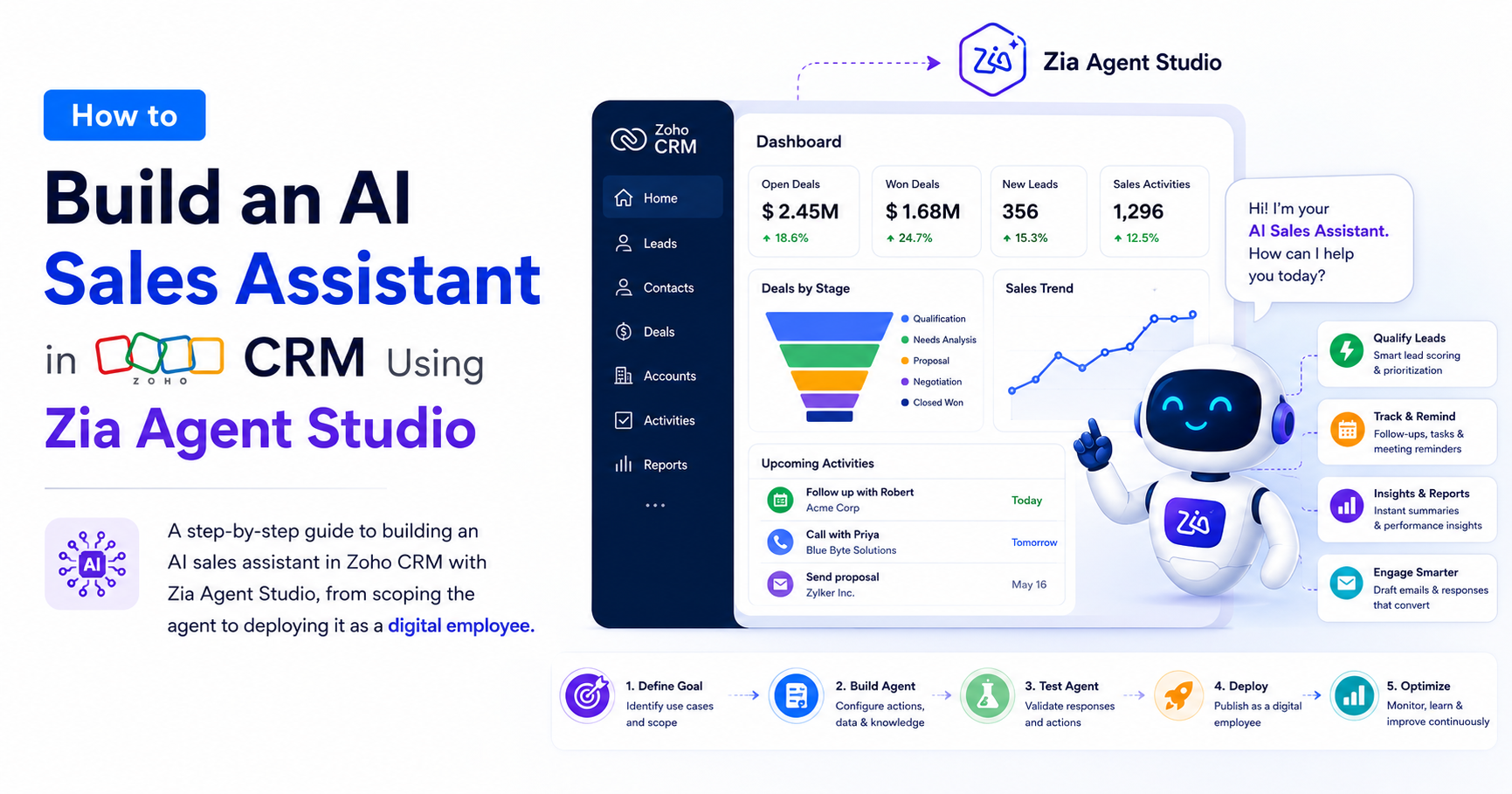
A step-by-step guide to building an AI sales assistant in Zoho CRM with Zia Agent Studio, from scoping the agent to deploying it as a digital employee, plus the governance habits that keep it accountable once it is live.

Sales teams are under constant pressure.
Every lead needs attention. Every customer expects quick answers. Every sales rep is expected to follow up at the right time, with the right message, through the right channel. The problem is not that salespeople lack discipline. The problem is the job itself.
A typical sales rep's day is split between actual selling and the administrative work that surrounds it: updating CRM records, searching for customer information, preparing follow-up emails, scheduling meetings, qualifying leads, and generating reports. The selling part often loses.
In 2026, the businesses pulling ahead are not the ones with the biggest headcount. They are the ones who have handed the repetitive parts of selling to an AI agent that never forgets, never gets tired, and never lets a hot lead go cold.
That is precisely what Zia Agent Studio inside Zoho CRM is built for.
Zoho has taken this concept further with Zia Agent Studio, a platform that lets businesses create custom AI agents tailored to their specific workflows without needing a team of developers or AI specialists to build one.
This comprehensive guide covers what Zia Agent Studio does, how it differs from the Zia features you may already be using, and the exact steps to build a working AI sales assistant, from defining its role to deploying it as a digital employee inside your Zoho CRM.
Whether you are a sales leader, CRM administrator, or business owner, understanding how AI agents work within Zoho CRM can help you build a more efficient and scalable sales operation.
Without any further ado, let’s dive in.
What You Need Before You Start an AI Agent in Zia Agent Studio
Getting ready to build a Zia agent takes some groundwork. Skipping this part leads to avoidable configuration problems halfway through.
A Zoho CRM Ultimate subscription
Zia Agent Studio is not available on lower tiers. If your account shows Enterprise rather than Ultimate under Settings and Subscription, the Agent Studio menu will not appear at all. Confirm your plan before you start building. The Ultimate plan also gives you higher API call limits and broader AI feature access, which matters once the agent starts handling real volume.
Clean Zoho CRM data
This sounds obvious and gets ignored more than it should. Your agent answers questions from your data. If contacts are duplicated, deals are missing stage updates, and activity logs are patchy, the agent's answers will reflect that. Spend time cleaning your CRM before configuring an agent. Data hygiene is not optional infrastructure for AI.
A clear picture of what the agent needs to do
You do not want to build a general-purpose assistant that tries to handle everything. That path leads to confused agents and frustrated reps. Before opening Agent Studio, write three to five specific tasks you want the agent to handle. Specific means things like "summarize the last five activities on a deal when asked" or "flag all leads assigned to a rep that have not been contacted in 48 hours." That specificity shapes every configuration decision that follows.
Admin access to Zoho CRM
You need it to create and publish agents.
AI systems are only as reliable as the information they access. Before deploying AI agents, it is worth reviewing how to keep Zoho CRM data clean to ensure accurate outputs and recommendations.
The Part Nobody Tells You Before You Start
Search for "Zia Agent Studio tutorial" in Google and most of what you find treats the AI Agent as a customer-facing chatbot. Configure a greeting, add some FAQ answers, and publish to your website. That is one feature of many, and it is nowhere near the ceiling of what the tool can do.
The more accurate framing: Zia Agent Studio gives you a way to build an AI assistant that reasons over your CRM data, takes actions inside Zoho's product suite, and works alongside your sales team rather than sitting in the background waiting to be queried.
Whether that assistant talks to customers externally or to reps internally is entirely up to how you configure it. Most teams default to the customer-facing setup because the demo is easier to explain. The teams getting real mileage out of it are the ones who pointed the agent inward first.
This guide is about building that second kind of assistant: one that thinks alongside your reps, not one that deflects inbound questions while a human waits in the background to handle anything real.
AI Agents vs. Traditional Zoho CRM Automation: What Is Actually Different?
One of the biggest misconceptions about Zia Agent Studio is that it is simply another automation tool. Most Zoho CRM users are already familiar with workflow rules, Blueprint processes, assignment rules, and custom functions. These features are excellent at enforcing processes that follow a predictable path.
If a lead enters CRM, assign it to a salesperson. If a deal reaches a specific stage, create a follow-up task. If a customer submits a form, send a notification. Traditional automation excels when the rules are clear and the outcome is known in advance.
An AI agent operates differently. Instead of following a predefined sequence of actions, it evaluates context before deciding what to do next. It can review customer history, analyze notes, interpret conversation details, reference knowledge sources, and determine the most relevant response based on the situation in front of it.
The practical difference is significant.
- A workflow can create a task. An AI agent can decide whether a task should be created in the first place.
- A workflow can send a templated email. An AI agent can generate an email that reflects the specific history of the account, the deal stage, and recent interactions without a human assembling that context manually.
Capability | Workflow Rules | Blueprint | Zia Agent |
Rule-Based Automation | Yes | Yes | Yes |
Understand Context | No | Limited | Yes |
Generate Responses | No | No | Yes |
Use Knowledge Sources | No | No | Yes |
Multi-Step Reasoning | No | No | Yes |
Conversational Interaction | No | No | Yes |
Adapt to Different Scenarios | No | Limited | Yes |
Organizations seeing the best results with Zia agents use both in tandem: workflow rules handle predictable processes, AI agents handle judgment-based work. That combination produces a more capable sales operation than either approach manages on its own.
Related Content: Organizations often combine traditional CRM automation with AI-powered workflows to accelerate sales execution. Learn how automating sales outreach using Cadences in Zoho CRM complements AI-driven sales processes.
Not sure which processes in your sales workflow belong in a rule and which belong in an agent?
YAALI's Zoho CRM team can map that out with you.
Why Sales Teams Need an AI Agent, Not Just Zia Suggestions
Before Agent Studio, Zia already offered plenty: lead scoring, deal predictions, sentiment analysis on emails, and a conversational interface that could answer questions about your pipeline. Useful, but passive. Zia would tell you a deal had a 70% chance of closing. It would not do anything about it.
Agent Studio changes that relationship. Instead of a system that surfaces insights and waits for a human to act, you get a system that takes the action itself.
When a new lead enters CRM, an agent can send a personalized first-touch email within minutes rather than waiting until the end of the day. Deals that need a next step sit untouched because nobody noticed: the agent flags them, drafts the outreach, and schedules the follow-up.
When a rep needs a quote, the agent assembles it using your actual pricing logic in seconds instead of having the rep pull sheets manually. Each agent can also be assigned its own identity in CRM, complete with permissions and an activity trail, so it operates like a team member rather than a background script.
Your sales team still sells. The agent handles the surrounding work that was eating their time.
AI agents become even more effective when paired with intelligent CRM capabilities such as predictive insights and deal intelligence. See how AI in Zoho CRM accelerates deal closures.
Why Build Your AI Assistant Inside Zoho CRM?
Many organizations experiment with standalone AI tools. The challenge is straightforward: those tools operate outside your business systems. Your sales data lives in the CRM. Your customer history lives in the CRM. Your deals, contacts, notes, activities, and communications are all there.
When AI operates outside that environment, it lacks context. It can generate a compelling-sounding email that contradicts what a rep said on a call three days ago because it cannot see the call record.
Building your AI assistant directly inside Zoho CRM removes that gap.
The assistant can access records in real time, understand the full customer context, perform actions on behalf of users, work within existing sales processes, and deliver insights where the sales team already works, without requiring anyone to switch tabs or reconcile information across systems.
That is where Zia Agent Studio comes in.
What Is Zia Agent Studio?
Zia Agent Studio is a no-code, prompt-based environment inside Zoho CRM where you define an agent's role in plain language, connect it to knowledge sources, give it a defined set of permitted actions, and deploy it to run on a trigger.
Three things make an agent different from a workflow rule or Blueprint automation you may already have running in CRM.
It reasons instead of following a fixed path. A workflow rule fires the same action every time a condition is met. An agent reads the context of the record: the notes, the deal stage, the customer's communication history, and the recent email tone. It then decides what response fits the specific situation.
It draws on knowledge, not just fields. Agents can reference uploaded documents, connected Zoho WorkDrive folders, or scraped web content. An agent helping a rep handle a pricing objection pulls from your actual sales playbook rather than applying a rigid formula.
It acts across a defined set of tools. You choose exactly which CRM actions the agent is allowed to perform, from reading a deal record to creating a task to updating a field. Nothing outside that defined scope is available to it.
Think of Zia Agent Studio as a layer that combines a large language model, live CRM context, your internal business knowledge, and role-based governance into one configurable environment. That combination transforms a generic AI model into a business-specific sales assistant.
Many organizations are also exploring Zoho's emerging AI ecosystem and integration capabilities through Zoho MCP.Learn about What is Zoho MCP and why everyone is talking about it.
How Zia Agent Studio Works Behind the Scenes
Most people focus on prompts when building AI agents. Prompts are only one piece of the puzzle. Every effective Zia agent is built on four foundational layers that work together, and understanding them before you start building will save you considerable rework.
Layer 1: Instructions
Instructions define the agent's role, responsibilities, decision-making boundaries, and expected behavior. Think of this as the job description. Just as a new employee performs better when expectations are clear, an agent performs better when its role is narrowly defined and properly scoped. Poor instructions create inconsistent output. Clear instructions create predictable behavior.
Layer 2: Knowledge
Knowledge provides the business context that generic AI models lack. Sales playbooks, product documentation, pricing guidelines, competitive intelligence, and internal SOPs all belong here. Without knowledge sources, an agent relies primarily on CRM records. With them, it gains access to the organizational expertise that makes its responses actually useful.
Layer 3: Actions
Actions determine what the agent is allowed to do. Reading data and taking action are two different things, and the level of authority should align with the level of trust the organization has established. An agent may be allowed to create records, update opportunities, generate content, trigger workflows, and schedule tasks. Or it may be restricted to read-only assistance while a team builds confidence in its judgment.
Layer 4: Governance
Governance is what separates a deployable AI asset from an experimental project. Permissions, audit trails, approval workflows, data access controls, and human review processes all belong here. Without governance, organizations eventually lose confidence in the system. With it, AI becomes a reliable operational layer that scales.
When AI projects struggle, the root cause is rarely the underlying model. Most failures trace back to weak instructions, incomplete knowledge sources, poorly defined actions, or insufficient governance. The organizations seeing the strongest results invest in all four layers from the start, not after something goes wrong.
Related Content To Read: Understanding the balance between automation and human decision-making is critical when building intelligent systems. Businesses should also review when to use AI and manual logic in your Zoho Creator app.
Want to validate your AI Agent foundation before you start building?
YAALI offers Zoho CRM AI readiness assessments to identify gaps in your Zoho CRM data quality, permissions, and processes before they become configuration problems.
Map Out Your Agent Before You Build It in Zia Agent Studio
Before opening Agent Studio, take 30 minutes to define the agent's purpose on paper. Ask yourself five questions:
What specific problems should this agent solve?
Who will use it daily?
What CRM data does it need access to?
Which actions should it be able to take?
What outcome would make this agent clearly worth the time it took to build?
The most advanced agent will still underperform if your Zoho CRM data is incomplete, permissions are poorly structured, or the business process it is meant to support is not yet clearly defined. AI Agent readiness check before you build is far cheaper than a rebuild after you deploy.
Many AI initiatives fail because foundational CRM processes were never optimized. Following the key steps for successful Zoho CRM implementation creates a stronger foundation for AI adoption.
Practical Tip to build an AI Agent : Spend two hours sitting next to one of your best sales reps and watch what they do while preparing for calls, reviewing the pipeline, and deciding where to spend the next 90 minutes.
Write down every time they switch tabs, look something up in two different systems, or make a judgment call based on a pattern they have built from experience. That list is your configuration guide. Those workflows are your intents. Those patterns are what the knowledge base should capture.
Step-by-Step: Building Your AI Sales Assistant in Zia Agent Studio
Here are the step-by-step to build an AI Sales Assistant in Zoho CRM using Zia Agent Studio:
Step 1: Access Zia Agent Studio
Navigate to Setup, then Zia, then Agent Studio inside your Zoho CRM account. Click Create Agent. You will be prompted to define the agent's core details: a name, a description, its purpose, and initial access permissions.
Avoid generic names like "AI Helper." When reps see the agent's name in a conversation or activity log, they should immediately understand what it is responsible for.
Choose a name that clearly communicates what the agent does. "Pipeline Assistant," "Lead Qualification Agent," "Deal Insights Agent," or "Revenue Assistant" all work.
Step 2: Define the Agent's Role
The quality of your agent depends on the clarity of its instructions. Think of this step as writing a job description: the more specific you are, the better the output will be.
Here is an example prompt for a sales-facing agent:
Role: You are a sales assistant helping account executives manage leads, opportunities, and customer interactions inside Zoho CRM.
Responsibilities: Answer CRM-related questions. Summarize customer records. Identify deal risks. Recommend next actions. Draft professional follow-up emails. Help reps prioritize their pipeline.
Rules: Use CRM data whenever it is available. Never guess customer information. Indicate clearly when information cannot be found. Keep responses concise and actionable. Do not make commitments to customers on pricing or delivery without rep approval.
Notice that the rules section is as important as the responsibilities section. An agent without clear boundaries will fill in gaps however it sees fit.
Related Content To Read: Organizations planning larger AI initiatives should also understand how AI will not replace Zoho developers and why human expertise remains essential for successful implementation.
Step 3: Connect Zoho CRM Data
An AI assistant is only as useful as the data it can access. Inside Agent Studio, you grant the agent access to specific CRM modules. Depending on the agent's purpose, relevant modules might include Leads, Contacts, Accounts, Deals, Activities, Calls, Notes, Products, Quotes, or Sales Orders.
Resist the temptation to grant access to everything. A lead qualification agent may only need Leads, Contacts, and Activities. A pipeline assistant may need Deals, Accounts, Activities, and Forecast data. Follow the principle of least privilege: give the agent access to what its defined job requires, and nothing more.
Step 4: Add Knowledge Sources
CRM data tells the agent what is happening. Knowledge sources help it understand the context behind the data and how your business expects it to respond.
Upload sales playbooks, product documentation, pricing guides, competitive intelligence, objection-handling resources, and internal SOPs. Connect a Zoho WorkDrive folder, or point the agent at a URL to scrape regularly updated content.
Here is where it pays off in practice: a rep asks, "How should I respond when a prospect says our pricing is too high?"
Instead of generating a generic answer, the agent references your approved sales methodology and returns a response aligned with how your team handles that objection. That is a concrete difference from a general-purpose AI tool with no idea what your methodology is.
Businesses building custom AI-driven applications often combine CRM intelligence with low-code platforms. Explore How AI in Zoho Creator to accelerate app development.
Step 5: Configure Available Actions
Agents do not just answer questions. They take action. Inside Agent Studio, you choose which tools and workflows the agent is permitted to use.
Under record creation , the agent can create leads, contacts, deals, and tasks.
Under record updates , reps can make changes through natural language: "Update the deal stage to Proposal Sent."
Under activity scheduling , the agent can create calls, meetings, and follow-up tasks. Under workflow triggering , business processes can be initiated automatically when conditions are met.
Under content generation , the agent can produce follow-up emails, meeting summaries, deal notes, and sales proposals.
Each action category has its own permission level. Start conservative and expand access once you have seen the agent's behavior on real data.
Step 6: Choose Your AI Model
This is the step most build guides skip. Zia Agent Studio gives you two options for the underlying language model, and the choice has real implications for cost, data privacy, and output quality.
Zoho's native hosted model keeps all processing inside Zoho's own infrastructure. There is no additional per-call cost on top of your Ultimate plan, and your CRM data never leaves Zoho's environment. Output quality is solid for structured tasks like record retrieval, task creation, and standard follow-up drafting.
External models like Claude, Gemini,ChatGPT, and so forth can be connected through the Generative AI tab under Zia settings. These models generally produce more nuanced generated text and handle more complex reasoning tasks. The trade-off is that you pay the model vendor directly based on usage, and data leaves Zoho's infrastructure on its way to the external API. Organizations with strict data residency or regulatory requirements need to review this carefully before enabling it.
The practical approach: start with Zoho's native model, run the agent through real scenarios for two to three weeks, and identify any responses where quality falls short. If you find a consistent gap in tone quality or reasoning complexity, that is the moment to evaluate an external model.
Recommended Content To Read: Organizations evaluating AI implementation strategies should also understand how to overcome AI hurdles in Zoho with expert strategies.
Step 7: Establish Guardrails and Permissions
Before deployment, define clear boundaries for what the agent can and cannot do. Apply the same discipline you would apply to any new team member with access to customer data and revenue systems.
Consider four dimensions.
First, record access: should the agent view all deals in the CRM, or only records assigned to the requesting rep?
Second, permitted actions: can it update opportunities? Can it delete records? Can it send external emails without rep review?
Third, user access: should the agent be available to all sales reps, or limited to specific roles such as managers or RevOps?
Fourth, restricted content: are there financial figures, contractual terms, or customer-specific data that require an additional approval layer?
Document these decisions before you configure them. When you add a second and third agent, you will need to explain the governance structure to people who were not in the room when you built the first one.
Step 8: Test Against Real Sales Scenarios
Most teams test the happy path: the clean request with clean data that produces a clean result. The agent that earns rep trust is the one that handles the messy reality.
Run the agent against scenarios that happen in your pipeline.
Ask it to show leads from manufacturing companies with more than 500 employees. Ask which deals are at risk this quarter. Ask it to summarize recent interactions with a specific account. Ask it to draft a follow-up email after a product demo. Then intentionally introduce problems: a deal with no close date, a lead with incomplete information, a request referencing data the agent does not have permission to see.
Evaluate accuracy, relevance, speed, and consistency across all of these. Small adjustments to the role prompt, and knowledge sources often produce significant improvements. Do not rush into deployment.
The testing phase is where the agent goes from something that works in a demo to something reps use every day.
Step 9: Launch and Gather Feedback
Once testing is complete, introduce the assistant gradually. Start with a pilot team, a specific sales function, or a single use case. This reduces resistance, surfaces edge cases you did not test for, and gives you a clear feedback loop before you expand.
Ask pilot users concrete questions:
What worked well? What felt confusing or wrong?
Which tasks saved the most time?
Where did the agent struggle or give an unhelpful response?
Use that feedback to refine the configuration before rolling out more broadly.
Curious about what an AI Agent Could Save Your Sales Team?
If you're considering Zia Agent Studio and want to identify the highest-impact use case inside your Zoho CRM environment, our team can help you evaluate opportunities, define the right implementation approach, and build an agent that delivers measurable business outcomes.
Practical Use Cases for an AI Sales Assistant
Knowing how to build an agent is one thing. Knowing which problems it solves best is where the investment decision gets clearer.
1.Morning pipeline briefing
A rep starts their day and asks: "Give me a summary of my open deals and the next action on each one." The agent pulls from the Deals module, checks the last activity and next scheduled task, and returns a structured briefing. The rep walks into the day knowing exactly where to focus, without opening a single report.
2.Stalled deal detection
A sales manager asks: "Which deals in the proposal stage have had no activity in the last 14 days?" The agent queries the pipeline, filters by stage and last activity date, and returns a list. The manager can act on it immediately by asking the agent to assign a follow-up task to each deal owner, all in the same conversation.
3.Lead prioritization
A rep asks: "Which of my new leads came from the enterprise segment and have not been contacted yet?" The agent filters by lead source, industry, and contact status. The rep goes straight to work instead of building a manual filter.
4.Activity logging without leaving the record
During a call, a rep asks the agent to log a call note and set a follow-up task for the next day. The agent handles both in one exchange. The rep stays focused on the prospect instead of clicking through the CRM.
5.Pre-call context
Before jumping on a discovery call, a rep asks: "Summarize the last three interactions with Sarah at GlobalTech." The agent pulls from the activity log and contact notes and returns a quick summary. The rep walks into the call prepared rather than scrambling through records.
6.Objection handling support
Midway through a proposal review, a rep asks: "What are our standard responses when a prospect pushes back on the implementation timeline?" The agent pulls the approved talking points from the sales playbook in the knowledge base and surfaces them in seconds.
Where Zia Agent Studio Fits in the Broader Zoho Ecosystem
Your AI sales assistant does not have to operate inside Zoho CRM alone. It can become part of a larger business workflow involving multiple Zoho applications, and each additional system connected gives the agent more context to work with.
Zoho CRM stores leads, contacts, accounts, and deals.
Zoho Mail drafts and manages customer communications.
Zoho Cliq notifies sales teams in real time.
Zoho Desk provides support history before customer meetings.
Zoho Analytics surfaces sales trends and performance data.
Zoho WorkDrive holds proposals, presentations, and documentation your agent can reference during interactions.
Because these applications share context across the Zoho ecosystem, agents can work with richer business information rather than isolated CRM data.
Let’s say for instance, A sales rep asking for a deal summary can receive CRM data, recent support tickets from Zoho Desk, and a link to the relevant proposal in WorkDrive, all in one response. Zoho positions Zia Agents as a unified AI layer that operates across its product suite while respecting organizational permissions and data boundaries.
For organizations already running on Zoho One or a multi-product Zoho environment, that connected architecture is where the agent becomes most valuable.
Not Sure What Your First AI Agent Should Be?
We'll help you identify the highest-impact use case, evaluate your CRM readiness, and create a practical roadmap for implementing AI agents inside Zoho CRM.
Mistakes to Avoid When Building Your Agent in Zia Agent Studio
The mistakes that derail most agent builds are visible early if you know what to look for.
Building too broad too fast.
An agent that handles everything well is not buildable in a single sprint. Start with two or three specific skills, make them excellent, deploy them, and gather feedback before expanding. Teams that try to build a full-service assistant from day one typically end up with something mediocre that reps ignore after the first week.
Neglecting trigger phrases.
If the agent cannot reliably detect what it is being asked to do, the quality of the underlying logic does not matter. Think about all the different ways a rep might ask for the same thing and include those variations in each skill's trigger configuration. "What is the status of my deals?" and "Show me my pipeline" and "How are my deals looking?" all mean the same thing and need to be recognized.
Ignoring data quality.
The agent cannot give accurate pipeline reports if half your deals are missing close dates. Before rolling out to your team, fix the CRM data the agent will query most often. Reps who get two or three wrong answers will stop using the tool, and winning back that trust takes far longer than fixing the data up front.
Skipping the human review layer for outbound actions.
For any action that sends a communication to a prospect or customer, build in a confirmation step where the rep reviews before the agent sends. One message sent at the wrong moment to the wrong contact can undo weeks of relationship-building. Once you have sufficient information of a track record to trust the output consistently, you can loosen the review requirement for lower-stakes actions.
Not training reps on how to interact with the agent.
An AI agent is only useful if the people using it know what to ask. Run a short session showing reps what the agent can do, what phrasing works best, and what to do when the response is unexpected. Adoption collapses when reps feel uncertain about how to use a tool.
Related Content To Read: Poor Zoho CRM Implementation remains one of the biggest barriers to successful automation initiatives. Learn more about the root causes of Zoho CRM implementation failures.
Governance: Keeping Your AI Agent Accountable
The moment you deploy your first agent, you have added a new kind of team member to your CRM: one that never sleeps and never asks for a day off. That makes governance worth taking seriously from the start.
Review activity logs weekly, at least in the beginning. Because each agent operates under its own identity, every action it takes shows up in a traceable trail. Early on, review that trail frequently sufficient to catch a pattern before it becomes a habit, whether that is an agent drafting emails in a tone that misses the mark or qualifying leads a shade too generously.
Set a retraining cadence. An agent's judgment is only as current as the data and role description behind it. If your qualification criteria change, your pricing structure shifts, or you enter a new vertical, update the agent's knowledge sources and role prompt at the same time you would brief a human rep on the change.
Keep a human checkpoint on customer-facing output, at least in the first months. Even a well-tested agent benefits from a rep reviewing a drafted email before it goes out. Once you have sufficient track record to trust the tone and accuracy consistently, you can loosen that checkpoint for lower-stakes actions while keeping it for anything involving pricing, commitments, or sensitive accounts.
Document what each agent is allowed to do somewhere your whole team can see it. As you add a second, third, and fourth agent, a simple internal reference of each agent's scope, trigger, and permissions keeps everyone able to understand what is running and why, not just whoever built it.
Security and Compliance Considerations for AI Agents
The conversation around AI often focuses on capabilities. Enterprise organizations are right to focus on risk first.
Before giving an AI agent access to customer information, sales data, or internal processes, establish clear controls around how that information can be accessed and used.
Apply the principle of least privilege. An AI agent should only access the information necessary to perform its assigned role. A lead qualification assistant rarely needs access to financial records. A meeting preparation assistant may not require administrative permissions. Restricting access reduces both risk and complexity, and it makes the agent easier to audit when something goes wrong.
Maintain complete auditability. Every action performed by an AI agent should be traceable. Organizations should be able to answer: what action was taken, which record was affected, why the action was performed, and when it occurred. Clear audit trails create accountability and simplify troubleshooting when the agent behaves unexpectedly.
Establish human approval workflows. Not every action should be automated without review. Customer-facing communications, pricing decisions, contractual commitments, and sensitive account updates often benefit from human sign-off before execution. Trust should be earned through demonstrated performance, not assumed during deployment.
Review security policies on a regular cadence. As the agent evolves, permissions, knowledge sources, and workflows will evolve alongside it. Quarterly reviews help ensure that access controls stay aligned with current business requirements and that no permission creep has occurred since the last review.
Strong security and governance practices are the foundation that allows organizations to scale AI confidently across their sales operations, not an afterthought to revisit once the agent is already running.
Measuring ROI After Your AI Sales Agent Goes Live
Deploying your AI agent opens the evaluation phase, and the most successful organizations treat it that way from day one.
A useful starting point is comparing how work was performed before and after deployment. Are sales reps spending less time on administrative tasks? Are lead response times improving? Are more opportunities receiving timely follow-up? Are managers spending less time preparing pipeline reviews? Are customer interactions becoming more consistent? The answers reveal whether the agent is delivering operational impact.
Over time, connect those operational improvements to revenue outcomes. When sales reps spend more time selling and less time managing CRM administration, the effects become visible across the pipeline: higher activity levels, better follow-up consistency, improved forecasting accuracy, and stronger customer engagement.
Schedule a monthly review of the agent's interaction logs and look for queries where it said it could not find information that should have been accessible. Those gaps usually point to a missing knowledge source or a module that was not connected. Add them, retest, and track whether the gap closes.
As your Zoho CRM evolves, your agent configuration needs to keep pace. If you add a new deal stage, a new product line, or change your lead qualification criteria, update the agent's instructions and knowledge scope simultaneously An agent giving advice based on last quarter's sales process is a liability, not an asset.
Measure agents against business performance, not just task completion. When AI agents are evaluated that way, they become strategic assets rather than experimental technology.
Related Content To Read: Businesses should establish clear measurement frameworks before implementing AI initiatives. This guide explains how to measure the ROI of Zoho implementation.
AI Agents: Where Are They Headed in 2026?
Zia Agent Studio is not Zoho's final word on AI-assisted selling. The platform has moved considerably in the last 12 months, and the direction is clear. Agents are getting better at multi-step reasoning, more capable of handling ambiguous instructions, and more effective at operating across multiple Zoho applications in a single workflow.
The gap between "AI assistant that answers questions" and "AI assistant that autonomously manages a portion of the sales process" is narrowing quickly. Zoho is actively building toward multi-agent collaboration, where specialized agents hand off work to each other across the ecosystem rather than operating in isolation.
Organizations that start building now will be better positioned to absorb that next capability layer. They will have already learned, through real deployments on live data, which processes respond best to agent automation and what governance structure holds up at scale.
Recommended Content To Read: AI capabilities are rapidly expanding across the Zoho ecosystem. Businesses interested in future-ready architectures should also explore what you can do with AI Agents in Zoho Creator.
The rapid evolution of AI agents is also accelerating application development. Businesses interested in AI-assisted development should explore how AI accelerates app development in Zoho Creator.
Our Expert Insights on Building AI Agents in Zoho CRM
Organizations see the greatest success when AI assistants are integrated into existing workflows rather than introduced as standalone tools. Sales teams embrace AI more readily when it eliminates tedious work: summarizing meetings, updating records, drafting communications, and flagging next-best actions tend to produce the most immediate productivity gains.
Narrow, specialized agents consistently outperform broad assistants. A lead qualification agent or deal review agent typically delivers more reliable outcomes than a general sales assistant expected to handle every scenario.
The reason is straightforward: clear instructions produce clear results, and a narrow scope forces you to write better ones.
Organizations should also treat their agents as evolving systems. Continuous monitoring, feedback collection, and prompt refinement often have more impact on long-term performance than adding new features or expanding scope.
The agent you deploy on day one should look noticeably different from the agent running six months later, not because something was broken, but because you have learned more about what your team actually needs from it.
Recommended Content To Read:As AI capabilities continue evolving, organizations should establish governance frameworks that adapt alongside technology. Review the latest AI trends in Zoho that are revolutionizing partner dynamics.
Conclusion
Building an AI sales assistant with Zoho CRM and Zia Agent Studio is one of the most direct ways to remove the administrative overhead that keeps reps from selling.
The organizations getting real value from Zia agents right now did not start with an AI strategy. They started with one overloaded process, gave an agent a narrow and well-defined job inside it, and let the results justify the next step. One working agent is a more realistic starting point than a company-wide AI initiative, and it is the version that gets shipped.
What you get out of Zia Agent Studio depends almost entirely on the quality of the scoping, the discipline of the configuration, and the governance structure you put in place from the start. Those are implementation problems, and they are solvable ones.
Working with a Zoho Partner who has built these agents in live client environments, not just demo accounts, saves you the trial and error of figuring out scope, permissions, and governance on your own.
Businesses evaluating partners should review how to choose the best Zoho implementation partner and how to find the best Zoho partner in India.
YAALI is the best Zoho Partner in India, founded by former Zoho employees. We have built and deployed AI agents in a live Zoho CRM account for multiple businesses.
Ready to Have Your First AI Agent in Zoho CRM?
Most organizations don't struggle with Zia Agent Studio itself. They struggle with deciding what the agent should do, what data it should access, and how much authority it should have once it goes live.
That's where the real value is created.
Whether you're exploring Zia Agent Studio for the first time, or looking to deploy AI agents across your sales operation, starting with the right use case can save months of trial and error.
YAALI has helped organizations across industries design, build, and govern AI-powered workflows inside Zoho CRM, turning AI from a proof of concept into a measurable business advantage.
Book a Zia Agent Strategy Session and discover where AI can create the biggest impact in your sales process.
(or) Tell us the details about how we can help you create your AI Agent in Zoho CRM.
Frequently Asked Questions
Do I need to be on a specific Zoho CRM plan to use Zia Agent Studio?
Yes. Zia Agent Studio is available on the Ultimate plan. The Enterprise plan includes core Zia features like predictive scoring and lead insights, but the Agent Studio menu will not appear unless your subscription is on Ultimate.
Do I need coding knowledge to build an agent?
No. Zia Agent Studio is a no-code, prompt-based environment. You define the agent's role in plain language and select permitted actions through a point-and-click interface. That said, understanding your CRM's modules, fields, and data structure helps you scope the agent well and avoid common configuration mistakes.
Can AI agent update CRM records directly, or does it only suggest actions?
Both are possible. You choose which tools the agent has access to. Many teams start an agent in read-only or draft-only mode and expand to direct write access once they trust its judgment on real data. Starting conservative and expanding over time is the lower-risk approach.
What is the difference between an agent's knowledge sources and its tools?
Knowledge is reference material the agent uses to inform its decisions: documents, SOPs, playbooks, and WorkDrive folders. Tools are the actual CRM actions it is permitted to take, like creating a task, updating a deal field, or triggering a workflow. An agent can have rich knowledge but zero write permissions, or broad action access with minimal knowledge sources. The best configurations invest in both.
Should I use Zoho's own AI model or connect an external one like OpenAI?
Zoho's native model keeps all processing inside its own infrastructure at no additional cost per call. External models like OpenAI's GPT-4o mini are billed separately based on usage and can produce more nuanced generated text. The recommended approach is to test with the native model first, identify any specific quality gaps on real scenarios, and evaluate an external model only where those gaps cannot be closed through prompt refinement.
How long does it take to deploy a first AI agent in Zoho CRM?
For a well-scoped use case like lead qualification or pipeline review, a first working agent can go live in two to four weeks when built by an experienced Zoho partner. Building from scratch without prior experience typically takes longer, mostly because of the scoping and testing phases rather than the configuration itself.
What is the biggest mistake teams make when building their first Zia agent?
Scope. Teams that try to build an assistant that handles every sales scenario end up with one that handles none of them well. The agents that get used every day are the ones with a clear, narrow job description, excellent knowledge sources for that specific job, and permissions carefully matched to what the role requires.
Thanks for reading to the end.👏🏼
Share this Post if you found this Content Useful😊. Sharing is Caring!
📧 Join over 1000+ Business Owners, Zoho Customers, Consultants, and Zoho Partners who read our content to get the most out of Zoho for their business.
▣ Zoho + Your Business+ Our Expertise = Get Maximum Value out of your Zoho Investment.

Enter Your Email Address Below to receive the Exclusive Content that we only share with those who Subscribe to our Newsletter.


