How to Leverage AI in Zoho CRM to Accelerate Deal Closures
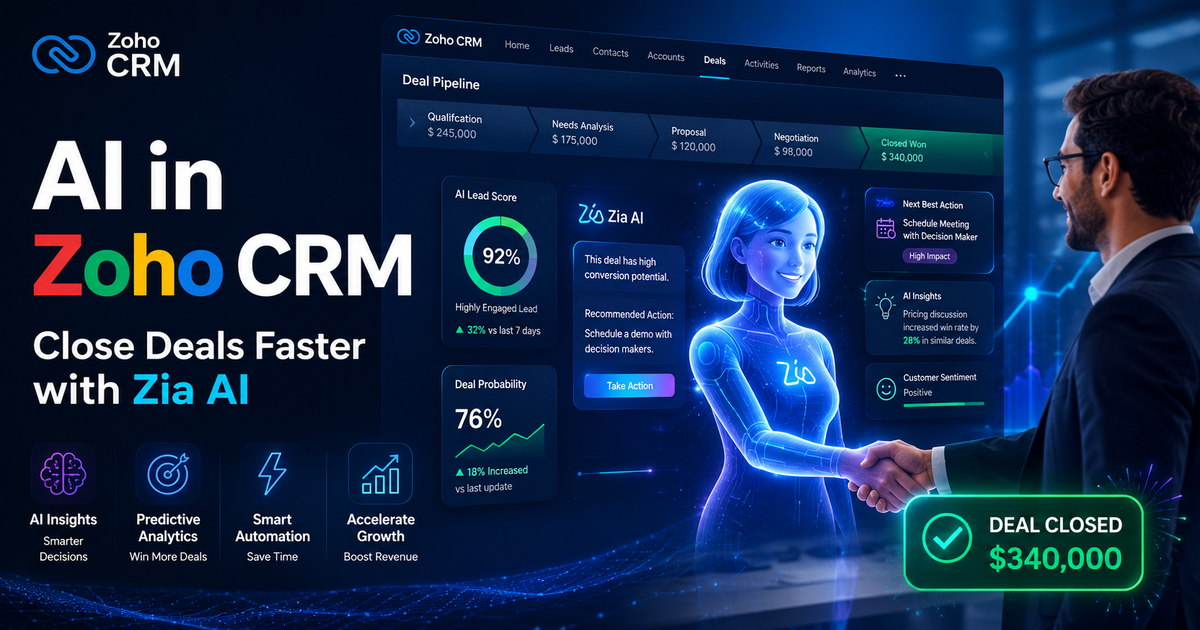
If you are already using Zoho CRM, you have access to a powerful AI engine called Zia. Most teams barely scratch the surface of what it can do. This guide breaks down how to use AI in Zoho CRM in a practical, human-centered way to close deals faster and smarter.

Most sales teams believe their biggest bottleneck is a lack of leads.
It is not.
The real constraint sits elsewhere, hidden in plain sight. It lives in delayed follow-ups, missed signals, poorly timed outreach, and decisions driven by instinct rather than evidence. Deals are rarely lost because there was no opportunity. They are lost because the opportunity was misunderstood.
The reality is that most deals are not lost because of lack of effort. They are lost because of mistimed effort, misdirected effort, or effort applied without insight.
Now imagine a system that nudges you at exactly the right time, surfaces the insights you did not know you needed, and quietly works behind the scenes to ensure no opportunity fades into silence.
That is where AI inside Zoho CRM changes the game.
Zoho CRM's built-in AI assistant, Zia, isn't just a fancy chatbot tacked onto the side of a traditional CRM. It's a deeply integrated intelligence layer that touches almost every part of your sales workflow, from lead scoring to email timing to deal predictions. When you learn how to actually use it, the difference in your close rate can be dramatic.
If you have ever felt like deals slip through your fingers despite your best efforts, you are not alone.
This blog post breaks down how to leverage AI in Zoho CRM to close deals faster with practical strategies, relatable scenarios, and actionable insights you can apply immediately.
No theory fluff. No vague advice. Just practical, actionable insight that your sales team can start using today.
The Real Bottleneck in Deal Closures
Most deals do not fail because of competition. They fail because of friction.
Friction appears in subtle ways:
- Leads that are pursued too late or too early
- Opportunities that linger without clear next steps
- Follow-ups that depend on memory instead of systems
- Misjudged customer intent
This problem is often rooted in CRM setup and process design. If your Zoho CRM foundation is weak, AI cannot deliver meaningful results. That is why it is critical to follow structured approaches like Key Steps for Successful Zoho CRM Implementation.
Inside Zoho CRM, AI addresses three core bottlenecks:
- Prioritization
- Timing
- Consistency
Each of these directly impacts how quickly deals move from conversation to closure.
Why AI in Zoho CRM Matters for Deal Velocity
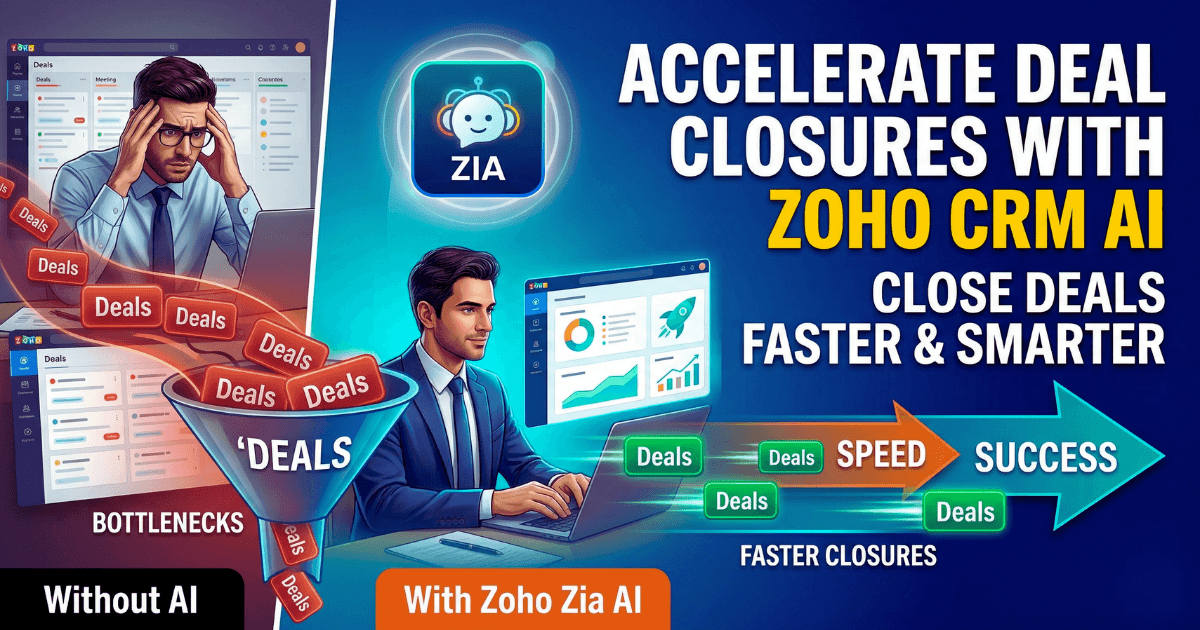
Sales teams usually lose time in three places:
- Chasing low-quality leads
- Missing the right timing for follow-ups
- Spending hours on manual CRM updates
AI solves all three.
AI in Zoho CRM is not about replacing salespeople. It is about removing friction from the sales process.
When used effectively, it helps you:
- Focus on the right deals
- Communicate more effectively
- Act at the right time
- Close with confidence
The result is not just faster deals, but better quality wins. The teams that win are not the ones who work harder. They are the ones who work smarter, with better information.
AI gives you that advantage. The rest depends on how you use it.
When used correctly, AI shifts your role from reactive selling to proactive selling.
Picture this: Think about your typical sales process. Leads come in. You qualify them. You follow up. You nurture. You pitch. You close. Sounds simple, right?
But in reality, it is messy.
- Leads slip through the cracks
- Sales reps spend too much time on manual tasks
- Follow-ups are inconsistent
- Decisions are based on gut feelings instead of data
AI flips this entire dynamic.
Instead of reacting to opportunities, you start predicting them. Instead of guessing, you start knowing. Instead of chasing leads, you prioritize the ones most likely to convert.
That is the power of AI(Zia) in Zoho CRM.
Real Time Scenario :
In a team I was part of, we observed an interesting trend after implementing AI-powered deal scoring: deals that received a response from the prospect within 24 hours of the first follow-up were three times more likely to close.
Sounds obvious in hindsight. But no one was tracking it.
Once we had that insight, we shifted focus:
- Faster follow-ups
- Prioritizing responsive leads
- Escalating deals that went quiet early
Close rates improved without increasing lead volume.
That’s the core value of AI here. Not replacing effort. Amplifying the right effort.
AI is most effective when it works alongside a broader automation ecosystem. Businesses that integrate AI with marketing and sales workflows often see exponential gains, especially when they use Zoho to automate sales and marketing processes.
Before diving into the strategies to accelerate deal closures, you need to first understand about Zia(AI) and what it actually does inside Zoho CRM.
What is Zia in Zoho CRM?
Zoho CRM includes an AI layer called Zia, which acts as an intelligent assistant across the platform.
Zia learns from your CRM data over time. The more you use Zoho CRM, the sharper Zia gets. She analyzes patterns in your sales cycles, your communication history, your win/loss data, and even the sentiment of customer emails to surface recommendations that would take a human analyst hours to compile.
What Zia Actually Does
- Predictive analytics for lead and deal scoring
- Workflow automation powered by intelligent triggers
- Sentiment analysis in emails and communication
- Sales forecasting with machine learning models
- Anomaly detection in pipeline performance
- Conversational AI for instant insights
- Automate routine tasks
In simple terms, AI answers three critical questions:
- Who should you focus on?
- What should you do next?
- When should you act?
Master these, and closing deals becomes significantly easier.
Key Capabilities of Zoho Zia in CRM include:
- Conversational AI (Ask Zia): Users can interact with Zia using voice or text to retrieve customer information, set reminders, or create tasks and meetings.
- Generative AI Content Creation: Zia drafts emails, proposals, and reports, improving communication efficiency.
- Predictive Sales and Analytics: Zia analyzes data to provide revenue predictions, identify sales trends, and determine the probability of winning deals.
- Smart Prompts and Summaries: Using LLM (Large Language Model) technology, Zia provides high-level summaries of records and email threads and suggests improvements to email content.
- Workflow and Module Generation: Zia can create custom modules, fields, and automation workflows based on natural language commands.
- Data Enrichment and Anomaly Detection: Zia identifies unusual events in data and alerts users, while also automatically enriching records with missing information.
- Sales Assistant Functions: Zia provides "next best action" suggestions for sales reps and identifies up-sell/cross-sell opportunities.
Each of these capabilities contributes to faster deal progression when used strategically.
Think about it this way: what if you had a personal assistant that constantly analyzed your pipeline and told you exactly where to focus?
That is what AI(Zia) brings to your Zoho CRM.
AI in Zoho CRM is not about replacing sales teams. It is about enhancing decision-making and removing friction.
AI becomes significantly more powerful when combined with automation strategies. For example, implementing structured and automated sales outreach using cadences in Zoho CRM ensures that no opportunity is missed due to inconsistent outreach.
If your team is struggling to extract value from AI features, the common challenges and solutions are covered in How to Overcome AI Hurdles in Zoho With Expert Strategies.
Are you leveraging Zia to its full potential?
Most businesses use only a fraction of what Zia can do. The real advantage comes from aligning AI capabilities with your actual sales process.
How does Zia AI Accelerate Deal Closures in Zoho CRM?
AI improves deal velocity by reducing friction at multiple stages of the sales cycle.
However, automation alone is not enough. It must align with real business workflows. This is where Zoho CRM customization plays a role. If your Zoho CRM does not reflect your actual sales process, AI recommendations lose relevance. Read Why Do You Need to Customize Zoho CRM for Your Business to make AI work for your sales process.
When companies talk about "accelerating deal closures," they usually mean one thing: more deals closed, faster. But that's the outcome, not the mechanism. The mechanism is actually about reducing friction at dozens of micro-moments throughout the sales cycle.
Think about what actually slows deals down. It's rarely the big, obvious obstacles. It's the small hesitations. The delayed follow-up because you couldn't remember the prospect's specific pain point. The generic email you sent because you didn't have time to personalize it. The opportunity that stalled because nobody noticed the engagement had gone cold.
Zoho CRM AI addresses these micro-frictions in ways that compound over time. When Zia, Zoho's AI assistant, suggests the optimal time to follow up with a lead, she's not just making a guess. She's analyzing patterns across thousands of interactions, spotting the subtle signals in engagement data that humans miss when they're juggling other deals.
The effectiveness of Zoho CRM Zia AI depends heavily on data quality. Poor data leads to poor predictions. That is why maintaining clean and structured CRM data is essential. If your data is inconsistent, refer to how to keep Zoho CRM data clean to improve AI accuracy.
Zia learns from your Zoho CRM data over time:
- It learns from your historical data
- It identifies patterns humans miss
- It surfaces insights at the right moment
- It continuously improves as your data grows
Instead of asking, “What should I do next?”, your team starts asking, “Why did Zia recommend this?” That shift alone changes how decisions are made.
To maximize AI outcomes, businesses often combine Zia with custom workflows and applications built on Zoho Creator. If you are exploring this approach, understanding when to use AI vs manual logic in Zoho Creator can help you design smarter automation strategies.
Zia is only as powerful as how you use it. Simply enabling features will not transform your results. You need a strategy. That’s What I am going to cover in the next section.
I'll break it down step by step and demonstrate how to use AI in Zoho CRM to turn it into your most reliable sales partner, enabling you to close deals faster.
Ways To use Zoho CRM AI To Close Deal Faster:
Using AI in Zoho CRM (via its assistant Zia) can directly improve deal velocity if you apply it to prioritization, timing, and automation rather than just reporting.
Below are the most effective, practical ways to use it to close deals faster:
1. Stop Treating All Leads Equally. Let AI Tell You Which Lead To Focus
One of the biggest mistakes I see teams make is spreading effort evenly across all leads.
It feels fair. It feels productive. It is also incredibly inefficient.
Not every lead deserves your time.
The Shift from Activity to Intelligence
Zoho CRM’s AI, especially Zia, evaluates patterns that humans often miss. It looks at past deal data, engagement history, email responses, and behavior signals to score leads more intelligently than static rules ever could.
When I first started relying on AI-driven lead scoring, I noticed something uncomfortable.
Some of the leads I thought were promising were actually dead weight. And some quiet, low-profile prospects were highly likely to convert.
That realization changes how you allocate your energy.
What You Should Actually Do
Instead of manually prioritizing leads, do this:
- Focus daily on the top AI-scored leads
- Set a threshold score that triggers immediate outreach
- Revisit “low priority” leads only if their score changes
A Practical Scenario
Imagine two leads:
- Lead A attended your webinar, opened three emails, but hasn’t replied
- Lead B clicked your pricing page twice and responded once with a short question
A human might chase Lead A harder because of visible engagement.
AI often flags Lead B as higher intent.
And in many cases, it is right.
Insider Tip
Do not blindly trust scores. Use them as directional signals, not absolute truth.
The real power comes when you combine AI scoring with your own judgment. That intersection is where high-conversion opportunities live.
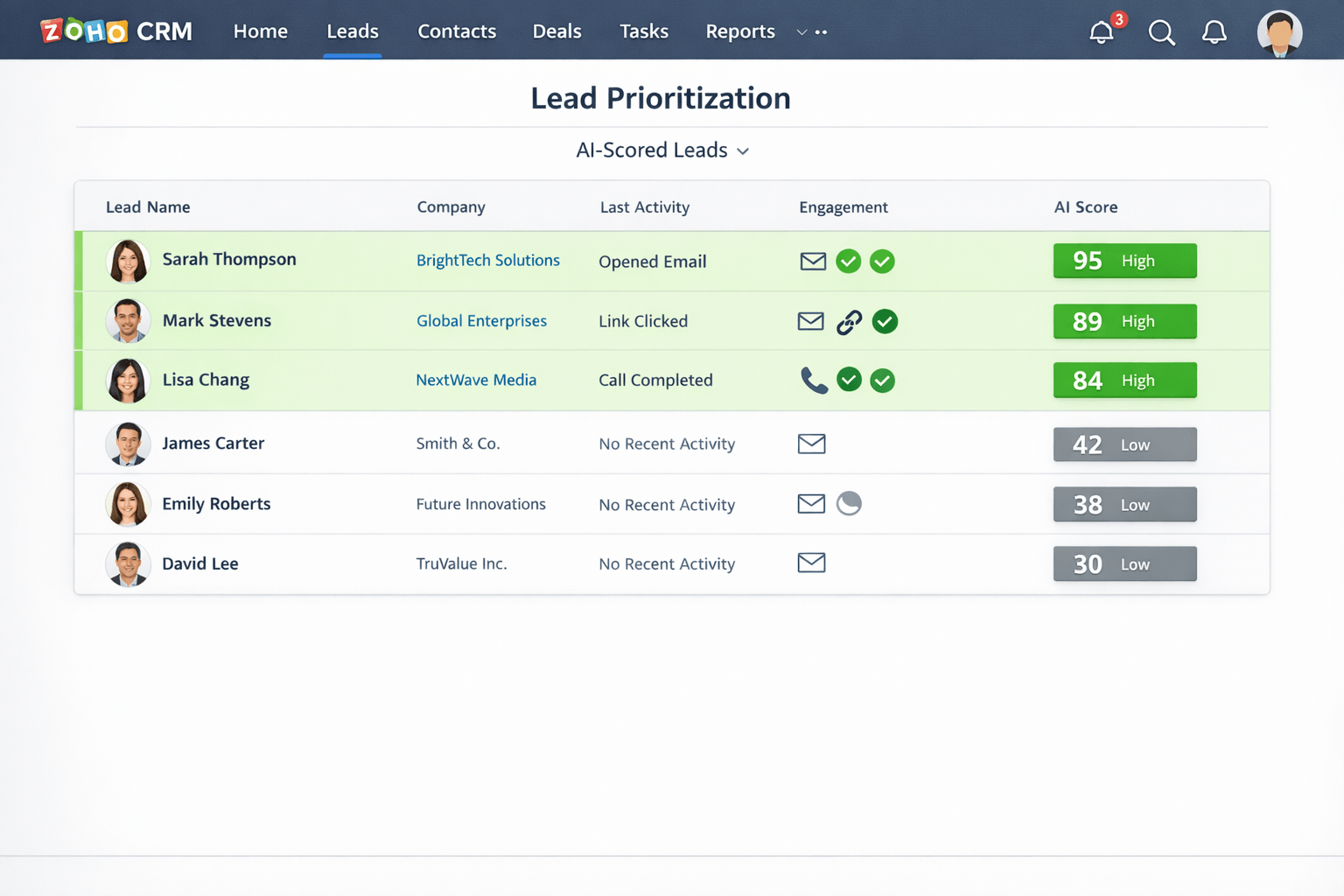
If your lead qualification process is inconsistent, AI-driven scoring alone will not fix it. You need a structured CRM approach supported by best practices. Businesses that follow expert-driven frameworks, such as those outlined in expert tips to overcome Zoho CRM implementation challenges, tend to achieve better results.
Don’t Let Leads Slip Through the Cracks
If your team is still relying on manual lead prioritization, you are likely wasting effort on low-conversion opportunities.
Consult with our Zoho Experts to implement AI-driven lead scoring tailored to your business. (Or)
Get in Touch with us to make Zoho CRM automatically surface your highest-value deals.
2. Predict Deal Outcomes Before They Slip Away
Every salesperson has a gut feeling about deals.
“This one feels strong.”
“This one might stall.”
AI takes that intuition and backs it with data.
The Power of Predictive Signals
Zoho CRM’s AI can analyze deal velocity, interaction frequency, and historical patterns to predict whether a deal is likely to close, stall, or fall through.
This is not magic. It is pattern recognition at scale.
And it is incredibly useful when you have a crowded pipeline.
What Most People Do Wrong
They check deal stages. Maybe they look at the last activity.
But they miss the subtle indicators:
- Long gaps between interactions
- Reduced engagement over time
- Delayed responses after pricing discussions
AI picks up on these shifts early.
What You Should Actually Do
- Review AI predictions weekly, not just pipeline value
- Flag “at-risk” deals and intervene immediately
- Adjust your approach instead of pushing harder
I once worked on a deal that looked solid on paper.
- Multiple stakeholders involved
- Positive demo feedback
- Budget discussed
But AI flagged it as “likely to stall.”
At first, I ignored it. Everything seemed fine.
Then I noticed response times had slowed. Meetings were getting rescheduled.
Instead of sending another follow-up, I changed the approach.
I reached out with a simple message:
“Is this still a priority for your team right now, or has something shifted internally?”
That opened the door to an honest conversation. Their priorities had changed, but the deal was not dead.
We repositioned the solution, adjusted timelines, and eventually closed it.
Without that early signal, I would have kept pushing in the wrong direction.
Insider Tip
AI predictions are most valuable when they challenge your assumptions.
If the system tells you something you do not expect, pay attention.
Related Content To Read: Predictive insights become even more powerful when combined with analytics. Businesses that leverage Zoho Analytics for data-driven decision making gain deeper visibility into deal trends and performance.
3. Leverage AI to enhance conversations, not just speed them up
Automation often gets a bad reputation in sales because it leads to generic messaging.
“Just checking in.”
“Following up on my previous email.”
We have all seen it. We have all ignored it.
AI can do better, but only if you let it.
Context Over Volume
Zoho CRM’s AI can analyze previous interactions, customer behavior, and communication patterns to suggest more relevant responses.
This is not about sending more emails.
It is about sending the right message at the right time.
What You Should Actually Do
- Use AI suggestions as a starting point, not a final draft
- Personalize based on recent activity or specific pain points
- Reference real context from your CRM data
A Better Way to Follow Up
Instead of: “Just following up on my last email.”
Try:
“I noticed your team revisited the pricing page this week. Happy to walk through any questions or tailor this to your current priorities.”
That kind of message feels intentional.
And it works.
Sales communication becomes even more effective when aligned with structured sales processes. Techniques like CPQ and guided selling can further improve conversations, as discussed in How Zoho CPQ and Wizards in Zoho CRM Shorten Your Sales Cycle.
A Hypothetical Scenario
Let’s say a prospect has:
- Opened your proposal twice
- Clicked on integration details
- Not responded to for three days
AI can surface this behavior.
Your message could be:
“Most teams evaluating this stage usually have questions around integrations or implementation timelines. Is that where you are right now?”
You are not guessing. You are aligning with their behavior.
Insider Tip
The best AI-assisted messages do not sound like AI.
They sound like you paid attention.
4. Automate the Right Things and Keep the Human Touch Where It Matters
There is a fine line between efficiency and detachment.
Cross it, and your pipeline turns cold.
What to Automate
AI in Zoho CRM is excellent for:
- Data entry and updates
- Follow-up reminders
- Workflow triggers
- Lead assignment
- Basic email sequences
These are time-consuming but low-value tasks.
Automate them aggressively.
What Not to Automate
Do not automate:
- Critical deal conversations
- Objection handling
- Negotiation emails
- Relationship-building touchpoints
These require nuance, empathy, and adaptability.
AI can support you, but it should not replace you.
A Common Mistake
I once saw a team automate their entire follow-up sequence, including post-demo emails.
Every prospect received the same message.
Response rates dropped.
Why?
Because the message ignored context.
Some prospects needed more technical details. Others needed ROI justification. Others needed reassurance.
One-size-fits-all messaging does not close deals.
What You Should Actually Do
- Use AI to handle timing and reminders
- Use your judgment for messaging and positioning
- Blend automation with personalization
Insider Tip
If a message could apply to 100 different prospects without change, it is probably too generic.
AI should help you narrow focus, not broaden it.
5. Shorten Sales Cycles by Identifying Buying Signals Early
Speed matters in sales.
Not because you want to rush prospects, but because momentum drives decisions.
AI helps you identify when that momentum exists.
Recognizing High-Intent Behavior
Zoho CRM’s AI can track signals like:
- Frequent visits to pricing or product pages
- Increased email engagement
- Interaction with key content like case studies
- Quick responses to communication
These are not random actions.
They indicate interest, curiosity, and often urgency.
What You Should Actually Do
- Set alerts for high-intent behaviors
- Respond quickly when signals spike
- Adjust messaging to match the buying stage
A Practical Example
If a prospect suddenly:
- Opens your proposal twice in one day
- Clicks on pricing details
- Revisits your product page
That is not the time for a casual follow-up.
That is the time for direct engagement.
“Looks like you have been reviewing the proposal closely. Would it help to go through any final questions together?”
You are meeting them in the moment.
The Cost of Delay
I have seen deals lost simply because response time was too slow.
Interest fades. Priorities shift. Competitors step in.
AI gives you a timing advantage.
Use it.
Insider Tip
Speed without relevance is noise. Speed with context is powerful.
6. Improve Win Rates by Learning from Lost Deals
Most teams move on too quickly from lost deals.
They mark them as closed-lost and focus on new opportunities.
That is a missed opportunity.
AI can analyze patterns across lost deals to reveal why they failed.
What You Can Learn
- Common drop-off stages
- Typical objections before loss
- Engagement patterns leading to churn
- Deal sizes that rarely convert
A Practical Example
In one team, AI revealed that:
- Deals above a certain pricing threshold had a much lower close rate
- Most of those deals lacked ROI justification during conversations
The fix was not discounting.
It was better positioning:
- Stronger business cases
- Clearer value articulation
- Early ROI discussions
Win rates improved without changing pricing.
What You Should Do
- Review AI insights on lost deals monthly
- Identify repeat patterns
- Adjust your approach proactively
Insider Tip
Every lost deal contains data. AI helps you extract it before you repeat the same mistake.
7. Optimize Sales Cadence Based on Real Engagement Data
Sales cadence is often built on assumptions.
“Three emails in a week.”
“One call every two days.”
But prospects do not follow your cadence. They follow their own behavior patterns.
AI bridges that gap.
What AI Reveals
Zoho CRM can show:
- When prospects are most responsive
- Which channels perform best for each lead?
- How engagement changes over time
A Scenario You Will Recognize
A rep sends emails regularly but gets inconsistent responses.
AI analysis shows:
- Emails sent in the morning perform better
- Follow-ups after calls get higher replies
- Weekend engagement is almost zero
Without AI, this pattern is easy to miss.
What You Should Do
- Adjust your cadence based on engagement insights
- Prioritize channels that actually work
- Reduce noise where there is no response
Optimizing cadence is not just about timing. It also involves understanding engagement patterns and deliverability. If email engagement is low, reviewing how to improve email deliverability with Zoho Campaigns can help improve response rates.
A Simple Adjustment That Works
If a prospect consistently responds to calls but ignores emails:
- Shift your effort toward calls
- Use email only as a support channel
This sounds obvious, but most reps stick to their default habits.
Insider Tip
Cadence should be adaptive, not fixed. AI gives you the data to evolve it in real time.
8. Spot Pipeline Bottlenecks Before They Become Normal
Every sales team has bottlenecks. The problem is, most teams normalize them.
“Deals always take long in the proposal stage.”
“Clients usually delay after demos.”
That mindset is dangerous.
AI helps you challenge those assumptions with actual data.
What AI Reveals
- Average time spent in each stage
- Stages where deals consistently slow down
- Patterns across lost deals
A Real Insight I’ve Seen
In one pipeline, deals were getting stuck in “Negotiation” for weeks.
The team assumed it was pricing resistance.
AI analysis showed something different:
- Delays were caused by unclear implementation timelines
- Prospects were unsure about onboarding, not pricing
That changed the entire approach.
What You Should Do
- Regularly review stage duration insights
- Identify stages with abnormal delays
- Investigate the root cause, not the symptom
Insider Tip:
If a stage consistently slows deals, fix the process, not the pressure.
AI doesn’t just highlight problems. It helps you solve the right ones.
9. Improve Forecast Conversations with Data, Not Opinions
Forecast meetings often turn into debates.
Reps are optimistic. Managers are skeptical. Everyone has a different view of reality.
AI changes the tone of these conversations.
What AI Brings to the Table
Zoho CRM uses historical data and current deal signals to generate forecasts based on:
- Deal probability
- Pipeline health
- Rep performance trends
- Stage conversion rates
What Changes
Instead of asking:
“Do you think this deal will close?”
You ask:
“What signals support this closing?”
That shift is subtle but powerful.
A Real Shift I’ve Seen
In one team, forecast meetings used to take hours.
After integrating AI insights:
- Discussions became shorter and more focused
- Outliers were easier to spot
- Decisions were made faster
What You Should Do
- Use AI forecasts as a baseline
- Challenge assumptions with data
- Focus discussions on action, not opinion
Insider Tip
Forecasting is not about being right all the time. It is about being less wrong, more consistently.
AI helps you get there.
10. Continuously Train the System to Match Your Sales Reality
AI is not static.
It learns from your data, your behavior, and your outcomes.
If you treat it as a one-time setup, you limit its value.
Why This Matters
Every sales process is different:
- Different industries
- Different deal sizes
- Different buyer behaviors
AI needs to reflect your reality, not a generic model.
What You Should Do
- Regularly review AI predictions against actual outcomes
- Adjust scoring criteria if needed
- Ensure data is consistently updated
A Practical Example: If your business shifts focus from small deals to enterprise clients:
- AI scoring needs to adapt
- Deal timelines will change
- Engagement patterns will differ
If you do not adjust, predictions become less accurate.
Building a Feedback Loop
- Analyze won vs lost deals monthly
- Identify patterns AI might be missing
- Refine your CRM setup accordingly
Insider Tip
The more disciplined your data and processes are, the smarter your AI becomes.
Over time, this creates a compounding advantage.
Related Content To Read: If you are planning to scale AI usage across your Zoho CRM, it is important to work with experts who understand both AI and Zoho implementation deeply. Businesses often evaluate different approaches before choosing the right support model, and this guide on how to find and hire a Zoho developer can help you make the right decision.
Measuring Success of AI Effectiveness in Zoho CRM
To evaluate the impact of AI in Zoho CRM, track key performance indicators such as:
- Lead conversion rate
- Average sales cycle length
- Deal closure rate
- Revenue growth
- Customer engagement metrics
Compare performance before and after implementing AI features to assess improvements.
When AI is properly utilized in Zoho CRM, you will notice:
- Reps spend more time selling, less time managing data
- Follow-ups happen at the right time
- High-value deals receive more attention
- Forecasts become more reliable
- Deal cycles shorten significantly
Most importantly, your team starts making decisions based on evidence rather than intuition.
To sum it up, Leveraging AI(Zia) in Zoho CRM is not about replacing salespeople. It is about enhancing their ability to make better decisions, act faster, and focus on the opportunities that matter most.
The real advantage comes from consistency. When AI handles prioritization, forecasting, and routine tasks, your sales team can concentrate on building relationships and closing deals.
If you treat AI as a core part of your sales process rather than an optional add-on, you will see measurable improvements in deal velocity and win rates.
Struggling to Turn AI Insights into Action?
If you are not seeing any improvements using AI yet, you need our Zoho Expert help.
The Future of Sales Is AI-Driven
Sales is no longer just about relationships.
It’s about intelligent relationships.
The reps who win are the ones who combine:
- Human intuition
- Data-driven insights
- AI-powered execution
AI in Zoho CRM does exactly that.
It tells you who to focus on, when to act, and how to approach each opportunity. It eliminates guesswork and replaces it with clarity.
So the question is simple: Are you going to rely on instinct, or are you ready to let data guide your sales strategy?
Because the teams that embrace AI today are the ones closing the deals everyone else is still chasing tomorrow.
The future of sales isn't humans versus AI. It's humans augmented by AI, combining the pattern recognition of machines with the relationship-building capacity of people. Zoho CRM gives you the platform to build that combination.
AI is not replacing sales teams. It is augmenting them.
This shift is also changing how Zoho partners and consultants deliver value. The broader impact of AI on Zoho ecosystems is explored in AI Trends in Zoho Revolutionizes Zoho Partner Dynamics.
If you are evaluating whether to implement AI internally or work with experts, you may also consider Why Should You Hire Zoho Consultant for Your Business.
Final Thoughts
Leveraging AI in Zoho CRM is not about replacing salespeople. It is about amplifying their effectiveness.
When used correctly, AI helps you:
- Focus on the right opportunities
- Engage prospects at the right time
- Make data-driven decisions
- Close deals faster
Sales is no longer about who works harder. It is about who works smarter.
AI(Zia) in Zoho CRM gives you that edge.
If you are not leveraging AI yet, you are leaving opportunities on the table.
And if you are using it only partially, you are barely scratching the surface.
The deals are there. The insights are there. The question is: are you ready to close the gap between what you think is happening and what's actually happening in your pipeline?
Because that gap? That's where deals either accelerate or die. And AI is the only thing that lets you see it clearly enough to do something about it.
The question is no longer whether AI will change how deals are closed.
It already has.
The teams that close deals faster are not the ones making the most calls. They are the ones making the right calls at the right time, with the right message.
AI in Zoho CRM is how you find it, act on it, and close it.
Accelerating deal closures is not about working harder. It is about working with greater clarity by reducing uncertainty at every stage of the pipeline.
AI in Zoho CRM does exactly that.
It tells you:
- Highlighting what matters most
- Predicting outcomes
- Guiding actions
- Eliminating inefficiencies by automating routine tasks
The result is not just faster deal closure, but cleaner pipelines and more predictable outcomes.
AI is not the future of sales. It is the present advantage that most teams are not leveraging it.
The deals are already in your pipeline. AI simply helps you close them faster, with more confidence and less friction.
Are you letting AI sit in your CRM, or are you letting it shape how you sell?
Because the teams that close faster aren’t necessarily working harder.
They’re just seeing what others don’t and acting on it sooner.
And that’s where the real edge is.
If you are using Zoho CRM, you already have access to powerful AI capabilities that can transform how your team sells. The key is knowing how to use them strategically.
And our Zoho CRM Developers know how to make AI work for your business to close deals faster and smarter.
If you are curious how AI and developers work together in Zoho, this perspective is explained in How AI Will Not Replace Zoho Developers.
AI in Zoho CRM is powerful, but it is important to understand that it does not operate in isolation. It works best when combined with proper implementation, customization, and ongoing optimization. Businesses that invest in expert guidance often achieve significantly better outcomes.
If you are still evaluating your options, this practical guide on finding the best Zoho partner in India can help you choose the right zoho partner for long-term success.
Ready to Turn AI Insights into Closed Deals?
You already have AI inside Zoho CRM. The real question is whether it is working for you or sitting unused.
Let our team help you implement AI in Zoho CRM the right way so it aligns with your sales process and business goals.
👉🏼Contact Us Today (or) Consult with our Zoho experts to identify exactly where AI can improve your sales process and accelerate deal closures.
Thanks for reading to the end:)
Share this Post if you found this Content Useful😊. Sharing is Caring!
📧 Join over 1000+ Business Owners, Zoho Customers, Consultants, and Zoho Partners who read our content to get the most out of Zoho for their business.
▣ Zoho + Your Business+ Our Expertise = Get Maximum Value out of your Zoho Investment.

Enter Your Email Address Below to receive the Exclusive Content that we only share with those who Subscribe to our Newsletter.


