Can Zoho One Replace Your Entire Business Software Stack?
Can Zoho One replace your entire business software stack? This honest breakdown reveals where Zoho One really shines, its struggles and limitations, migration challenges, and operational gains behind consolidating your business into one connected ecosystem.

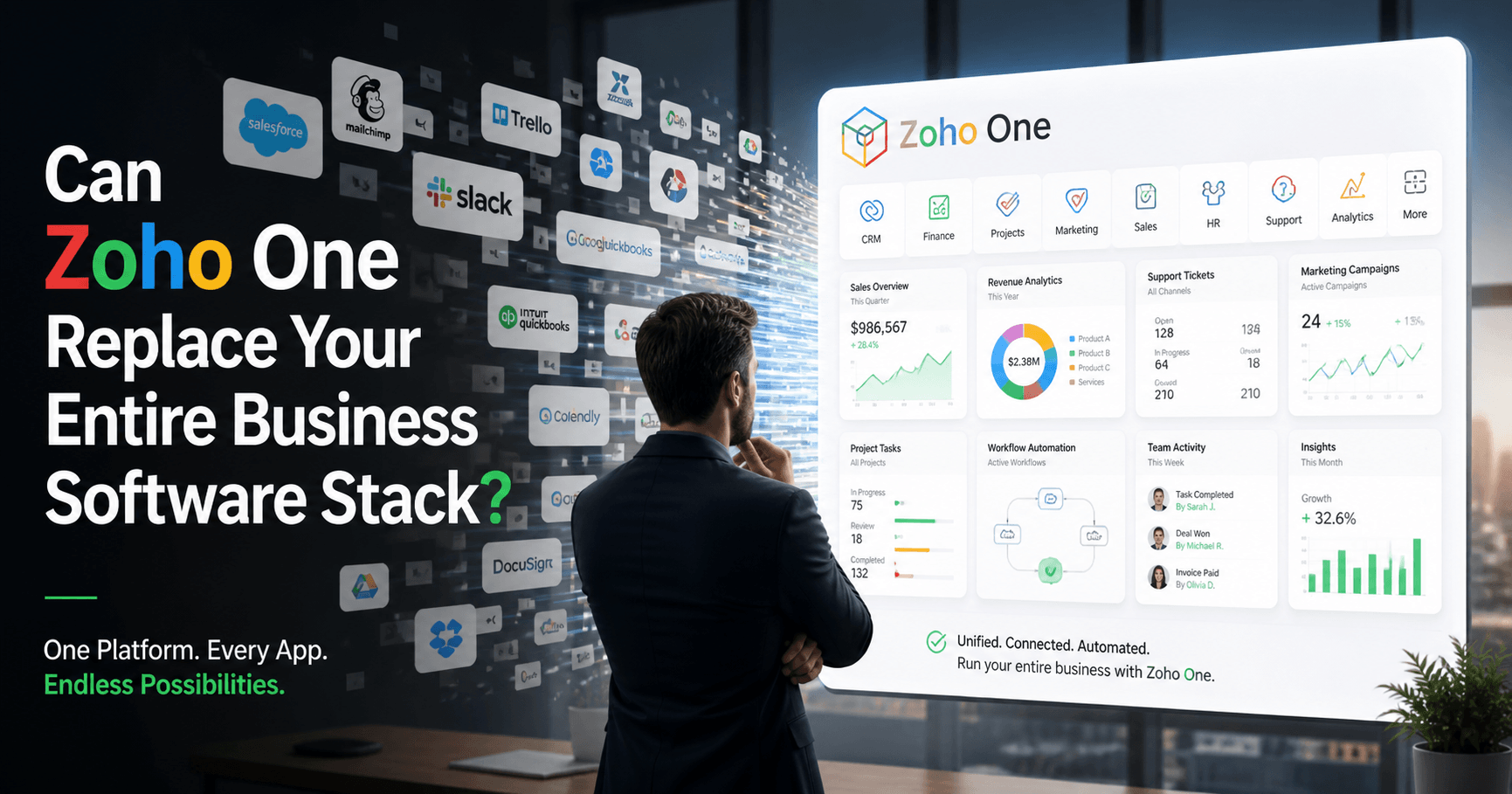
Modern businesses run on software. Not one or two applications, but dozens. A CRM for sales. An accounting tool for finance. A help desk for support. Email marketing software. Team chat. HR management. Project tracking. Analytics dashboards. E-signatures. Password managers. File storage. Meeting apps. Automation platforms.
The average small or mid-sized company today pays for between 15 and 40 separate SaaS tools. Many enterprise organizations operate with more SaaS apps.
This is where data fragmentation creates problems fast.
Teams work in silos. Data gets duplicated. Reporting becomes unreliable. Employees waste hours switching tabs and manually updating records across systems. Subscription costs quietly rise every quarter.
Here's a question I get asked a lot from business owners & founders: "Do I really need twelve different SaaS subscriptions to run my company?"
And honestly, my answer surprises people. Because the short answer is no. You probably don't. But the longer answer is a lot more interesting, and that's what I am going to cover in this comprehensive post.
This blog post breaks down where Zoho One excels, where it falls short, how to evaulate whether Zoho One is right for your business, Zoho One migration nobody talks about,operational reality after implementing Zoho One, hidden Costs that aren't in the Price Tag, and how Zoho One is reshaping how your business operates, grows, and scales.
No fluff.No sugarcoating things.Just the raw insights based on my Zoho One Implementation experience and knowledge.
Let’s get into the details.
The Real Problem With Modern SaaS Stacks
Before evaluating Zoho One, it helps to understand why businesses even consider replacing their SaaS stack in the first place.
Most software ecosystems evolve reactively.
You don’t build them strategically. You patch them together under pressure.
A sales team adopts one CRM because it’s quick to set up. Finance chooses another tool because it integrates with their accountant. Operations picks something else because “the interface feels cleaner.” Marketing signs up for three more apps because someone on LinkedIn recommended them.
Individually, these decisions make sense.
Collectively, they create chaos.
I worked with a small services company a few years ago that had:
- One CRM
- A separate invoicing system
- Another platform for proposals
- Slack for communication
- Trello for project management
- Google Workspace for collaboration
- Calendly for scheduling
- Mailchimp for campaigns
- Zapier desperately trying to hold everything together
Nothing was technically broken.
But nothing really worked together either.
Every department had a slightly different version of customer data. Automation relied on fragile integrations. Reporting was inconsistent because each platform tracked metrics differently. Employees spent more time switching tabs than doing actual work.
This is where integrated ecosystems become attractive.
And that’s where Zoho One’s comes into the picture.
Instead of buying separate software products from multiple vendors, Zoho One offers an integrated suite of business applications under a single ecosystem. CRM, finance, HR, marketing, support, collaboration, analytics, automation, and more, bundled into one platform.
The promise sounds almost too good to be true: “Operating system for your business.”
But can Zoho One actually replace your entire software stack in the real world?
The answer depends on your business size, complexity, industry, and expectations.
For some companies, Zoho One can dramatically simplify operations and reduce costs. For others, it may cover 70 to 90 % of needs while still requiring a few specialized tools.
Most software ecosystems grow reactively.
Different departments choose different tools, resulting in disconnected workflows, duplicate data, and unreliable reporting.
This fragmentation is one of the biggest reasons businesses start looking for integrated platforms like Zoho One.
However, replacing fragmented systems requires more than software selection. It requires strategic implementation. Many businesses underestimate this complexity, which is why understanding How to Overcome Top Challenges of Implementing Zoho One is important before migration.
Many businesses try solving disconnected systems using integrations alone, but long-term operational efficiency usually requires deeper ecosystem alignment.
This is why many growing companies now explore Zoho One as an all-in-one business solution instead of managing multiple disconnected tools.
The Question Nobody Frames Correctly when choosing Zoho One
The pitch for Zoho One became impossible to ignore. 50+ integrated applications. One license. One vendor. The promise of finally putting an end to the stack tax: those ten to fifteen different SaaS subscriptions that somehow got added over time, each with its own login, its own data silo, and its own monthly invoice.
The question businesses started asking was obvious: Can Zoho One replace my entire software stack?
But first, we need to reframe the question. "Can Zoho One replace your entire business software stack?" is actually three separate questions masquerading as one:
- Can it technically do what your current tools do?
- Should you replace your entire stack at once, or in stages?
- What is the true total cost of consolidation, including the hidden costs nobody talks about?
Answering all three honestly changes everything.
Most Zoho Partners, consultants, and freelancers all gave the same answer. They said: yes, mostly, depends on your use case. Then they listed the apps. Then they called it a day.
That answer is technically correct and practically useless. Because the real question is not whether Zoho One has an app for every department. It does. The real question is whether your business is operationally ready to exploit what happens when those apps actually talk to each other.
The real operational advantage of Zoho One is not the apps themselves. It is the removal of friction between departments that were previously stitched together with exports, Zapier automations, duplicate data entry, and endless “can you send me that spreadsheet?” messages.
That is the part most businesses underestimate.
Because once your CRM, finance system, support desk, marketing automation, HR operations, analytics, and internal workflows exist inside a connected ecosystem, the conversation stops being about software procurement and starts becoming about business architecture.
And that shift changes the evaluation entirely.
The companies that fail with Zoho One usually fail for one of two reasons:
They expect a plug-and-play replacement for highly customized point solutions, or they attempt a full-stack migration without redesigning the processes underneath.
The companies that succeed approach it differently. They treat Zoho One less like a bundle of apps and more like an operating system for the business. They understand that consolidation is not merely a software decision. It is a workflow decision, a data governance decision, and often a cultural decision.
Because for some companies, Zoho One becomes the first genuinely unified operating layer they have ever had. For others, it becomes an over-ambitious consolidation project that exposes every broken process they were previously hiding behind disconnected tools.
The real value of Zoho One is not simply replacing software subscriptions; it is creating a connected operational ecosystem where CRM, finance, support, HR, and analytics work together.
Businesses evaluating this shift should also understand the operational role of implementation partners. Read Why Do You Need Zoho Implementation Partner to Onboard Zoho and discover how they can help you get maximum value out of Zoho One for your business.
For many SMBs, consolidating tools into a unified platform significantly reduces operational overhead. This becomes especially relevant when evaluating what makes Zoho One the best business management software.
Why Businesses Start Looking for an All-in-One Solution?
Most businesses don’t wake up one morning and suddenly decide to overhaul their software stack for fun.
This usually happens after months or years of frustration.
Here’s the typical story.
A small company starts with a few tools:
- Gmail
- Excel
- Trello
- QuickBooks
- Maybe HubSpot or Salesforce
- Slack
- Some invoicing software
- A random form builder someone found on Reddit at 2 a.m.
At first, everything feels manageable.
Then the business grows.
Suddenly:
- Customer data exists in five places
- Teams duplicate work
- Reports don’t match
- Employees waste hours switching tabs
- Managers cannot see the full customer journey
- Subscription costs quietly balloon like an unattended sourdough starter
One business owner once described their tech stack to me as:
“A bowl of spaghetti where every noodle charges monthly fees.”
That’s painfully accurate.
Businesses begin craving three things:
- Simplicity
- Visibility
- Integration
Zoho One directly targets all three.
This is especially true for businesses scaling quickly or operating service-heavy workflows. If your business falls into this category, How to Setup Zoho One for Professional Services provides practical implementation guidance.
Let me break down what Zoho One really replaces, where it performs exceptionally well, where it falls short, and how to decide whether moving your business into one ecosystem is a smart move or an expensive headache.
What Most Businesses Are Actually Paying For With Zoho One
The Zoho One pricing is built around a per-employee model. As of recent pricing structures, it runs somewhere around $37 to $105 per employee per month depending on whether you're paying annually or monthly and which tier you pick. That might sound like a lot until you do the math against what most businesses actually spend across their current stack.
Let me put it this way: If your company is currently paying for Salesforce, QuickBooks, Mailchimp, Zendesk, Slack, Asana, DocuSign, and a handful of other tools, the monthly bills add up fast.
We've seen SMBs spending north of $3,000 a month on software that Zoho One could replace for a fraction of that cost. So the financial case alone is worth paying attention to.
Having said that, businesses need to confront an uncomfortable reality about the modern SaaS environment before evaluating Zoho One.
A company with 50 to 200 employees typically operates between 15 and 40 separate SaaS applications across departments. In many cases, even leadership teams no longer have a complete map of what tools are active, who owns them, or how critical they have become to day-to-day operations.
When businesses approach us at YAALI, their software stack usually looks like this:
- CRM: Salesforce, HubSpot, or Pipedrive
- Marketing automation: Mailchimp, ActiveCampaign, or Marketo
- Finance and accounting: QuickBooks, Xero, or Sage
- HR and payroll: BambooHR, Darwinbox, or Workday
- Project management: Monday.com, Asana, or Jira
- Customer support: Zendesk or Freshdesk
- E-signatures and contracts: DocuSign or Adobe Sign
- Business intelligence: Power BI or Tableau
- Internal operations: a patchwork of Excel sheets, Google Sheets, Airtable databases, and undocumented tools someone built years ago that the company still quietly depends on
Individually, these are excellent products.
That is not the problem. The problem is what happens when businesses try to make all of them function as one operational system.
Because most companies are not paying for software anymore. They are paying for data consolidation between each tool.
The hidden cost of this fragmentation is brutal. There's the obvious stuff: multiple subscriptions, multiple renewal dates, and multiple support relationships to manage. But there's also the invisible cost of data living in silos.
When your sales data doesn't connect to your billing data, which doesn't connect to your support data, you end up making decisions based on incomplete pictures. And that's before you account for the time employees waste switching between tools and re-entering the same information in different places.
This is the core problem Zoho One tries to solve. Not just cost consolidation, but actual operational integration.
That is where Zoho One becomes compelling.
Not because it offers 50+ applications under one license.
And not because replacing subscriptions saves money.
The real value proposition is far more strategic:
Zoho One attempts to replace fragmented operational infrastructure with a unified business operating environment where data, workflows, permissions, automation, and reporting are designed to work together from the beginning.
The best software stack is not the one with the most famous apps. It is the one that helps your business run more efficiently, with less friction, fewer silos, and clearer visibility across the entire organization.
For a growing number of businesses, Zoho One is proving capable of doing exactly that.
To understand these operational realities better, review Hidden Costs of Zoho One Implementation.
The Honest Breakdown: What Zoho One Replaces Well, What It Struggles With
Let me be direct about this. Zoho One does not replace everything equally well. Here is how it breaks down across the most common functional areas.
Sales and CRM: Strong
Zoho CRM is mature. It has been on the market for nearly two decades, and the feature set now competes directly with Salesforce in most mid-market scenarios. Pipeline management, forecasting, AI-assisted lead scoring via Zia, territory management, multi-currency support, and deep customization through modules and layouts are all present and genuinely capable.
Where Zoho CRM still trails enterprise Salesforce is in the depth of its partner ecosystem and pre-built industry-specific solutions.
If you are in a vertical that has a Salesforce-native ISV product built specifically for your workflow, replacing that with Zoho CRM will require custom development. That is not insurmountable, especially with Zoho Creator in the stack, but it is real work.
Zoho CRM is one of the strongest components inside Zoho One.
However, CRM success depends heavily on implementation quality and process alignment.
If you are migrating or implementing CRM, review:
1. Key Steps for Successful Zoho CRM Implementation.
2.Top 10 Mistakes to Avoid During Zoho CRM Implementation.
Businesses facing adoption or operational challenges may also benefit from reading this Expert Tips to Overcome Zoho CRM Implementation Challenges.
Marketing Automation: Solid, with a Learning Curve
Zoho Marketing Plus brings together Zoho Campaigns, Social, Survey, and Webinar under one roof, with unified reporting. For most B2B businesses, it covers the full funnel from awareness to engagement without requiring a separate platform.
The honest caveat: Zoho Campaigns is not Marketo or HubSpot in terms of behavioral segmentation sophistication or native ABM capability.
If your marketing team runs complex multi-touch attribution models or relies heavily on predictive lead scoring for enterprise deals, you may feel the ceiling here. For most SMBs and lower-mid-market businesses, you will not hit that ceiling.
Zoho Campaigns and Marketing Plus cover most SMB marketing needs effectively.
For businesses looking to improve automation across sales and marketing workflows, learn How to Use Zoho to Automate Sales and Marketing.
Email deliverability also plays a major role in campaign success. If deliverability is a concern, explore How to Improve Email Deliverability With Zoho Campaigns.
Finance and Accounting: Excellent for SMBs, Limited for Complex Enterprises
Zoho Books is a genuinely excellent accounting platform for small to mid-sized businesses. It handles multi-currency, GST and VAT compliance across dozens of jurisdictions, inventory, project billing, and bank reconciliation well.
The limitation is at the enterprise end. If your business requires consolidated multi-entity reporting, complex intercompany transactions, advanced manufacturing cost accounting, or deep ERP-grade functionality, Zoho Books starts to strain. For those scenarios, some of our clients maintain a Zoho Finance layer for operational speed while keeping NetSuite or SAP for group-level consolidation. It is not a clean story, but it is an honest one.
Zoho Books integrates deeply with CRM, inventory, and operations.
For businesses looking to streamline finance workflows further, How to Automate Quote-to-Cash Process Using Zoho Finance explains practical automation strategies.
HR and People Management: Underrated and Improving Fast
Zoho People and Zoho Recruit together cover most of what a business under 500 employees needs for HR operations: attendance, leave management, performance reviews, onboarding workflows, and applicant tracking.
The one area where dedicated HR platforms like Darwinbox or Workday still hold an edge for larger businesses is payroll processing in markets with complex labor law compliance requirements. Zoho Payroll is strong in India and expanding, but global payroll coverage is still limited compared to dedicated payroll providers.
Zoho People and Zoho Recruit provide a strong HR ecosystem for SMBs.
Organizations evaluating HR platforms may also want to compare: Zoho People vs Zoho People Plus Detailed Comparison
Customer Service and Help Desk: Genuinely Competitive
Zoho Desk is one of the more underappreciated parts of the Zoho One suite. It holds its own against Zendesk and Freshdesk in most comparison reviews, and the integration with Zoho CRM creates a closed-loop visibility from lead to long-term customer that most standalone help desk platforms simply cannot offer without custom development.
The context shift for service teams is significant. When a support agent can see a customer's full purchase history, open quotes, and CRM notes from inside a ticket, resolution quality improves without requiring any additional training.
Custom Applications and Business Process Automation: Genuinely Differentiated
Zoho Creator is arguably one of the strongest parts of the Zoho ecosystem.
For internal tools, workflow systems, portals, approval engines, inventory operations, field service apps, and lightweight business applications, it can dramatically reduce development time and cost.
Many businesses underestimate how transformative this can be.
Processes that would normally require:
- months of engineering work
- outsourced developers
- expensive SaaS subscriptions
- multiple disconnected tools
…can often be built inside Zoho Creator in days or weeks.
That is the upside.
The trade-off appears when your business requirements move beyond the boundaries of low-code architecture.
Eventually, complex applications require deeper logic, advanced scalability patterns, highly customized frontend behavior, or integrations that push beyond what drag-and-drop abstractions comfortably support.
That is where Deluge enters the picture.
Deluge, Zoho’s proprietary scripting language, is surprisingly capable. But proprietary ecosystems always create friction with traditional engineering teams.
Your developers already know JavaScript, Python, TypeScript, or modern backend frameworks. They do not necessarily want to learn an ecosystem-specific scripting language that has limited portability outside Zoho.
And they are not entirely wrong.
This does not make Zoho Creator a weak platform. Quite the opposite. For many SMBs, it is powerful enough to eliminate entire categories of custom software spending.
But businesses should understand the trade-off clearly:
the deeper you build inside the Zoho ecosystem, the more tightly your operational logic becomes coupled to Zoho’s way of doing things.
Zoho Creator is one of the most transformative parts of the Zoho ecosystem.
If you are evaluating Zoho Creator to build multi-tenant Saas product for your business, discover the reason Why Choose Zoho Creator to Build Multi-Tenant SaaS Product.
Also, read How Zoho Creator Simplifies Custom ERP Development and Cost Effective for your business.
Where Zoho One Genuinely Struggles
Every software ecosystem has tradeoffs. The problem is that most enterprise software vendors hide theirs behind feature matrices and marketing language. Zoho One deserves a more honest evaluation than that.
Because despite how broad the platform is, there are still areas where “good enough” is not the same as “best-in-class,” and depending on your business, those differences matter.
Collaboration and Communication: The Most Noticeable Compromise
This is probably the category where Zoho One feels the least dominant.
Zoho Cliq for messaging and Zoho Meeting for video conferencing are perfectly functional products. Messages send. Calls work. Integrations exist. For internal coordination, they are entirely usable.
Communication platforms aren't evaluated solely based on their features; instead, they're assessed by the strength of their ecosystem.
Slack, Microsoft Teams, and Zoom became dominant because entire industries standardized around them. Your clients are already there. Your vendors are already there. Your freelancers, agencies, and external collaborators already use them daily.
That creates a practical problem that software comparisons often ignore:
communication tools only work when everyone is willing to live inside them.
And in reality, most companies cannot simply announce, “We are moving to Cliq,” and expect external collaboration patterns to change overnight.
This is why many successful Zoho One deployments quietly operate in hybrid mode. They keep Slack or Teams as the external collaboration layer while using Cliq internally for workflow alerts, approvals, and application-triggered communication.
That is not necessarily a failure. It is often the smartest compromise.
But it does mean the dream of “one ecosystem for everything” quietly breaks in this category first.
Advanced Analytics and BI: Strong for Operations, Limited for Data-Heavy Organizations
Zoho Analytics is significantly better than most people expect.
For operational reporting, executive dashboards, KPI tracking, and cross-functional visibility, it performs extremely well. In fact, one of Zoho’s biggest advantages is how naturally data flows between applications without requiring an engineering-heavy integration layer.
Sales, finance, support, marketing, and operations data can coexist in a unified reporting environment surprisingly quickly.
For SMBs, this alone is transformative.
But the ceiling appears when organizations become deeply data-mature.
If your company already operates with modern analytics infrastructure, such as Snowflake, dbt, BigQuery, or dedicated data engineering teams, Zoho Analytics begins to feel less like a strategic analytics platform and more like a polished reporting layer.
It excels at operational intelligence. It is less compelling for advanced modeling, large-scale transformations, predictive analytics, or highly customized data architectures.
Executives tend to love it because dashboards become easier.
Data teams tend to outgrow it because flexibility eventually becomes constrained.
Neither perspective is wrong. They are simply evaluating the platform from different operational depths.
Businesses seeking deeper analytics visibility should review: How Zoho Analytics Can Make Data Analysis Easier for You.
Developer Flexibility and Custom Applications: Powerful Until You Hit the Edge
Zoho Creator may be one of the most underrated platforms in the entire Zoho ecosystem.
For businesses trying to digitize operations quickly, it can be a game changer.
Internal tools. Approval systems. Customer portals. Inventory workflows. Field service apps. Employee onboarding systems. Solutions that traditionally take months of development can often be launched in weeks.
That speed creates a massive advantage, especially for growing companies that cannot afford long development cycles or expensive engineering teams.
For non-technical departments, the appeal is obvious:
faster execution, lower costs, and the ability to adapt processes without waiting endlessly for developers.
But every low-code platform comes with an invisible threshold.
At first, visual builders accelerate innovation.
Then complexity arrives.
As business requirements become more advanced, organizations gradually move away from drag-and-drop simplicity and deeper into Deluge, Zoho’s proprietary scripting language.
And this is usually where technical teams begin to hesitate.
Not because Deluge lacks capability. In reality, it is surprisingly powerful.
The real concern is strategic.
Your engineering team already operates in ecosystems built around JavaScript, Python, TypeScript, modern APIs, and scalable backend frameworks. Introducing Deluge means introducing a new language, a new architecture style, and a deeper dependency on a single vendor’s ecosystem.
That changes the conversation entirely.
The question is no longer:
“Can Zoho Creator build this?”
The real question becomes:
“Are we building software to support our business, or are we slowly building a business that can only operate inside one vendor’s platform?”
For some organizations, that trade-off is completely justified.
The speed, integration, and operational efficiency outweigh the risks.
But for others, convenience slowly evolves into technical lock-in.
And by the time they recognize it, migrating away becomes far more expensive than building independently in the first place.
That is the paradox of low-code platforms:they remove friction early, but they can quietly introduce long-term dependency later.
The smartest companies are not the ones that blindly avoid low-code.
They are the ones that understand exactly where low-code should end, and where true software engineering needs to begin.
The Learning Curve Is Real
The interface is consistent across Zoho products, each application has its own logic, its own settings, and its own way of doing things. For small teams without a dedicated IT person or implementation partner, the initial setup can feel genuinely overwhelming.
This is where working with a Zoho Partner becomes less of a nice-to-have and more of a practical necessity. The platform's potential is high, but realizing that potential requires knowing how to configure it properly.
An out-of-the-box Zoho One setup will work, but it won't be optimized. Workflows need to be built, custom fields need to be defined, and permission structures need to be established. Give yourself time for this phase.
The Contrarian Take: Integration Depth Beats Feature Depth Every Time
Here is the perspective most Zoho One reviews completely overlook, yet it is probably the single most important factor in the entire buying decision.
The biggest operational expense in modern businesses is no longer software licensing.
It is data fragmentation.
Most companies do not realize how much efficiency they lose because their systems were never designed to work as one operational layer.
Sales lives in Salesforce.
Marketing lives in HubSpot.
Finance lives in QuickBooks.
Projects live in Asana.
Support lives somewhere else entirely.
On paper, each tool may be “best in class.”
But together?
They create organizational chaos.
Every executive dashboard becomes a manual exercise.
Every report depends on someone exporting CSV files, cleaning spreadsheets, reconciling duplicate records, and hoping the date ranges align correctly.
At that point, you no longer have a business intelligence problem.
You have a business coherence problem.
And this is exactly where Zoho One becomes far more powerful than people initially realize.
Its greatest competitive advantage is not that one specific app is superior to every competitor.
It is that the entire ecosystem operates on a shared operational data layer.
When a deal closes in Zoho CRM, the customer already exists in Zoho Campaigns.
The invoice is generated in Zoho Books.
The onboarding workflow begins in Zoho Projects.
The support history flows directly into Zoho Desk.
No Zapier chains.
No API maintenance.
No middleware complexity.
No fragile nightly sync jobs silently breaking in the background and corrupting reporting accuracy.
That level of operational continuity is incredibly difficult to measure on a pricing sheet, but incredibly easy to feel once a business experiences it.
Because the real value is not automation alone.
It is trust in your data.
Teams stop arguing over which spreadsheet is correct.
Leadership stops making decisions based on outdated exports.
Departments stop operating like disconnected companies sharing the same logo.
The organization begins functioning as a unified system instead of a collection of software subscriptions.
And that changes everything.
This is why the smartest way to evaluate Zoho One is not:
“Does this individual app match my current tool feature-for-feature?”
The better question is:
“What is the long-term compounding value of every operational process and every piece of business data living inside one connected ecosystem?”
Because in the long run, integration depth almost always creates more operational leverage than feature depth.
A slightly weaker standalone tool inside a deeply unified ecosystem often produces better business outcomes than a stack of disconnected “best-in-class” products constantly fighting each other for synchronization.
That is the trade-off most businesses fail to evaluate clearly enough.
And it is also where Zoho One quietly becomes far more strategic than it first appears.
Not sure if Zoho one replace your current SaaS apps?
If you're tired of managing multiple subscriptions, broken integrations, and scattered business data, it may be time to rethink.
How to Actually Evaluate Whether Zoho One Is Right for Your Business
If you're seriously considering making the move, here's a practical approach.
Start by auditing your current stack completely. List every tool you're paying for, what it costs, who uses it, and what it does. Be honest about which tools get heavy use and which ones have three active users and have mostly been forgotten. This audit usually produces surprises.
Next, map each tool to a Zoho One equivalent and assess the functional gap. For most tools, you'll find there's a Zoho equivalent that covers the core use cases. The question is whether the gaps are tolerable or critical.
Run a real cost comparison that includes not just subscription fees but also integration maintenance costs, IT time, and the productivity cost of context-switching. The true cost of a fragmented stack is usually higher than the subscription lines suggest.
Finally, talk to businesses that have already made the switch.Zoho Implementation Partner who've done this migration dozens of times will tell you things that marketing materials never will.
Want to know whether Zoho One can realistically replace your current software stack without disrupting your operations?
Planning To Implement Zoho One: The Right Way to Migrate
If you conclude that Zoho One is right for you, avoid a big-bang migration: no one has ever received credit for successfully pulling it off.
Phase 1 (Months 1 to 2): Data and CRM first Start with CRM migration. It is the highest-visibility system and the one where early wins build organizational confidence. Clean your data before migrating. This is not optional.
Phase 2 (Months 2 to 4): Finance and operations Migrate accounting data at the start of a fiscal year or quarter if possible. Parallel-run both systems for at least 60 days before fully decommissioning the old platform.
Phase 3 (Months 4 to 6): Marketing and HR These systems have the most end-user training requirements. Invest in documentation. Create internal champions on each team who become the go-to resource for the new tools.
Phase 6 onward: Analytics integration Once your operational data is flowing through Zoho, activate Zoho Analytics and begin building the cross-functional dashboards that were impossible with your fragmented previous stack. This is where you start seeing the compounding return on the migration investment.
If you are evaluating zoho one implementation readiness, reviewing the Zoho One Implementation Checklist can also help structure the migration process.
The Zoho One Migration Reality Nobody Warns You About
Nobody talks enough about what migration actually looks like. The Zoho sales pitch focuses on features and integration. The reality is messier.
If you're moving from another CRM to Zoho CRM, you're looking at data export, field mapping, import validation, and cleanup. Most companies discover their old CRM data is a mess only when they try to migrate it. Duplicate records, inconsistent formats,missing required fields, notes stored in weird places. You end up cleaning years of data debt before you can even start the migration.
One company spent three months preparing their Salesforce data for migration to Zoho CRM. Not migrating. Preparing. They had 12 years of sales records with inconsistent naming conventions, merged accounts that weren't actually merged, and custom fields nobody remembered the purpose of. They ended up hiring a consultant just to audit their data structure. Then there's the workflow migration. Your current software does things a certain way.
Zoho does things differently. Sometimes, you can recreate your exact workflow.
Sometimes you can't, and you need to adapt your process to fit what Zoho supports.
That's where the organizational friction starts.
Your Teams often develop a strong connection to the way work is organized and carried out. The sales team has a specific way they track opportunities. Customer success has a specific cadence for check-ins. Finance has a month-end close process that relies on specific reports. Changing any of that requires buy-in, training, and patience.
Budget at least three months for a serious Zoho One migration if you're a company with established processes. Small businesses can move faster. Larger organizations might need 6 months or more.
Caveat: Anyone promising you a seamless two-week migration is either lying or hasn't done this before.
Migration success depends heavily on planning, implementation expertise, and workflow redesign. Businesses preparing for consolidation should understand how long Zoho One implementation takes for your business to set realistic expectations.
Want a smarter migration strategy for migrating your data to Zoho One?
Avoid expensive migration mistakes and operational downtime. Work with experts who understand both the technical and business side of Zoho implementations.
The Operational Reality After You Implement Zoho One
Six months after a well-executed Zoho One implementation, businesses typically report three things.
The first is the obvious one: reduced software costs. This is real, and it is usually significant, though rarely as dramatic as the initial license comparison suggests because the savings are partly offset by implementation and training investment.
The second is the one that surprises people: reduced coordination cost. Meetings that used to be necessary because nobody could see what the other team was doing become shorter or unnecessary. Reports that required a data analyst pulling from multiple systems become self-service. Onboarding a new customer, a new employee, or a new partner takes fewer manual steps because the system is doing the handoffs.
Once workflows are centralized, businesses often begin measuring operational efficiency and platform ROI more accurately. This becomes easier when you know how to measure ROI of Zoho implementation.
The third is the one that changes strategy: improved data confidence. When leadership trusts that the revenue numbers, the pipeline data, and the customer health scores are all coming from the same source of truth, they make faster decisions. Not because they have more data, but because they have data they actually believe. That confidence compounds. Teams stop building shadow spreadsheets. Managers stop second-guessing the reports.
None of this is guaranteed by purchasing Zoho One. It is earned by implementing it correctly, which means investing in configuration, training, and internal ownership rather than treating the implementation as a commodity migration.
The Hidden Economics of Zoho One: What Most Businesses Fail to Calculate
Most businesses evaluate Zoho One by comparing subscription costs with the number of apps included. On paper, it looks like a straightforward software bundle. But the real economics of Zoho One are hidden beneath the pricing page, and you won’t find this information on any page on their Zoho site.
The Hidden Costs That aren't in the Price Tag:
Training is a real cost. Even if Zoho's interface is reasonably intuitive, your team still needs to learn where things are, how workflows work, and what the limitations are. Some companies handle this internally. Others bring in a Zoho partner for formal training sessions. Either way, you're spending time and probably money.
Configuration and customization eat up time too. The apps don't magically set themselves up to match your business. Someone needs to configure modules and set up automations, design page layouts, create reports, establish user permissions. If you have an IT person or business analyst who can handle this, great. If not, you're hiring help.
Data migration often requires professional help unless your data is pristine and your technical skills are solid. Migration services from Zoho partners typically run a few thousand dollars for smaller datasets, more for complex migrations with lots of data relationships and custom fields.
Then there's the productivity dip during transition. For a few weeks or months while people are learning the new system; things move slower. Support tickets take longer to close because the team is still figuring out Zoho Desk. Sales cycles stretch because reps are adapting to the new CRM. Projects get delayed because everyone's relearning how to assign tasks and track time.
That productivity hit isn't Zoho's fault. It's just what happens when you change core business systems. But it's a real cost that needs to factor into your decision. If you're already running lean and can't afford any slowdown, maybe wait for a less critical period to make the switch.
Storage limits can also creep up on you. Zoho One includes a certain amount of storage per user (I think it's 100GB per user currently, but verify that). If your business generates a lot of files, recorded calls, email attachments, or other data, you might hit storage limits are faster than expected. Additional storage isn't expensive, but it's another line item.
Many businesses underestimate the operational complexity involved in large-scale implementations. Conducting a structured audit before migration can help identify hidden risks early. A useful starting point is how to perform Zoho audit in 12 easy steps.
If you are evaluating Zoho One and want an honest assessment of how it fits your specific stack?
At YAALI, we help businesses evaluate whether Zoho One can realistically replace, simplify, or optimize their existing software ecosystem without unnecessary disruption.
Get a practical, unbiased assessment of your current stack, workflows, operational gaps, and migration feasibility.
Final Verdict: Honest Take and Unbiased Truth
The million-dollar question: “Can Zoho One replace your entire business software stack?”
For many businesses, yes.
But only if the goal goes beyond replacing software and focuses instead on improving how the business actually operates.
Zoho One is not a magic switch that instantly fixes inefficiencies. It is also not the perfect fit for every organization. Companies with highly specialized enterprise requirements may still rely on a few niche tools alongside it.
However, for most small and mid-sized businesses, Zoho One is more than capable of becoming the central operating system of the company.
The real question is not whether Zoho One has sufficient apps.
The real question is whether your business is ready to simplify workflows, standardize processes, and fully commit to a connected ecosystem.
Businesses that approach Zoho One strategically often achieve:
- Better visibility across departments
- Faster internal operations
- Stronger collaboration between teams
- Less software fragmentation
- More automation with fewer manual processes
On the other hand, companies that treat it as just a cheaper software bundle rarely unlock its full value.
The smartest way to evaluate Zoho One is not by counting features.
It is by measuring how much operational friction it removes from your business.
If it helps your teams move faster, automate repetitive work, reduce software chaos, and create better customer experiences, then the return goes far beyond subscription savings.
At that point, Zoho One is no longer just replacing software.
It is reshaping how your business operates, grows, and scales.
Businesses that achieve the best outcomes with Zoho One typically work with experienced implementation specialists who understand both technology and operations. If you are evaluating partners, this guide on finding the best Zoho partner in India can help simplify the selection process.
Need help evaluating whether Zoho One fits your current stack?
A structured Zoho audit can map your requirements against the platform's capabilities in detail, often uncovering savings and integration opportunities that aren't obvious from the outside. It's the kind of exercise that pays for itself before implementation even starts.
Contact us for Zoho Implementation Talk to our Zoho Specialist
Thanks for taking time to read this comprehensive blog post.
Share this Post if you found this Content Useful😊. Sharing is Caring!
📧 Join over 1000+ Business Owners, Zoho Customers, Consultants, and Zoho Partners who read our content to get the most out of Zoho for their business.
▣ Zoho + Your Business+ Our Expertise = Get Maximum Value out of your Zoho Investment.

Enter Your Email Address Below to receive the Exclusive Content that we only share with those who Subscribe to our Newsletter.


