Zoho CRM Implementation Services: What To Expect?
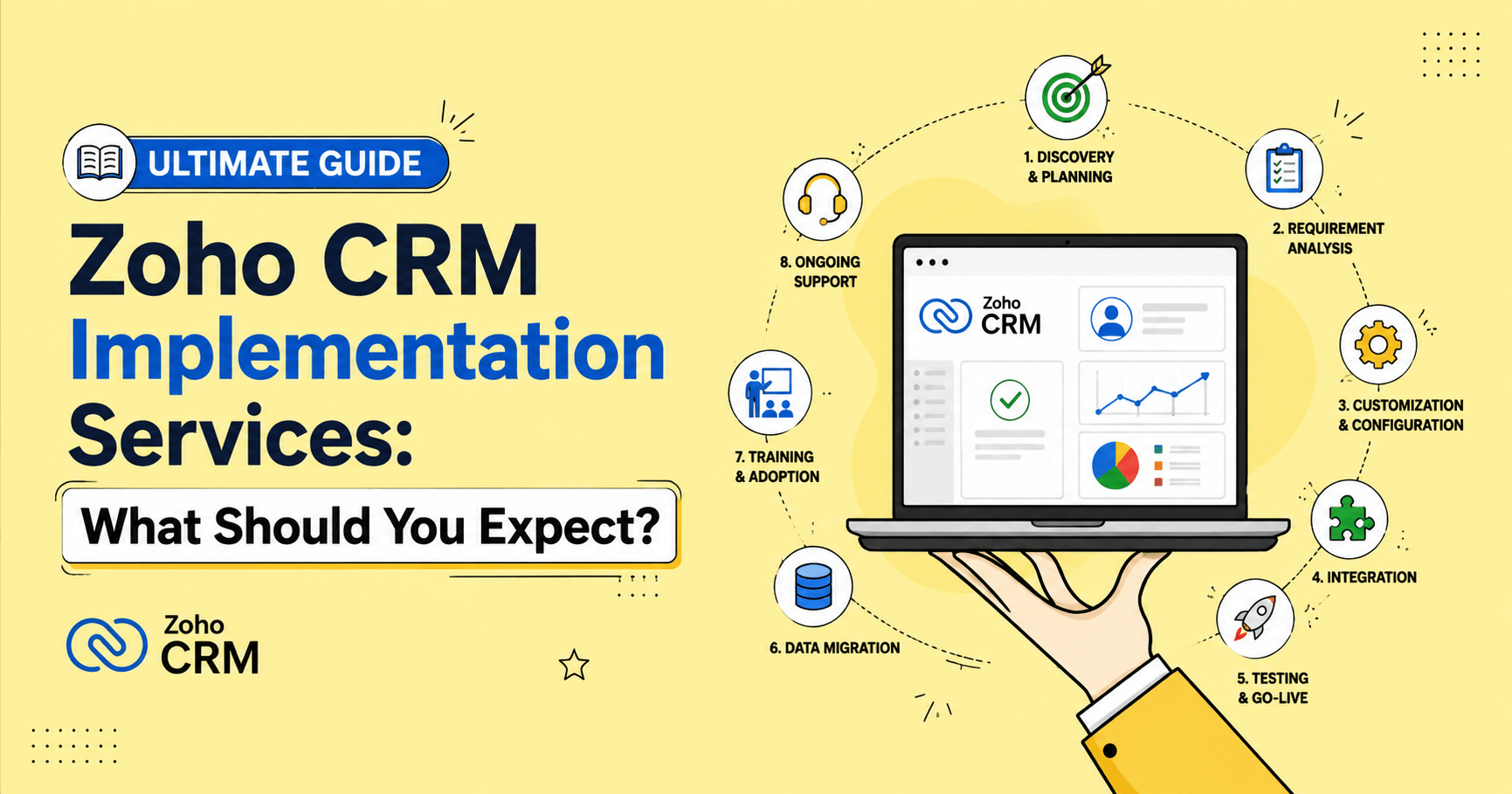
If you're planning to invest in Zoho CRM implementation services, this guide explains what Zoho CRM implementation is, why it matters, how long it takes, what to expect from your implementation partner, how to future-proof your Zoho CRM with AI, and the best practices for maximizing your CRM ROI.

When a business decides to invest in a CRM, the expectations are simple.
Sales teams will close more deals. Customer information will stay organized. Follow-ups will happen on time. Managers will finally have reliable reports they can trust.
Then reality hits.
The CRM goes live, but sales representatives continue using spreadsheets. Customer records become inconsistent. Automation workflows don't match the way the sales team actually works. Reports create more confusion than clarity. Six months later, the company reaches the disappointing conclusion that "the CRM doesn't work."
In most cases, the problem isn't the CRM.
It's the implementation.
A CRM is only as effective as the strategy behind it. For a broader perspective on implementation challenges and practical solutions, see our Expert tips to overcome Zoho CRM implementation challenges.
Even the most feature-rich CRM platforms cannot improve a business if it's built around assumptions instead of your real business processes.
That's why successful organizations don't simply buy Zoho CRM. They invest in professional Zoho CRM Implementation Services that align CRM with your business goals, improve user adoption, and support long-term growth.
Whether you're implementing Zoho CRM for the first time, replacing a legacy system, or migrating from another CRM such as Salesforce or HubSpot, understanding what to expect from the implementation process can save months of costly frustration and help you achieve a much higher return on your investment.
In this ultimate guide, I’ll walk you through every stage of a successful Zoho CRM implementation. You'll learn what services to expect from an experienced implementation partner, the common mistakes businesses make, and the practical steps that help maximize the value of your Zoho CRM investment.
Without any further ado,let’s dive into the details.
What Is Zoho CRM Implementation?
Zoho CRM Implementation is the structured process of designing, configuring, customizing, integrating, and deploying Zoho CRM to match an organization's unique business requirements.
Instead of asking your employees to change the way they work to fit generic CRM software, implementation shapes the CRM around your existing business processes while identifying opportunities to improve efficiency.
Every business manages customers differently. The way you capture leads, qualify prospects, prepare quotations, track sales activities, and measure performance depends on your industry, business model, and internal processes.
Consider a few examples:
- A manufacturing company doesn't sell like a software company.
- A real estate agency doesn't manage customers like a healthcare provider.
- A wholesale distributor doesn't follow the same sales cycle as an IT consulting firm.
That's why your CRM shouldn't force your business to change. Instead, it should fit naturally into the way your organization already operates while helping you eliminate bottlenecks, automate repetitive work, and improve productivity.
A simple way to understand CRM implementation is to consider building a house.
Buying bricks, cement, and steel doesn't create a home. You still need an architect to design it, engineers to ensure structural stability, electricians to install the wiring, plumbers to connect utilities, and skilled builders to bring everything together.
Zoho CRM works the same way.It provides the foundation. Implementation transforms that foundation into a CRM system that supports your sales process, reflects your business rules, and helps your team work more efficiently.
A typical Zoho CRM implementation includes:
- Business process analysis
- CRM architecture planning
- Module customization
- Custom fields and layouts
- Sales pipeline configuration
- Workflow automation
- Approval processes
- Blueprint implementation
- Data migration
- Role-based security
- User permissions
- Reports and dashboards
- Email integration
- Third-party application integrations
- Custom functions
- API development
- User training
- Testing and quality assurance
- Go-live support
- Post-implementation optimization
Each of these activities plays an important role in making your CRM easier to use, more reliable, and closely aligned with your business goals.
Throughout the rest of this guide, you'll learn what each stage involves, why it matters, and what can happen when businesses skip critical parts of the implementation process.
Understanding what Zoho CRM implementation involves is only the first step. The next question is why some Zoho CRM projects still fail, even when businesses invest in the right CRM software.
Why Some Zoho CRM Implementations Fail (And How to Make Yours Successful)
One of the biggest misconceptions I encounter is that implementing Zoho CRM only requires purchasing licenses, importing contacts, and inviting the sales team to log in.
That approach almost always ends in disappointment.
A few weeks after launch, salespeople stop updating records. Customer information becomes inconsistent. Reports no longer reflect reality. Managers lose confidence in their CRM dashboards, and the team gradually falls back on spreadsheets, WhatsApp, or their old way of working.
The problem is rarely Zoho CRM itself.
In almost every case, the project focused on configuring the software instead of improving business processes. More importantly, the CRM was customized without fully understanding how leads move through the sales pipeline, how departments work together, or which KPIs management actually needs to measure.
A successful Zoho CRM implementation starts with business strategy. Every module, workflow, automation, dashboard, and integration should support a real business process and solve a specific operational challenge.
For a practical step-by-step framework, see our guide to key steps for successful Zoho CRM implementation, which covers the planning, data, adoption, automation, and optimization decisions that influence implementation success.
When the implementation is planned correctly, Zoho CRM becomes more than a database. It becomes the single source of truth that helps sales teams close deals faster, enables marketing teams to generate qualified leads, empowers customer service teams to respond more efficiently, and gives business leaders the confidence to make informed decisions using accurate, real-time data.
For small and growing businesses, this difference is even more important. Every CRM investment needs to justify its cost with measurable returns. When implemented strategically, Zoho CRM often becomes one of the highest ROI investments in the organization.
What Does Zoho CRM Implementation Actually Involve?
Many businesses assume Zoho CRM implementation starts the moment they purchase the software.
It doesn't.
A successful CRM implementation begins much earlier. Before anyone creates custom fields, builds workflows, imports customer data, or designs dashboards, the first step is understanding how your business works.
This is where many projects uncover their first unexpected challenge.
Ask your sales team how a lead becomes a customer, and you'll probably hear one version of the process. Ask marketing how they qualify leads, and you may hear something completely different. Customer support, finance, and operations often have their own workflows, priorities, and definitions as well.
These differences don't exist because people are doing their jobs poorly. They develop naturally as businesses grow. Each department creates its own way of solving immediate problems, and over time, those workflows drift apart.
A professional Zoho CRM implementation uncovers these gaps before they become part of the CRM.
Instead of jumping straight into configuration, experienced Zoho CRM implementation partners spend time understanding your sales process, customer journey, approval process, reporting requirements, and team responsibilities. They identify bottlenecks, duplicate work, manual tasks, and communication gaps that slow the business down.
The objective is not just to configure Zoho CRM. It is to design a CRM that supports a more efficient, consistent, and scalable way of working.
That business-first approach makes every decision easier.
When implementation is built around real business processes, Zoho CRM becomes much more than a place to store customer information. It streamlines operations, automates repetitive work, standardizes workflows across departments, improves reporting accuracy, and gives every team a single source of truth.
That's why successful Zoho CRM implementation services focus on business processes first and configuration second.
With that groundwork complete, configuring Zoho CRM becomes far more straightforward. Every module, workflow, automation, and dashboard serves a clear business purpose instead of being added simply because the feature is available.
In the following sections, I'll walk through each phase of a professional Zoho CRM implementation and explain exactly what you should expect at every stage.
Are You Getting the Most Out of Your Zoho CRM?
Discover what's working, what's holding you back, and how to make your Zoho CRM work better for your business in just 30 minutes.
Let's Talk See Our Zoho Expertise →What Services Should You Expect During a Zoho CRM Implementation?
Let's get specific because "implementation" is one of those terms people use frequently when it comes to Zoho. Ask some Zoho Partners what it means, and you'll probably get ten different answers. Some may simply create a few modules, add custom fields, and call the job complete.
A professional Zoho CRM implementation follows a structured methodology rather than a one-size-fits-all setup. While every project varies based on business size, complexity, and industry, most successful implementations include the same core services.
Phase 1: Business Discovery and Process Analysis
A successful Zoho CRM implementation doesn't start with creating modules, importing data, or building workflows. It starts with understanding how your business really operates.
This discovery phase forms the foundation for every customization, automation, and integration that follows. Skip it, or rush through it, and you risk building a CRM that simply copies your existing inefficiencies instead of fixing them.
That's why a Zoho Implementation Partner should spend time learning how your business works before making a single configuration change. Their goal is straightforward: understand how your teams operate today, identify what's slowing them down, and design a CRM that supports your long-term business goals.
If you've ever wondered:
- What happens during a Zoho CRM implementation?
- What should a Zoho CRM consultant do first?
- How do Zoho Partners analyze business processes?
- What is the discovery phase in CRM implementation?
This phase provides those answers.
Understanding Your Sales Process
One of the first activities in a professional Zoho CRM implementation is mapping your entire sales journey.
Rather than assuming every company follows the same sales pipeline, an implementation consultant documents how leads move from the first interaction to becoming loyal customers.
During discovery, consultants typically ask questions such as:
- How do new leads enter your business?
- Which marketing channels generate your highest-quality customers?
- How are leads qualified before reaching the sales team?
- What stages make up your sales pipeline?
- Who owns each stage?
- Are approvals required before quotations or discounts?
- How are proposals and quotations created?
- What defines a successful sale?
- What happens after a customer signs the agreement?
The answers determine how your CRM should be configured, including pipelines, page layouts, workflows, user permissions, notifications, and reporting.
More importantly, this exercise often uncovers operational bottlenecks that have little to do with the CRM itself.
For example, businesses commonly discover that:
- Sales representatives enter the same customer information into multiple systems.
- Managers spend hours every week preparing Excel reports.
- Follow-up reminders rely entirely on individual salespeople.
- Customer information is scattered across emails, spreadsheets, and WhatsApp conversations.
- Different departments maintain separate versions of the same customer record.
Once these issues become visible, Zoho CRM can automate or eliminate much of the manual work.
Identifying Sales and Operational Bottlenecks
A CRM implementation shouldn't simply document your current processes. It should improve them.
During discovery, Zoho consultants might ask:
- Where do deals usually stall?
- Which manual tasks consume the most time?
- What information is difficult for employees to find?
- Which reports require hours of manual preparation?
- Where do communication gaps occur between departments?
- Which approval processes slow down sales?
- Why aren't leads followed up consistently?
- Where do duplicate customer records originate?
- Which repetitive tasks could be automated?
Each answer reveals new opportunities to automate and streamline your sales operations.
For example, Zoho CRM can:
- Automatically assign new leads to sales representatives.
- Send instant email notifications for high-value inquiries.
- Create follow-up tasks when no sales activity occurs.
- Route approvals to managers automatically.
- Generate quotations with a single click.
- Update deal stages based on completed activities.
The goal isn't simply to automate your existing process. It's to make your sales operation faster, more consistent, and easier to manage.
Defining Clear Business Goals Before Configuration
One of the most common reasons CRM implementations fail is the lack of clearly defined success criteria.
Before configuring Zoho CRM, your implementation partner should help establish measurable business goals.
Instead of vague objectives like "improve sales," define outcomes such as:
- Reduce lead response time from 24 hours to under 30 minutes.
- Increase lead-to-opportunity conversion rates.
- Improve follow-up consistency across the sales team.
- Eliminate duplicate customer records.
- Reduce manual reporting by up to 80%.
- Improve sales forecast accuracy.
- Shorten the average sales cycle.
- Increase customer retention through better follow-up.
- Provide management with real-time sales dashboards.
These KPIs set the benchmark for measuring the success of your CRM project after go-live.
Without clearly defined goals, it's impossible to determine whether the implementation delivered real business value, regardless of how many features were configured.
Why the Discovery Phase Matters
Many businesses assume a Zoho CRM implementation begins with customization. In reality, customization should never come before understanding the business.
The discovery phase ensures every workflow, automation, report, dashboard, and integration is designed around the way your business operates instead of forcing your team to adapt to generic CRM settings.
When done well, this phase reduces costly rework, improves user adoption, and makes Zoho CRM that supports long-term business growth rather than becoming another system your sales team avoids.
Phase 2: CRM Strategy and Solution Architecture
After the discovery phase, the focus shifts from understanding your business to designing a Zoho CRM that supports it. This is where the implementation begins to take shape and defines how your teams will work every day.
Think of this phase as creating the blueprint before building a house. Every decision made here shapes how people use the CRM, how smoothly your business processes run, and how easy the system will be to maintain as your company expands.
Getting this stage right helps you avoid duplicate records, unnecessary customizations, and expensive redesigns later. In other words, you're setting the stage for long-term success instead of fixing problems down the road.
Designing the Right Zoho CRM Structure
One of the first questions businesses ask is:
"Should we use Zoho CRM's standard modules or create custom ones?"
There isn't a one-size-fits-all answer. The right choice depends entirely on how your business operates today and where it's headed tomorrow.
An experienced Zoho CRM implementation partner studies your sales process, customer journey, reporting requirements, and growth plans before designing the CRM architecture.
Typical planning decisions include:
- Which standard modules should be used, such as Leads, Contacts, Accounts, Deals, and Products?
- Which custom modules are genuinely required?
- How should records relate to one another?
- Should multiple departments or business units use the same CRM?
- How should territories, regions, and sales teams be organized?
- How should products, subscriptions, assets, and service contracts be managed?
- Which naming conventions and field structures will keep data clean and consistent?
The goal is not to customize everything. The goal is to build a CRM that feels natural to users, supports everyday work, and remains easy to manage as the business evolves.
If you're deciding how far to customize Zoho CRM, our guide on Why you should customize Zoho CRM for your business explains when customization adds business value and when it can create unnecessary complexity.
Different Businesses Need Different CRM Architectures
No two businesses work the same way, so their CRM shouldn't either.
For example, a manufacturing company may need custom modules for:
- Dealers
- Installations
- Warranty registrations
- Service requests
- Equipment history
A SaaS company, on the other hand, may require modules for:
- Product subscriptions
- Customer onboarding
- Renewals
- Customer success
- License management
Both organizations use Zoho CRM, but their business models are completely different. Their CRM architecture should reflect those differences instead of forcing both companies into the same template.
Mapping the Complete Customer Journey
Zoho CRM can track every stage of the customer relationship, from the first website visit to years of ongoing customer engagement.
During this phase, Zoho consultants map every important customer touchpoint, including:
- Website enquiries and lead capture
- Marketing campaign responses
- Lead qualification
- Sales calls and product demonstrations
- Proposal and quotation management
- Negotiation and deal closure
- Order confirmation
- Customer onboarding
- Service and support requests
- Contract renewals
- Upselling and cross-selling opportunities
This exercise answers another question businesses often ask:
"How can every department work from the same customer information?"
Instead of sales, marketing, finance, and support maintaining separate records, Zoho CRM becomes the single source of truth. Everyone works from the same customer data, which reduces manual handoffs, duplicate entries, and communication gaps. It also helps every team stay on the same page.
Planning Sales Pipelines and Business Workflows
Every sales process is different.
Some businesses close deals within days, while others manage opportunities that stretch across several months and involve multiple stakeholders.
A key part of solution architecture is designing sales pipelines that mirror the way your customers actually buy.
This includes defining:
- Sales stages
- Deal qualification criteria
- Approval processes
- Task automation
- Follow-up reminders
- Lead assignment rules
- Escalation workflows
- Sales KPIs and dashboards
When these workflows are planned carefully, Zoho CRM becomes more than a place to store customer data. It becomes a system that actively guides your sales team, reduces manual work, and keeps opportunities moving forward.
Planning for Future Growth
One mistake many businesses make is designing a CRM only for today's needs.
Six months later, they launch a new product, enter a new market, hire additional sales teams, or acquire another company. Suddenly, the CRM no longer fits the business, and major changes become necessary.
A well-designed CRM is built with tomorrow in mind.
During the solution architecture phase, implementation consultants consider questions such as:
- Will the business expand into new regions or countries?
- Will new brands or business units be added?
- Will additional sales teams require separate pipelines?
- Will customer support move into Zoho Desk?
- Will accounting integrate with Zoho Books?
- Will project management move into Zoho Projects?
- Will marketing campaigns use Zoho Marketing Automation?
- Will AI capabilities such as Zia, predictive scoring, workflow recommendations, or advanced analytics be introduced later?
Thinking ahead helps future-proof your CRM. It makes expansion easier, reduces implementation costs, and prevents major redesigns as your business grows.
Why CRM Strategy Matters More Than Customization
Many businesses assume that a successful CRM implementation is measured by the number of custom fields, workflows, or automations they build.
In reality, the opposite is often true.
The efficient Zoho CRM implementations are driven by strategy, not by excessive customization.
That principle is particularly important when businesses evaluate implementation costs. See our analysis of the hidden costs of Zoho One implementation for a broader view of the planning, customization, training, and ongoing support costs businesses can overlook.
A thoughtfully designed CRM fits naturally into your business processes, makes everyday tasks easier, improves user adoption, and continues to support the business as it grows.
Every workflow, dashboard, automation, and integration built later depends on the decisions made during this phase.
That is why CRM strategy and solution architecture is one of the most valuable parts of a professional Zoho CRM implementation. Get the foundation right, and everything else becomes easier to build, easier to manage, and far more likely to deliver long-term business value.
Phase 3: Customizing Zoho CRM to Fit Your Business
One of the reasons businesses choose Zoho CRM is its flexibility. Instead of forcing your team to change the way they work, Zoho CRM can be tailored to match your sales process, customer journey, and everyday operations.
The goal of a professional Zoho CRM implementation isn't to customize everything. It's to customize what matters. A well-designed CRM should be simple to use, easy to maintain, and built to support your long-term business goals, not create unnecessary complexity.
Custom Modules for Your Industry
Most businesses begin with standard modules like Leads, Contacts, Accounts, and Deals. However, many industries need additional modules to manage their unique workflows.
For example:
- Manufacturing: Machines, Installations, Warranty Registrations
- Real Estate: Properties, Site Visits, Bookings
- Healthcare: Patients, Appointments
- Education: Courses, Admissions
The right custom modules keep your CRM organized, reduce clutter, and make reporting far more meaningful.
Custom Fields That Support Better Decisions
One of the most common implementation mistakes is creating fields that nobody uses.
Every custom field should have a clear purpose. It should help your team capture important customer information, improve reporting, trigger automation, or support better decision-making.
If a field doesn't add value, it probably doesn't belong in your CRM.
Role-Based Page Layouts
Not every employee needs to see the same information.
Sales representatives care about opportunities and follow-ups. Finance teams need payment information. Customer support focuses on service history.
Role-based page layouts display only the fields each team needs. As a result, users spend less time searching for information, the CRM feels less overwhelming, and user adoption improves.
Standardizing Data Entry
Even the best Zoho CRM Customization fails when the data is inconsistent.
During implementation, Zoho consultants configure picklists, validation rules, mandatory fields, and naming conventions to prevent duplicate or inconsistent entries such as "USA," "US," and "United States."
Small inconsistencies like these can create duplicate records, inaccurate reports, and unreliable automation.
Clean, standardized data keeps your reports accurate, your automation reliable, and your business decisions based on information you can trust.
Data quality should also be maintained after implementation. See our practical guide on how to keep Zoho CRM data clean for ongoing data-quality practices.
Phase 4: Automating Repetitive Work with Zoho CRM
A professional Zoho CRM implementation doesn't just organize customer information. It removes repetitive manual work that slows employees down every day.
Your sales team shouldn't waste time assigning leads, sending routine follow-up emails, requesting approvals, or updating records manually. Those are tasks your CRM should handle.
Instead, your Zoho Partner identifies repetitive processes and builds automation that saves time, reduces errors, and ensures every customer follows a consistent journey.
Zoho CRM Workflow Automation
Workflow Rules perform routine actions whenever predefined conditions are met.
For example, when a new lead is created, Zoho CRM can:
- Assign the lead to the right salesperson
- Send a welcome email
- Notify the sales manager
- Create a follow-up task
As opportunities move through your sales pipeline, workflows can update records, notify team members, generate documents, send customer communications, and even start onboarding after a deal is won.
By eliminating repetitive tasks, businesses save time while ensuring nothing slips through the cracks.
Zoho CRM Blueprint
Workflows automate tasks.
Blueprint standardizes the entire business process.
It ensures employees complete the required activities before moving a record to the next stage.
For example, before moving a deal from Product Demo to Proposal Sent, Blueprint can require users to:
- Confirm the customer's budget
- Identify the decision-maker
- Upload the proposal
- Record meeting notes
This creates a consistent sales process, improves forecasting, and helps new employees follow proven best practices from their first day.
Zoho CRM Cadences
Following up consistently is one of the biggest challenges for sales teams.
Zoho CRM Cadences keep every prospect engaged by scheduling emails, calls, tasks, and reminders based on customer activity or sales stage.
For example, after a product demonstration, Zoho CRM can send a thank-you email, schedule the next follow-up call, and remind the salesperson if the prospect hasn't responded.
Instead of relying on memory, your team follows a structured engagement plan every time.
For sales teams that need structured follow-up automation, see how to automate sales outreach using Cadences in Zoho CRM.
Approval Processes
Some decisions require management approval before they can move forward.
Zoho CRM can route approval requests for:
- Discounts
- Large quotations
- Refunds
- Credit approvals
- Contract exceptions
Managers can approve or reject requests directly inside the CRM, creating a faster approval cycle while maintaining a complete audit trail.
For organizations looking to shorten the path from quotation to payment, how to automate the quote-to-cash process using Zoho Finance provides a useful next step beyond standard-level approvals.
Lead Assignment Rules
The faster you respond to a new enquiry, the higher your chances of winning the customer.
Assignment Rules distribute incoming leads based on criteria such as:
- Territory
- Industry
- Product interest
- Company size
- Language
- Round-robin allocation
Every enquiry reaches the right salesperson immediately, without manual intervention.
Lead Scoring
Not every lead has the same potential.Lead Scoring ranks prospects using factors such as:
- Company size
- Industry
- Website activity
- Email engagement
- Form submissions
- Purchase intent
Instead of giving every lead equal attention, your sales team can focus on the opportunities most likely to convert.
Zoho CRM CommandCenter
Businesses with complex customer journeys often involve multiple departments after a deal is closed.
CommandCenter coordinates every step of that journey.
Once a deal is won, it can assign teams, create tasks, send notifications, track milestones, and ensure every stage is completed before the next one begins.
The result is smoother handoffs, better collaboration, and complete visibility throughout the customer lifecycle.
Why Zoho CRM Automation Matters
Automation is one of the biggest drivers of return on investment in any Zoho CRM implementation.
When Workflow Rules, Blueprint, Cadences, Approval Processes, Assignment Rules, Lead Scoring, and CommandCenter work together, Zoho CRM becomes much more than a place to store customer information.
However, even the best automation depends on accurate information. Before your new CRM goes live, your existing customer data must be migrated carefully. That's exactly what I'll cover in the next phase.
Phase 5: Zoho CRM Data Migration Services Without Any Data Loss
Zoho Data Migration is more than importing an Excel file into Zoho CRM. Most businesses have customer data spread across spreadsheets, legacy CRMs, ERP systems, accounting software, marketing tools, and support platforms. Without proper planning, duplicate records, missing fields, and broken relationships can quickly create problems.
A professional Zoho CRM implementation partner follows a structured migration process to ensure your data is accurate, organized, and ready for daily use.
Audit and Clean Existing Data
Before migration begins, consultants review your existing data to identify:
- Duplicate records
- Missing or incomplete information
- Inactive or outdated customers
- Data that should be archived
Cleaning data before migration improves reporting, automation, and overall CRM performance.
Map Data to the Right Zoho CRM Fields
Every CRM stores information differently. Implementation experts create a detailed field mapping plan to ensure contacts, accounts, deals, products, activities, notes, attachments, and custom fields are imported into the correct modules while preserving record relationships.
Perform Test Migrations
Instead of importing everything at once, our zoho migration experts run trial migrations to verify:
- Field mapping accuracy
- Data formatting
- Duplicate detection
- Workflow and automation behavior
This helps identify and fix issues before the final migration.
Validate After Migration
Once the migration is complete, every critical element is verified, including record counts, customer relationships, reports, dashboards, search results, and automation, ensuring your Zoho CRM is ready for production.
A well-planned data migration gives your team clean, reliable customer data from day one and avoids costly cleanup after go-live.
Once clean data is available inside Zoho CRM, the next priority is making sure every business application can work together without manual effort.
Related Content: For a deeper look at the migration process, read our ultimate guide to Zoho data migration, including the preparation, mapping, testing, and validation involved.
Phase 6: Zoho CRM Integration Services That Connect Your Entire Business
One of the biggest reasons businesses invest in Zoho CRM is to eliminate disconnected systems.
But installing a CRM alone doesn't solve that problem.
If your sales team works in Zoho CRM, your finance team uses accounting software, your support team manages tickets elsewhere, and your inventory lives in another application, your employees will still spend hours switching between systems, copying data, and fixing mistakes.
This is why Zoho CRM Integration is a critical part of a Zoho CRM implementation.
The goal isn't simply to connect applications. It's to create a single source of truth where every department works with the same, up-to-date customer information.
If you're evaluating Zoho CRM Implementation services, integration expertise should be one of the most important factors you consider.
Whether you need to integrate Zoho CRM with ERP systems, accounting software, eCommerce platforms, WhatsApp, or custom business applications, our Zoho Specialists can build reliable, scalable connections that eliminate manual work.
Contact us to discuss your integration requirements.
Phase 7: User Roles, Permissions, and CRM Security Configuration
One of the most overlooked parts of a Zoho CRM implementation is security. Many businesses spend weeks customizing fields, building workflows, and creating dashboards, but overlook defining who should have access to which information.
When security isn't configured properly, confidential customer data can easily fall into the wrong hands. Employees may accidentally edit records they shouldn't, delete important information, or gain access to sensitive financial data. Simultaneously, permissions that are too restrictive can slow everyday work, frustrate employees, and create unnecessary support requests.
A professional Zoho CRM implementation creates the right balance between security and usability by setting up a role-based access model that matches your organization's structure. The goal is simple: give every employee access to exactly what they need, and nothing more.
This phase typically includes:
User Roles and Hierarchies
Create a reporting structure that defines record ownership, visibility, and manager access across sales, marketing, customer support, and leadership teams.
Profiles and User Permissions
Configure what each user can view, create, edit, delete, export, approve, or share within every Zoho CRM module. This ensures employees have the tools they need without unnecessary access.
Field-Level Security
Lock down sensitive fields such as pricing, discounts, profit margins, commissions, salaries, customer payment information, and confidential notes so only authorized users can view or edit them.
Data Sharing Rules
Automatically share records between teams, territories, branches, or departments while keeping confidential information visible only to the right people.
Territory and Team-Based Access
Sales representatives see only the leads, contacts, and customers assigned to their territory, branch, or business unit.
Approval Permissions
Define who can approve discounts, quotations, purchase requests, refunds, or other critical business transactions before they move forward.
Audit Logs and Activity Tracking
Keep track of every important change made inside Zoho CRM. Audit logs help with compliance, troubleshooting, security investigations, and accountability.
Once these security settings are in place, it's important to test them using real business scenarios.
For example, verify that a sales representative cannot access HR salary records; finance users cannot edit sales opportunities unless required, and managers can view only the information their role permits. These real-world tests help identify permission gaps before employees begin using the system.
A well-planned security access protects sensitive business information while making Zoho CRM easier to use. Employees see only the records relevant to their role, which reduces clutter, minimizes mistakes, and improves productivity. As your business grows, the same security framework can easily support new departments, additional users, changing reporting structures, and evolving compliance requirements without requiring a major redesign.
Before your Zoho CRM goes live, validate every workflow, automation, approval process, and permission under real business conditions. It's far better to uncover a security issue during testing than after your team starts relying on the system every day.
Phase 8: Zoho CRM Final Testing Before Go-Live
No matter how well your Zoho CRM is configured, launching it without proper testing is one of the quickest ways to frustrate users and create costly mistakes.
A professional Zoho CRM implementation always includes a dedicated testing phase to make sure every feature works exactly as expected before your employees begin using the system.
During this stage, implementation specialists simulate real-world business scenarios to uncover configuration issues, automation errors, security gaps, integration problems, and reporting inconsistencies before they affect your sales or customer support teams.
A comprehensive Zoho CRM testing checklist typically includes:
- Verifying custom modules, fields, and layouts
- Testing workflow rules, custom functions, and automation
- Validating Blueprint stages and business processes
- Checking approval workflows and notification rules
- Testing integrations with third-party applications
- Confirming successful data migration and record accuracy
- Reviewing reports, dashboards, and KPI calculations
- Validating user roles, profiles, and data access permissions
- Testing email templates, alerts, and scheduled workflows function correctly.
Related Content To Read: If you are starting to implement Zoho CRM, don’t skip to read the top 10 mistakes to avoid during Zoho CRM implementation.[Real-Time Implementation Mistakes,Not Assumptions]
Why User Acceptance Testing (UAT) Matters
Technical testing alone isn't enough.
Before your Zoho CRM goes live, the people who will use it every day should test it using real business scenarios. This process, known as User Acceptance Testing (UAT), confirms that the CRM supports real sales, marketing, and customer service activities, not just technical requirements.
For example, sales representatives can qualify leads, managers can approve deals, and customer support teams can handle service requests exactly as they would during a normal workday. These practical tests often uncover opportunities to simplify forms, remove unnecessary clicks, improve automation, and make daily tasks easier.
Catching these issues before launch is far easier and far less expensive than fixing them after employees start relying on the CRM every day.
When both technical testing and user testing are complete, you can move into the final preparation for launch: training your users.
User Training and CRM Adoption
Even the best-designed Zoho CRM can fail if employees don't understand how to use it confidently.
A successful Zoho CRM implementation doesn't end with configuration or data migration. Your team must know how to use the CRM efficiently if you want to get the full value from your investment.
Without proper training, employees may continue relying on spreadsheets or personal notes. Some may skip updating records, while others may avoid using the CRM altogether. The result is poor data quality, inconsistent processes, and low user adoption.
Professional Zoho CRM implementation services include structured training that helps every employee understand how the CRM supports their daily responsibilities.
Role-Based Zoho CRM Training
Training should match each team's day-to-day responsibilities rather than using a one-size-fits-all approach.
Sales Teams
Learn how to manage leads, update deals, schedule follow-ups, record activities, and create quotations.
Sales Managers
Focus on pipeline management, forecasting, dashboards, approvals, and performance reporting.
Marketing Teams
Learn campaign tracking, lead scoring, customer segmentation, source attribution, and lead nurturing.
Customer Support Teams
Practice managing customer history, handling support cases, tracking communications, and processing escalations.
Hands-On Learning
People learn faster by doing.
Hands-on exercises give employees the confidence to use Zoho CRM before launch. Training typically includes creating leads, updating deals, converting leads, managing activities, generating reports, and using the Zoho CRM mobile app in realistic business scenarios.
Ongoing CRM Adoption Support
Go-live isn't the end of your CRM journey. In many ways, it's just the beginning.
Many Zoho CRM implementation partners continue supporting businesses after deployment by identifying internal CRM champions, providing refresher training, onboarding new employees, monitoring adoption, and recommending process improvements as business needs change.
With the right training and ongoing support, your team can adopt Zoho CRM faster, maintain accurate data, and maximize the return on your CRM investment.
Ongoing reviews can also reveal opportunities to improve configuration and feature usage. Our guide on how to perform a Zoho audit in 12 easy steps explains how to review a Zoho environment systematically.
Once users are comfortable with the CRM system, you're finally ready to go live. However, deployment isn't the finish line. The first few weeks after launch are when monitoring, user feedback, and continuous optimization become most important.
Phase 10: Zoho CRM Go-Live and Post-Launch Support
Many businesses assume the implementation is complete once the CRM is switched on.
In reality, that's when the most important phase begins.
A successful Zoho CRM go-live isn't just about making the system available. It's about ensuring your sales, marketing, and support teams can start using it without disrupting day-to-day operations. A well-planned launch reduces downtime, prevents data issues, and helps users build confidence from day one.
An experienced Zoho CRM implementation partner typically creates a detailed go-live plan that includes:
- Final data migration and validation
- User account creation and permission verification
- Security permissions and profile review
- Testing all third-party integrations
- Email setup and synchronization
- Workflow, automation, and approval process validation
- Dashboard and report verification
- Backup of critical CRM data
- Internal communication and rollout plan
- Rollback strategy in case unexpected issues arise
Skipping these final checks can lead to login problems, missing records, broken automations, or frustrated users. A structured go-live process significantly reduces these risks and sets the foundation for long-term CRM adoption.
What Happens During a Zoho CRM Go-Live?
The first few days after launch are when real users begin interacting with the CRM, and this is when unexpected issues often surface.
Rather than stepping away after deployment, professional implementation consultants actively monitor the system to resolve problems before they affect sales, customer service, or operations.
During this period, they monitor things like:
- User login and access issues
- Workflow and automation execution
- Data synchronization between integrated applications
- Email integration and synchronization
- API and third-party integration performance
- Dashboard accuracy and reporting
- User feedback and adoption challenges
Addressing these issues immediately prevents small problems from becoming larger operational disruptions.
Hypercare Support: Why the First Few Weeks Matter
One of the most valuable services offered during a Zoho CRM implementation is Hypercare, a dedicated support period immediately after go-live.
During Hypercare, your zoho implementation partner typically helps with:
- Resolving user questions and login issues
- Fixing workflow or automation errors
- Correcting data inconsistencies
- Optimizing reports and dashboards
- Fine-tuning validation rules and approval processes
- Improving CRM performance
- Making small configuration changes based on user feedback
- Supporting team adoption and best practices
Many of the improvements that make a Zoho CRM implementation truly successful are identified during this period, after employees begin using the Zoho CRM with real customers' data.
A strong Hypercare plan ensures your investment delivers long-term value, increases user adoption, and gives your team confidence in using Zoho CRM as part of their daily workflow.
The first few weeks reveal how the CRM performs under real-world conditions. Those lessons become the foundation for continuous improvement.
Phase 11: Post-Implementation CRM Optimization and Continuous Improvement
Launching Zoho CRM is not the end of the implementation journey.
It's the point where you begin measuring whether the system is actually delivering business value.
Many businesses focus heavily on customization, data migration, and user training, but overlook what happens after go-live. Over time, sales processes change, new products are introduced, teams expand, and customer expectations evolve. If your CRM remains unchanged, it gradually becomes less effective.
This is why experienced Zoho CRM implementation partners include post-implementation optimization as part of their service.
Modern Zoho CRM implementations are no longer limited to workflows and automation. AI capabilities are becoming an important part of long-term CRM strategy, which is why many Zoho Partners now prepare for AI adoption in the Zoho CRM from the very beginning.
AI Features You Should Expect During a Zoho CRM Implementation
AI is no longer an optional add-on for CRM systems. It's becoming an important part of how sales teams prioritize leads, forecast revenue, and automate routine work.
The chosen Zoho CRM implementation partner should prepare your CRM to support AI capabilities from the beginning. That means organizing clean data, defining consistent sales processes, and configuring the CRM so AI can generate accurate recommendations instead of unreliable guesses.
Once your CRM has sufficient quality data, Zia, Zoho CRM's AI assistant, can help your team work more efficiently by providing insights such as:
- Lead scoring and conversion predictions
- Deal win probability analysis
- Sales forecasting
- Anomaly detection for unusual sales activity
- Intelligent workflow and automation recommendations
- Email sentiment analysis
- Next best action suggestions for sales representatives
- Natural language search across CRM records
- AI-powered dashboards and business insights
Related Content To Read: For sales teams that want to go beyond built-in AI features, see how to use AI in Zoho CRM to accelerate deal closures.
As Zoho continues expanding its AI platform with AI agents, intelligent automation, and generative AI capabilities, businesses that can adopt these new features faster will gain a significant competitive advantage. However, taking advantage of these innovations requires more than simply enabling new features. It requires a deep understanding of how AI fits into existing business processes, how to integrate it with current applications, and how to implement it securely and effectively.
Working with an experienced Zoho Partner can help businesses evaluate new AI capabilities, identify practical use cases, and deploy them without disrupting day-to-day operations.
Rather than constantly catching up with the platform, your organization stays ahead of it and is ready to take advantage of new opportunities as they become available.
You can also explore how to build an AI sales assistant in Zoho CRM using Zia Agent Studio for a practical example of extending CRM capabilities with AI agents.
Planning to Leverage AI in Your Zoho CRM?
Planning to use AI Agents, Zia, ChatGPT, Claude, Gemini, or other LLMs with Zoho CRM? We help businesses implement practical AI solutions that improve sales productivity, automate repetitive work, and deliver real business value.
Once your Zoho CRM has been running for several weeks or months, the natural question tends to come whether the CRM implementation actually delivered the business outcomes you expected or not. That’s what I am going to cover in the next section.
How to Find out Whether Your Zoho CRM Implementation Actually Worked or Not
A substantial amount of businesses never formally check whether their CRM implementation succeeded. Read that again.
They just assume it did because the CRM is technically live. That's a mistake. Success needs to be measured against something concrete, not just against whether people can log in.
A successful CRM implementation should deliver measurable business outcomes.
Some common Key Performance Indicators (KPIs) include:
Business Area | Success Metric |
Sales | Increased conversion rates |
Sales | Shorter sales cycle |
Customer Service | Faster issue resolution |
Operations | Reduced manual work |
Management | Better forecast accuracy |
Marketing | Higher lead quality |
Customer Success | Improved retention |
Finance | Faster quote-to-cash process |
Tracking these metrics helps organizations understand the return on their CRM investment.
For a more structured approach, see how to measure the ROI of Zoho implementation, including the business outcomes that should be evaluated after implementation.
If these metrics look weak months after launch, it doesn't necessarily indicate you need to start over. Often, it means the implementation needs a second pass, revisiting training, tightening validation rules, or simplifying a workflow that turned out to be more complicated than your team actually needs.
Even the best Zoho CRM Implementation Plan depends on the Zoho Partner delivering it. That makes choosing the right implementation partner one of the most important decisions in the entire project.
Zoho CRM Implementation: DIY vs Hiring a Zoho Partner
I've spoken with business owners on both sides of this decision. Some were excited to build their own CRM because they wanted complete control over the implementation. Others reached out to a Zoho implementation partner only after spending months fixing a system that technically functioned but never became part of their team's daily routine.
The interesting part is that very few people regret learning Zoho CRM themselves. What they often regret is assuming that setting up a CRM and implementing one are the same thing.
They aren't.
Creating modules, importing contacts, and building a few workflows can be done over a weekend. Designing a CRM that reflects how your sales team actually sells, how your service team supports customers, and how management measures performance is a completely different challenge.
One experience illustrates this perfectly.
A growing service company decided to implement Zoho CRM internally because one employee had previous CRM experience. Within three weeks, everything looked complete. Leads were flowing in, dashboards were ready, and automated emails were running without issues.
Everything changed once the sales team started using it.
Almost immediately, they went back to maintaining their own spreadsheets.
It wasn't because Zoho CRM lacked features. The problem seemed small, but its impact was significant. Every sales stage required too many mandatory fields. Follow-up activities were buried under unnecessary details. Managers received dozens of workflow notifications every day, even though most of them required no action.
What looked comprehensive during implementation quickly became frustrating during everyday use.
The team didn't reject the CRM.
They rejected the extra effort it demanded.
That experience highlights one of the biggest differences between a DIY implementation and working with an experienced Zoho Partner.
What DIY Usually Gets Right
A DIY implementation can be an excellent choice when:
- Your sales process is straightforward.
- You have a small team that's willing to experiment.
- Your reporting requirements are relatively simple.
- You have enough time to improve the CRM over several months.
In these situations, building the CRM yourself offers a benefit that people rarely talk about.
You begin to understand how Zoho CRM thinks.
That knowledge makes future customizations much easier because every workflow, layout, and automation teaches you something new about the platform.
Where DIY Often Becomes Expensive
The hidden cost isn't the subscription.
It's the time spent rebuilding decisions that seemed logical in the beginning.
For example, many first-time implementations organize the CRM around departments instead of the customer journey. It feels like the right approach while configuring modules. Months later, however, everyone realizes that the customer experience spans multiple departments.
Reorganizing the CRM after hundreds or even thousands of records exist is far more difficult than getting the design right from day one.
Another common mistake is automating too early.
There's a temptation to automate every repetitive task because Zoho CRM makes workflow automation easy. In reality, excessive automation often creates confusion instead of efficiency.
Teams stop understanding why records change status, why notifications appear, or why tasks are assigned automatically.
Good implementation isn't about building as many workflows as possible.
It's about creating only the workflows needed to support consistent business processes.
Sometimes, less really is more.
What a Zoho Partner Brings To The Table
A Zoho implementation partner doesn't simply configure fields or import data.
The real value comes from asking questions that many businesses never think to ask.
Instead of asking, "Which fields do you need?", they'll ask:
- What causes deals to stall?
- Where do sales representatives lose the most time?
- Which reports actually influence management decisions?
- Which manual processes create the most errors?
- Where do you expect your business to be in two years?
These conversations shape the CRM long before anyone starts configuring it.
An experienced Zoho CRM implementation partner also recognizes warning signs early.
If every department wants a completely different process, they know where standardization makes sense. If management asks for twenty dashboards, they know which five will actually help people make better decisions. If a workflow looks clever but is likely to confuse users, they'll recommend a simpler solution.
Those insights don't come from reading documentation.
They come from implementing Zoho CRM across many different businesses and learning what consistently works.
Which Option Is Better: DIY vs Hiring Zoho Partner for Zoho CRM Implementation?
There isn't a universal answer.
If your CRM requirements are relatively simple and you have time to learn, a DIY implementation can be practical and rewarding. You'll gain a deeper understanding of Zoho CRM while maintaining complete control over every decision.
However, if your CRM will become the operational foundation for sales, marketing, customer service, reporting, and automation, the cost of poor implementation decisions often outweighs the investment in professional Zoho CRM implementation services.
The question isn't whether you can build Zoho CRM yourself.Most businesses can.
For businesses weighing DIY against professional implementation, our guide on why you need a Zoho implementation partner to onboard Zoho explains where specialist support can reduce implementation risk.
The better question is whether you want to learn implementation lessons through trial and error or start with a CRM that's designed around the way your business actually operates.
Not sure whether to implement Zoho CRM yourself or Work with a Zoho Partner?
We'll review your requirements, recommend the right approach, and provide a clear implementation roadmap with no unnecessary complexity.
How to Choose the Right Zoho CRM Implementation Partner (And Avoid Costly Mistakes)
Hiring the right Zoho CRM implementation partner can be the difference between a CRM your team uses every day and an expensive system that sits unused.
Many companies describe themselves as "Zoho CRM Experts." However, not every Zoho Partner has the experience, proven process, or technical expertise needed to build a CRM that supports your long-term business goals.
A poor implementation can lead to low user adoption, inaccurate reports, broken automations, budget overruns, and costly rework.
So, before signing a contract, watch for these warning signs.
1. They Jump Straight Into Configuration Without Understanding Your Business
One of the biggest mistakes a Zoho CRM implementation partner can make is skipping the discovery phase.
If the first conversation is about creating modules, adding fields, or importing data, instead of understanding how your company operates, treat it as a major warning sign.
A successful Zoho CRM implementation always starts with business discovery.
Your implementation partner should ask questions such as:
- How does your sales process work?
- How are leads generated and qualified?
- What challenges do your sales and support teams face?
- Which applications need to integrate with Zoho CRM?
- Which reports and dashboards does management rely on?
- Where do you expect your company to be in the next two to three years?
Without these conversations, the Zoho CRM Implementation would be done quickly.
This is also a leading reason behind unsuccessful Zoho CRM implementations.
Our guide to the root causes of Zoho CRM implementation failures explains what typically goes wrong when businesses skip discovery, process alignment, testing, or user adoption.
Ask this before signing: "Can you walk me through your discovery process before implementation begins?"
If they cannot explain it clearly, keep looking.
2. They Can't Show Relevant Zoho CRM Projects
Experience matters. Relevant experience matters even more.
A reliable Zoho CRM implementation partner should be able to demonstrate previous work through:
- Real case studies
- Industry-specific projects
- Live product demonstrations
- Client success stories
- Customer references
Treat it as a warning sign if every answer sounds like a marketing pitch.
For example:
- "We've implemented hundreds of CRMs."
- "We're Zoho experts."
These statements carry little weight without evidence.
Instead, ask: "Have you implemented Zoho CRM for businesses with requirements similar to ours?"
The closer their previous projects match your needs, the lower your implementation risk.
3. They Give You a Fixed Price and Timeline Before Reviewing Your Requirements
If a Zoho Partner promises,
"We'll finish your Zoho CRM implementation in four weeks."
before reviewing your existing systems, data quality, integrations, and workflows, they are making assumptions instead of informed estimates.
Every implementation is different.
The timeline depends on factors such as:
- Existing CRM or spreadsheet data
- Data quality and cleanup
- Number of users
- Workflow automation
- Custom modules
- Third-party integrations
- Approval processes
- Reporting requirements
- User training
A trustworthy Zoho Partner reviews your requirements first, then prepares a realistic project plan.
Our insightful guide on how to choose the best Zoho implementation partner provides additional questions and evaluation criteria to use before making a decision.
Otherwise, expect scope changes, delays, and additional costs later.
4. They Focus Only on Go-Live
Launching Zoho CRM is not the finish line.
It's only the beginning.
Once users start working with the system, businesses usually discover:
- New automation opportunities
- Better reports
- Process improvements
- Additional training needs
- Permission changes
- Small enhancements that increase productivity
A dependable implementation partner discusses post-launch support from the very beginning.
That should include:
- User training
- Issue resolution
- Performance optimization
- Change requests
- Continuous CRM improvements
- Dedicated support contacts
- Clear response time commitments
If post-launch support is not discussed until after the contract is signed, consider it a major warning sign.
5. They Recommend the Same CRM Setup for Every Business
Every company has different sales processes, approval workflows, customer journeys, and reporting requirements.
If a partner recommends the same modules, layouts, automations, or pipelines they used for previous clients without understanding your needs, they are likely selling a template instead of building a solution.
Your CRM should fit your business, not force your business to fit someone else's CRM.
Customization should always reflect your operational requirements.
6. They Talk About Features Instead of Business Outcomes
An experienced Zoho CRM consultant doesn't just explain what the software can do.
They explain how it will improve your business.
Instead of saying,
"We'll build workflows and custom functions,"
they should explain how those changes will:
- Improve sales follow-up
- Reduce manual work
- Simplify management reporting
- Speed up lead response times
- Help your sales team close more deals
The conversation should always focus on business outcomes, not software features.
7. They Don't Discuss Data Migration Quality
Data migration is one of the highest-risk stages of any CRM implementation.
A professional Zoho Partner should ask questions like:
- Where is your customer data stored?
- How clean is the data?
- Are duplicate records an issue?
- Which historical records should be migrated?
- How will migration be tested before go-live?
If the entire migration plan is,
"Send us your Excel or CSV file,"
Without discussing data mapping, validation, or testing, expect problems later.
For a detailed look at what a proper migration should involve, see our Zoho data migration guide.
Questions to Ask Before Hiring a Zoho CRM Implementation Partner
Before signing any agreement, ask:
- What does your implementation process look like?
- How much time do you spend on business discovery?
- Can you show similar implementation projects?
- How do you estimate timelines?
- How do you manage data migration and testing?
- What training will end users receive?
- What happens after the CRM goes live?
- What post-implementation support do you provide?
- Who will be my primary point of contact?
The quality of the answers often tells you far more than the sales presentation.
Overall, Choosing a Zoho CRM implementation partner is not about finding the lowest quote or the fastest delivery date.
It's about choosing a team that takes the time to understand your business, plans carefully, communicates openly, and supports you long after go-live.
Before selecting a partner, review our practical guide to finding the best Zoho Partner in India and the criteria you should use to compare implementation experience and capabilities.
Take the time to evaluate your options carefully today, and you'll avoid expensive mistakes tomorrow.
Looking for a Zoho CRM Implementation Partner?
Whether you're implementing Zoho CRM for the first time, migrating from another CRM, or optimizing an existing setup, our team can help you plan, customize, automate, integrate, and support your CRM every step of the way.
What Does Zoho CRM Implementation Actually Cost?
This question comes up almost every first call, and the honest answer: it depends on the scope, not on the size of your company alone. A 5-person sales team with complex approval chains can cost more to implement than a 50-person team with a straightforward pipeline. Scope drives cost, not headcount.
That said, here's what typically influences the number on a quote.
- Number of departments involved. A sales-only rollout costs less than one that spans sales, support, and inventory.
- Data volume and quality. Migrating 50000 clean records is cheaper than migrating 5000 messy, duplicate-riddled ones.
- Integration complexity. Connecting Zoho CRM to a single accounting tool is a different job than syncing it across four different platforms with different data formats.
- Custom development. Standard modules and fields cost less than fully custom applications built on Zoho Creator.
- Training depth. A single session for ten people costs less than role-specific training rolled out across multiple departments and shifts.
Be wary of quotes that arrive within minutes of a first conversation, before anyone has asked about your process. That's not efficiency. That's a partner reusing the same template regardless of what you actually need. A fair quote follows discovery, not the other way around.
Also ask what happens after the initial scope is delivered. Zoho CRM is not a "set it and forget it" system. Your business will change, and your CRM should change with it. Find out whether ongoing support is billed hourly, through a retainer, or project by project, so there are no surprises six months down the line.
Need a realistic Zoho CRM implementation estimate?
Every business has unique processes, integrations, and automation requirements. We review your business first and provide a practical implementation roadmap with transparent timelines and pricing.
What Factors Influence Zoho CRM Implementation Costs?
Implementation costs depend on the project scope rather than software licenses alone. Businesses should evaluate services based on long-term value instead of initial pricing.
Several factors influence the total implementation investment.
Business Complexity
A straightforward sales process requires less configuration than a multi-stage approval workflow spanning several departments.
Number of Users
Larger teams require additional security configuration, training, testing, and user management.
Customization Requirements
Custom modules, advanced layouts, client scripts, Canvas views, and Blueprints increase implementation effort.
Data Migration
Migrating from spreadsheets is generally simpler than migrating from multiple legacy systems with inconsistent data structures.
Integrations
Connecting Zoho CRM with accounting software, ERP systems, e-commerce platforms, or marketing tools requires additional planning and development.
User Training
Organizations with multiple departments or distributed teams often require more extensive training programs.
Ongoing Support
Some businesses prefer implementation-only engagements, while others choose managed support services for continuous optimization.
Best Practices for a Successful Zoho CRM Implementation
The most successful Zoho CRM implementations balance business strategy, user experience, and technical excellence.
The following best practices consistently contribute to long-term success:
- Define measurable business objectives before implementation.
- Document current and future business processes.
- Prioritize simplicity over unnecessary customization.
- Establish clear data governance policies.
- Use automation to eliminate repetitive tasks, not human judgment.
- Configure dashboards based on user roles.
- Test every workflow before deployment.
- Deliver practical, scenario-based user training.
- Monitor user adoption after launch.
- Schedule regular reviews to refine and expand the CRM.
Zoho regularly introduces new features and enhancements. Businesses that periodically review their Zoho CRM can take advantage of these updates to improve efficiency and user experience.
Ready to Get More Out of Zoho CRM for Your Business?
Whether you're implementing Zoho CRM from scratch, upgrading an existing system, building AI Agents, or integrating ChatGPT and other LLMs, our team can help you deliver a solution tailored to your business.
Zoho CRM Implementation Services Checklist
Use this checklist when evaluating an Zoho Partner to implement Zoho CRM for your business:
Service | Should Be Included |
Business Discovery | ✓ |
Process Mapping | ✓ |
CRM Strategy | ✓ |
Solution Design | ✓ |
Module Configuration | ✓ |
Custom Fields | ✓ |
Layout Customization | ✓ |
Workflow Automation | ✓ |
Blueprint Configuration | ✓ |
Data Migration | ✓ |
Data Validation | ✓ |
Reports & Dashboards | ✓ |
User Roles & Security | ✓ |
Email Configuration | ✓ |
Third-Party Integrations | ✓ |
Testing & QA | ✓ |
User Training | ✓ |
Go-Live Support | ✓ |
Documentation | ✓ |
Post-Implementation Support | ✓ |
If several of these services are missing from a proposal, clarify the scope before committing to the project.
Frequently Asked Questions About Zoho CRM Implementation Services
1. What does a Zoho CRM implementation service include?
A Zoho CRM implementation service covers every stage of setting up your CRM for success. This typically includes business process analysis, CRM configuration, module customization, workflow automation, data migration, third-party integrations, user role setup, testing, user training, and post-launch support. The goal is to configure Zoho CRM to match your business processes and help your team hit the ground running.
2. What happens during a Zoho CRM implementation project?
A Zoho CRM implementation project usually begins with requirement gathering and business process mapping. From there, the project moves into CRM configuration, customization, data migration, integrations, testing, user training, and deployment. After go-live, the system is monitored and refined to improve performance, user adoption, and long-term business value.
3. How long does a Zoho CRM implementation take?
Most Zoho CRM implementation projects take between 2 and 12 weeks. The timeline depends on factors such as business complexity, customizations, integrations, data migration, the number of users, and the level of workflow automation required.
4. How much do Zoho CRM implementation services cost?
The cost of Zoho CRM implementation services depends on the project's scope, customization requirements, integrations, data migration, user training, and ongoing support. Smaller projects generally require a lower investment, while enterprise implementations with advanced customization and automation involve higher costs.
5. Why should you hire a Zoho CRM implementation partner?
An experienced Zoho CRM implementation partner brings technical expertise, proven implementation methodologies, and industry best practices. They help reduce implementation risks, configure the CRM correctly, speed up deployment, and ensure your business gets the most value from its CRM investment.
6. What should you prepare before implementing Zoho CRM?
Before implementing Zoho CRM, define your business goals, document your sales processes, clean your customer data, identify user roles, list required integrations, and prioritize automation requirements. Doing this groundwork upfront helps keep the project on track and improves the chances of a successful implementation.
7. What are the most common Zoho CRM implementation mistakes?
Common Zoho CRM Implementation mistakes include migrating inaccurate data, over-customizing the CRM, skipping business process analysis, neglecting user training, building unnecessary automation, and failing to test workflows before launch. Avoiding these pitfalls leads to better user adoption and stronger business outcomes.
8. How do you choose the right Zoho CRM implementation partner?
Look for a Zoho CRM implementation partner with proven experience, certified consultants, industry expertise, transparent pricing, a structured implementation process, positive client references, and dependable post-implementation support. Choosing the right partner can make all the difference in the success of your CRM deployment.
9. What results should you expect after implementing Zoho CRM?
A successful Zoho CRM implementation helps improve lead management, automate repetitive tasks, increase sales productivity, provide accurate reporting, strengthen customer relationships, and give your team complete visibility into the sales pipeline. These improvements support faster, more informed business decisions.
10. How do you measure the success of a Zoho CRM implementation?
Track key performance indicators such as CRM adoption rate, lead conversion rate, sales cycle length, data accuracy, workflow automation efficiency, customer response time, revenue growth, and overall return on investment (ROI). Reviewing these metrics regularly helps you understand whether the Zoho CRM is delivering the expected business value or not.
11. Is Zoho CRM implementation difficult?
Zoho CRM implementation is not inherently difficult, but the level of complexity depends on your business requirements. A basic setup can be completed relatively quickly, while projects involving custom workflows, integrations, legacy data migration, and advanced automation require careful planning and technical expertise. Working with an experienced Zoho CRM consultant helps smooth out the process and avoid costly mistakes.
12. How can you avoid Zoho CRM implementation delays?
Start by clearly defining your business requirements and cleaning your data before migration. Assign dedicated project stakeholders, prioritize essential features, complete thorough testing before deployment, and provide timely feedback throughout the project. Following a structured implementation methodology helps keep everything moving in the right direction and avoids unnecessary roadblocks.
13. Do I need a Zoho Partner, or can my internal team handle implementation alone?
If your business has a simple sales process, a small team, and minimal customization requirements, your internal team may be able to handle the implementation. However, if your project involves custom modules, multiple integrations, legacy data migration, or complex workflows, working with an experienced Zoho Partner is usually the smarter choice. Their expertise helps prevent expensive mistakes, speeds up implementation, and encourages faster user adoption.
14. Can Zoho CRM handle my industry's specific requirements?
For most businesses, the answer is yes. Zoho CRM is highly flexible and can be tailored through custom modules, fields, workflow automation, and integrations to support industry-specific processes. In many cases, the real challenge is not the Zoho CRM itself but finding an zoho implementation partner who understands your industry and can configure the CRM to fit your unique business needs.
Final Thoughts: Zoho CRM Is Only as Good as the Implementation Behind It
Over the years, one pattern has become impossible to ignore. The businesses that see the highest return from Zoho CRM are rarely the ones with the most complex requirements. They're the ones that invest time upfront in understanding their workflows, cleaning their data, involving their users, and working with an implementation team that asks thoughtful questions instead of rushing into configuration.
A successful Zoho CRM implementation is about much more than configuring modules or importing customer data. It's about building a CRM that reflects how your business actually operates, supports your team, and continues delivering value as your business grows.
If you're evaluating Zoho CRM implementation services, don't focus only on price or implementation speed. Ask detailed questions about their discovery process, customization approach, data migration strategy, user training, testing methodology, and post-launch support.
A well-planned CRM implementation may require more effort upfront, but it saves countless hours of rework, user frustration, and missed opportunities later.
Ultimately, the goal isn't simply to have Zoho CRM installed. The goal is to have a CRM that helps your sales, marketing, and customer service teams work more efficiently while giving your business complete visibility into every customer interaction.
That's the outcome every business should expect from a professional Zoho CRM Implementation.
Work with a Zoho Partner(YAALI) Who Are Experts in Zoho CRM and AI
Modern Zoho CRM implementations are no longer just about modules, workflows, and reports. They should prepare your business for AI-driven sales, intelligent automation, and future-ready customer experiences.
Whether you need a end-to-end Zoho CRM Implementation, custom AI agents, or LLM integrations with Zoho CRM, our Zoho experts can help you build a solution that scales with your business.
Contact YAALI today to discuss your Zoho CRM implementation project.
Talk to our Zoho Expert about planning your Zoho CRM implementation.
Hope this blog post is insightful for you.Thanks for reading to the end of this post:)
Share this Post if you found this Content Useful😊. Sharing is Caring!
📧 Join over 1000+ Business Owners, Zoho Customers, Consultants, and Zoho Partners who read our content to get the most out of Zoho for their business.
▣ Zoho + Your Business+ Our Expertise = Get Maximum Value out of your Zoho Investment.

Enter Your Email Address Below to receive the Exclusive Content that we only share with those who Subscribe to our Newsletter.


