Zoho Campaigns vs Zoho Marketing Automation:Full Breakdown
If you're struggling to decide between Zoho Campaigns and Zoho Marketing Automation, this guide gives you the clarity to choose the right Zoho marketing tool for your business. Explore the key differences, strengths, limitations, pricing, and ideal use cases for each tool. Read on to find out that.

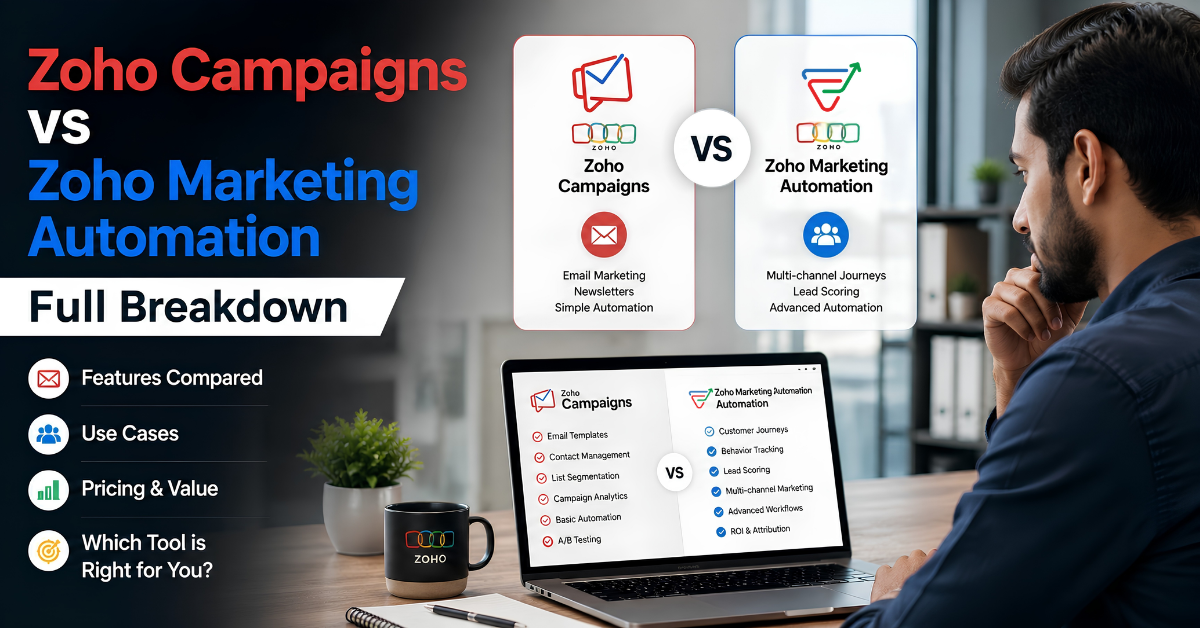
Most of the companies choose the wrong Zoho marketing tool, either Zoho Campaigns or Zoho Marketing Automation. They may look similar, but they solve completely different marketing problems. Discover which platform matches your business stage, marketing maturity, and growth goals before implementing it for your business.
This in-depth guide breaks down the real differences between Zoho Campaigns and Zoho Marketing Automation, including features, use cases, pricing philosophy, strengths, limitations, implementation complexity, and which platform makes the most sense depending on your business stage.
By the time you finish reading, you will know exactly which tool belongs in your marketing stack. This guide breaks it all down in practical terms so you can confidently choose the right marketing automation solution for your business.
Without any further ado, let’s get into it.
Why Zoho Has Two Marketing Tools: Zoho Campaigns & Zoho Marketing Automation?
Zoho built both of these products with disparate customers in mind. That is the core reason they exist side by side.
Zoho Campaigns and Zoho Marketing Automation are not competing products trying to solve the same problem. They are two tools built for two fundamentally different stages of marketing maturity and two different understandings of what marketing is supposed to do.
Zoho Campaigns came first. Zoho Campaigns is an all-in-one email and SMS marketing software designed to help businesses send marketing emails in bulk on a lawful basis and manage subscriber lists, automate marketing workflows, and track customer engagement. It is primarily used for creating newsletters, triggering follow-up sequences, and analyzing campaign performance.
Zoho Marketing Automation (formerly referred to as Zoho MarketingHub or simply ZMA) came later, built for a different kind of marketing operation. This is not just an email campaign platform. It is full-funnel, multi-channel, behavior-driven marketing with lead scoring, web tracking, attribution, and deeply personalized customer journeys. It targets businesses that need their marketing platform to think, adapt, and respond to user behavior in real time.
Zoho Campaigns and Zoho Marketing Automation Look Similar. They’re Not.
Understanding the Core Difference
The simplest way to understand the distinction is this:
- Zoho Campaigns is primarily an email marketing platform.
- Zoho Marketing Automation is a broader customer journey and lead nurturing platform.
That distinction matters because many businesses buy automation software before they actually need it. Others stay stuck with basic email marketing tools long after they’ve outgrown them.
The result is usually one of two problems:
- Paying for complexity you never use
- Hitting growth ceilings because your tools are too limited
Choosing correctly requires understanding how each platform approaches marketing.
Without any further ado, let’s dive into the details.
What Is Zoho Campaigns?
At its heart, Zoho Campaigns is an email marketing platform. But calling it just that undersells it a little, because it has grown considerably over the years.
You can build beautiful email templates using a drag-and-drop editor. You can manage multiple mailing lists, segment your audience by location, tags, or behavior, and schedule campaigns to go out at the perfect time. There is also a solid set of autoresponders that let you trigger emails based on actions like a user joining your list, completing a purchase, or clicking a specific link.
Where Zoho Campaigns really earns its reputation is in reliability and simplicity. Email Deliverability rates are strong. The reporting dashboard gives you a clean view of opens, clicks, bounces, and unsubscribes. You can A/B test subject lines. You can set up a welcome series or a re-engagement campaign in a matter of hours.
It also connects natively with Zoho CRM, which is a big deal for any business already running on Zoho. When a lead updates in CRM, that information flows into Campaigns, keeping your audience segments fresh and accurate. This sync alone saves countless hours of manual list management.
Zoho Campaigns also supports SMS campaigns, push notifications, and basic social media integrations.
Key Features at a Glance
- Drag-and-drop email editor with a large library of pre-designed templates
- Contact list management with import from Zoho CRM and third-party sources
- Audience segmentation by demographics, behavior, and engagement levels
- A/B testing for subject lines, content, and send times
- Workflow automation with 25+ components on the Professional plan
- Time-zone-based and optimal-time email delivery
- SMS marketing via Zoho's own gateway or third-party integration
- E-commerce integrations, including abandoned cart triggers (Shopify compatible)
- Compliance tools for GDPR, CAN-SPAM, and automated bounce and unsubscribe handling
- Campaign analytics including open rates, clicks, geography, and device breakdowns
- Mobile app for campaign creation and monitoring on the go
Typical Use Cases
Zoho Campaigns is the right tool when your primary marketing activity is sending email. Common use cases include regular newsletters to an established subscriber list, promotional campaigns around product launches or sales events, onboarding email sequences for new customers, simple drip campaigns for lead nurturing through email alone, and e-commerce communication like cart abandonment and post-purchase follow-ups.
To maximize campaign effectiveness, also review How to Improve Email Deliverability with Zoho Campaigns.
What Is Zoho Marketing Automation?
Zoho Marketing Automation(ZMA) is a different beast entirely.It is built on the principle that modern marketing cannot live on email alone:
Prospects/Customers interact with your brand across multiple touchpoints. They visit your website. They open an email but do not click. They return to your pricing page three times in one week. They download a whitepaper, go quiet for two weeks, and then suddenly request a demo. Each of these moments tells a story, and great marketing automation reads that story and responds accordingly.
Zoho Marketing Automation gives you the tools to track all of this behavior and act on it intelligently.
The platform allows you to monitor website visitor activity in granular detail. You can see which pages a lead visited, how long they spent on each page, and how they moved through your site. This behavioral data feeds directly into your marketing decisions.
Lead scoring is one of the headline features here. You assign point values to different actions. A lead who visits your pricing page gets five points. A lead who opens three emails in a week gets ten points. A lead who requests a product demo gets fifty points. Once a lead crosses a score threshold, they get automatically routed to your sales team. The right person gets the right follow-up at the right time, every time.
The journey builder in ZMA is another level up from what Campaigns offers. You are not just setting up email sequences. You are building multi-step, multi-channel customer journeys that branch based on behavior. If a lead opens your email, they go down one path. If they do not, they go down another. If they visit your product page after reading a blog post, a separate workflow kicks in. The logic can become deeply sophisticated, and that sophistication is the entire point.
Attribution reporting is another area where ZMA distinguishes itself. You can trace which marketing touchpoints actually drove a conversion. Was it the webinar that closed the deal? The retargeting ad? The fourth email in your nurture sequence? This kind of insight is invaluable when you are justifying marketing spend or trying to figure out where to double down.
ZMA also handles lead management at a level that Campaigns simply was not designed for. You can create detailed lead profiles that pull in data from multiple sources, web behavior, email engagement, form submissions, and CRM records, giving your team a complete picture of every prospect.
Key Features at a Glance
- Visual journey builder for designing multi-step, multi-channel customer paths
- Lead capture through landing pages, signup forms, and pop-ups
- Advanced lead scoring based on website behavior, email engagement, and custom event triggers
- Website visitor tracking, including page views, click paths, goal completions, and event tracking
- Multi-channel marketing across email, SMS, WhatsApp, and social media
- Dynamic audience segmentation updated in real time based on behavioral data
- RFM (Recency, Frequency, Monetary) analysis for e-commerce customer segmentation
- Campaign planning tools with calendar views and approval workflows
- Attribution reporting and funnel analytics showing drop-off at each stage
- Deep integration with Zoho CRM, including MQL-to-SQL hand-off automation
- Pre-built journey templates for onboarding, cart abandonment, re-engagement, and more
Typical Use Cases
Zoho Marketing Automation fits businesses where the path from stranger to customer is long and complex. Typical use cases include B2B demand generation with lead scoring and CRM hand-off, SaaS onboarding flows that adapt based on in-app or website behavior, e-commerce lifecycle marketing that combines email, SMS, and social retargeting, account-based marketing for high-value enterprise prospects, and multi-channel brand awareness campaigns with integrated reporting across all touchpoints.
Still unsure which Zoho marketing platform fits your business goals?
Don’t waste months on the wrong setup. Talk to a Zoho expert and discover whether Zoho Campaigns or Zoho Marketing Automation is the smarter investment for your growth strategy.
Features Comparison: Zoho Campaigns vs Zoho Marketing Automation
Before we dive into the features, let's acknowledge something: Zoho hasn't exactly made this easy on anyone. Both products live inside the Zoho ecosystem. Both of them involve sending marketing messages to your audience. Both can be included in a Zoho One subscription. And both use the word "marketing" right there in the name or the product description.
It's a bit like asking the difference between a kitchen knife and a Swiss Army knife. Both cut things. Both belong to the same general category. But one is purpose-built for a single job, and the other is designed to handle a dozen different situations.
Zoho Campaigns is your kitchen knife. Sharp, reliable, excellent for what it's designed to do. Zoho Marketing Automation is the Swiss Army knife. More complex, more capable across different scenarios, but only worth carrying if you actually need all those tools.
That framing matters because the wrong choice doesn't just cost you money. It either limits your marketing potential or buries your team in features they'll never use. Neither outcome is good.
This detailed breakdown of Zoho Campaigns vs Zoho Marketing Automation helps you confidently pick the right solution before making a costly mistake.
1. Fundamental Philosophy :Campaign-Based vs. Journey-Based Marketing
The deepest difference between these two products is philosophical, not technical. Zoho Campaigns operates on a campaign-based model.
You create a campaign, define who receives it, set a schedule, and measure the results. The logic runs linearly: someone is on a list, a campaign goes out, you read the report. This model is efficient, predictable, and well-suited to teams that know their audience and simply need to communicate with it consistently.
Zoho Marketing Automation operates on a journey-based model. Instead of campaigns that go out to lists, you design dynamic paths that leads move through based on their behavior.
A lead who visits your pricing page gets a different follow-up than one who downloads a whitepaper. One who opens three emails in a week is automatically scored higher and may be routed to a different nurture stream than one who has not engaged in two months.
The shift from campaign-based to journey-based thinking is not a small one. Campaign-based marketing asks: "Who do we want to talk to, and what do we want to say?" Journey-based marketing asks: "What do we know about each person, and what do they need to hear next?"
2. Core Architecture and Workflow
Zoho Campaigns Workflow
With Zoho Campaigns, your workflow is straightforward:
- Build or import your list
- Create an email (or series of emails)
- Set targeting and scheduling
- Send
- Analyze results and iterate
The platform makes each step easier. Templates are drag-and-drop. List management includes segmentation options. Automation is available through workflows, but these are mostly simple conditional sends based on email interactions.
What Zoho Campaigns does not do is track or adapt based on what someone does outside of email. If a contact visits your website three times, opens zero emails, and abandons a cart, Zoho Campaigns does not automatically know or adjust its behavior. You can set up a basic workflow to send an abandoned cart email to people with Shopify connections, but the tool is not continuously listening for signals.
Zoho Marketing Automation Workflow
With Zoho Marketing Automation, your workflow is more exploratory:
- Define your buyer journey or funnel
- Build a journey in the visual builder
- Set up lead scoring rules
- Activate lead capture (forms, landing pages, website tracking)
- Monitor leads as they move through the journey
- Analyze at every stage and adjust
The platform is listening. It knows when a contact visits your pricing page. It knows when they download a resource. It updates their lead score in real time. It moves them to different branches of a journey based on their actions. If a lead scores high enough, a workflow can automatically notify your sales team or route them to a sales rep.
This is a fundamentally different operating model. Campaigns require you to decide in advance who gets what. Automation allows the system to adapt in real time based on behavior.
3. Email Marketing Capabilities
Both platforms handle email, but in different ways.
Zoho Campaigns Email Features
Zoho Campaigns is built around email excellence. Its email editor is one of the most user-friendly on the market. The template library is extensive. Features include A/B testing on subject lines, content, and send times. Time-zone optimization sends emails at the optimal hour for each recipient, not at the same time globally. The platform includes list management, segmentation, and basic dynamic content where you can personalize the name or other fields.
For email-focused teams, Zoho Campaigns is genuinely capable. It does email marketing well. The deliverability is solid. Compliance tools are thorough. And at its lowest price point (starting at around $3 per month), it is aggressively affordable.
Zoho Marketing Automation Email Features
Zoho Marketing Automation includes email as one channel among several. You can build email campaigns inside journeys, use dynamic content, set up A/B tests, and segment audiences. The email editor is competent but not as extensive as Zoho Campaigns. The template library is smaller.
Why would you choose Zoho Marketing Automation for email? Because you need email to work together with other channels. A journey might send an email when someone lands on your site, follow up with an SMS if they don't engage, and then show a retargeting ad through integration with your media platform. Email in isolation is less of a focus; email as one piece of a multi-channel strategy is the point.
4. Multi-Channel Marketing
Zoho Campaigns Multi-Channel Limitations
Zoho Campaigns supports SMS as an add-on channel. You can send SMS messages and create basic automations that combine email and SMS. Beyond that, the platform does not natively integrate social media, WhatsApp, or other channels. If you use Zoho Campaigns for SMS, you are buying add-on credits. If you want social or chat channels, you are integrating via third-party tools or simply accepting that those channels exist outside this platform.
For small teams doing email as their primary channel with occasional SMS, this is fine. For teams that need to coordinate across email, SMS, WhatsApp, and social, Zoho Campaigns is not the tool.
Zoho Marketing Automation Multi-Channel Strength
Zoho Marketing Automation natively supports email, SMS, WhatsApp, and social media (through integrations). You can design a single journey that sends an email, waits to see if the contact opens it, and then sends an SMS to those who do not engage. You can post to social media channels and track engagement as part of the journey. You can send a WhatsApp message to a contact and branch the journey based on their response.
This is where the platform earns the "marketing automation" name. It is not automating email. It is automating the entire customer engagement strategy across channels.
5. Lead Scoring and Behavioral Tracking
Zoho Campaigns Lead Scoring
Zoho Campaigns offers basic lead scoring on the Professional plan. You can score contacts based on email engagement: opens, clicks, list membership, and custom events. The scoring is backward-looking, not predictive. If someone opens three emails, they get points. If they click, they get more points. The score is useful for segmentation, but it does not predict future behavior.
Zoho Campaigns does not track website behavior. If someone visits your pricing page 10 times, Zoho Campaigns does not know. It only knows what happens inside the email ecosystem.
Zoho Marketing Automation Lead Scoring
Zoho Marketing Automation includes advanced lead scoring by default. The system scores based on website behavior, email engagement, form submissions, and custom event triggers. You can weight different signals (a whitepaper download is worth more than a page view). The scoring is dynamic, meaning a contact's score updates in real time as they take actions.
Beyond scoring, Zoho Marketing Automation tracks every interaction a contact has with your property. Page views, clicks, time on page, form submissions, email opens, link clicks. This data flows into the journey engine, allowing for conditional branching based on behavior. If someone visits your product demo page, a workflow can automatically send them a follow-up demo request email.
6. Website Visitor Tracking
Zoho Campaigns and Website Tracking
Zoho Campaigns does not include native website tracking. You cannot see which contacts visited your website or which pages they viewed. If you want to send an abandoned cart email, you need an integration with an e-commerce platform like Shopify. Beyond that, website tracking is not available.
Zoho Marketing Automation and Website Tracking
Zoho Marketing Automation includes built-in website visitor tracking. You install a tracking code on your site, and the platform captures page views, clicks, goal completions, and custom events. Anonymous visitors are tracked, and once they convert to a known lead (via form, email, or CRM), their entire browsing history is attributed to them.
This is foundational to journey-based marketing. Without knowing what someone has done on your site, you cannot adapt their journey in real time.
7. Landing Pages and Form Builders
Zoho Campaigns Forms
Zoho Campaigns includes signup forms that you can embed on your website or use in other campaigns. The forms are functional but limited. Pop-ups are not available. Landing pages are not natively available (though you can use forms as part of a Shopify or third-party landing page).
Zoho Marketing Automation Landing Pages and Forms
Zoho Marketing Automation includes a native landing page builder with pre-designed templates. You can create standalone landing pages without a website. The platform also includes a robust form builder and pop-up builder for on-site lead capture.
Why does this matter? Landing pages and pop-ups are not just nice to have. They are the primary tools for capturing leads in a marketing automation workflow. If you are running campaigns to drive awareness, you need a landing page to convert that traffic into leads. Zoho Marketing Automation has these tools built in.
8. Customer Journey Visualization
Zoho Campaigns Workflow Automation
Zoho Campaigns includes workflow automation with a visual builder. You can set up email sequences triggered by subscriber actions. Workflows support branching based on opens, clicks, and other email interactions. For simple email automation (send email on signup, send follow-up if no open, send another follow-up if click), this works well.
The limitation is that workflows are linear and relatively straightforward. Complex branching, multi-channel decisioning, and long-term lead nurturing are possible but become cumbersome.
Zoho Marketing Automation Journey Builder
Zoho Marketing Automation includes a visual journey builder specifically designed for complex customer paths. You can create elaborate, multi-step journeys with branching based on any signal: email, web, SMS, form, custom event. You can design journeys that unfold over weeks or months, with different paths based on individual behavior.
The journey builder is the heart of Zoho Marketing Automation. It is what differentiates the platform from an advanced email tool.
9. Segmentation Approaches
Zoho Campaigns Segmentation
Zoho Campaigns offers segmentation through static lists and dynamic segments. Static segments are created once and do not update unless you manually run the query again. Dynamic segments (available on the Professional plan) update based on criteria you define (e.g., "has opened an email in the last 30 days"). This is useful for ensuring your campaigns go to the right people.
Zoho Marketing Automation Segmentation
Zoho Marketing Automation offers real-time dynamic segmentation. Segments update continuously as contacts take actions. You can segment by almost any signal: website behavior, email engagement, form submissions, lead score, custom attributes, and more. Contacts automatically enter and exit segments based on criteria, making them ideal for journey entry conditions and behavior-based branching.
10. CRM Integration and Sales Handoff
Zoho Campaigns CRM Integration
Zoho Campaigns integrates with Zoho CRM. You can import contacts from CRM, sync list membership, and add tags based on email engagement. The integration is straightforward but basic. You are primarily syncing contact data and engagement history.
Zoho Marketing Automation CRM Integration
Zoho Marketing Automation has deep CRM integration. Beyond contact sync, the platform includes automation for lead qualification and sales handoff. You can create workflows that automatically update lead status in CRM, create or update records, assign leads to sales reps, and trigger CRM tasks and notifications.
The platform supports MQL (Marketing Qualified Lead) to SQL (Sales Qualified Lead) handoff workflows. When a lead meets your qualification criteria, Marketing Automation automatically changes the lead status in CRM, assigns them to a sales rep, and creates a CRM task for follow-up. This closes the gap between marketing and sales.
11. Pricing Structure
Zoho Campaigns Pricing
Zoho Campaigns offers a Forever Free plan that includes 2,000 contacts and 6,000 emails per month. This is genuinely free, not a 30-day trial, and has no feature limitations beyond the contact count.
Paid plans start at approximately $3 per month for 500 contacts (annual billing). The Professional plan is around $20-25 per month for 50,000 contacts and includes advanced features like automation workflows and advanced reporting. SMS credits are purchased separately.
Zoho Marketing Automation Pricing
Zoho Marketing Automation offers a 14-day free trial but no permanent free plan. Paid plans start at approximately $14-19 per month for 1,000 contacts (annual billing). Higher tiers scale with contact count and include more advanced features.
The price difference reflects the gap in complexity and capability. Zoho Marketing Automation is a more sophisticated platform and costs more.
12. Learning Curve and Implementation Time
Zoho Campaigns Setup
Zoho Campaigns is fast to set up. Most small teams can create a list, design an email, and send a campaign within a few hours. The user interface is intuitive. Workflows are simple enough for non-technical users to understand. If you are running basic email campaigns, you can be productive in Zoho Campaigns within a day or two.
Zoho Marketing Automation Setup
Zoho Marketing Automation requires more deliberate planning. You need to define your buyer journey, decide on lead scoring rules, set up forms and landing pages, and build journeys in the visual builder. Most teams take a few days to a couple of weeks to get their first journey live, depending on complexity.
The platform has a moderate learning curve. It is not difficult, but it requires investment in understanding how to think about journeys, triggers, and branching logic.
13. Automation Depth
Zoho Campaigns Automation
Zoho Campaigns automation is good for linear sequences. A contact subscribes, gets a welcome email immediately, gets another email if they do not open it within 48 hours, and enrolls in a weekly newsletter.
What Zoho Campaigns does not do well is complex, multi-signal automation. You cannot easily say: "If someone visits the pricing page AND does not open an email within 24 hours AND is not already in the premium tier, send a personalized message AND update their lead score AND notify the sales team." These kinds of multi-signal decisions require Zoho Marketing Automation.
Zoho Marketing Automation Automation
Zoho Marketing Automation is built for complexity. You can create multi-signal automations with conditional branching, time delays, webhook integrations, and real-time data updates. The platform scales from simple to arbitrarily complex.
14. Analytics and Reporting
Zoho Campaigns Analytics
Zoho Campaigns includes campaign-level metrics: open rates, click rates, unsubscribe rates, bounce rates, device breakdowns, and geographic data. You can view how each campaign performed and segment results by list or demographic.
The platform does not include funnel or journey analytics. You cannot see how a sequence of emails drove conversions. It is email-focused reporting.
Zoho Marketing Automation Analytics
Zoho Marketing Automation includes journey analytics, funnel reporting, attribution modeling, and ROI tracking. You can see how many leads entered a journey, where they dropped off, which channels drove engagement, and what revenue resulted from the journey.
For businesses that need to justify marketing spend and understand the full funnel from awareness to conversion, Zoho Marketing Automation's analytics are significantly more powerful.
15. Integration Ecosystem
Zoho Campaigns Integrations
Zoho Campaigns integrates with Zoho CRM, Shopify, and various third-party platforms via Zapier. You can import contacts from external sources and push engagement data back to CRM. For basic email marketing, the integrations are sufficient.
Zoho Marketing Automation Integrations
Zoho Marketing Automation integrates deeply with Zoho CRM, Zoho Analytics, Zoho SalesIQ, and Zoho Survey. External integrations include Shopify, Slack, webhooks, and many third-party platforms. The platform can trigger workflows based on external events (someone signed up in your app, someone attended a webinar) and send data back out to your system.
16. Compliance and Deliverability
Zoho Campaigns Compliance
Zoho Campaigns includes compliance tools for GDPR, CAN-SPAM, and CASL. The platform handles bounce management, unsubscribe lists, and consent tracking. Deliverability is solid, with attention to authentication standards like SPF, DKIM, and DMARC.
Zoho Marketing Automation Compliance
Zoho Marketing Automation includes the same compliance tools as Campaigns, plus additional features for tracking explicit and implicit consent across channels. Deliverability is equally strong.
Compliance is not a differentiator between the two platforms. Both handle it well.
17. Team Collaboration Features
Zoho Campaigns Collaboration
Zoho Campaigns includes basic team features: user roles, email templates that teams can share, and campaign approval workflows. Multiple team members can work on campaigns, with clear ownership and permissions.
Zoho Marketing Automation Collaboration
Zoho Marketing Automation includes more advanced collaboration features. Campaign planning tools include calendar views, approval workflows, and team tagging. Multiple teams can work on different journeys. Integration with Zoho CRM extends collaboration capabilities to the broader marketing and sales operation.
18. Mobile and Remote Access
Zoho Campaigns Mobile
Zoho Campaigns includes a mobile app for iOS and Android. You can create and send campaigns from your phone, check analytics, and manage lists. For mobile marketing management, the app is quite good.
Zoho Marketing Automation Mobile
Zoho Marketing Automation does not include a dedicated mobile app. You can access the platform on mobile via a browser, but the experience is not optimized for smaller screens. For a platform as complex as Marketing Automation, this is reasonable. You would not want to design a journey on the phone.
19. Scalability Considerations
Zoho Campaigns Scalability
Zoho Campaigns scales well with contact count. The platform can handle lists of millions of contacts and send millions of emails per day. Performance remains consistent as you grow.
What does not scale is complexity. If your marketing needs evolve beyond email campaigns, Zoho Campaigns will feel limiting.
Zoho Marketing Automation Scalability
Zoho Marketing Automation is designed for scalability across all dimensions: contact count, journey complexity, channel diversity, and data volume. It can handle enterprise-level marketing operations.
20. Customization and Extensibility
Zoho Campaigns Customization
Zoho Campaigns allows customization of templates and workflows. You can add custom fields to contacts, create custom tags, and build workflows with conditional logic. For most email marketing needs, this is sufficient.
Advanced customization or building custom features requires workarounds or external tools.
Zoho Marketing Automation Customization
Zoho Marketing Automation supports custom fields, custom events, webhooks, and API access. You can build custom attributes, track custom events in journeys, and integrate with external systems via webhooks or APIs. The platform is more extensible.
Features alone don’t tell the full story. Your business goals do.
Get help choosing the platform that matches your growth stage and marketing strategy.
Takeaway:
This is the key point I'd like you to remember from everything discussed: Neither Zoho Campaigns nor Zoho Marketing Automation is the "better" product in any absolute sense. They're designed for different stages of marketing maturity and different operational requirements.
The good news? Both live inside the Zoho ecosystem, which means
You can start with Zoho Campaigns, grow your marketing maturity, and migrate to Marketing Automation when you're ready.
That kind of flexibility is exactly what makes the Zoho platform worth considering as the foundation of your marketing stack.
Not sure which platform matches your business stage?
Stop guessing. Get a free platform assessment and discover whether Zoho Campaigns or Zoho Marketing Automation will deliver the best ROI for your business.
When Should You Choose Zoho Campaigns?
Here are the signs that Zoho Campaigns is the right fit for you.
You are primarily focused on email marketing. Your core strategy revolves around building a subscriber list, sending newsletters, announcing promotions, and nurturing leads through email sequences. You are not trying to build complex multi-channel journeys just yet.
Your sales cycle is relatively short. You are in e-commerce, retail, or a service business where the time between a lead joining your list and making a purchase is measured in days or weeks, not months. You need to communicate quickly and effectively, and you do not need layers of behavioral logic to do it.
You are working with a lean team and a modest budget. Zoho Campaigns is fast to set up, intuitive to manage, and does not require a dedicated marketing operations person to run. If you are a team of one or two, this is where you belong.
You want native Zoho CRM integration without complexity. If you are already on Zoho CRM and you want your marketing and CRM to talk to each other cleanly, Zoho Campaigns handles that integration extremely well without requiring a technical setup.
When Should You Choose Zoho Marketing Automation?
Now flip the coin.
You are in B2B with a longer sales cycle. Your deals take weeks or months to close, and your leads need to be educated, nurtured, and scored before they are ready to talk to sales. You need a platform that can manage that journey intelligently over time.
You want to know what your leads are doing on your website. You are not satisfied with knowing who opened your email. You want to know which product pages they visited, how many times they came back, and what they looked at before filling out a form.
You are running multi-channel campaigns. You want your email, SMS, ads, and web content to work together as a coordinated system. You need a single platform that orchestrates all of these channels in response to lead behavior.
Your sales and marketing teams need better alignment. You are tired of sales complaining about unqualified leads from marketing. Lead scoring, automated routing, and real-time behavioral alerts will transform that relationship.
You need to prove marketing ROI. Your leadership team wants to understand which campaigns are driving revenue. You need attribution data and funnel analytics that go beyond email open rates.
Does your leads require nurturing across multiple touchpoints? It’s time to move beyond Zoho Campaigns.
Hire our Zoho developers who can turn Zoho Marketing Automation into a scalable revenue engine by building smarter customer journeys with lead scoring, behavioral tracking, and multi-channel automation.
Migration Considerations: Moving From Campaigns to ZMA
A common scenario is a business that started with Campaigns and has now outgrown it. The question is not whether to move, but how to do it without disrupting active campaigns and losing historical data.
The honest answer is that migration takes planning. Your contact lists, custom fields, and engagement history can be moved, but your automation workflows need to be rebuilt in ZMA's journey framework. That rebuilding process is also an opportunity to audit what actually works in your current setup and what you have been maintaining out of habit rather than performance.
A Practical Migration Sequence
- Audit active Campaigns workflows first.
- Identify which sequences are driving real engagement and which are running on autopilot with no measurable outcome
- Export and clean your contact database.
- Remove contacts who have not engaged in 12 months unless there is a specific retention strategy for them
- Set up ZMA's website tracking script before migrating.
- Let it collect behavioral data on your existing contacts for 2 to 4 weeks before you build journeys around it
- Rebuild your highest-performing sequences first.
- Migrate the workflows that consistently produce pipeline. Leave lower-priority campaigns until you are comfortable in the new environment
- Define your lead scoring model before building journeys.
- Without a scoring model, ZMA's journey logic has no signal to act on
Expect 4 to 8 weeks for a structured migration if your Campaigns setup is moderately complex. Rushing this process creates the same problems the migration was supposed to solve.
Before migration, businesses should also conduct system audits through How to Perform Zoho Audit in 12 Easy Steps.
Choosing the wrong platform can slow down your growth and waste your marketing budget.
Get expert guidance before you invest. Our Zoho specialists will help you map the right marketing stack for today and tomorrow.
Is Zoho Campaigns or Zoho Marketing Automation available in Zoho One Plan?
If you are running Zoho One, the all-in-one business suite, you already have access to Zoho Campaigns as part of your subscription. Zoho Marketing Automation, depending on your plan and region, may require a separate license or add-on.
This is worth knowing because it changes the cost calculation. If you are a Zoho One customer and you are not yet using Zoho Campaigns, you are leaving a potential email marketing tool unused. Get in, set it up, and start building your marketing foundation. Then evaluate whether you need to layer in ZMA as your needs evolve.
If you are working with a Zoho Partner (which is something we strongly recommend for Zoho Implementation), they can help you map your current marketing maturity against the capabilities of each platform and give you a realistic sense of which investment makes sense at your stage.
The Common Mistakes People Make When Choosing Between Zoho Campaigns and Zoho Marketing Automation
Let me share the pitfalls because we see these often.
The first mistake is buying Zoho Marketing Automation before your marketing operation is ready for it. ZMA is a powerful platform, but power without a clear strategy is just noise. If you do not have a documented buyer journey, a lead nurturing strategy, and some kind of content program supporting your funnel, ZMA will become an expensive and underused tool. You need to crawl before you sprint.
The second mistake is staying too long on Zoho Campaigns when your business complexity has clearly outgrown it. This happens when companies have a growing B2B sales operation but they are still running flat email sequences that treat every lead the same, regardless of where they are in the buying journey. Segmentation and basic automations can only take you so far. At some point, behavioral marketing pays for itself.
The third mistake is assuming that integrating either platform with Zoho CRM is plug-and-play without any configuration. The native sync is fantastic, but getting it to reflect your actual sales process, custom fields, deal stages, and lead ownership rules still requires setup time. Budget for that.
Point To Note: The right platform choice depends not only on features but also on implementation strategy, operational readiness, and long-term scalability planning. Businesses uncertain about the right approach often benefit from consulting a Zoho implementation partner before making platform decisions.
If you read the reasons why you need Zoho Implementation Partner to onboard Zoho for your business, you’ll realize how their expert guidance helps you confidently pick the right solution for your business.
Zoho Campaigns vs Zoho Marketing Automation: What Marketers Need to Know in 2026
The trajectory of marketing automation platform is clear: behavioral data, real-time personalization, and multi-channel coordination are becoming baseline expectations rather than advanced capabilities.
Buyers, whether B2B or B2C, increasingly expect that brands know their context and respond to it intelligently. The window in which a simple email-blast approach can sustain a growing business is narrowing in most industries.
AI-assisted personalization, predictive lead scoring, and intent-based targeting are rapidly becoming standard features in competitive marketing automation platforms. Zoho Marketing Automation is investing in this direction, with ongoing feature updates that expand its analytics, WhatsApp capabilities, and journey intelligence.
Zoho Campaigns, by contrast, is optimizing its core email marketing experience rather than expanding into new territory.
Neither platform is universally “better.”
The correct choice depends entirely on your business maturity, marketing complexity, and growth strategy.
AI is rapidly reshaping how businesses approach marketing automation, customer segmentation, and sales engagement. Businesses interested in future-ready automation strategies should also explore AI trends in Zoho revolutionizing partner dynamics.
Final Thoughts before you decide
Picking the wrong marketing automation platform is not just a tech decision. It is a business decision that affects your revenue, your team's productivity, and your ability to compete.
The good news is that both Zoho Campaigns and Zoho Marketing Automation are genuinely good platforms for marketing. You are not choosing between a good option and a bad one. You are choosing between two good options that serve different needs.
Zoho Campaigns and Zoho Marketing Automation are not competitors. They are not trying to do the same thing. They are tools built for different stages of marketing maturity, and understanding that distinction is the key to choosing well.
If your marketing is primarily about reaching your audience through email, building relationships, and staying top of mind, Zoho Campaigns is a mature, reliable platform that does exactly that with minimal friction. If your marketing needs to be a growth engine that identifies, qualifies, nurtures, and converts leads across multiple channels with behavioral intelligence at every step, Zoho Marketing Automation is the platform built for that mission.
The question you need to ask yourself is not which platform has more features. It is which platform fits your business where it is right now, and where you plan to take it in the next 12 to 24 months.
Whatever you choose, commit to it fully. Train your team on it. Use it consistently.
Most businesses don’t fail because of bad marketing tools. They fail because they choose tools that don’t match their marketing maturity.
Don’t Be One of Them.
And if you need help figuring out which one is best fit for your business and how to set it up the right way, working with a Zoho Certified Partner-YAALI is the fastest path from confusion to clarity.
We've implemented both Zoho Campaigns and Zoho Marketing Automation for businesses across industries successfully based on their actual business goals, not just feature lists, and we know exactly where each tool shines and where it struggles.
Stop wasting time comparing features blindly. Let our Zoho Specialists evaluate your current marketing setup, sales process, and growth goals to recommend the right solution for your business.
Reach out to us today and Get expert guidance before investing on the platform.
Hope this blog post clarifies the key differences between Zoho Campaigns and Zoho Marketing Automation.
Thank you for taking the time to read this to the end...
Share this Post if you found this Content Useful😊. Sharing is Caring!
📧 Join over 1000+ Business Owners, Zoho Customers, Consultants, and Zoho Partners who read our content to get the most out of Zoho for their business.
▣ Zoho + Your Business+ Our Expertise = Get Maximum Value out of your Zoho Investment.

Enter Your Email Address Below to receive the Exclusive Content that we only share with those who Subscribe to our Newsletter.


