BigCommerce logo
Zoho Books logo

Zoho Books BigCommerce Integration

Synchronize your customers, orders, and products effortlessly between multiple BigCommerce stores and Zoho Books.

With our BigCommerce for Zoho Books extension, your sales team gains instant access to critical order, product, payment, and shipment details from multiple BigCommerce stores directly within Zoho Books.No more scrambling for information or entering data manually! Your team can view and track order details, product information, payment statuses, and shipment tracking – all in one centralized location (Zoho Books).

Having all your customer and order data consolidated in Zoho Books empowers your support team to provide faster and more accurate assistance to your customers.

Our BigCommerce Integration for Zoho Books automates data synchronization, saving you countless hours. This frees your team from repetitive tasks, allowing you to focus on what truly matters – growing your ecommerce business.

Key Features

  • Connect and synchronize customers and their order information from multiple BigCommerce stores to Zoho Books.
  • Sync your BigCommerce products with corresponding items (Standalone items) in Zoho Books.
  • Automatically create contacts, sales orders, and items in Zoho Books for each BigCommerce order.
  • Effortlessly manage transactions in multiple currencies for global sales.
  • Get Complete visibility of your Orders synced from multiple BigCommerce stores within Zoho Books (Custom dashboard).
Uni-directional Synchronization- BigCommerce to Zoho Books

Our extension supports the following synchronizations:

Ready to try this BigCommerce Extension in your Zoho Books account?

See how Zoho Books BigCommerce Integration Works

The integration between BigCommerce and Zoho Books must be authenticated and authorized by configuring the necessary settings to enable data transfer from BigCommerce to Zoho Books. This step ensures that both platforms can communicate with each other securely.

BigCommerce Order to Zoho Books Order

BigCommerce Orders to Zoho Books Sales Orders

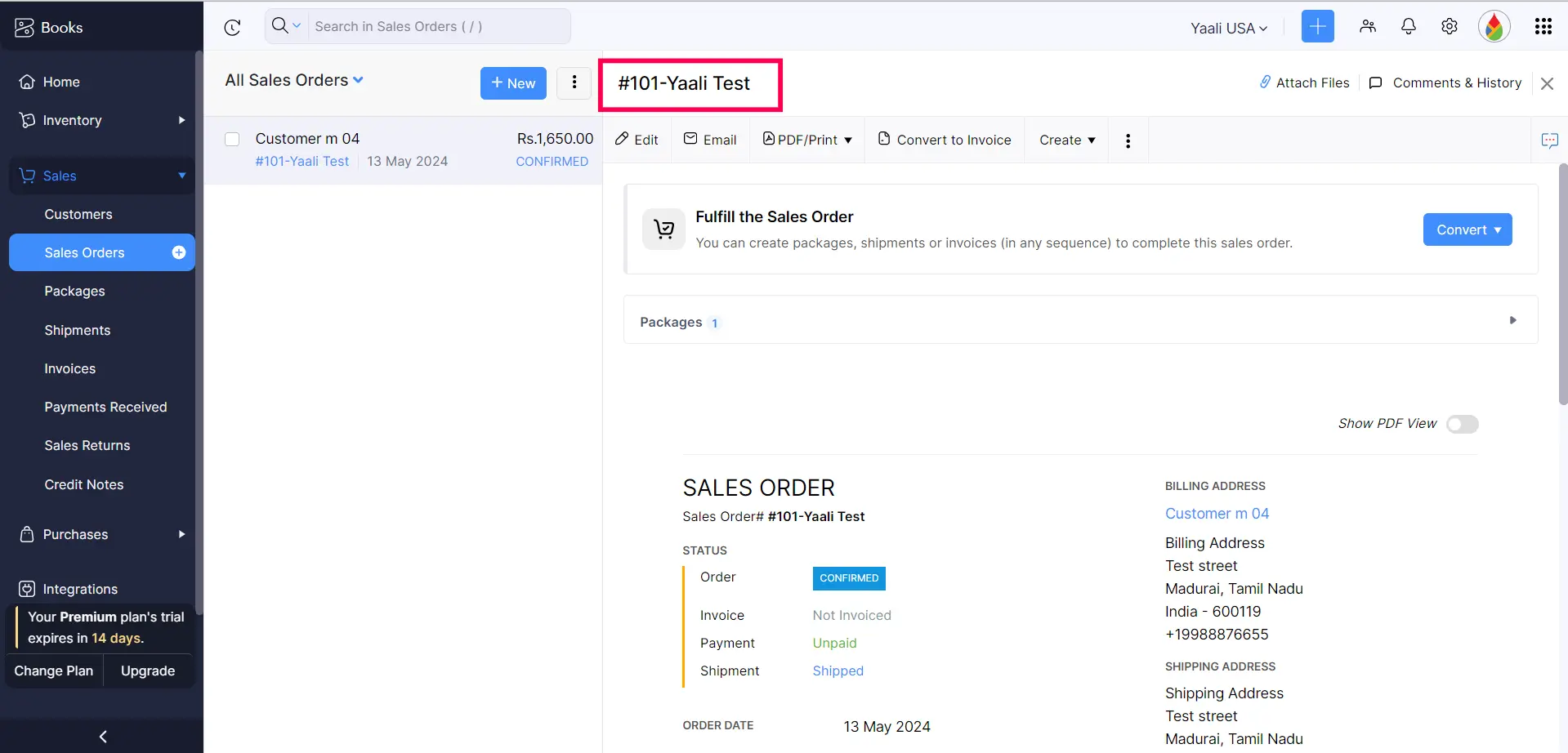
Whenever a customer places an order on your BigCommerce store, a corresponding Sales Order is automatically created within Zoho Books. This ensures all order details, from customer information to product details flow effortlessly from BigCommerce to Zoho Books. Furthermore, our extension automatically sync Zoho Books stock levels with every BigCommerce order so that Books tracking is accurate and up-to-date.

But that's not all! Here's the real time saver: If the BigCommerce orders progress from "Processing" to "Shipped", the corresponding Sales Order in Zoho Books is automatically updated with the latest status.

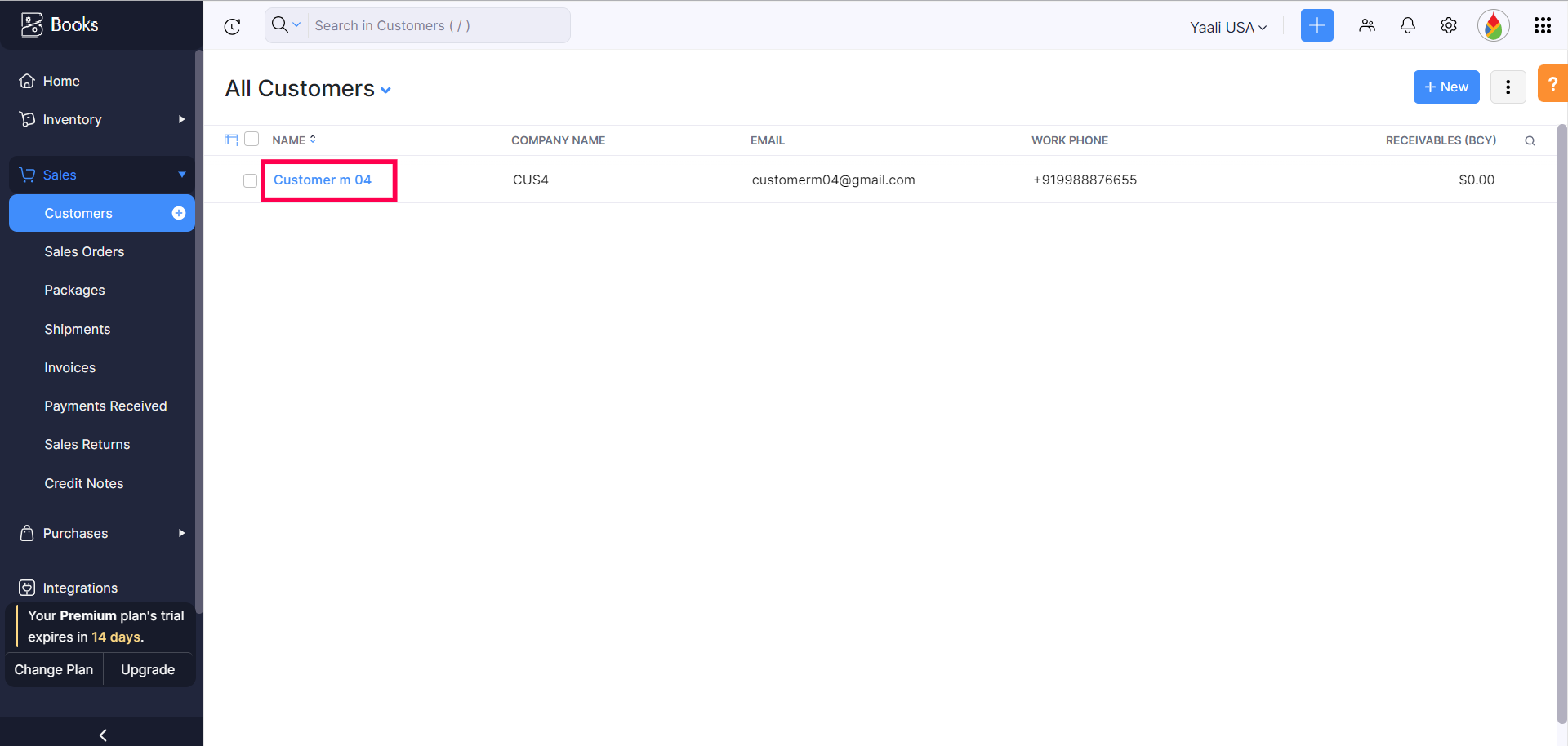
BigCommerce Customer to Zoho Books Contact

Automatically create Contacts in Zoho Books for your BigCommerce customers, regardless of whether they are registered or guests. This means that whenever someone places an order on your BigCommerce store, their information (name, email, address etc.) will be automatically transferred to Zoho Books and a new contact record will be created. This eliminates the need for manual data entry, saves you time, and keeps your customer information consistent across both platforms.

Additionally, you can access the customer's past orders from the multiple BigCommerce stores in Zoho Books, giving you a complete picture of their buying history.

BigCommerce Customer to Zoho Books Contact
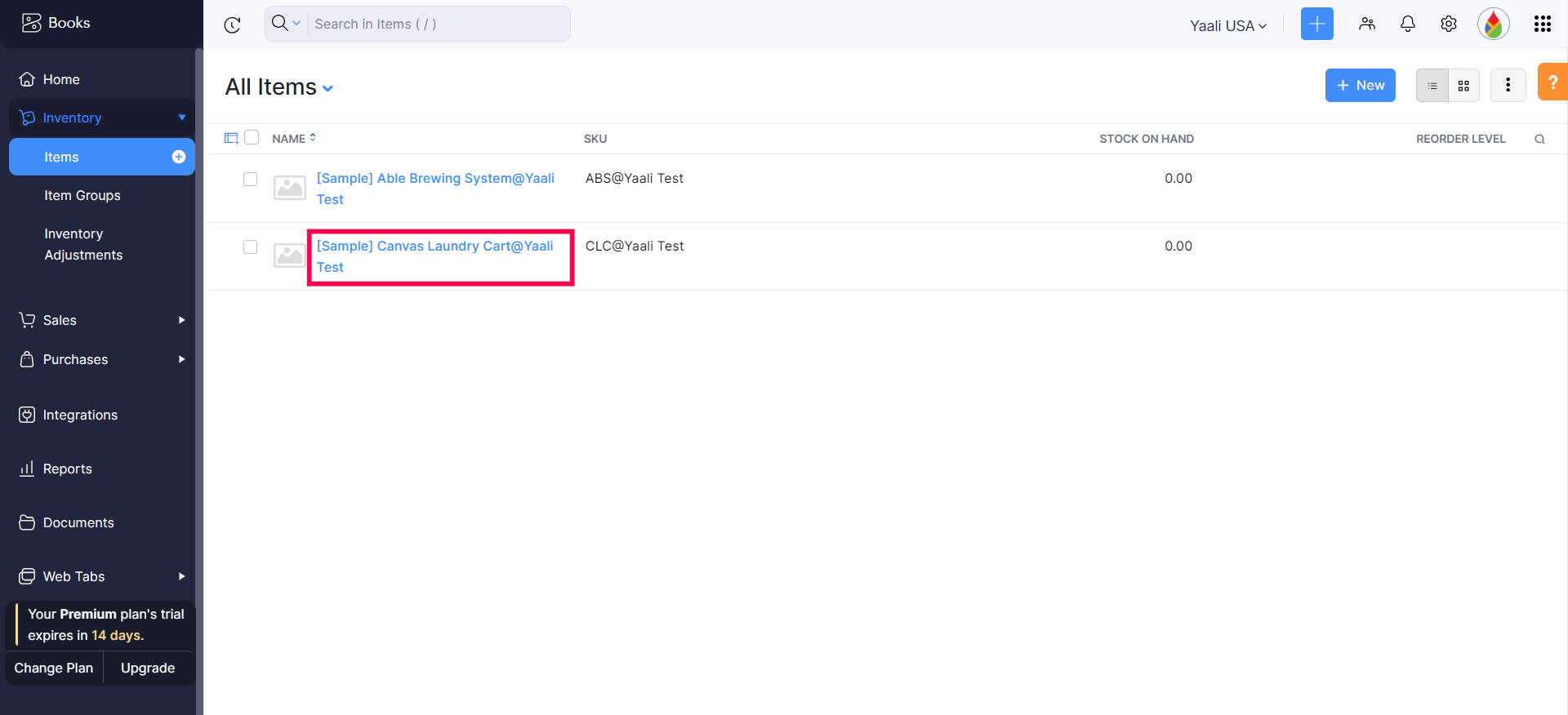
BigCommerce Products to Zoho Books Products

BigCommerce Products to Zoho Books Items(Standalone Items)

Whenever an order is received on your BigCommerce store, the corresponding product will be automatically added to Zoho Books. Product information such as name, type, quantity, price, etc., will be automatically synced between the two platforms.

Furthermore, any updates you make to a product in BigCommerce, such as price changes or stock level adjustments, will be instantly reflected in the corresponding standalone item within the Zoho Books.

Additionally, you can also manually sync failed/missed BigCommerce orders from Zoho Books to ensure that all orders are accurately recorded and processed. This manual syncing feature allows you to address any discrepancies or errors that may occur during the automatic syncing process, providing greater control and accuracy in managing your Books and order data

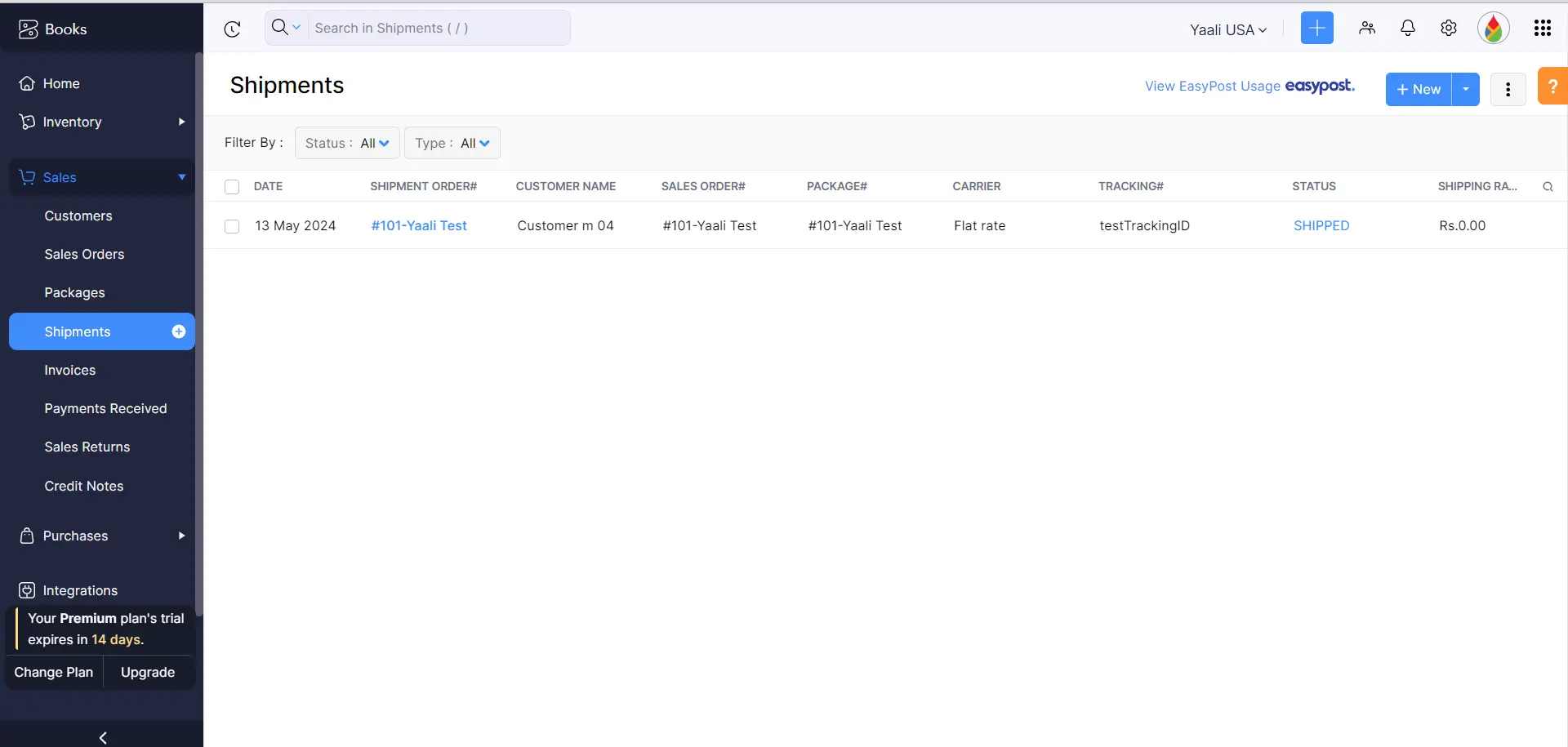
View Payment and Shipping information for BigCommerce orders in Zoho Books

Using our BigCommerce for Zoho Books extension, you can seamlessly view the payment and shipping information for all your BigCommerce orders directly within Zoho Books Orders and gain instant visibility into crucial order information, including order status - Unpaid, Processed, or Received, and shipment information, including tracking numbers and shipment dates. This eliminates the need to check BigCommerce for updates constantly.

You can also easily identify the chosen payment method for each order, whether it's a credit card, PayPal, or other online gateway. This empowers your support teams to provide better customer service by quickly addressing payment issues that may arise.

View Payment and Shipment info from BigCommerce in Zoho Books
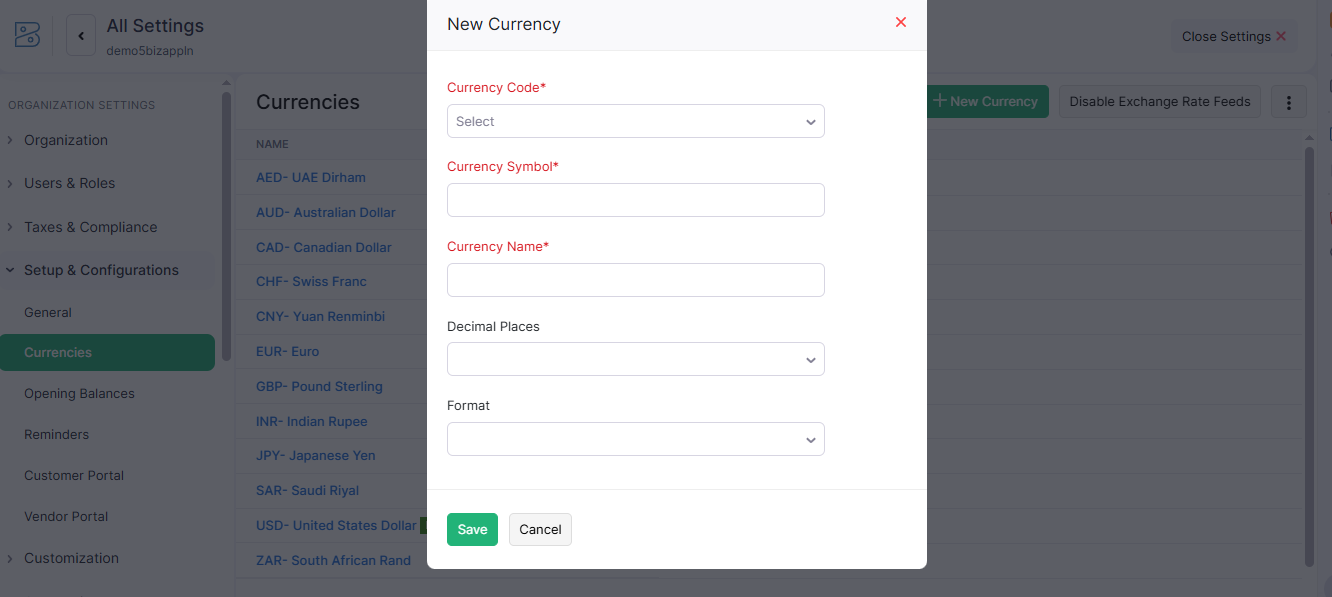
Multicurrency support in BigCommerce extension

MultiCurrency Support

Our BigCommerce for Zoho Books extension goes beyond borders. It empowers you to manage international sales with ease, thanks to full multi-currency support. This means you can accept payments and manage books in various currencies, all within your familiar Zoho Books environment connected to BigCommerce. No more currency conversion headaches! Our extension ensures seamless multi-currency transactions, giving you complete confidence to navigate global markets and track everything smoothly from BigCommerce to Zoho Books.

Would you like a quick, personalized demo of how the BigCommerce extension works with Zoho Books?

BigCommerce - Zoho Books Integration HelpDoc

Need any help with setting up and configuring the BigCommerce extension in your Zoho Books account? Refer to the help doc for detailed instructions.

Benefits of using BigCommerce for Zoho Books Extension

Integrating BigCommerce, your ecommerce platform, with Zoho Books, your books management system, offers several benefits:

Overall, integrating BigCommerce with Zoho Books can significantly improve your Books management process, enhance operational efficiency, and provide a better customer experience.

Curious to know about how integrating BigCommerce with Zoho Books can benefit your business?

Our Popular Zoho Books Extensions Available on Zoho Marketplace

Our ready-to-use Zoho extensions help you quickly connect Zoho Desk with the tools your business relies on, automate repetitive tasks, and build a more connected sales ecosystem without the cost and complexity of custom development.

Marketplace

Zoho Books Stripe Integration

Accept online payments securely through Stripe while automatically synchronizing payment information with Zoho Books.

Marketplace

Docparser with Zoho Books

Automatically extract invoice and receipt data to eliminate manual bookkeeping and improve accuracy.

Marketplace

WooCommerce Zoho Books Integration

Synchronize WooCommerce orders, invoices, payments, and customer information with Zoho Books.

Marketplace

Magento 2 for Zoho Books

Connect Magento 2 with Zoho Books to automate invoice creation and financial record synchronization.

Marketplace

Zoho Books Shopify Integration

Automatically synchronize Shopify orders, invoices, customers, and payments with Zoho Books.

Marketplace

Braintree Integration with Zoho Books

Accept secure online payments through Braintree while keeping your accounting records up to date.

Need a Custom Integration or Zoho Extension?

Whether you need a ready-made accounting extension or a custom third-party integration with your Zoho Books account, our Zoho Extension Developers are here to Connect Zoho Books with the tool your business needs.

Explore our Zoho Extensions

Get a personalized demo of BigCommerce for Zoho Books Extension

A respective person from our Zoho Extension Development Team will reach out to you for a 1:1 demo to clarify your doubts and answer any questions you have.

zoho app development icon+ zoho app development icon Install